Claude Cowork
| Version | 0.1.1
|
| Subscription level What's this? |
Basic |
| Developed by What's this? |
Elastic |
| Minimum Kibana version(s) | 9.4.0 |
To use pre-release integrations, go to the Integrations page in Kibana, scroll down, and toggle on the Display beta integrations option.
The Claude Cowork integration collects OpenTelemetry log events emitted by Anthropic Claude Cowork, the headless AI agent for enterprise workflows. It provides typed field mappings, an ingest pipeline for structured queries, and security-focused dashboards for tool invocation auditing, cost monitoring, and permission analysis.
Claude Cowork exports telemetry as OTLP (OpenTelemetry Protocol) logs. Each event represents an action in an agentic session: tool calls, API requests, user prompts, permission decisions, and lifecycle events. Unlike the interactive Claude Code CLI, Cowork runs non-interactively (no terminal) and is typically provisioned via an organization's admin portal.
This integration requires Claude Cowork with OTLP log export support.
Claude Cowork emits structured OTLP log records during agentic sessions. Each record carries an event name attribute identifying its type (mapped to event.action in ECS), along with event-specific attributes namespaced under claude_cowork.*. The Elastic Agent receives these events via its built-in OTLP HTTP receiver, applies an ingest pipeline that extracts security-relevant fields and categorizes events using ECS. The processed events are indexed into the logs-claude_cowork.events.otel-* data stream.
| Data stream | Description |
|---|---|
events |
All Claude Cowork OTLP log events — tool executions, API requests, permission decisions, MCP connections, hooks, plugins, and session lifecycle. |
The integration processes these event types:
| Event | Description | ECS category |
|---|---|---|
tool_result |
Tool execution outcome (success/failure, duration). | process |
tool_decision |
Permission decision for a tool call (accept/reject, source). | iam |
api_request |
API call to Anthropic (model, cost, tokens, duration). | api |
api_error |
Failed API call to Anthropic. | api |
api_refusal |
Content safety refusal from the model. | api |
api_retries_exhausted |
API call gave up after retries. | api |
user_prompt |
User prompt submission (length, optionally text). | |
auth |
Authentication event. | authentication |
permission_mode_changed |
Session permission mode change. | configuration |
mcp_server_connection |
MCP server connection state change. | network |
hook_registered |
Hook registered for an event. | configuration |
hook_execution_start |
Hook execution start. | process |
hook_execution_complete |
Hook execution result (success/failure counts, duration). | process |
plugin_loaded |
Plugin loaded (name, scope, paths). | library |
plugin_installed |
Plugin installed. | package |
skill_activated |
Skill activated. |
- An Elastic deployment running version 9.4.0 or later.
- Claude Cowork with telemetry configured to send to your Elastic deployment.
For general instructions on installing integrations and deploying Elastic Agent, refer to the Getting started guide.
Prerequisites: Install this integration in Fleet before sending data. The installation creates the ingest pipeline, field mappings, and dashboards required for processing Claude Cowork events.
Claude Cowork exports telemetry via OTLP. There are three deployment paths.
If your Elastic Cloud deployment supports managed OTLP ingestion, configure the Cowork environment to point directly at the Elastic Cloud OTLP endpoint, no agent or collector infrastructure required:
export OTEL_LOGS_EXPORTER=otlp
export OTEL_EXPORTER_OTLP_PROTOCOL=http/protobuf
export OTEL_EXPORTER_OTLP_ENDPOINT="<your-elastic-cloud-otlp-endpoint>"
export OTEL_RESOURCE_ATTRIBUTES="data_stream.dataset=claude_cowork.events.otel"
The Elastic Agent exposes an OTLP HTTP receiver on the configured HTTP endpoint (default port: 4319 for claude_cowork). Configure Cowork to send events to the agent:
export OTEL_LOGS_EXPORTER=otlp
export OTEL_EXPORTER_OTLP_PROTOCOL=http/protobuf
export OTEL_EXPORTER_OTLP_ENDPOINT="http://<agent-host>:4319"
export OTEL_RESOURCE_ATTRIBUTES="data_stream.dataset=claude_cowork.events.otel"
Run the Elastic Distribution of the OpenTelemetry Collector with an otlp receiver and an elasticsearch exporter. Configure the data_stream.dataset resource attribute as above. The collector routes events to logs-claude_cowork.events.otel-*.
After deploying, run a Claude Cowork session and confirm events appear in the logs-claude_cowork.events.otel-* data stream. For example, in Kibana Discover, filter on data_stream.dataset: claude_cowork.events.otel.
- Verify the Cowork instance has OTLP export configured.
- Check that the OTLP endpoint is reachable from the Cowork host (
curl -v http://<agent-host>:<port>/v1/logs, where<port>matches the HTTP Endpoint configured in the integration policy, default4319). - Confirm the Elastic Agent is running and the integration policy is assigned.
Events with event.kind: pipeline_error and a preserve_original_event tag indicate the ingest pipeline encountered an error. The original event is preserved for inspection.
The ingest pipeline expands dotted OTel attributes into a structured namespace (claude_cowork.events.*), converts numeric strings to typed fields, and enriches ECS fields for correlation.
Tool invocation auditing — query all tool executions by a user:
event.action: "tool_result" AND related.user: "user@example.com"
Cost anomaly detection — aggregate cost_usd per user per day to detect unusual spending patterns.
MCP tool access monitoring — track which MCP tools are invoked:
event.action: "tool_result" AND claude_cowork.events.mcp_server.name: *
Example
{
    "@timestamp": "2026-07-07T23:25:08.851Z",
    "claude": {
        "deployment_mode": "1p"
    },
    "claude_cowork": {
        "events": {
            "claude": {
                "deployment_mode": "1p"
            },
            "event": {
                "name": "user_prompt",
                "sequence": 0,
                "timestamp": "2026-07-07T23:25:08.851Z"
            },
            "has_hooks": true,
            "has_mcp": true,
            "prompt": {
                "id": "11111111-2222-3333-4444-555555555555"
            },
            "prompt_length": 27,
            "prompt_text": "Summarize the README file.",
            "session": {
                "id": "aaaaaaaa-bbbb-cccc-dddd-eeeeeeeeeeee"
            },
            "terminal": {
                "type": "non-interactive"
            },
            "user": {
                "account_id": "user_01ExampleAccountId00000",
                "account_uuid": "00000000-1111-2222-3333-444444444444"
            }
        }
    },
    "data_stream": {
        "dataset": "claude_cowork.events.otel",
        "namespace": "76162",
        "type": "logs"
    },
    "ecs": {
        "version": "9.3.0"
    },
    "event": {
        "action": "user_prompt",
        "agent_id_status": "missing",
        "dataset": "claude_cowork.events.otel",
        "ingested": "2026-07-07T23:25:18Z",
        "kind": "event",
        "original": "{\"observed_timestamp\":\"1783466708851.745651\",\"@timestamp\":\"1783466708851.738448\",\"resource\":{\"attributes\":{\"service.name\":\"cowork\",\"service.version\":\"1.15962.1\",\"claude.deployment_mode\":\"1p\",\"host.arch\":\"amd64\",\"os.type\":\"linux\",\"os.version\":\"6.17.0-14-generic\"}},\"data_stream\":{\"namespace\":\"76162\",\"type\":\"logs\",\"dataset\":\"claude_cowork.events.otel\"},\"scope\":{\"name\":\"com.anthropic.claude_code.events\",\"version\":\"2.1.187\"},\"event_name\":\"user_prompt\",\"attributes\":{\"user.id\":\"a1b2c3d4e5f6a7b8c9d0e1f2a3b4c5d6e7f8a9b0c1d2e3f4a5b6c7d8e9f0a1b2\",\"claude.deployment_mode\":\"1p\",\"user.account_uuid\":\"00000000-1111-2222-3333-444444444444\",\"terminal.type\":\"non-interactive\",\"event.name\":\"user_prompt\",\"event.timestamp\":\"2026-07-07T23:25:08.851725069Z\",\"prompt.id\":\"11111111-2222-3333-4444-555555555555\",\"event.sequence\":0,\"user.email\":\"test@example.com\",\"prompt_length\":27,\"elastic.preserve_original_event\":\"true\",\"organization.id\":\"00000000-0000-0000-0000-000000000001\",\"has_mcp\":\"true\",\"user.account_id\":\"user_01ExampleAccountId00000\",\"prompt\":\"Summarize the README file.\",\"session.id\":\"aaaaaaaa-bbbb-cccc-dddd-eeeeeeeeeeee\",\"has_hooks\":\"true\"},\"body\":{\"text\":\"claude_cowork.user_prompt\"},\"event\":{},\"_version_type\":\"internal\",\"_index\":\"logs-claude_cowork.events.otel-76162\",\"_id\":null,\"_version\":-4}",
        "outcome": "unknown",
        "provider": "claude-cowork"
    },
    "gen_ai": {
        "provider": {
            "name": "anthropic"
        }
    },
    "host": {
        "arch": "amd64",
        "architecture": "amd64",
        "os": {
            "platform": "linux",
            "version": "6.17.0-14-generic"
        }
    },
    "observed_timestamp": "2026-07-07T23:25:08.851745651Z",
    "organization": {
        "id": "00000000-0000-0000-0000-000000000001"
    },
    "os": {
        "type": "linux",
        "version": "6.17.0-14-generic"
    },
    "related": {
        "user": [
            "test@example.com",
            "a1b2c3d4e5f6a7b8c9d0e1f2a3b4c5d6e7f8a9b0c1d2e3f4a5b6c7d8e9f0a1b2"
        ]
    },
    "resource": {
        "attributes": {
            "claude": {
                "deployment_mode": "1p"
            },
            "host": {
                "arch": "amd64"
            },
            "os": {
                "type": "linux",
                "version": "6.17.0-14-generic"
            },
            "service": {
                "name": "cowork",
                "version": "1.15962.1"
            }
        }
    },
    "scope": {
        "name": "com.anthropic.claude_code.events",
        "version": "2.1.187"
    },
    "service": {
        "name": "cowork",
        "version": "1.15962.1"
    },
    "tags": "preserve_original_event",
    "user": {
        "email": "test@example.com",
        "id": "a1b2c3d4e5f6a7b8c9d0e1f2a3b4c5d6e7f8a9b0c1d2e3f4a5b6c7d8e9f0a1b2"
    }
}
Exported fields
| Field | Description | Type |
|---|---|---|
| @timestamp | Event timestamp. | date |
| claude_cowork.events.agent_path_count | Number of agent paths in the plugin. | long |
| claude_cowork.events.claude.deployment_mode | Deployment mode for the Cowork instance (for example 1p). | keyword |
| claude_cowork.events.command_path_count | Number of command paths in the plugin. | long |
| claude_cowork.events.cost_usd | Cost of the API request in USD. | double |
| claude_cowork.events.cost_usd_micros | Cost of the API request in millionths of a USD. | long |
| claude_cowork.events.decision | Permission decision (accept, reject). | keyword |
| claude_cowork.events.effort | Thinking effort level (high, medium, low). | keyword |
| claude_cowork.events.enabled_via | How the plugin was enabled (for example user-install). | keyword |
| claude_cowork.events.error | Error message from a failed operation. | keyword |
| claude_cowork.events.event.name | Event name from OTel attributes. | keyword |
| claude_cowork.events.event.sequence | Event sequence number within a prompt turn. | long |
| claude_cowork.events.event.timestamp | Event timestamp from OTel attributes. | date |
| claude_cowork.events.has_hooks | Whether the session has registered hooks. | boolean |
| claude_cowork.events.has_mcp | Whether the session has MCP servers. | boolean |
| claude_cowork.events.hook_event | Hook event type (for example SessionStart, PreToolUse). | keyword |
| claude_cowork.events.hook_name | Name of the registered hook. | keyword |
| claude_cowork.events.hook_source | Source of the hook definition (for example settings.json). | keyword |
| claude_cowork.events.host_owned_mcp | Whether MCP servers are host-owned. | boolean |
| claude_cowork.events.is_plugin | Whether the MCP server is a plugin. | boolean |
| claude_cowork.events.managed_only | Whether the MCP server is managed-only ("true" or "false"). | keyword |
| claude_cowork.events.marketplace.name | Name of the marketplace entry. | keyword |
| claude_cowork.events.mcp_server.name | Name of the MCP server from tool events. | keyword |
| claude_cowork.events.mcp_server_scope | MCP server scope from tool events. | keyword |
| claude_cowork.events.num_blocking | Number of hooks that blocked execution. | long |
| claude_cowork.events.num_cancelled | Number of hooks that were cancelled. | long |
| claude_cowork.events.num_hooks | Number of hooks registered for this event. | long |
| claude_cowork.events.num_non_blocking_error | Number of hooks that failed without blocking. | long |
| claude_cowork.events.num_success | Number of hooks that completed successfully. | long |
| claude_cowork.events.plugin.name | Plugin name. | keyword |
| claude_cowork.events.plugin.scope | Plugin scope (for example project, user). | keyword |
| claude_cowork.events.plugin_id_hash | Hash of the plugin identifier. | keyword |
| claude_cowork.events.prompt.id | Prompt turn identifier within a session. | keyword |
| claude_cowork.events.prompt_length | Length of the user prompt in characters. | long |
| claude_cowork.events.prompt_text | User prompt text. Only present when prompt logging is enabled. Renamed from OTel attribute 'prompt' to avoid conflict with prompt.id path. | text |
| claude_cowork.events.safe_mode | Whether safe mode is active ("true" or "false"). | keyword |
| claude_cowork.events.server_name | MCP server name from connection events. | keyword |
| claude_cowork.events.server_scope | MCP server scope (for example project, user). | keyword |
| claude_cowork.events.session.id | Claude Cowork session identifier. | keyword |
| claude_cowork.events.skill_path_count | Number of skill paths in the plugin. | long |
| claude_cowork.events.source | Source of the permission decision (config, user_temporary, user_permanent, user_reject). | keyword |
| claude_cowork.events.speed | Request speed tier (normal, fast). | keyword |
| claude_cowork.events.status | Connection status (for example connected, failed). | keyword |
| claude_cowork.events.success | Whether the tool call succeeded ("true" or "false"). | keyword |
| claude_cowork.events.terminal.type | Terminal type (always "non-interactive" for Cowork). | keyword |
| claude_cowork.events.tool_input_size_bytes | Size of tool input in bytes. | long |
| claude_cowork.events.tool_result_size_bytes | Size of tool result in bytes. | long |
| claude_cowork.events.total_duration_ms | Total duration of all hook executions in milliseconds. | long |
| claude_cowork.events.transport_type | MCP transport type (for example stdio, sse). | keyword |
| claude_cowork.events.user.account_id | Anthropic account identifier. | keyword |
| claude_cowork.events.user.account_uuid | Anthropic account UUID. | keyword |
| claude_cowork.events.workspace.host_paths | Host filesystem paths mounted into the Cowork workspace. | keyword |
| data_stream.dataset | Data stream dataset. | constant_keyword |
| data_stream.namespace | Data stream namespace. | constant_keyword |
| data_stream.type | Data stream type. | constant_keyword |
| ecs.version | ECS version this event conforms to. ecs.version is a required field and must exist in all events. When querying across multiple indices -- which may conform to slightly different ECS versions -- this field lets integrations adjust to the schema version of the events. |
keyword |
| error.code | Error code describing the error. | keyword |
| error.message | Error message. | match_only_text |
| error.type | The type of the error, for example the class name of the exception. | keyword |
| event.action | The action captured by the event. This describes the information in the event. It is more specific than event.category. Examples are group-add, process-started, file-created. The value is normally defined by the implementer. |
keyword |
| event.category | This is one of four ECS Categorization Fields, and indicates the second level in the ECS category hierarchy. event.category represents the "big buckets" of ECS categories. For example, filtering on event.category:process yields all events relating to process activity. This field is closely related to event.type, which is used as a subcategory. This field is an array. This will allow proper categorization of some events that fall in multiple categories. |
keyword |
| event.duration | Duration of the event in nanoseconds. If event.start and event.end are known this value should be the difference between the end and start time. |
long |
| event.kind | This is one of four ECS Categorization Fields, and indicates the highest level in the ECS category hierarchy. event.kind gives high-level information about what type of information the event contains, without being specific to the contents of the event. For example, values of this field distinguish alert events from metric events. The value of this field can be used to inform how these kinds of events should be handled. They may warrant different retention, different access control, it may also help understand whether the data is coming in at a regular interval or not. |
keyword |
| event.original | Raw text message of entire event. Used to demonstrate log integrity or where the full log message (before splitting it up in multiple parts) may be required, e.g. for reindex. This field is not indexed and doc_values are disabled. It cannot be searched, but it can be retrieved from _source. If users wish to override this and index this field, please see Field data types in the Elasticsearch Reference. |
keyword |
| event.outcome | This is one of four ECS Categorization Fields, and indicates the lowest level in the ECS category hierarchy. event.outcome simply denotes whether the event represents a success or a failure from the perspective of the entity that produced the event. Note that when a single transaction is described in multiple events, each event may populate different values of event.outcome, according to their perspective. Also note that in the case of a compound event (a single event that contains multiple logical events), this field should be populated with the value that best captures the overall success or failure from the perspective of the event producer. Further note that not all events will have an associated outcome. For example, this field is generally not populated for metric events, events with event.type:info, or any events for which an outcome does not make logical sense. |
keyword |
| event.provider | Source of the event. Event transports such as Syslog or the Windows Event Log typically mention the source of an event. It can be the name of the software that generated the event (e.g. Sysmon, httpd), or of a subsystem of the operating system (kernel, Microsoft-Windows-Security-Auditing). | keyword |
| event.reason | Reason why this event happened, according to the source. This describes the why of a particular action or outcome captured in the event. Where event.action captures the action from the event, event.reason describes why that action was taken. For example, a web proxy with an event.action which denied the request may also populate event.reason with the reason why (e.g. blocked site). |
keyword |
| event.sequence | Sequence number of the event. The sequence number is a value published by some event sources, to make the exact ordering of events unambiguous, regardless of the timestamp precision. | long |
| event.type | This is one of four ECS Categorization Fields, and indicates the third level in the ECS category hierarchy. event.type represents a categorization "sub-bucket" that, when used along with the event.category field values, enables filtering events down to a level appropriate for single visualization. This field is an array. This will allow proper categorization of some events that fall in multiple event types. |
keyword |
| gen_ai.operation.name | Source or type of the generative AI operation. | keyword |
| gen_ai.provider.name | Generative AI provider name. | constant_keyword |
| gen_ai.request.model | Model used for the generative AI request. | keyword |
| gen_ai.response.id | Identifier for the generative AI response. | keyword |
| gen_ai.response.model | Model that generated the response. | keyword |
| gen_ai.tool.call.id | Unique identifier for the tool call. | keyword |
| gen_ai.tool.name | Name of the tool invoked by the model. | keyword |
| gen_ai.usage.cache_creation.input_tokens | Number of input tokens used for cache creation. | long |
| gen_ai.usage.cache_read.input_tokens | Number of input tokens served from cache. | long |
| gen_ai.usage.input_tokens | Number of input tokens consumed. | long |
| gen_ai.usage.output_tokens | Number of output tokens generated. | long |
| organization.id | Unique identifier for the organization. | keyword |
| related.user | All the user names or other user identifiers seen on the event. | keyword |
| tags | List of keywords used to tag each event. | keyword |
| user.email | User email address. | keyword |
| user.id | Unique identifier of the user. | keyword |
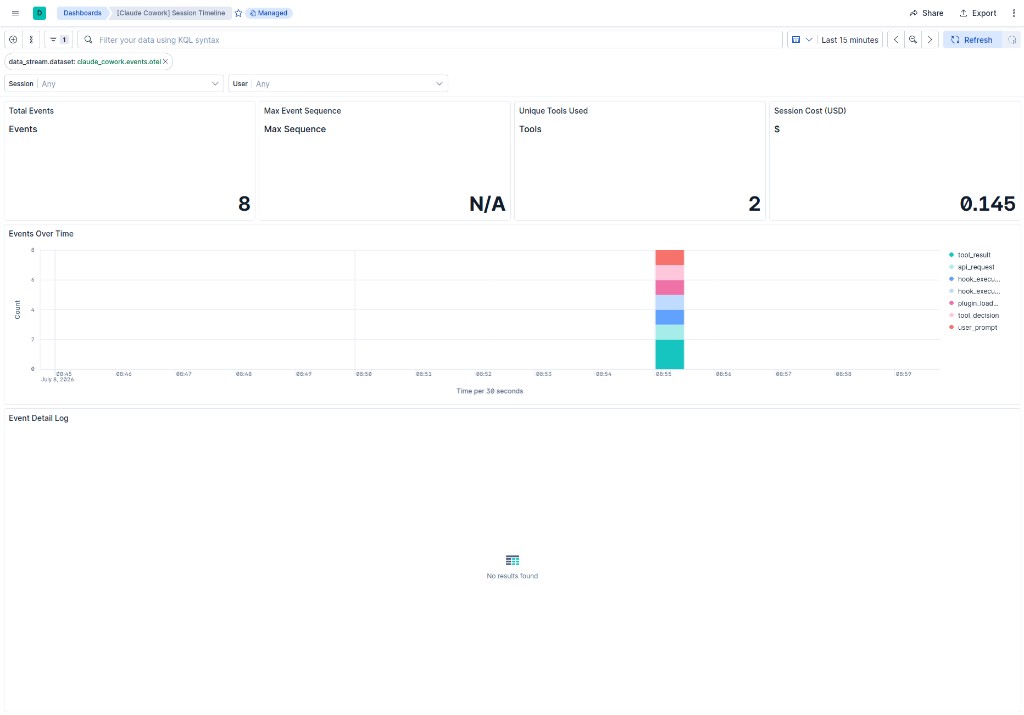
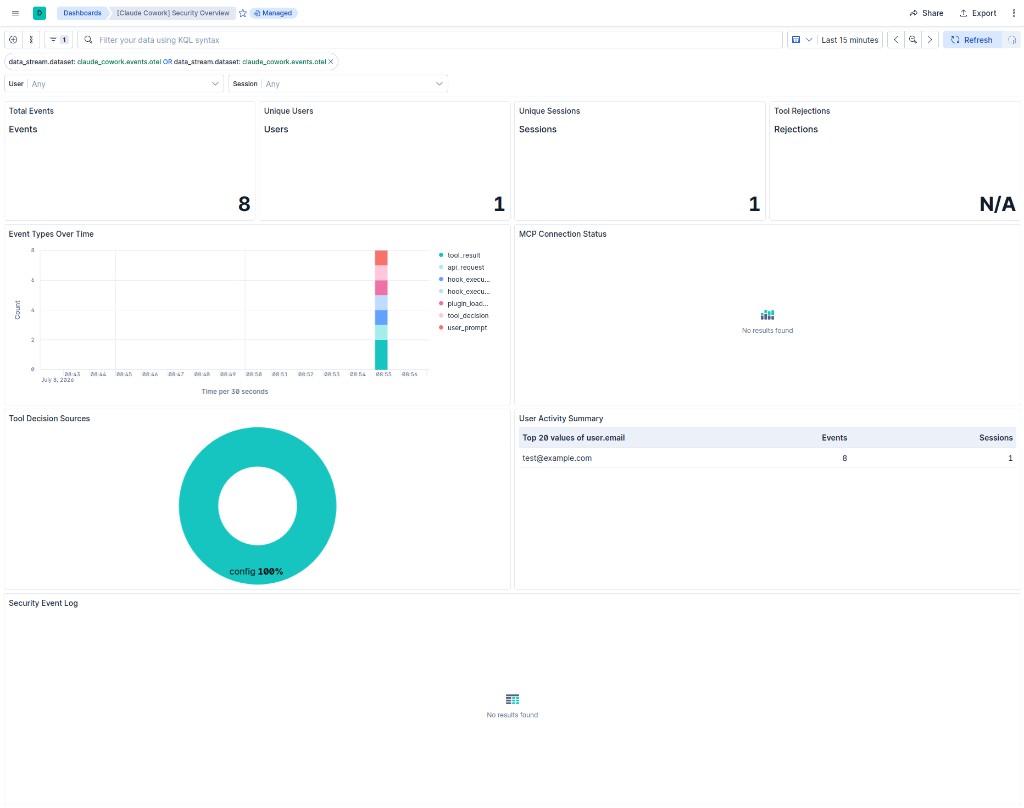
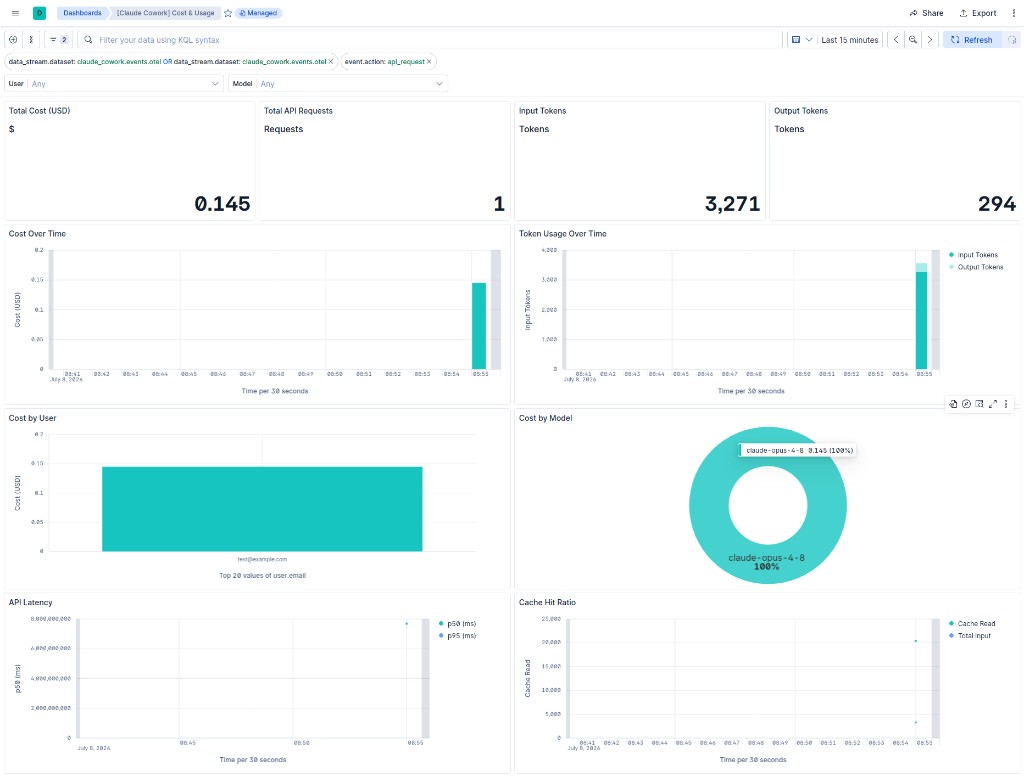
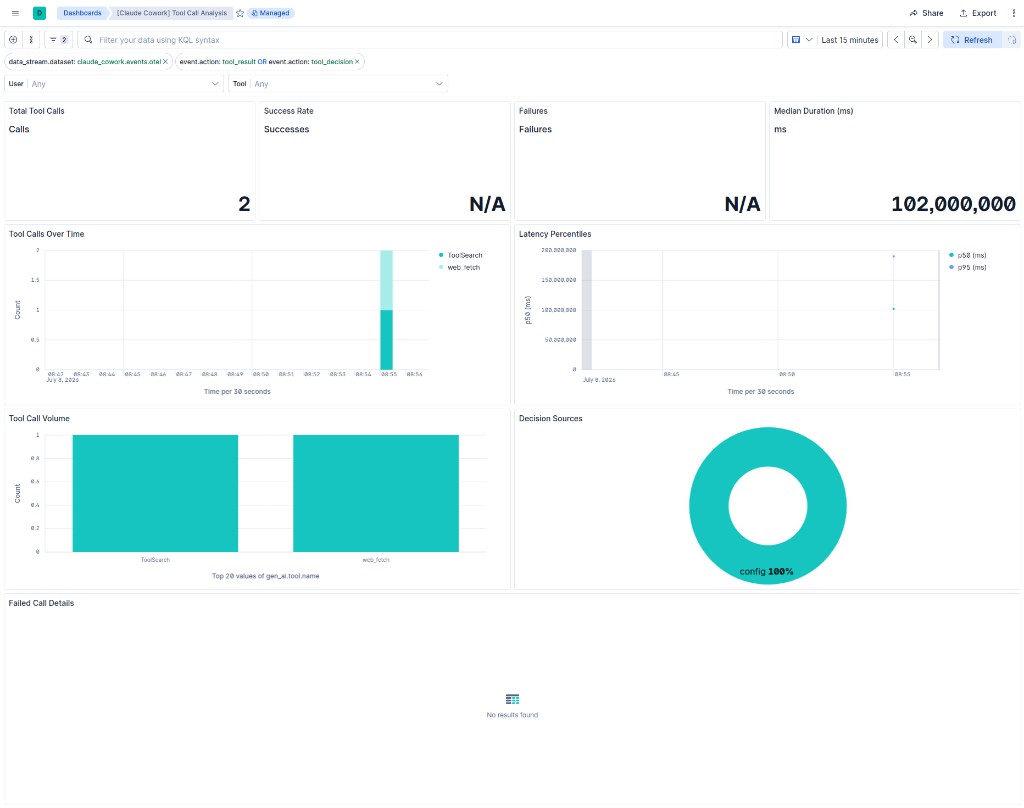
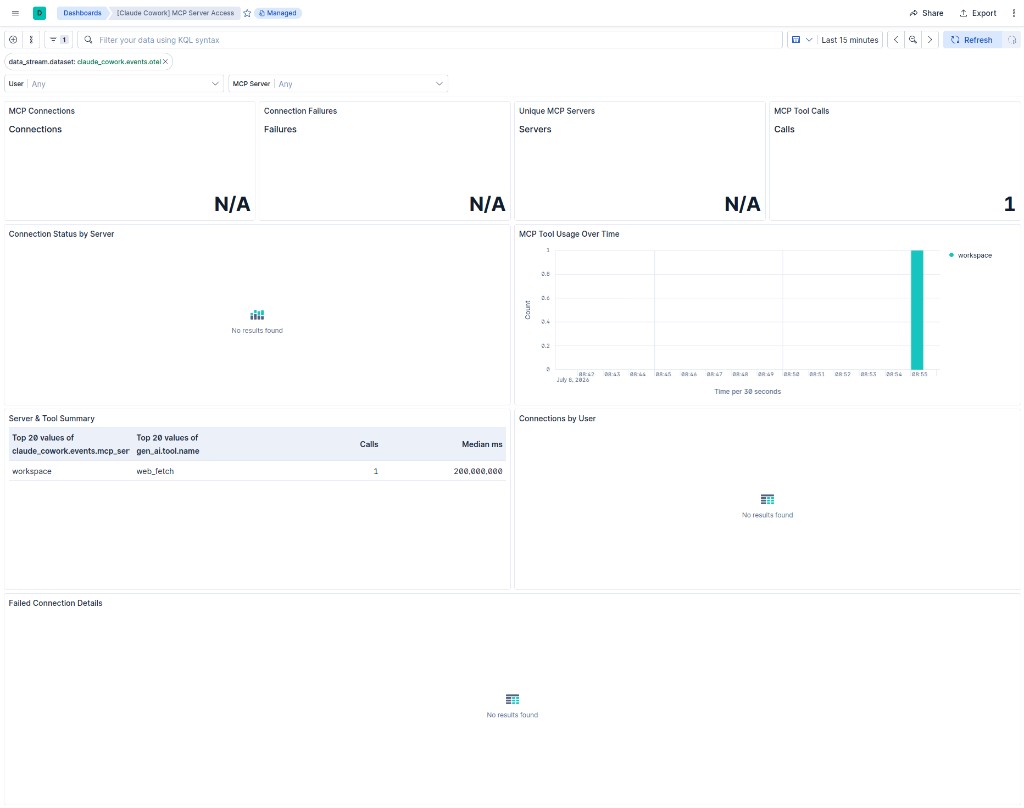
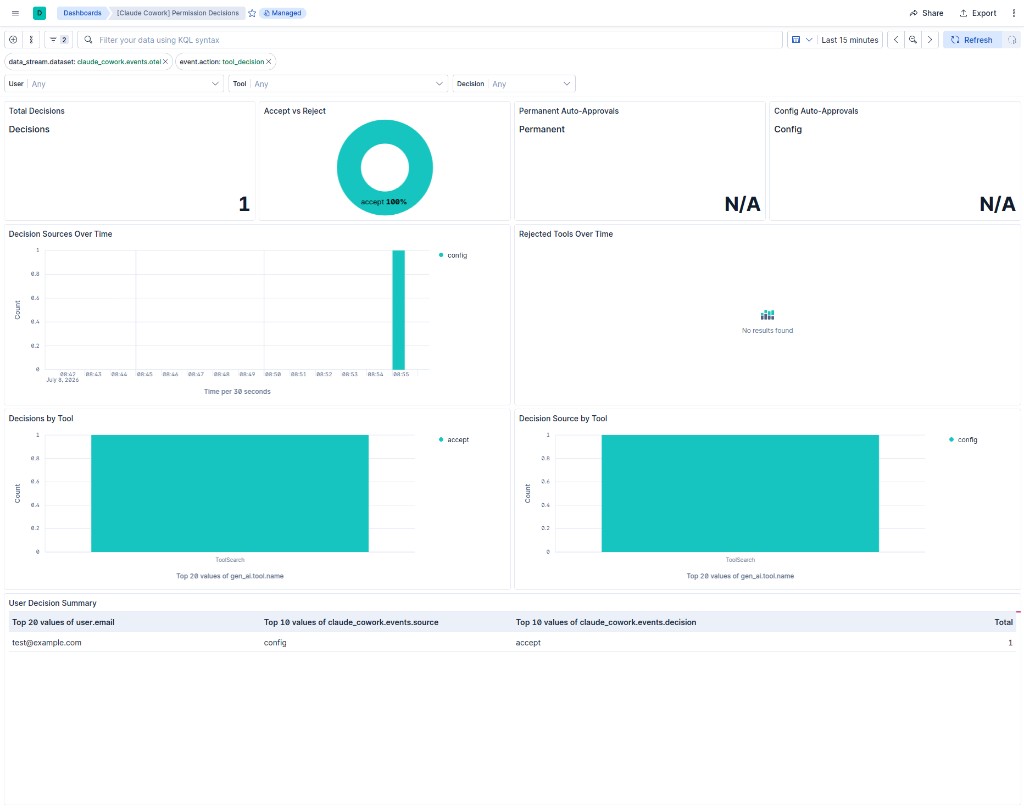
This integration includes one or more Kibana dashboards that visualizes the data collected by the integration. The screenshots below illustrate how the ingested data is displayed.
Changelog
| Version | Details | Minimum Kibana version |
|---|---|---|
| 0.1.1 | Bug fix (View pull request) Expose configurable HTTP endpoint (default 0.0.0.0:4319) to prevent port conflicts. |
9.4.0 |
| 0.1.0 | Enhancement (View pull request) Initial release. |
9.4.0 |