AWS Web Application Firewall (WAF) Logs OpenTelemetry Assets
| Version | 0.3.0
|
| Subscription level What's this? |
Basic |
| Developed by What's this? |
Elastic |
| Minimum Kibana version(s) | 9.2.0 |
To use pre-release integrations, go to the Integrations page in Kibana, scroll down, and toggle on the Display beta integrations option.
The AWS WAF OpenTelemetry Assets allow you to monitor Amazon WAF logs. With AWS WAF, you can protect your web applications from common exploits and monitor detailed logs of each web request inspected, including its action (allow, block, count), source, and matching rules.
The EDOT Cloud Forwarder for AWS enables you to collect WAF Logs from Amazon S3 and forward them directly into Elastic Observability. Use this integration to visualize that data in Kibana, create alerts to notify you if something goes wrong, and reference logs when troubleshooting an issue.
You need an Elastic Observability project (Serverless only) for storing, analyzing, and visualizing your WAF logs.
From the AWS side, to collect WAF logs, you need:
- An S3 bucket for storing logs
- AWS WAF logging enabled on your Web ACL to send logs to the S3 bucket
For step-by-step instructions on how to set up an EDOT Cloud Forwarder for AWS, refer to the EDOT Cloud Forwarder for AWS guide.
For a complete list of all available logs and their detailed descriptions, refer to:
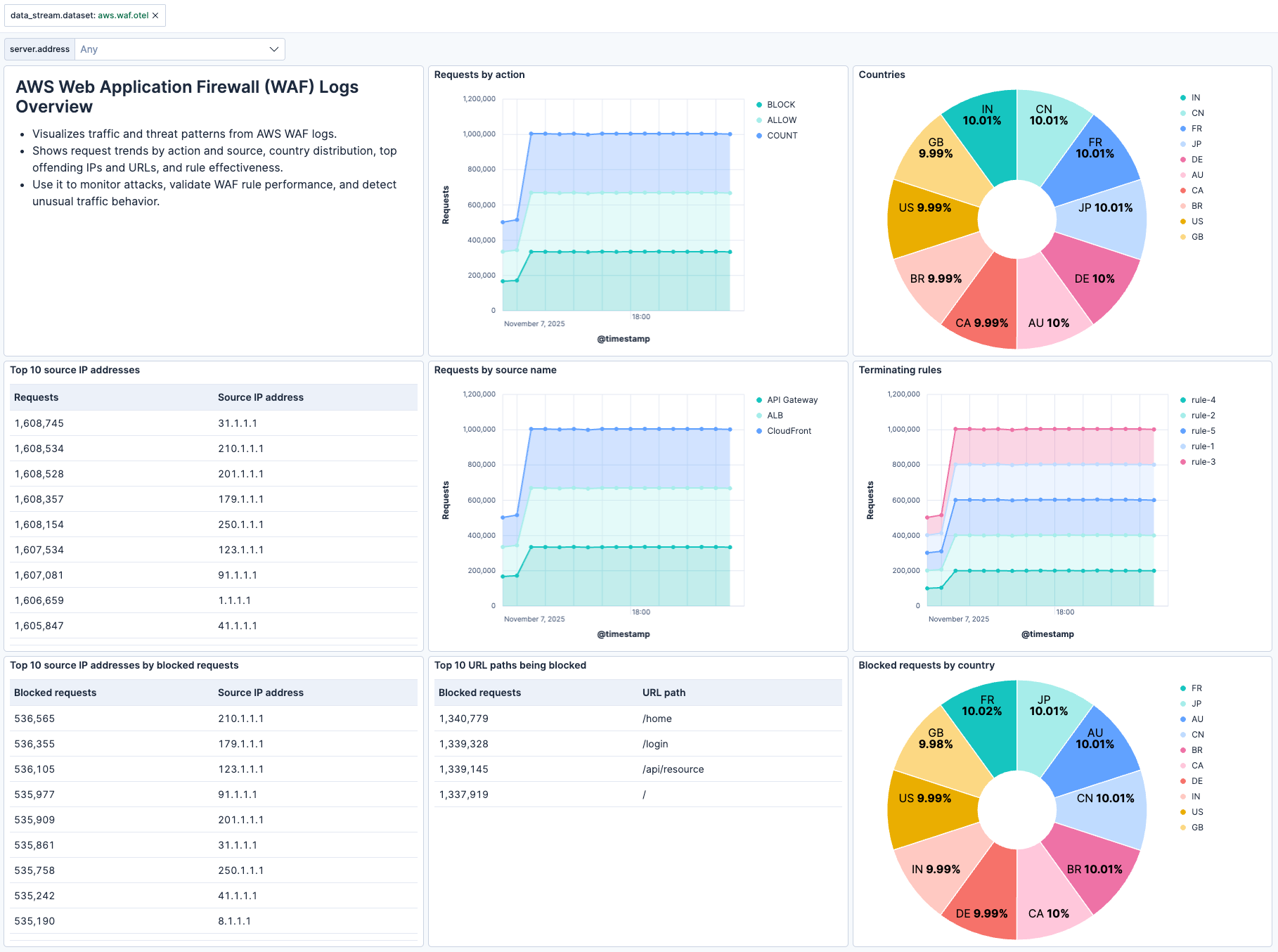
This integration includes one or more Kibana dashboards that visualizes the data collected by the integration. The screenshots below illustrate how the ingested data is displayed.
Changelog
| Version | Details | Minimum Kibana version |
|---|---|---|
| 0.3.0 | Enhancement (View pull request) Add tags to Kibana assets |
9.2.0 |
| 0.2.0 | Enhancement (View pull request) Use standardized asset naming convention |
9.2.0 |
| 0.1.0 | Enhancement (View pull request) Initial draft of the AWS WAF Logs OpenTelemetry Assets package |
9.2.0 |