MCP connector and action
The Model Context Protocol (MCP) connector communicates with remote MCP servers to retrieve and call their tools. This connector is required to use external MCP tools in Elastic Agent Builder.
You can create an MCP connector in Stack Management > Connectors. For example:
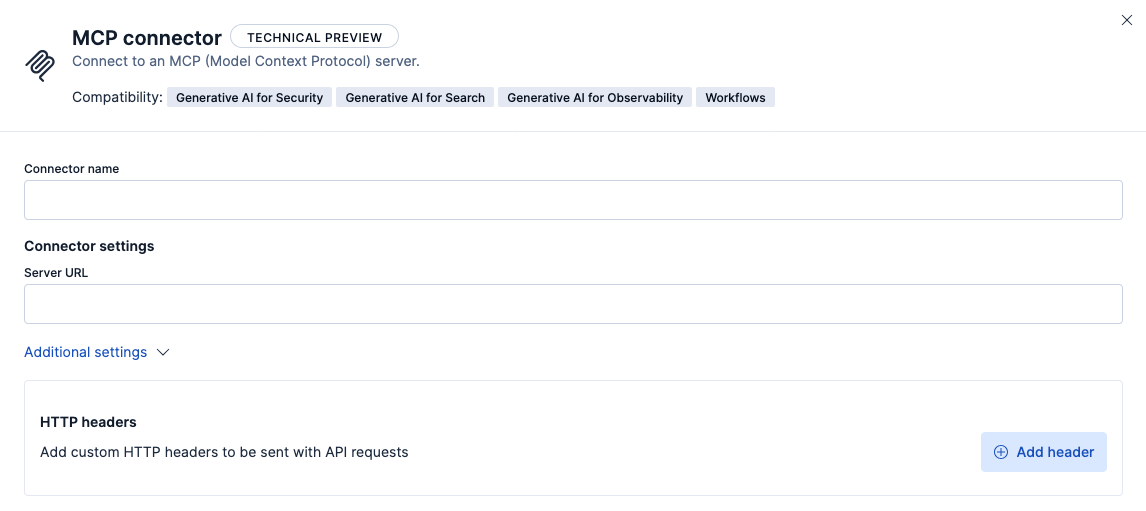
MCP connectors have the following configuration properties:
- Name
- The name of the connector.
- Server URL
- The URL of the MCP server.
- HTTP headers (under Additional settings)
-
A custom set of HTTP headers that you can use to connect to an MCP server.
- Config
- If you choose the config type, values in headers will be sent as plain text in requests.
- Secret
- If you choose the secret type, values in your headers will be encrypted in requests.
You can test connectors as you’re creating or editing the connector in Kibana. For example:
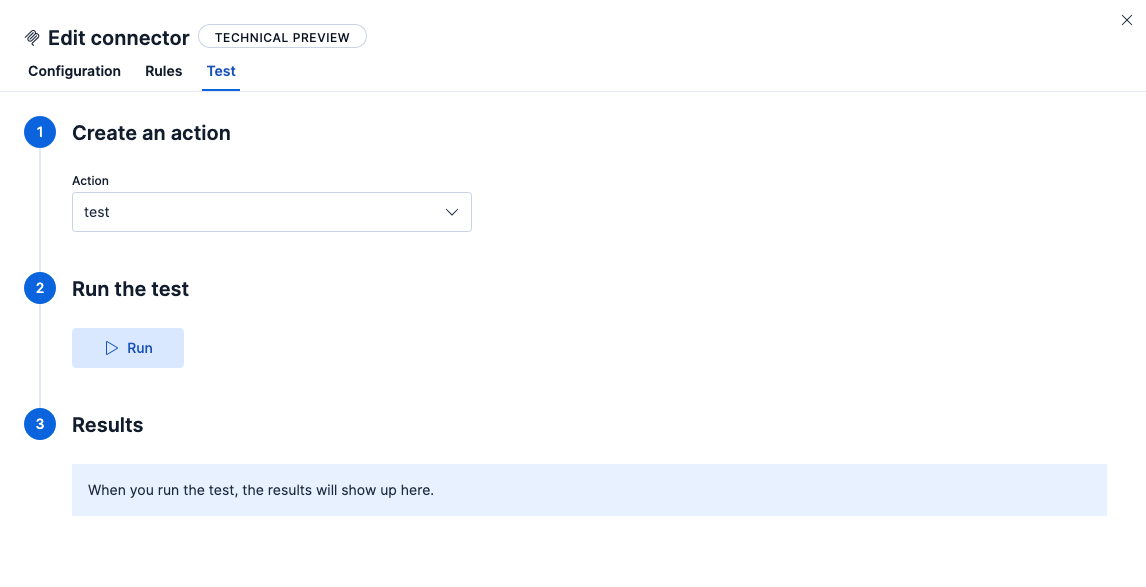
MCP connectors offer three actions:
test- Test the connection to the remote MCP server with any auth that was provided.
listTools- Call the MCP server's
listToolsendpoint. Returns a list of tools and their input and output schemas. callTool- Call a specific MCP server tool.
Tip
Call listTools first to understand how to correctly call an MCP server's tools, before using the callTool action.