Ingest multi-tenant Azure Event Hub logs with Filebeat
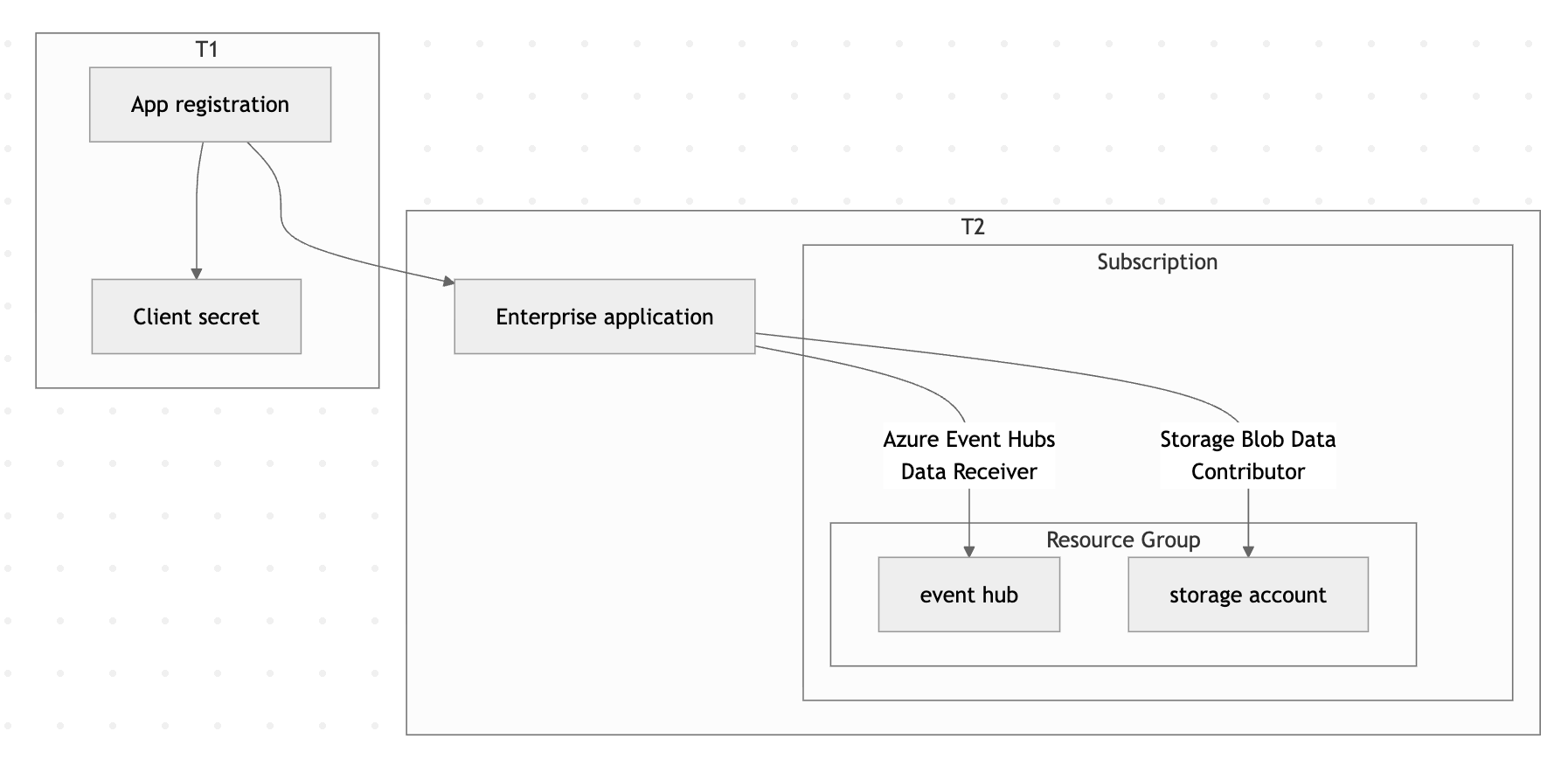
In this guide, you'll configure Filebeat to ingest logs from Azure Event Hubs in a multi-tenant scenario where authentication credentials are stored in one Microsoft Entra ID tenant (T1) and the Event Hub resources live in a separate tenant (T2).
By the end, you'll have a working pipeline that collects logs from an Event Hub in T2 using credentials stored in T1, and forwards them to Elasticsearch.
Make sure you have the following:
- Two Azure tenants: A credential tenant (T1) and a resource tenant (T2).
- Azure CLI: Installed and configured.
- Filebeat: Installed on the host where you'll run the data collection.
- An Elastic deployment: Either an Elastic Cloud deployment or a self-managed Elasticsearch cluster to send data to.
- Sufficient Azure permissions: The ability to create app registrations in T1, and to create service principals and assign roles in T2.
-
Create a multi-tenant app registration in T1
Log in to the credential tenant (T1) and create a multi-tenant application:
az login --tenant aaaaaaaa-1111-1111-1111-111111111111az ad app create \ --display-name "My Multi-Tenant App" \ --sign-in-audience AzureADMultipleOrgsThen reset the application password to generate a client secret:
az ad app credential reset \
  --id cccccccc-3333-3333-3333-333333333333 \
  --append \
  --display-name "Production Secret" \
  --years 1
Save the
passwordvalue from the output — you'll need it for the Filebeat configuration.{ "appId": "cccccccc-3333-3333-3333-333333333333", "password": "<redacted>", "tenant": "aaaaaaaa-1111-1111-1111-111111111111" } -
Provision the enterprise app in T2
Log in to the resource tenant (T2) and create a service principal for the app you registered in T1:
az login --tenant bbbbbbbb-2222-2222-2222-222222222222az ad sp create --id cccccccc-3333-3333-3333-333333333333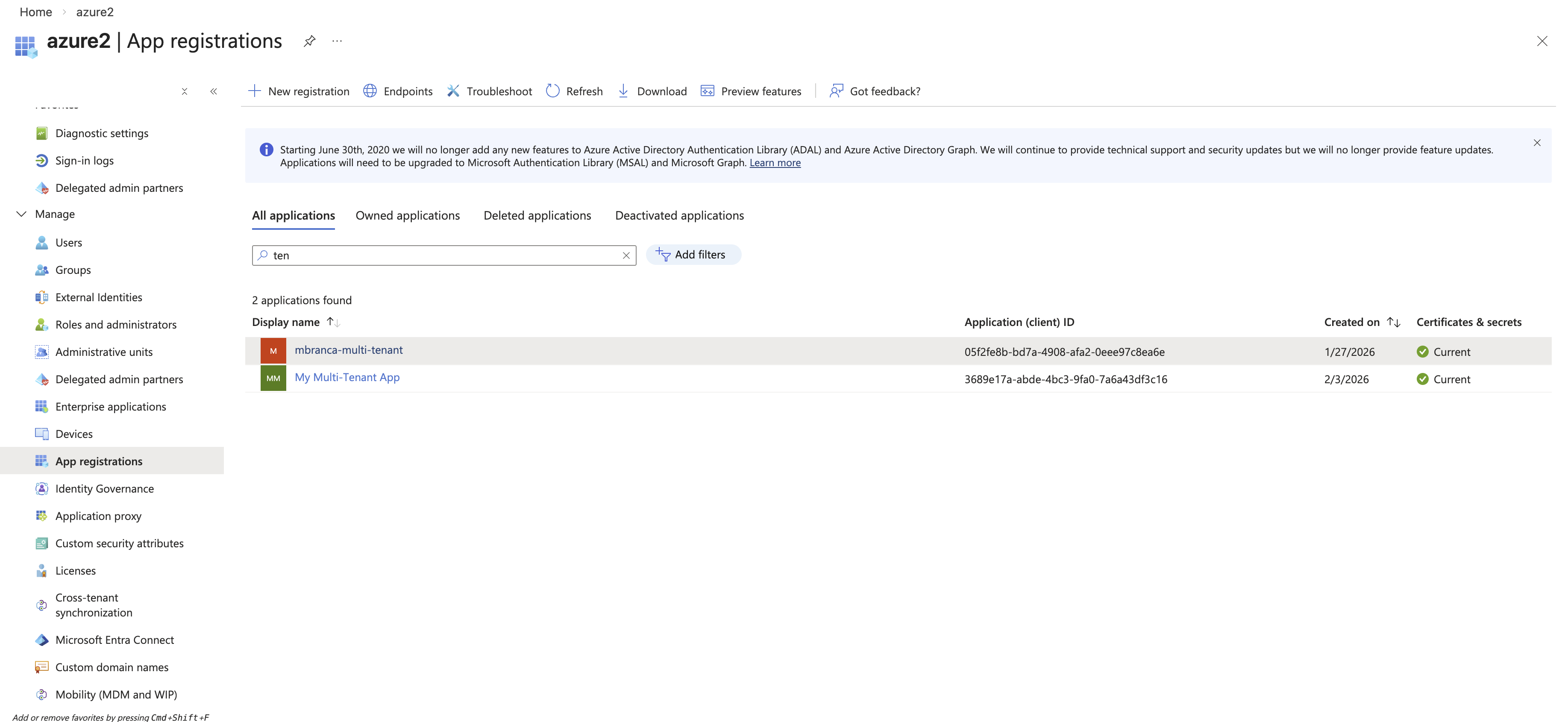
-
Create an Event Hubs namespace and hub in T2
Set environment variables for the resources you'll create:
export RESOURCE_GROUP="contoso-multi-tenant-demo"
export AZURE_LOCATION="eastus2"
export AZURE_EVENTHUB_NAMESPACE="contoso-multi-tenant-demo"
export AZURE_STORAGE_ACCOUNT_NAME="contosomultitenantdemo"
Create a resource group:
az group create --name $RESOURCE_GROUP --location $AZURE_LOCATIONCreate the Event Hubs namespace:
az eventhubs namespace create \
  --name $AZURE_EVENTHUB_NAMESPACE \
  --resource-group $RESOURCE_GROUP \
  --location $AZURE_LOCATION \
  --sku Basic \
  --capacity 1
Create the event hub:
az eventhubs eventhub create \ --name logs \ --namespace-name $AZURE_EVENTHUB_NAMESPACE \ --resource-group $RESOURCE_GROUP \ --partition-count 2 \ --retention-time-in-hours 1 \ --cleanup-policy Delete -
Create a storage account in T2
Create a storage account for Filebeat to use for checkpointing:
az storage account create \ --name $AZURE_STORAGE_ACCOUNT_NAME \ --resource-group $RESOURCE_GROUP \ --location $AZURE_LOCATION \ --sku Standard_LRS \ --kind StorageV2 -
Assign roles to the application
Grant the multi-tenant application permission to receive messages from the Event Hub and read/write blobs in the storage account:
az role assignment create \
  --role "Azure Event Hubs Data Receiver" \
  --assignee cccccccc-3333-3333-3333-333333333333 \
  --scope /subscriptions/eeeeeeee-5555-5555-5555-555555555555/resourceGroups/contoso-multi-tenant-demo/providers/Microsoft.EventHub/namespaces/contoso-multi-tenant-demo
az role assignment create \ --role "Storage Blob Data Contributor" \ --assignee cccccccc-3333-3333-3333-333333333333 \ --scope /subscriptions/eeeeeeee-5555-5555-5555-555555555555/resourceGroups/contoso-multi-tenant-demo/providers/Microsoft.Storage/storageAccounts/contosomultitenantdemo -
Configure and run Filebeat
Create a Filebeat configuration file that uses the T1 credentials to access T2 resources. For a full list of available options, refer to the Azure Event Hub input reference.
filebeat.inputs:
- type: azure-eventhub
  enabled: true

  # Available starting from Filebeat 8.19.10, 9.1.10, 9.2.4, or later.
  auth_type: client_secret

  tenant_id: bbbbbbbb-2222-2222-2222-222222222222          # T2
  client_id: cccccccc-3333-3333-3333-333333333333          # T1
  client_secret: ${AZURE_CLIENT_SECRET}                    # T1

  eventhub: logs
  eventhub_namespace: contoso-multi-tenant-demo.servicebus.windows.net  # T2
  consumer_group: $Default

  storage_account: contosomultitenantdemo # T2

  processor_version: v2
  migrate_checkpoint: true
  processor_update_interval: 10s
  processor_start_position: earliest
  partition_receive_timeout: 5s
  partition_receive_count: 100
Run Filebeat:
filebeat -e -v -d "*" \ --strict.perms=false \ --path.home . \ -E cloud.id=<redacted> \ -E cloud.auth=<redacted> \ -E gc_percent=100 \ -E setup.ilm.enabled=false \ -E setup.template.enabled=false \ -E output.elasticsearch.allow_older_versions=true -
Verify the setup
To confirm the pipeline is working end to end:
- Send a test message to the event hub in T2. Refer to the Microsoft Send Event API for details.
- Check that Filebeat receives the message and forwards it to Elasticsearch.
- In Kibana, navigate to Discover and verify the event appears in your index.
- Configure additional Filebeat settings to parse and enrich your Azure logs.
- Set up dashboards in Kibana to visualize your ingested data.
- Explore the Azure Event Hub integration for an Elastic Agent-based alternative.