Elastic plugin for Claude
The Elastic plugin for Claude is an official, open-source Claude plugin that bundles agent skills and an Elastic Docs MCP server connection into a single installable unit. It gives Claude specialized knowledge of the Elastic Stack so it can perform Elastic tasks more accurately and efficiently. The plugin is compatible with Claude Code and Cowork, and has been tested on the desktop and web apps. You install the plugin in Claude, not in Elasticsearch, Kibana, or your Serverless project.
The plugin contains agent skills that are synced from the elastic/agent-skills repository.
When you install them through the plugin, these skills stay up to date. Skills that you install directly from the agent-skills repository stay at the version you installed.
Refer to AI agent skills for Elastic for how skills work and the areas they cover.
The agent decides when to use a skill based on your request.
You can also run a skill directly by typing / followed by the skill name in the chat, for example /elastic:elasticsearch-esql.
After you install the plugin, these skills give the agent the procedural knowledge to perform common Elastic tasks without leaving Claude:
- Write and run ES|QL queries against a live cluster.
- Build and manage Kibana dashboards, alerting rules, and workflows.
- Onboard a service into Observability using Elastic OpenTelemetry.
- Triage Elastic Security alerts and manage cases.
- Provision Elastic Cloud resources and manage user access.
Most of these skills run their operations through the Elastic CLI, which you install and configure separately.
To compare the plugin with installing skills directly from elastic/agent-skills, refer to Elastic plugins for AI agents.
The plugin registers the Elastic Docs MCP server, which lets the agent search and retrieve Elastic documentation as part of any conversation. The agent can look up configuration options, API references, and feature guides without leaving Claude.
The Elastic Docs MCP server only gives the agent access to Elastic documentation, not to your data. To let the agent work with your data, install and configure the Elastic CLI.
For an Elastic Cloud Serverless project, you can also connect Claude to your data with the Elastic Cloud Serverless connector for Claude.
In Claude on the web or in the desktop app, open Settings → Plugins → Discover, search for Elastic, and click Add.
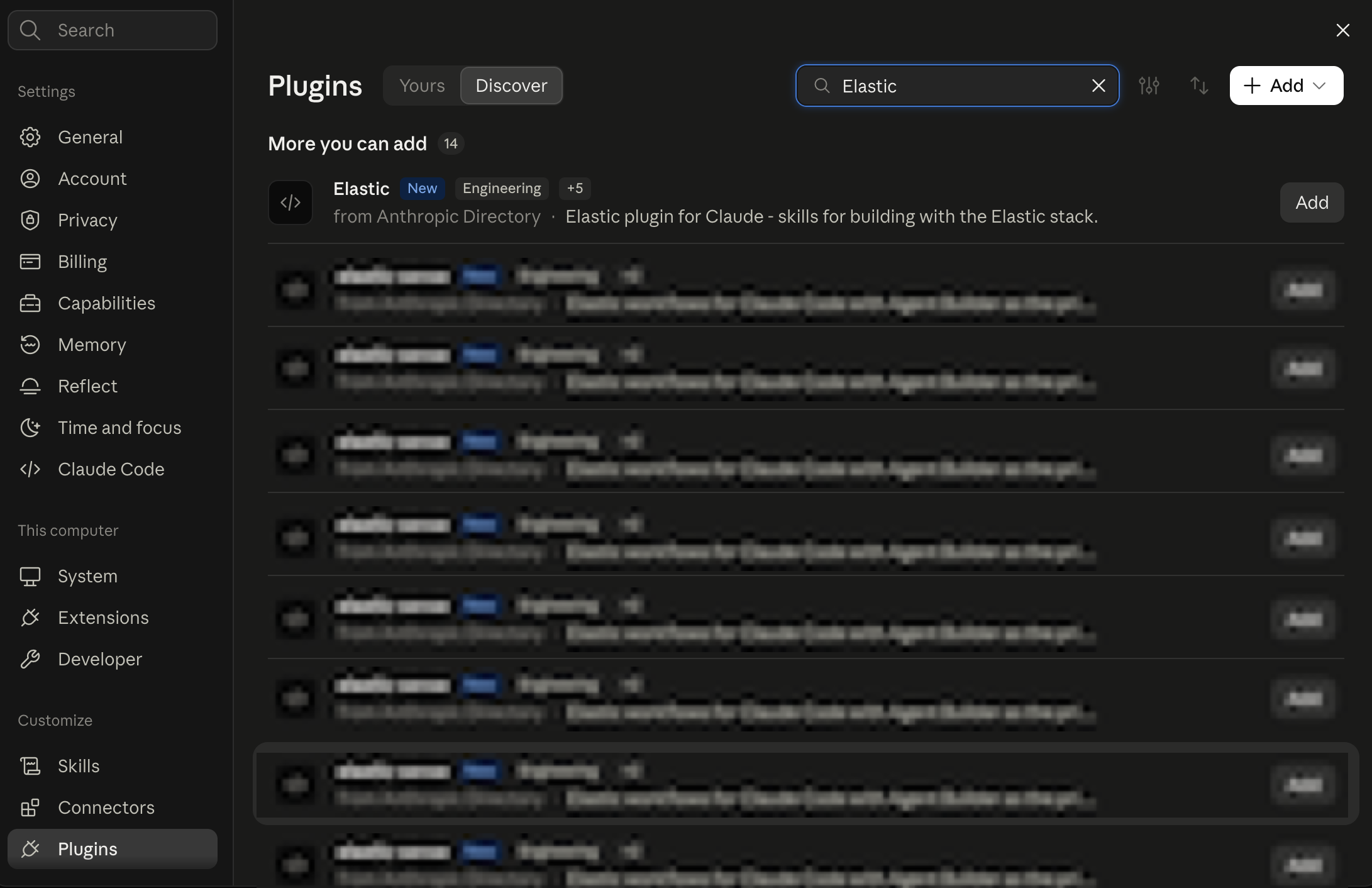
Plugins installed via the Claude web app are synced to Claude Code, but with some nuances. See the official Claude documentation on synced plugins for more details.
- AI agent skills for Elastic: Install individual skills without a plugin, or learn about the skills format.
- Elastic CLI: Install and configure the CLI that most skills use to work with your deployment or project.
- Elastic Cloud Serverless connector for Claude: Connect Claude to the data in your Serverless project.
- Elastic Docs MCP server: Connect other agents or tools to the same documentation server the plugin registers.
- elastic/claude-plugin on GitHub: Source code, changelog, and contribution guide.