Explore your data with runtime fields
Runtime fields are fields that you add to documents after you've ingested your data. Kibana evaluates them at query time. They are not stored in the index.
Add a runtime field to a data view to define a field for a specific use case, override values returned from index fields, or work with data before you understand its structure, without reindexing.
Runtime fields can impact Kibana performance. When you run a query, Elasticsearch uses the fields you index first to shorten the response time. Index the fields that you commonly search for and filter on, such as timestamp, then use runtime fields to limit the number of fields Elasticsearch uses to calculate values.
You need a role with the Data View Management Kibana privilege and the view_index_metadata Elasticsearch privilege. Refer to Defining roles.
Add a runtime field on the data view you want to change by emitting a value with the Painless scripting language. You can also add runtime fields in Discover and Lens.
Runtime fields created against a data view are not applied to the underlying index mapping in Elasticsearch.
Go to the Data Views management page using the navigation menu or the global search field.
Select the data view that you want to add the runtime field to, then select Add field.
Enter the field Name, then select the Type.
Optionally, turn on Set custom label, Set custom description, or Set format.
Select Set value, then define the script. The script must match the Type, or the data view fails anywhere it is used.
To help you define the script, use the Preview:
- To view the other available fields, use the Document ID arrows.
- To filter the fields list, enter the keyword in Filter fields.
- To pin frequently used fields to the top of the list, hover over the field, then select
 .
.
Select Save.
The new field is available anywhere the data view is used, for example in Discover or when building a Lens visualization.
For detailed information on how to use runtime fields with Elasticsearch, refer to Runtime fields. Runtime fields are different from unmapped fields, which can be present in documents but not defined in the index mapping. To query unmapped fields in ES|QL, refer to Unmapped fields.
Try the runtime field examples on your own using the Sample web logs data.
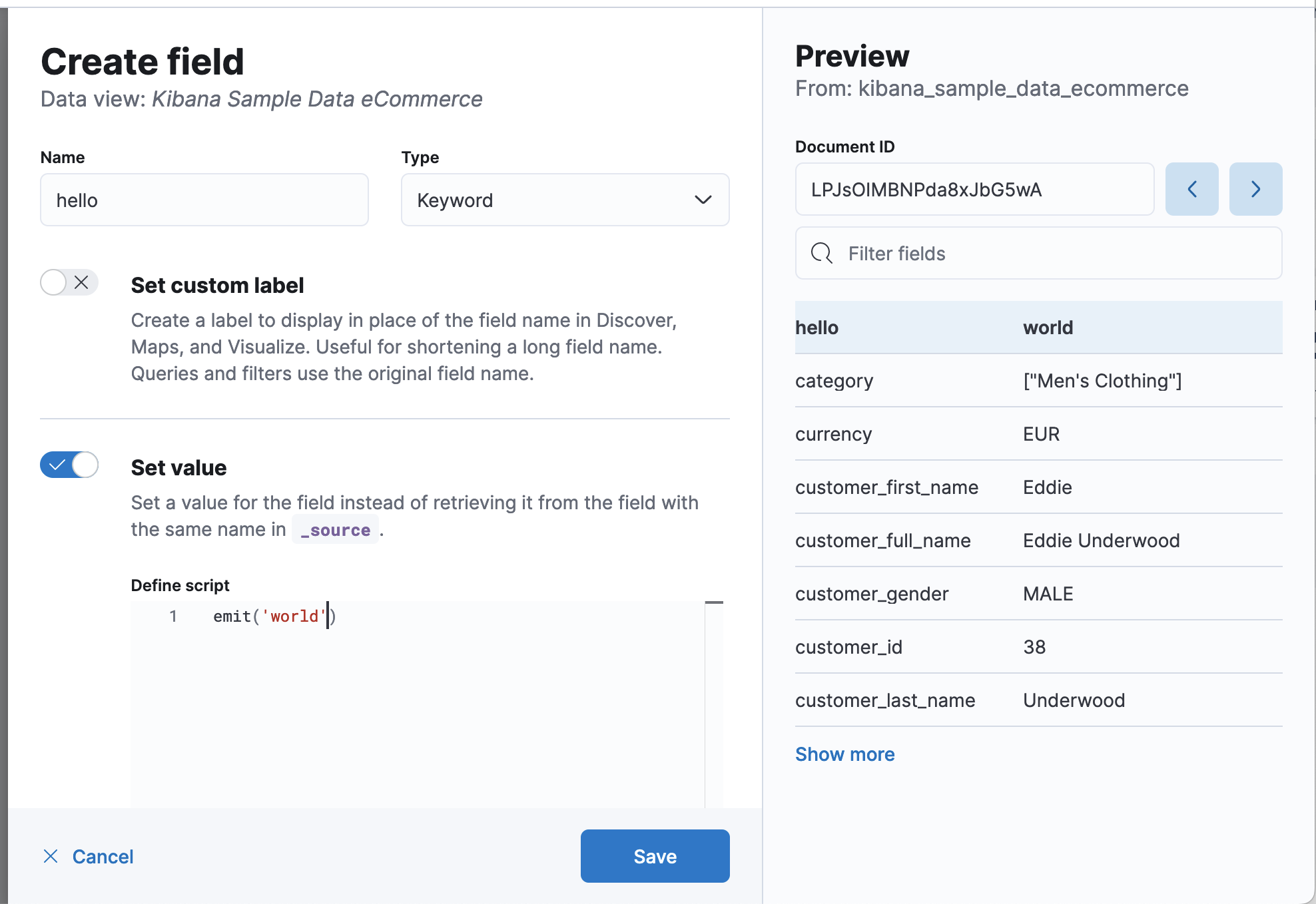
Return Hello World:
emit("Hello World");
Calculate kilobytes from bytes:
emit(doc['bytes'].value / 1024)
Return the string that appears after the last slash in the URL:
def path = doc["url.keyword"].value;
if (path != null) {
    int lastSlashIndex = path.lastIndexOf('/');
    if (lastSlashIndex > 0) {
        emit(path.substring(lastSlashIndex+1));
    return;
    }
}
emit("");
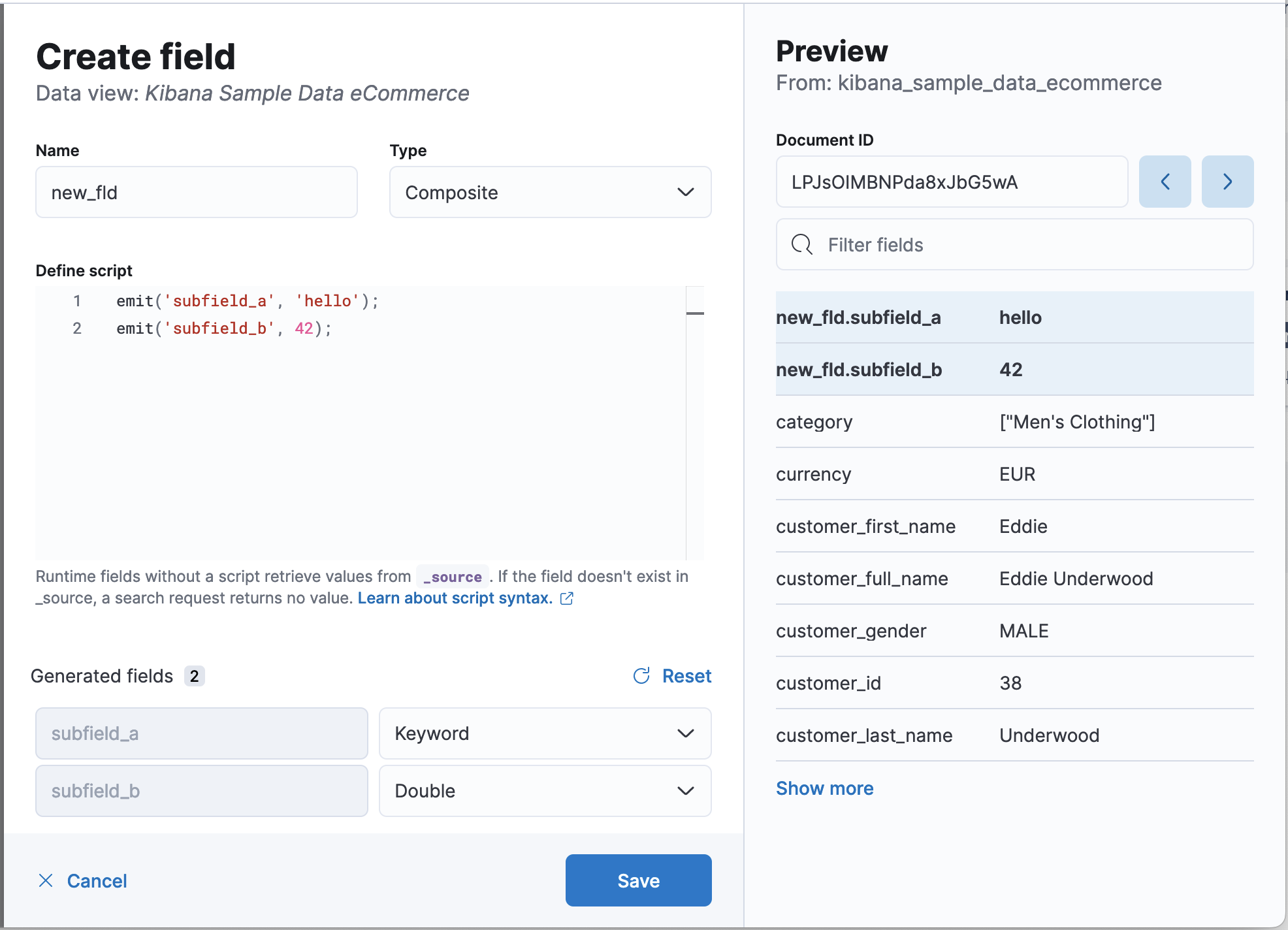
A single runtime field can also produce multiple subfields when you select the Composite type. The script editor provides default types that you can customize for each subfield.
Return keyword and double type subfields. The first argument for emit is the name of the subfield.
emit('subfield_a', 'Hello');
emit('subfield_b', 42);
Replace null values with None:
def source = doc['referer'].value;
if (source != null) {
  emit(source);
  return;
}
else {
  emit("None");
}
Specify the operating system condition:
def source = doc['machine.os.keyword'].value;
if (source != "") {
  emit(source);
}
else {
  emit("None");
}
Edit the settings for runtime fields, or remove runtime fields from data views.
- Go to the Data Views management page using the navigation menu or the global search field.
- Select the data view that contains the runtime field you want to manage, then open the runtime field edit options or delete the runtime field.