Daylight saving time calendars
Twice a year in the spring and fall, many countries change their clocks to make better use of the daylight. These clock adjustments can trigger a burst of false positive anomalies, because the machine learning models need a few days to adapt to the new data patterns after the shift.
A DST calendar is a specialized calendar that automatically generates the scheduled events needed to tell anomaly detection jobs about an upcoming daylight saving time (DST) transition for a specific time zone. Anomaly detection jobs that subscribe to a DST calendar are not ill-affected by the transition and do not produce spurious results.
To make sure anomaly detection jobs adjust correctly for DST, create a DST calendar for your time zone and associate it with your jobs or job groups.
In Kibana, go to Machine Learning → Anomaly Detection → Settings. Alongside the regular Calendars panel, a DST Calendars panel lets you create and manage DST calendars separately.
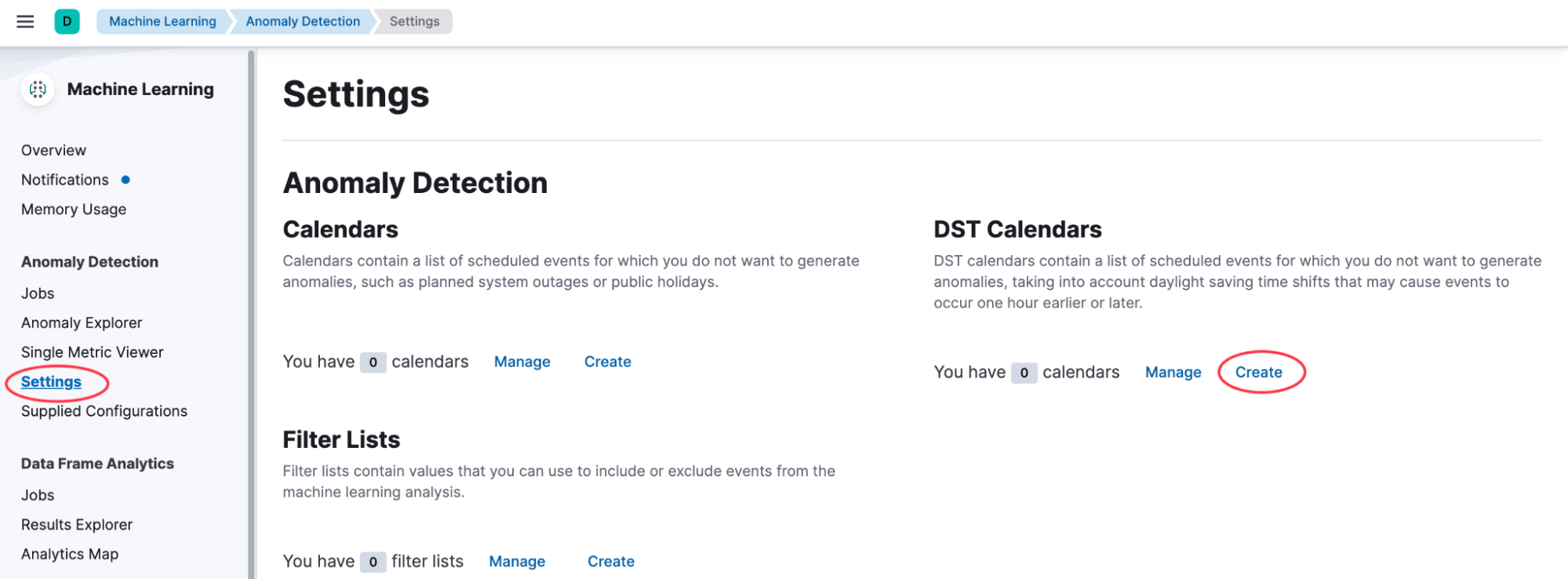
Select Create in the DST Calendars panel, then select the time zone of your data. This might not be the time zone that you are in, but it must be the time zone from which the data in the index originated. The wizard automatically generates the calendar events that force a time shift for the associated jobs, based on that time zone's DST rules.
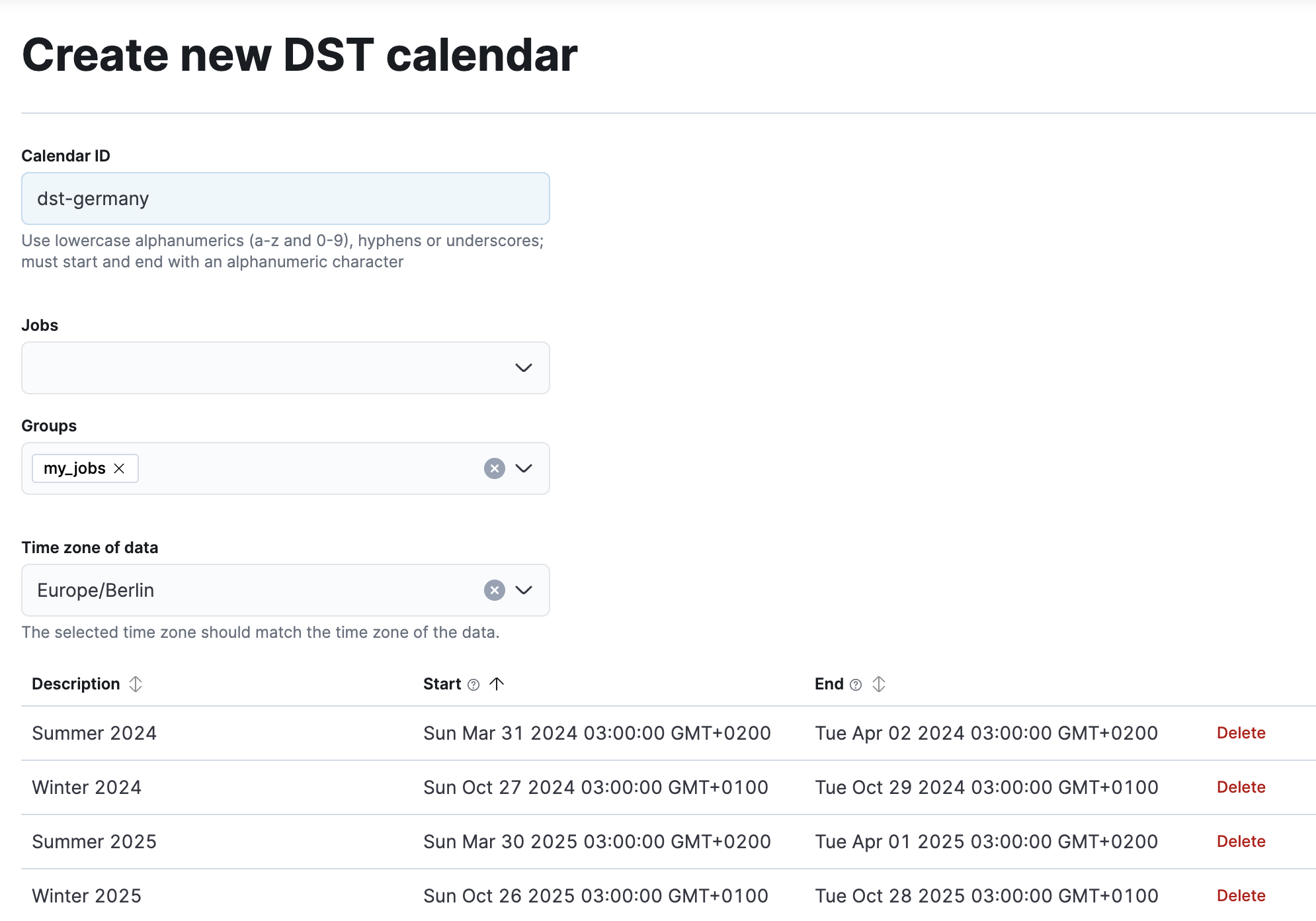
Associate the calendar with existing jobs or groups. If you have multiple jobs that require the same DST calendar, put them in a common group and assign the calendar to that group instead of to each job individually.
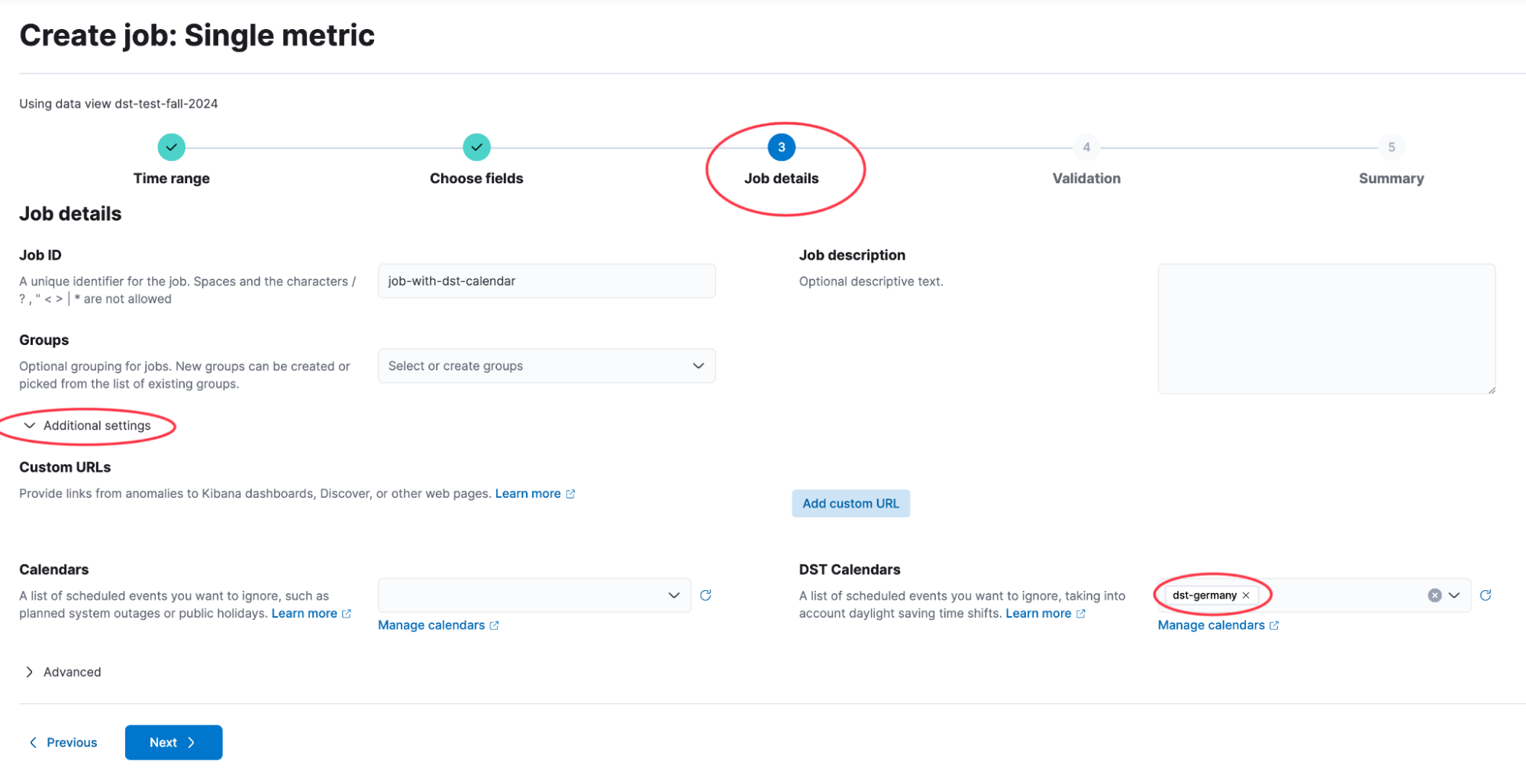
Alternatively, associate a DST calendar with a new job while you create it. In the Additional settings of the Job details step of the job creation wizard, the DST Calendars field lets you select an existing DST calendar or a group that already has one assigned.
If your data spans a country or region with multiple time zones and complex DST rules, such as Australia or the United States, you might need to create several DST calendars and multiple anomaly detection jobs, one per time zone. Use a filter query in the datafeed configuration to route data from each time zone to its corresponding job.
For example, to handle data from Australia you would need three jobs, because DST is observed differently across Australian states and territories:
- Regions shifting time by 1 hour: Australian Capital Territory, Jervis Bay Territory, New South Wales (except Lord Howe Island), Norfolk Island, South Australia, Tasmania, and Victoria.
- Region shifting time by 30 minutes: Lord Howe Island.
- Regions not observing DST: Western Australia, Queensland, and Northern Territory.
Each job subscribes to the DST calendar that matches the DST rules of the time zone it analyzes.