View field statistics
The Field statistics view in Discover provides statistical summaries and visualizations of your data fields. View distributions, top values, minimum and maximum ranges, and cardinality to quickly understand your data quality and patterns. Use field statistics to identify data issues, understand field characteristics, and discover insights before building visualizations.
Field statistics are only available when Discover is in default mode, not in ES|QL mode.
This example explores the fields in the sample web logs data, or you can use your own data.
Go to Discover.
Expand the data view dropdown, and select Kibana Sample Data Logs.
If you don’t see any results, expand the time range, for example, to Last 7 days.
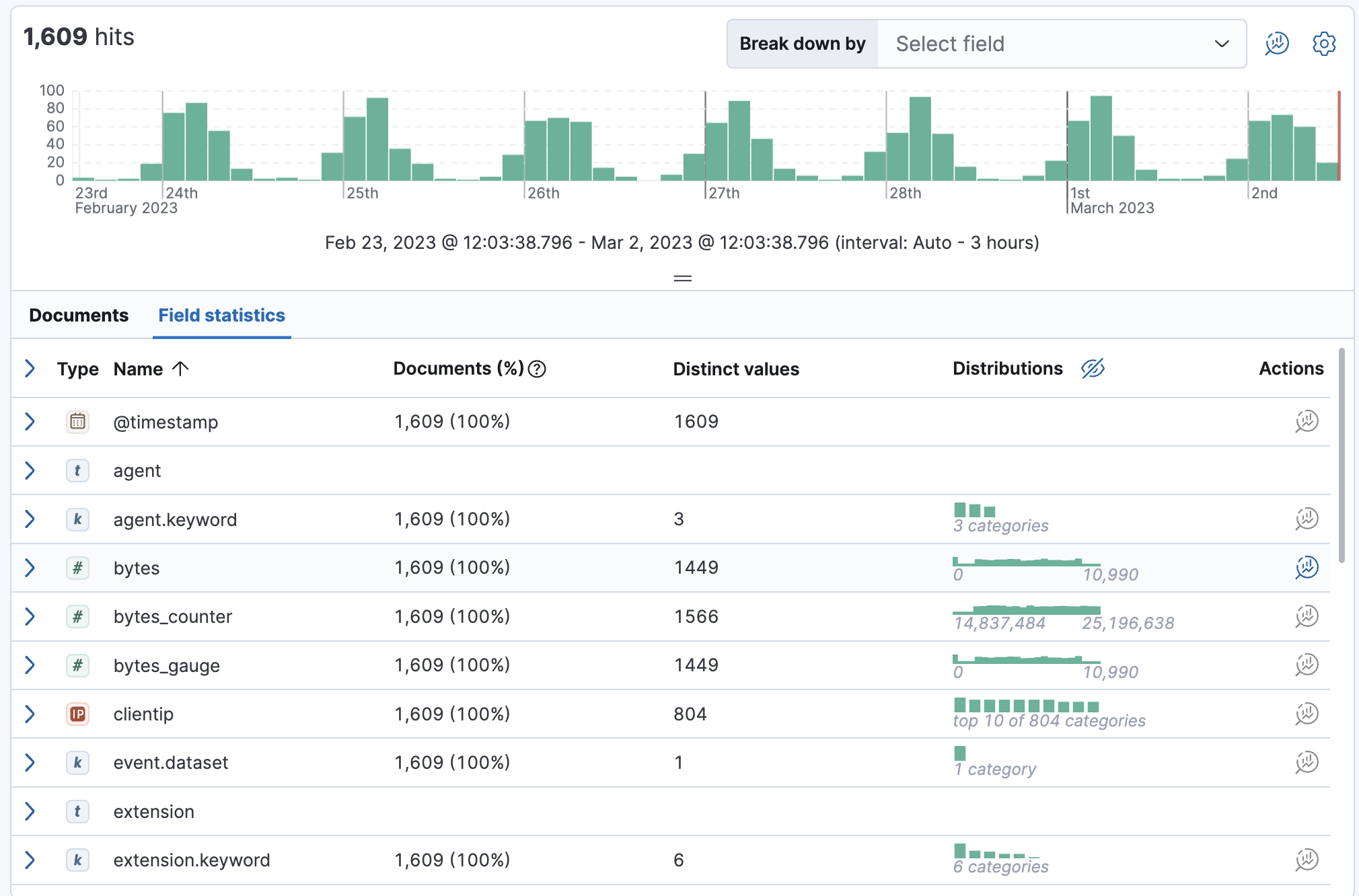
Select Field statistics (or View as → Field statistics, depending on your version). The table summarizes how many documents in the sample contain each field for the selected time period the number of distinct values, and the distribution.
Expand the
machine.ramfield. For numeric fields, Discover provides the document statistics, minimum, median, and maximum values, a list of top values, and a distribution chart. Use this chart to get a better idea of how the values in the data are clustered.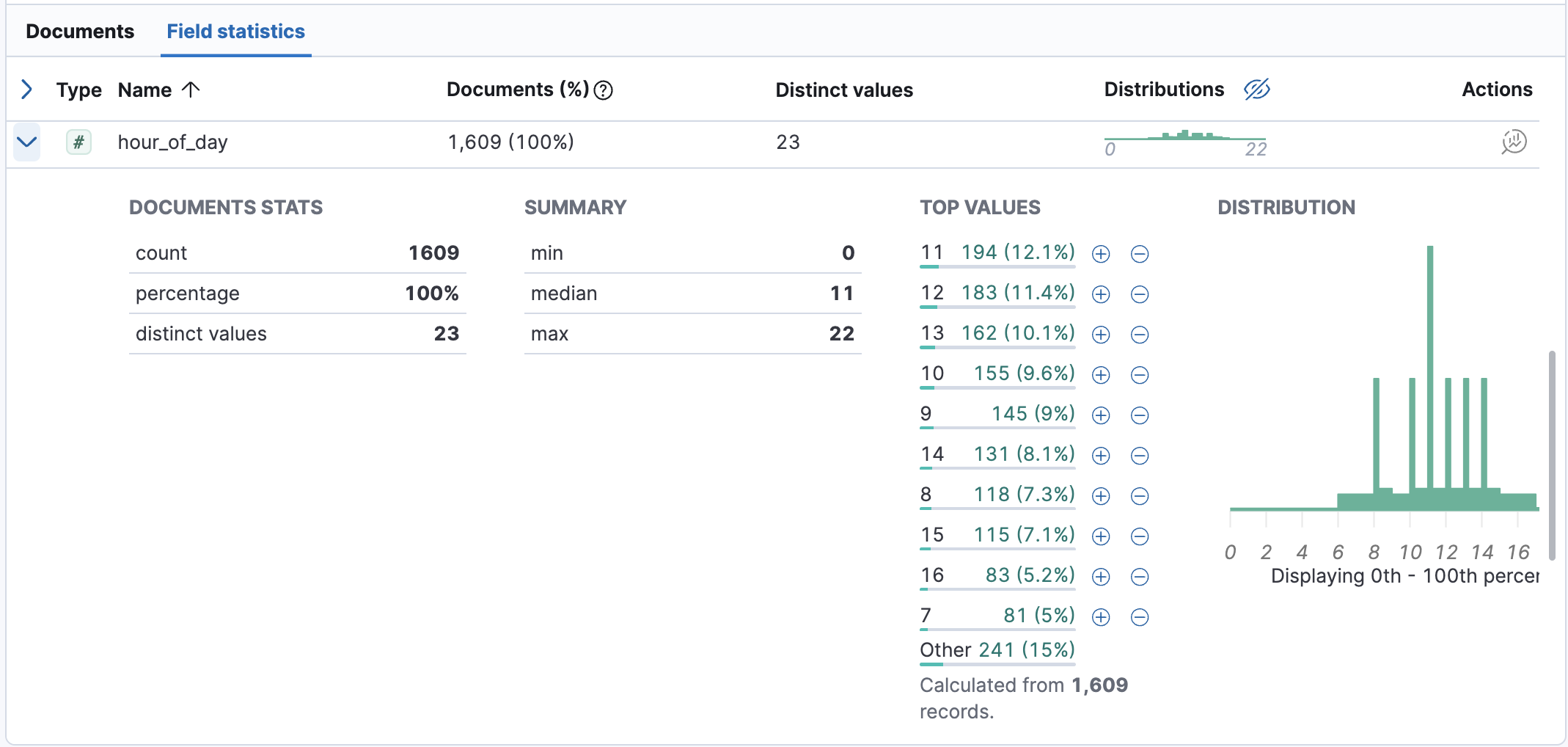
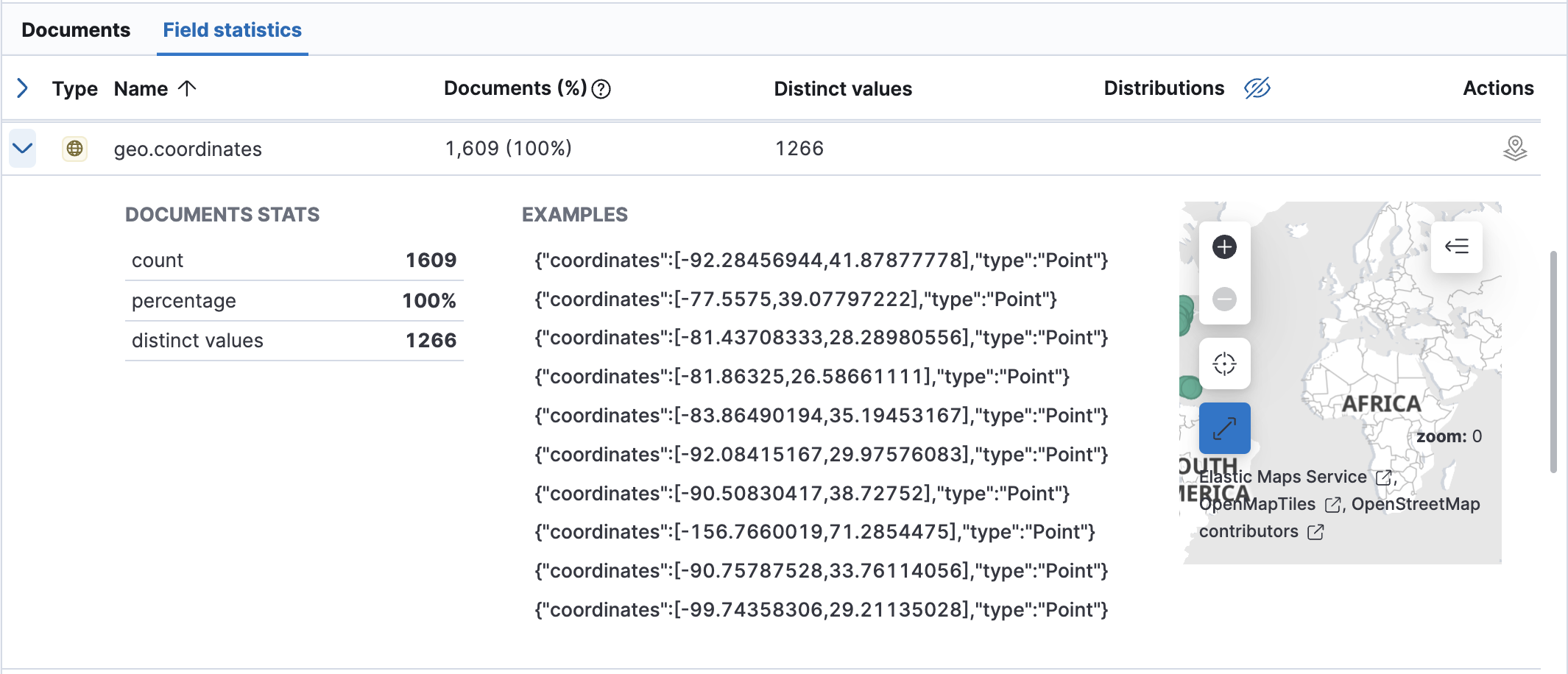
Expand the
geo.coordinatesfield.For geo fields, Discover provides the document statistics, examples, and a map of the coordinates.
Explore additional field types to see the statistics that Discover provides.
To create a Lens visualization of the field data, click
 or
or  in the Actions column.