Configure cross-project search
With cross-project search (CPS), users in your organization can search across multiple Elastic Cloud Serverless projects at once, instead of searching each project individually. When your data is split across projects to organize ownership, use cases, or environments, cross-project search lets you query all the data from a single place.
Cross-project search provides Serverless with cross-project search capabilities similar to cross-cluster search, with a few differences and enhancements. For a side-by-side syntax comparison, refer to Compare cross-project search and cross-cluster search.
- Setting up cross-project search doesn't require an understanding of your deployment architecture or complex security configurations.
- Permissions stay consistent across projects, and you can always adjust scope and access as needed.
- Searches are performed across projects by default, reducing the need to refactor your queries as you link additional projects.
This section explains how to set up and manage cross-project search for your organization, including linking projects, managing user access, and refining scope. For information on using cross-project search, including syntax and examples, refer to Cross-project search.
Cross-project search is available for Elastic Cloud Serverless projects only. For other deployment types, refer to cross-cluster search.
Cross-project search runs across origin and linked projects within your Elastic Cloud organization:
- Origin project: The base project where you link projects and run cross-project searches.
- Linked projects: The projects you connect to the origin project. Data in the linked projects becomes searchable from the origin project.
Projects are intended to act as logical namespaces for data, not hard boundaries for querying it. You can split data into projects to organize ownership, use cases, or environments, while still expecting to search and analyze that data from a single place.
After you link projects, searches from the origin project run across the origin and all linked projects by default. This default behavior provides a consistent experience for querying, analysis, and insights across linked projects. Restricting search scope is always possible, by explicitly scoping the search request using qualified expressions or project routing parameters.
Administrators can also adjust the search scope by configuring the CPS scope for each space. For best results, set this space-level default before you link projects.
For details about project IDs and aliases used in search expressions, refer to Project IDs and aliases.
Before you configure cross-project search, review these prerequisites and best practices:
- You must be an organization owner or project administrator:
- Organization owners can link any projects within the organization.
- Project administrators must have admin access on both the origin project and each linked project.
- Your origin and linked projects must meet certain requirements.
- Consider the architecture patterns and choose the right linking topology for your organization.
To be available for linking, projects must meet the following requirements:
- The origin project and all linked projects must be in the same Elastic Cloud organization.
- You can link any combination of Elasticsearch, Elasticsearch Vector Database, Elastic Observability, and Elastic Security projects in the same organization.
- Projects can be linked across cloud providers and regions. For example, a project in GCP
us-east4can be linked to a project in AWSeu-central-1without any additional configuration. - Elastic Security Serverless and Elastic Observability Serverless projects require the Complete feature tier. Projects on the Essentials tier are not compatible with cross-project search.
Only compatible projects appear in the cross-project search linking wizard. If a project you expected to link to is missing from the list, it might not meet the requirements, or you might not have the necessary permissions on the project.
When configuring cross-project search, consider how the CPS architecture (or linking pattern) will affect searches, dashboards, and alerting across your organization. Cross-project search supports three patterns, each with a different level of operational risk.
For most deployments, we recommend creating a dedicated overview project that can act as an origin project. You can also think of this as a hub-and-spoke model.
In this architecture, you create a new, empty project and link existing projects to it. You run all cross-project searches from the new overview project, while your actual active projects continue to operate independently. The linked ("spoke") projects are not linked to each other.
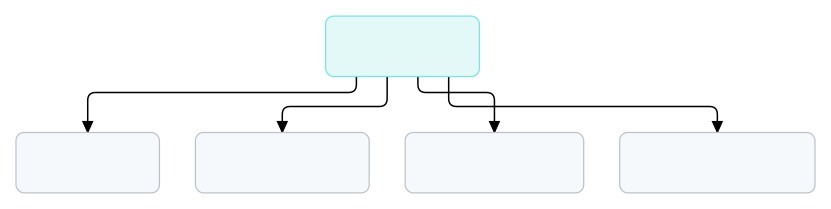
Searches run from the overview project across all linked projects. Linked projects operate independently and are not linked to each other. You can link any combination of compatible projects.
The overview project becomes a central point for broad searches, dashboards, and investigations, without affecting your existing setup.
The overview project model is strongly recommended and appropriate for most CPS configurations. These additional patterns are valid, but they involve additional risk and require careful configuration:
Shared data project (N-to-1): A single project stores data from a shared service (for example, logs). Multiple origin projects link to this central data project.
The N-to-1 pattern is often used when several teams need to query shared data independently. The main risk is that linking to a shared data project affects searches, dashboards, and alerts in each origin project. If the shared project is a large, active project, the expanded dataset might cause unexpected behavior. If you're using this pattern, make sure to manage user access and consider CPS scope.
Data mesh (N-to-N): Multiple active projects link directly to each other.
The N-to-N pattern is the most complex and involves the highest risk. After you link projects, all searches, dashboards, and alerting rules in each origin project will query data from every linked project by default, which might make workflows unpredictable. Make sure you check alerting rules, which might be applied to data that the rule was never intended to evaluate.
After reviewing the architecture patterns, you can configure CPS scope and manage linked projects. For best results, complete these tasks in order:
- Set space scope defaults: Configure the default cross-project search scope for each space that will be used with cross-project search.
- Manage user access and programmatic access: Confirm user roles in both the origin and linked projects, as well as roles granted to Elastic Cloud API keys that will be used with cross-project search.
- Link and manage projects: Link projects in the Elastic Cloud UI, manage linked projects, and unlink projects.
Make sure to also review the search performance impacts, feature impacts, and limitations of CPS.
All cross-project search traffic between projects is encrypted using TLS. Traffic between projects may be routed over the public internet.
Cross-project search charges are billed to the origin project.
Usage is metered and charged based on the following factors:
- Retained data volume: The volume of data retained in your linked projects each month. The rate varies by the type of each linked project, such as Observability, Security, Elasticsearch, or Elasticsearch Vector Database. For Observability linked projects, the rate also depends on the type of retained data.
- CPS queries: Cross-project search queries incur a separate data egress charge for data transferred as a result of those queries. This appears as a separate line item on your bill.
For current rates, refer to the Elastic Cloud Pricing page. You can also create a Serverless estimate.
Billing begins on September 16, 2026. Until then, there are no separate cross-project search charges.
When you search across linked projects, each query coordinates across multiple projects before returning results. This adds a small amount of latency compared to searching a single project. The overhead is generally measured in milliseconds and depends on factors like response size and query complexity.
Queries that cross region or cloud provider boundaries have higher latency due to network distance.
When you link projects for cross-project search, the expanded dataset can affect existing features in the origin project. By default, searches, alerts, dashboards, and other features in the origin project run against the combined dataset of the origin and all linked projects. Features tuned for a single project's data might behave differently with a larger dataset.
Cross-project search results are filtered by each user's role assignments across projects. Users with different roles see different results from the same query. Review user access on each linked project to make sure that users have the appropriate permissions to access the data they need.
How you work with the expanded dataset depends on how you search:
- Kibana apps: Scope controls vary by app. Set the default cross-project search scope for each space before you link projects. For details on how individual apps handle CPS scope, including which apps support the scope selector and query-level overrides, refer to Cross-project search availability by app.
- Query syntax: Because queries now run across all linked projects by default, queries that were written for a single project might return a larger result set. To restrict scope, use qualified expressions or project routing.
By default, rules in the origin project run against the combined dataset of the origin and all linked projects. Rules tuned for a single project's data might produce false positives when they evaluate a larger dataset. This is one reason we recommend using a dedicated overview project, so that existing rules on data projects are not affected. Make sure to also consider the default cross-project search scope for each space, or save explicit project routing on individual rules.
Cross-project search has the following limitations:
- Maximum of 100 linked projects: Each origin project can have up to 100 linked projects. A linked project can be associated with any number of origin projects.
- System indices: Indices such as
.securityand.fleet-*are excluded from cross-project search results by design. - Anomaly detection: anomaly detection jobs created before CPS was enabled default to origin-only scope (
_alias:_origin) and must be manually updated to search linked projects. - Transforms: Transforms created before CPS was enabled default to origin-only scope and must be manually updated to search linked projects.
- Data frame analytics analytics jobs: data frame analytics analytics jobs are not supported with CPS. They continue to run on origin project data only.
- Painless scripting: The Painless execute API does not search across linked projects. It resolves index names against the origin project only.
- For ES|QL limitations specific to CPS, refer to ES|QL with cross-project search.
- Additional limitations apply to Elastic Observability and Elastic Security projects.
The following limitations apply to Elastic Security apps. For how each app uses CPS, including the scope selector and query-level overrides, refer to Cross-project search support in Elastic Security apps.
- Alert, event, and attack flyouts: Session View isn't available for documents from linked projects. Some actions are hidden or disabled.
- Alerts: The Alerts page doesn't show alerts that a linked project generated independently. Only alerts created by origin project rules appear.
- Attack Discovery: Discoveries are based on origin project alerts only. Alerts from linked projects aren't included.
- Cases: You can't attach an alert or event from a linked project to a case.
- Elastic Defend and Osquery: Policies, artifacts, response actions, and Osquery saved queries and packs can't be shared or managed across linked projects.
- Entity store: A host that appears in more than one project isn't combined into a single entity at the origin. Risk scoring runs on the origin project only.
- Machine learning rules: Machine learning rules don't use the space-level cross-project search scope. They use the scope of the underlying anomaly detection job's datafeed, which might differ from the space default.
- SIEM Readiness and Value report: These features don't include data from linked projects.
- Timeline: Some actions are disabled for documents from linked projects.
Observability apps have partial CPS support. For example:
- APM, Infrastructure, and Synthetics use session scope.
- SLOs use stored scope.
- Streams remain scoped to the origin project.
- Alerts are from the origin project only, even when rules query linked-project data.
For specific app details, refer to Cross-project search in Observability.
After you configure cross-project search and link projects, users can start searching across linked projects from the origin project. For search syntax, scope controls, and examples, refer to the following pages:
- Cross-project search overview: Learn how to build queries in a CPS context, including how to restrict search scope.
- Managing cross-project search scope in your project apps: Learn how CPS works with compatible Kibana apps, including how to adjust search scope.
- Compare cross-project search and cross-cluster search: Compare CPS and cross-cluster search query syntax, behavior, and scope control side by side.