Open Source Application Performance Monitoring
Already housing logs and system metrics in Elasticsearch? Expand to application metrics with Elastic APM. Four lines of code lets you see a bigger picture to quickly fix issues and feel good about the code you push.
See what's under the hood of our developer-focused APM solution. Watch Video
Search + APM
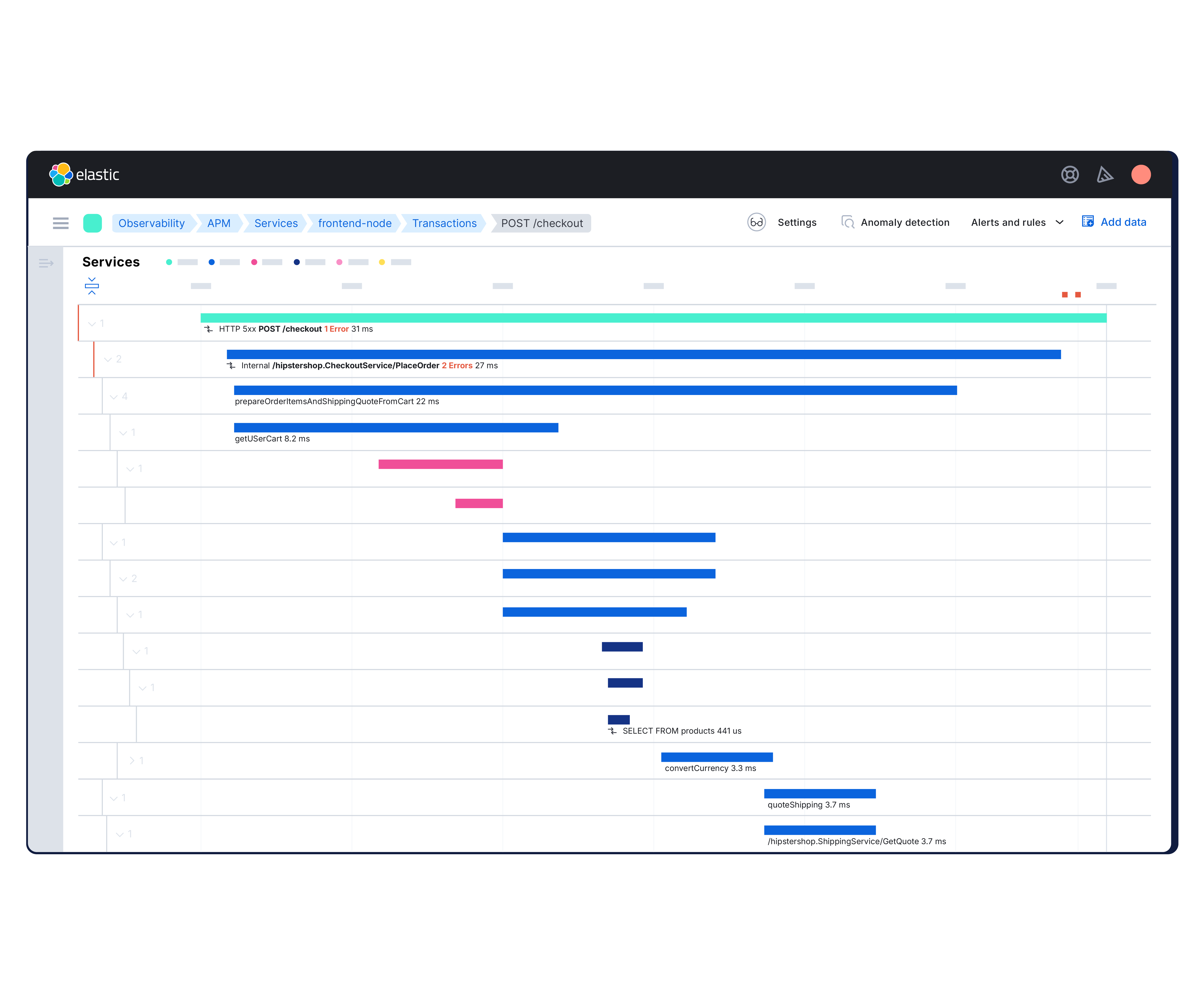
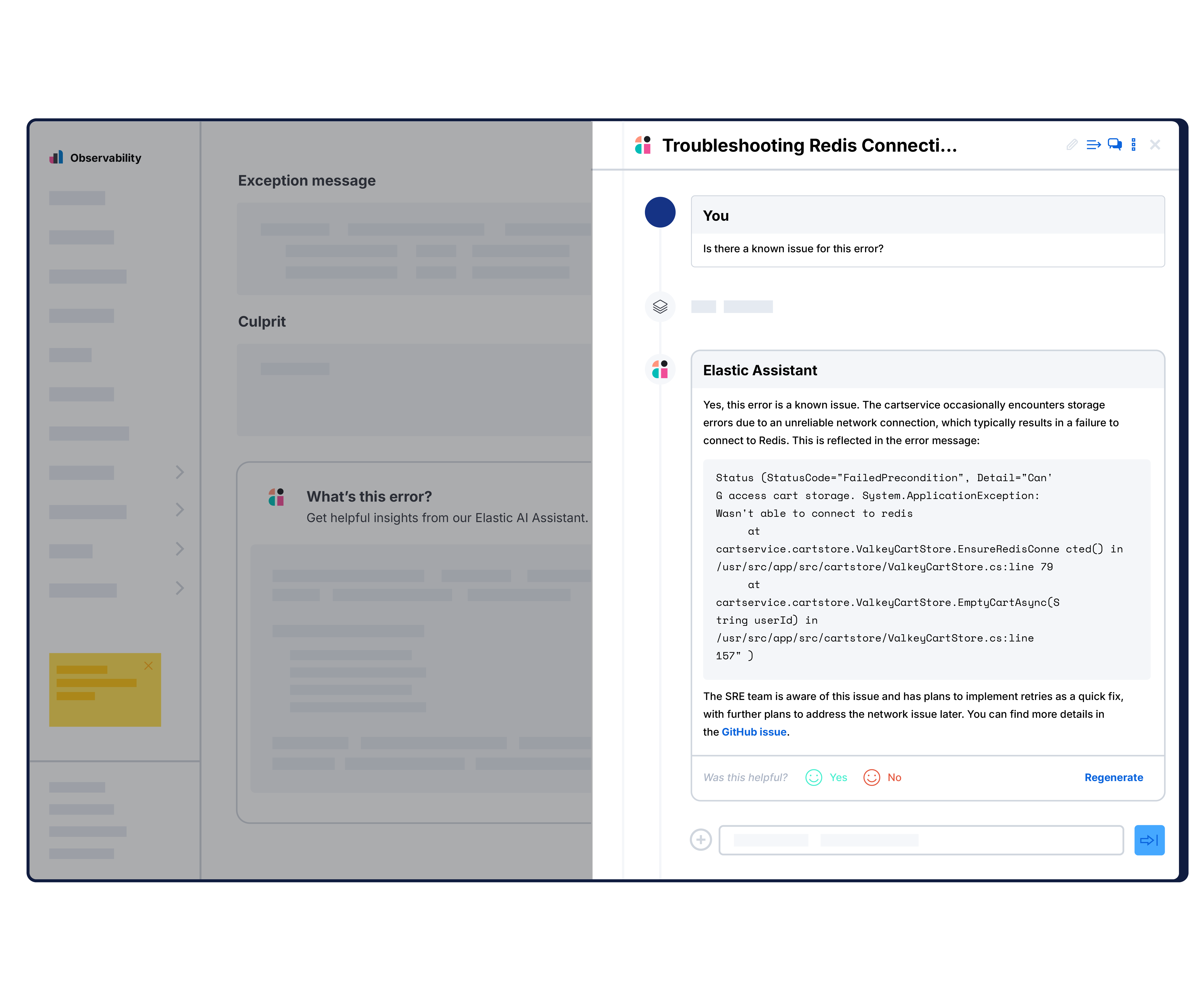
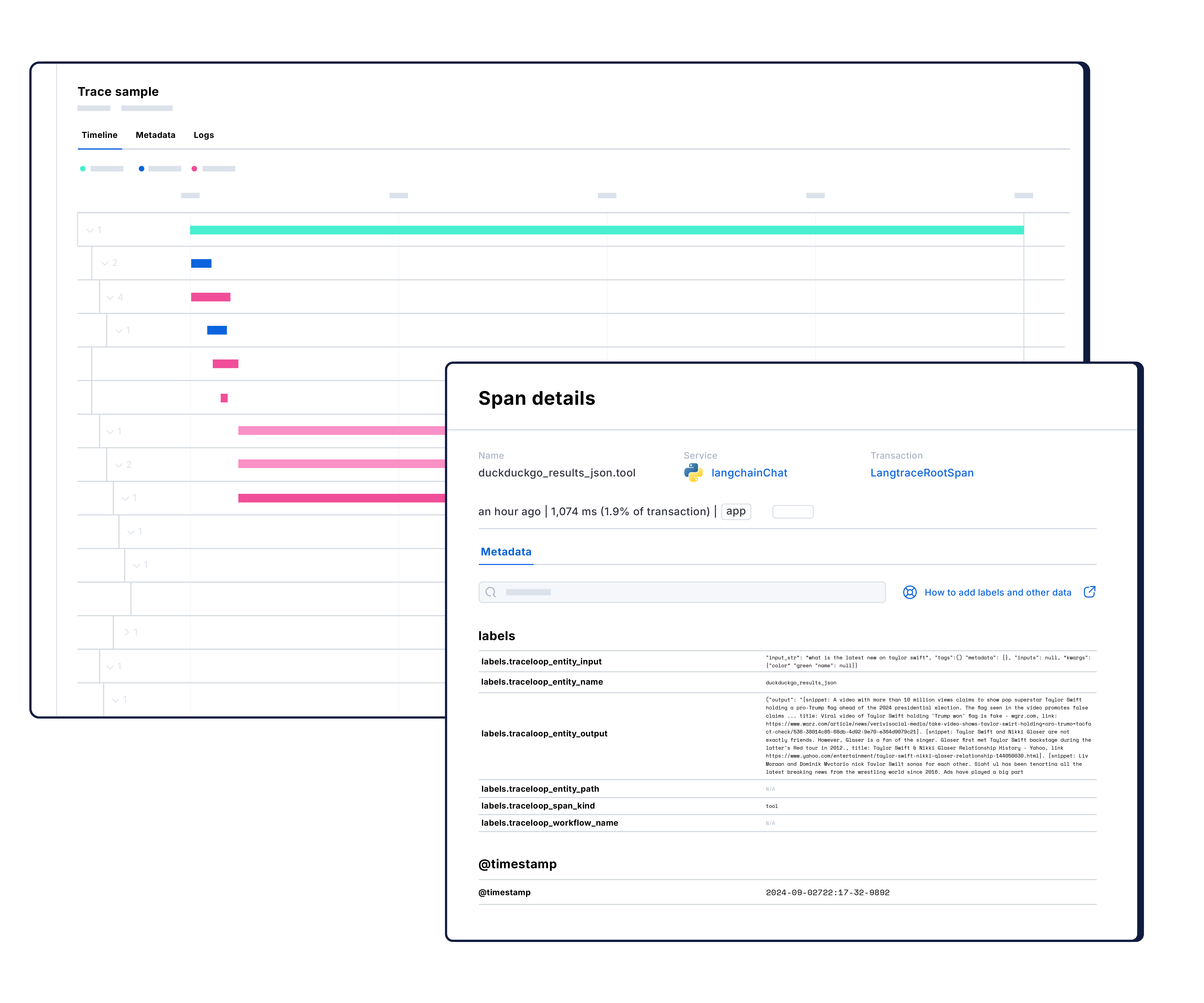
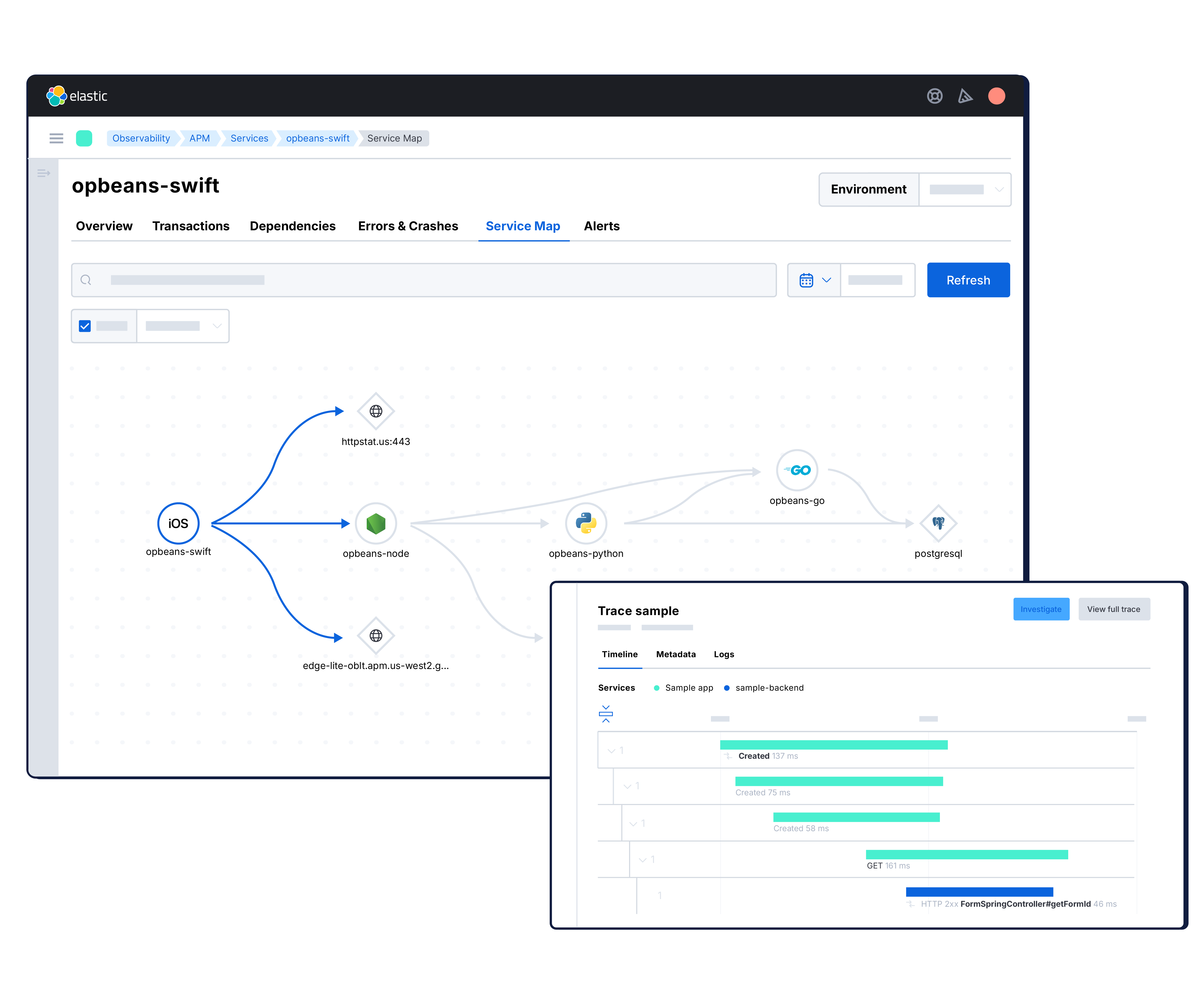
Finding and fixing roadblocks in your code boils down to search. Our dedicated UI lets you identify bottlenecks and zero in on problematic changes at the code level. As a result, you get better, more efficient code that leads to a speedier develop-test-deploy loop, faster applications, and better customer experiences.
The Dashboards You Love, Now APM-Flavored
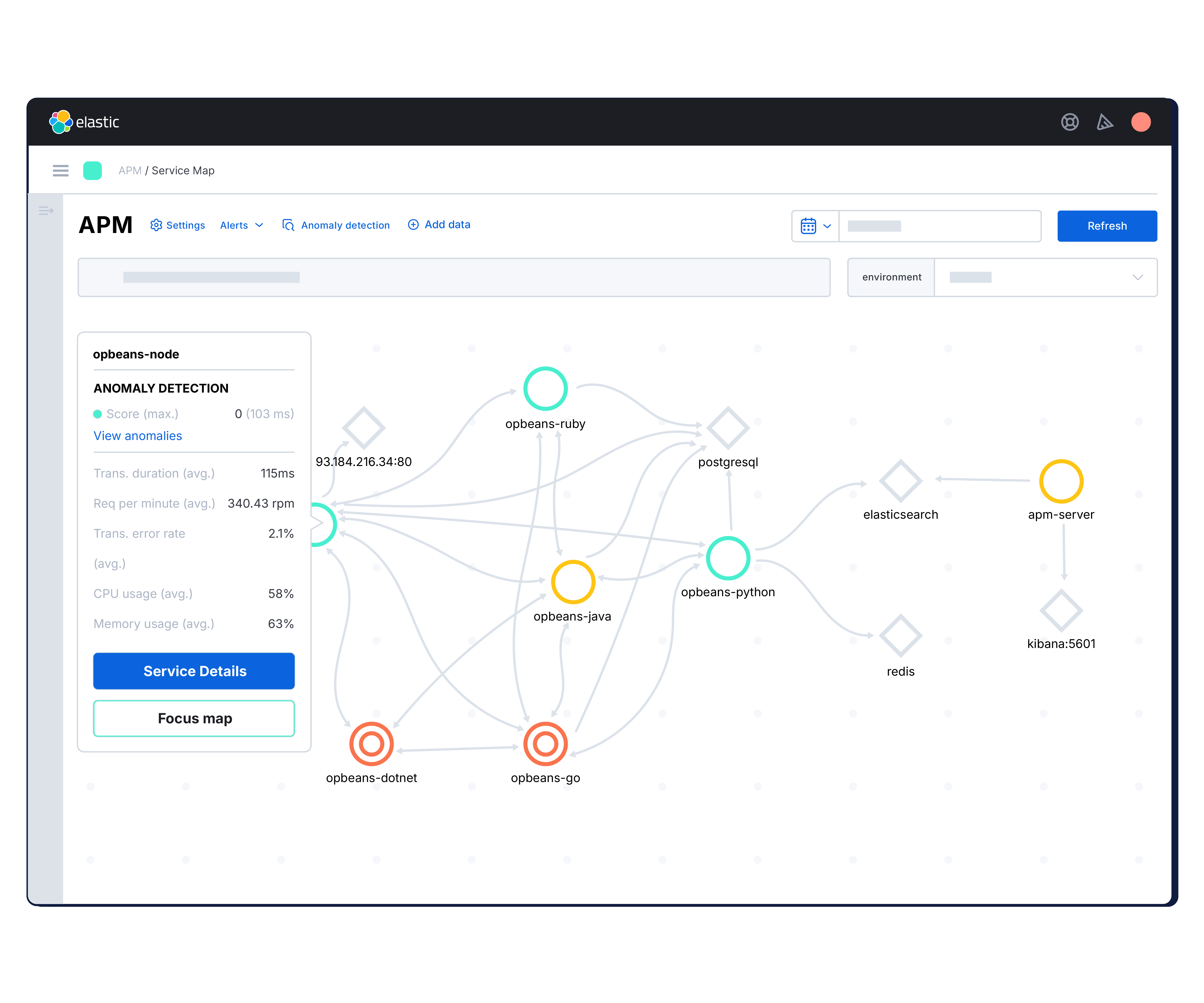
Elastic APM instruments your applications to ship performance metrics to Elasticsearch for visualization in Kibana with pre-configured dashboards.
And since data is stored as raw documents in Elasticsearch, your tracing data can coexist with your infrastructure logs, server metrics, and security events, making it easy to explore all of your data in one place.
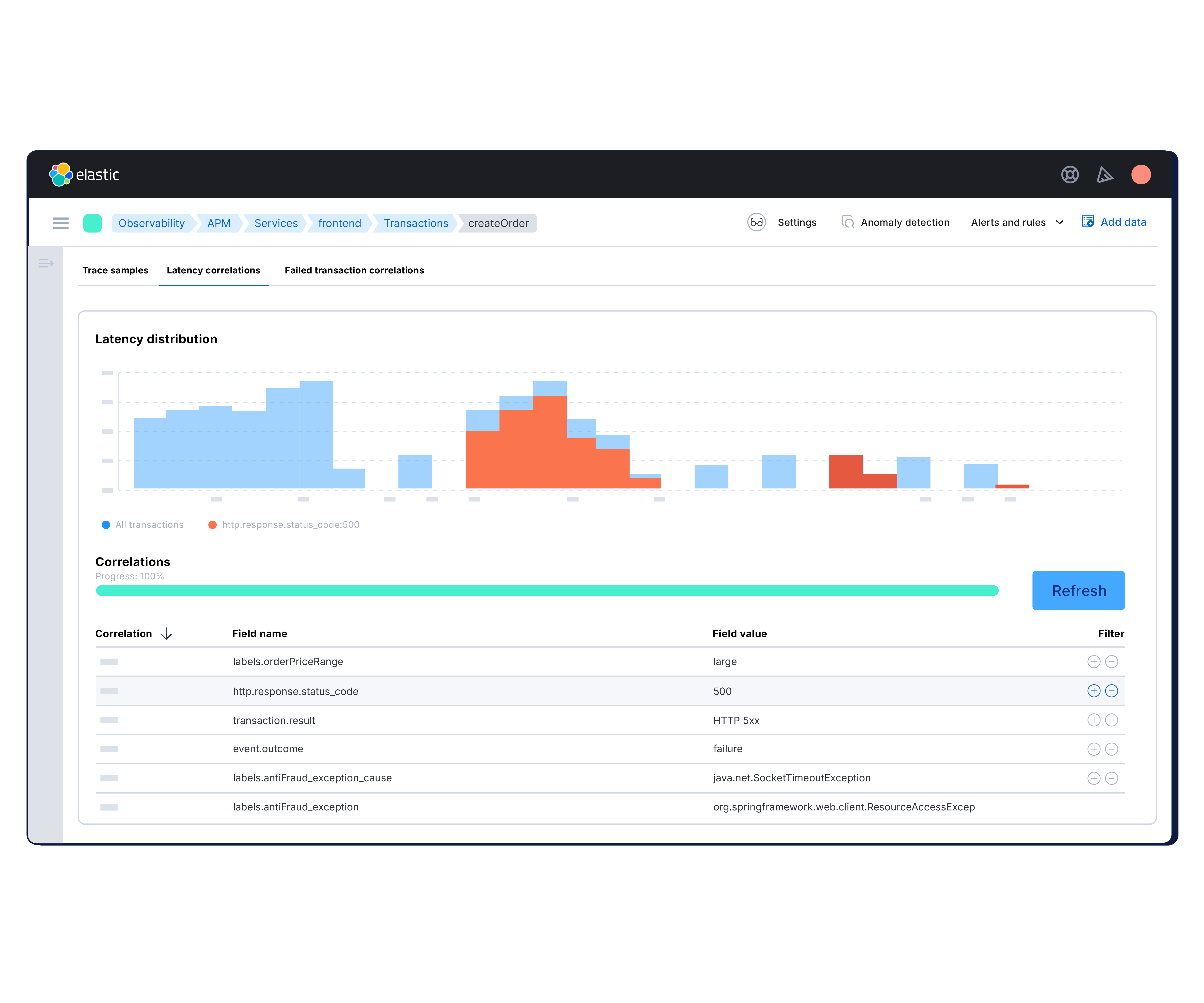
Detect Anomalous Response Times with Machine Learning
Create a job directly from the APM UI. Find the abnormal behavior and the problematic pieces with machine learning features that automatically model your data.
Get Alerted, Then React
Our dashboards are pretty, but you'll probably have to look away at some point. Stay up-to-date on how your code is performing with our alerting features. Get an email notification when something goes awry or a Slack notification when something goes really right.
It's Developer-Friendly,
Language-Friendly
Elastic APM ships with support for Node.js, Python, Ruby, and Real User Monitoring (JavaScript) — and there are many more programming languages, including Java and Go, on the way. If you don't see what you need, you can build it or leverage the open source community.
Just Four Lines of Code Will Get You Started
Configure the agent to run inside your application process.
// Add this to the VERY top of the first
// file loaded in your app
var apm = require('elastic-apm-node').start({
// Required service name
// (allowed characters:a-z, A-Z, 0-9, -, _,
// and space)
serviceName: '',
// Use if APM Server requires a token
secretToken: '',
// Set custom APM Server URL (
// default: http://localhost:8200)
serverUrl: ''
})
What just happened?
The APM agent installed in your application collects and streams application performance metrics to your APM server, where they are processed and stored in Elasticsearch. In a matter of minutes you can start viewing your performance data either in the dedicated APM UI or prebuilt dashboards.
Advanced configuration?
Please refer to the APM documentation.
Configure the agent.
# Add the agent to the installed apps
INSTALLED_APPS = (
'elasticapm.contrib.django',
#...
)
ELASTIC_APM = {
# Set required service name.
# Allowed characters:
# a-z, A-Z, 0-9, -, _, and space
'SERVICE_NAME': '',
# Use if APM Server requires a token
'SECRET_TOKEN': '',
# Set custom APM Server URL (
# default: http://localhost:8200)
#
'SERVER_URL': '',
}
# To send performance metrics, add our tracing middleware:
MIDDLEWARE = (
'elasticapm.contrib.django.middleware.TracingMiddleware',
#...
)
What just happened?
The APM agent installed in your application collects and streams application performance metrics to your APM server, where they are processed and stored in Elasticsearch. In a matter of minutes you can start viewing your performance data either in the dedicated APM UI or prebuilt dashboards.
Advanced configuration?
Please refer to the APM documentation.
Configure the agent.
# initialize using environment variables
from elasticapm.contrib.flask import ElasticAPM
app = Flask(__name__)
apm = ElasticAPM(app)
# or configure to use ELASTIC_APM in your
# application's settings
#
from elasticapm.contrib.flask import ElasticAPM
app.config['ELASTIC_APM'] = {
# Set required service name.
# Allowed characters:
# a-z, A-Z, 0-9, -, _, and space
'SERVICE_NAME': '',
# Use if APM Server requires a token
'SECRET_TOKEN': '',
# Set custom APM Server URL (
# default: http://localhost:8200)
#
'SERVER_URL': '',
}
apm = ElasticAPM(app)
What just happened?
The APM agent installed in your application collects and streams application performance metrics to your APM server, where they are processed and stored in Elasticsearch. In a matter of minutes you can start viewing your performance data either in the dedicated APM UI or prebuilt dashboards.
Advanced configuration?
Please refer to the APM documentation.
Configure the agent by creating the config file config/elastic_apm.yml
# Set service name - allowed characters: # a-z, A-Z, 0-9, -, _ and space # Defaults to the name of your Rails app # service_name: 'my-service' # Use if APM Server requires a token # # secret_token: '' # Set custom APM Server URL ( # default: http://localhost:8200) # # server_url: 'http://localhost:8200'
What just happened?
The APM agent installed in your application collects and streams application performance metrics to your APM server, where they are processed and stored in Elasticsearch. In a matter of minutes you can start viewing your performance data either in the dedicated APM UI or prebuilt dashboards.
Advanced configuration?
Please refer to the APM documentation.
Configure the agent by creating the config file config/elastic_apm.yml
# Set service name - allowed characters: # a-z, A-Z, 0-9, -, _ and space # # Defaults to the name of your Rails app # service_name: 'my-service' # Use if APM Server requires a token # # secret_token: '' # Set custom APM Server URL ( # default: http://localhost:8200) # # server_url: 'http://localhost:8200'
Initialize the agent by including the middleware in your app and start the agent. Rack or compatible frameworks (like Sinatra):
# config.ru
require 'sinatra/base'
class MySinatraApp < Sinatra::Base
use ElasticAPM::Middleware
# ...
end
ElasticAPM.start(
app: MySinatraApp, # required
config_file: '' # optional
)
run MySinatraApp
at_exit { ElasticAPM.stop }
What just happened?
The APM agent installed in your application collects and streams application performance metrics to your APM server, where they are processed and stored in Elasticsearch. In a matter of minutes you can start viewing your performance data either in the dedicated APM UI or prebuilt dashboards.
Advanced configuration?
Please refer to the APM documentation.
Configure the agent:
import { init as initApm } from 'elastic-apm-js-base'
var apm = initApm({
// Set required service name
// (allowed characters: a-z, A-Z, 0-9, -, _,
// and space)
serviceName: '',
// Set custom APM Server URL (
// default: http://localhost:8200)
serverUrl: '',
// Set service version (required for sourcemap
// feature)
serviceVersion: ''
})
What just happened?
The APM agent installed in your application collects and streams application performance metrics to your APM server, where they are processed and stored in Elasticsearch. In a matter of minutes you can start viewing your performance data either in the dedicated APM UI or prebuilt dashboards.
Advanced configuration?
Please refer to the APM documentation.
Configure the agent:
# Set the service name. Allowed characters: # a-z, A-Z, 0-9, -, _, and space. # If ELASTIC_APM_SERVICE_NAME is not specified, # the executable name will be used. export ELASTIC_APM_SERVICE_NAME= # Set the APM Server URL. If unspecified, # the agent will effectively be disabled. export ELASTIC_APM_SERVER_URL= # Set if APM Server requires a token. export ELASTIC_APM_SECRET_TOKEN=
What just happened?
The APM agent installed in your application collects and streams application performance metrics to your APM server, where they are processed and stored in Elasticsearch. In a matter of minutes you can start viewing your performance data either in the dedicated APM UI or prebuilt dashboards.
Advanced configuration?
Please refer to the APM documentation.
Download the Java agent:
Download the agent jar from Maven Central. Do not add the agent as a dependency to your application.
Start your application with javaagent flag:
Add the -javaagent flag and configure the agent with system properties.
java \ -javaagent:/.../elastic-apm-agent-<version>.jar\ -Delastic.apm.service_name=my-application\ -Delastic.apm.server_url=http://localhost:8200\ -Delastic.apm.application_packages=org.example\ -jar my-application.jar
What just happened?
The APM agent installed in your application collects and streams application performance metrics to your APM server, where they are processed and stored in Elasticsearch. In a matter of minutes you can start viewing your performance data either in the dedicated APM UI or prebuilt dashboards.
Advanced configuration?
Please refer to the APM documentation.