Best practices for building a modern app with vector search
Exploring six vector search tips for building modern AI search applications entirely on Elasticsearch, with an opinionated rationale at each architectural decision.
Try out vector search for yourself using this self-paced hands-on learning for Search AI. You can start a free cloud trial or try Elastic on your local machine now.
Building a modern AI application means stitching together a lot of moving parts: an embedding model provider, a vector store, a hybrid retrieval layer, a large language model (LLM) orchestrator, and some kind of script to interact with the parts. Most tutorials show you how to wire up each piece separately. This one shows you how to build all of them with Elasticsearch alone. I chose Elasticsearch as my vector database because it supports hybrid search and out-of-the-box quantization, so you get semantic understanding, keyword precision, and fast similarity search without bolting on extra infrastructure. Along the way, it explains why each architectural decision matters.
We'll use Python to demonstrate each tip, but none of them are language-specific; you could follow along just as well with the Kibana Dev Tools console, the Kibana UI, or any Elasticsearch client.
Prerequisites
Elasticsearch 9.3+ (Elastic Cloud Serverless or self-managed). Start a free trial.
Kibana access with an API key that has full privileges for Analytics (required for Elastic Agent Builder and Elastic Workflows)
Python 3.9+
pip install elasticsearch python-dotenv requestsEnvironment variables in a
.envfile:
ELASTICSEARCH_URL=https://your-cluster-url
ELASTICSEARCH_API_KEY=your-api-key
KIBANA_URL=https://your-kibana-url
What we're building
By the end of this tutorial, you'll have a working app with five layers running on Elastic. If you want to skip ahead and run the code, grab the companion notebook.
Managed inference: Embeddings without managing machine learning (ML) infrastructure.
Semantic index: An index designed for both BM25 and semantic search.
Hybrid retrieval (reciprocal rank fusion [RRF]): The best of lexical and semantic search combined.
AI agent: A natural language interface over your data.
Automated workflow: A scheduled pipeline that fetches, indexes, and summarizes new content.
Elastic allows you to use all five layers in just one deployment.
Tip 1: Use managed inference instead of external embedding APIs
The first decision in any vector search project is where to generate embeddings. The obvious answer is to call an external API (OpenAI, Cohere, Jina AI) directly, but this means managing a separate billing account, API key rotation, rate limit monitoring, and network latency on every document you index.
Another option is to use Elastic Inference Service (EIS), a managed GPU-accelerated inference layer built into Elasticsearch. You configure it once, and embeddings are generated inside the Elastic infrastructure as documents are indexed.
For this tutorial, we’ll use jina-embeddings-v5-text, an out-of-the-box model with high performance for retrieval-optimized embeddings.
When to use EIS vs. an external API
Use EIS when you want a single Elastic billing account and your organization doesn’t have a default model for all its systems. Use an external provider when your team has chosen an unsupported model across systems and needs the same embeddings everywhere for consistency.
es_client = Elasticsearch(ELASTICSEARCH_URL, api_key=ELASTIC_API_KEY)

# Jina Embeddings v5 comes with a preconfigured endpoint in EIS.
# No need to create a custom inference endpoint, just reference the preconfigured ID.
INFERENCE_ENDPOINT_ID = ".jina-embeddings-v5-text-small"
print(f"Using preconfigured inference endpoint: {INFERENCE_ENDPOINT_ID}")
The inference endpoint is now ready. Elasticsearch will call it automatically whenever you index a document into a field that uses semantic_text.
Tip 2: Design hybrid-ready indices from day one
A common mistake is designing your index for semantic search and later trying to add hybrid search. Hybrid search requires both semantic retrieval and BM25. Retrofitting this after you have millions of documents means a full reindex.
The correct pattern is to use copy_to at mapping time. Keep the original text fields for BM25, and automatically copy their content into a dedicated semantic_text field for vector search.
INDEX_NAME = "tech-articles"

index_mappings = {
    "mappings": {
        "properties": {
            "title": {
                "type": "text",
                "copy_to": "semantic_field",
                "fields": {"keyword": {"type": "keyword"}},
            },
            "content": {"type": "text", "copy_to": "semantic_field"},
            "category": {"type": "keyword"},
            "published_date": {"type": "date"},
            "semantic_field": {
                "type": "semantic_text",
                "inference_id": INFERENCE_ENDPOINT_ID,
            },
        }
    }
}

if not es_client.indices.exists(index=INDEX_NAME):
    response = es_client.indices.create(index=INDEX_NAME, body=index_mappings)
    print(f"Created index: {INDEX_NAME}")
else:
    print(f"Index '{INDEX_NAME}' already exists, skipping creation")
A few things to understand about this mapping:
titleis atextfield with akeywordsubfield, available for BM25 full-text search and for aggregations and filtering viatitle.keyword.contentis a standardtextfield, used for full-text search.copy_to: "semantic_field"means Elasticsearch automatically populatessemantic_fieldfromtitleandcontentat ingest time. You don't need to sendsemantic_fieldin your documents.semantic_textwithinference_idtells Elasticsearch to call the EIS endpoint to generate embeddings forsemantic_fieldautomatically.
To understand why to use copy_to instead of separate semantic fields, see the Elasticsearch guidance on searching as few fields as possible.
Tip 3: Use bulk operations for scalable ingestion
Never index documents one at a time in a production application. Each individual index request is a separate HTTP call.
Elasticsearch exposes the _bulk API for batching multiple index operations into a single HTTP request. Combine it with a generator function to avoid loading your entire dataset into memory.
from elasticsearch import helpers


def build_data(json_file, index_name):
    """Generator that yields documents for bulk indexing."""
    with open(json_file, "r") as f:
        data = json.load(f)

    for doc in data:
        yield {"_index": index_name, "_source": doc}


try:
    success, failed = helpers.bulk(
        es_client,
        build_data("dataset.json", INDEX_NAME),
    )
    print(f"{success} documents indexed successfully")

    if failed:
        print(f"Failed documents: {failed}")
except Exception as e:
    print(f"Error: {str(e)}")

# Verify document count
count = es_client.count(index=INDEX_NAME)
print(f"Total documents: {count.body['count']}")
Generator pattern vs. list
Loading all documents into a list before calling helpers.bulk() works, but it loads everything into memory at once. A generator yields documents on demand, which means your memory usage stays constant regardless of dataset size.
Tip 4: Use a hybrid search strategy
Hybrid search combines BM25 (lexical) and semantic retrieval to get the benefits of both: the precision of term matching and the contextual understanding of dense vector search. With your index already designed to support both BM25 and semantic search, the question is how to merge the two ranked result lists.
Elasticsearch provides built-in methods to combine semantic and full-text strategies through its retrievers framework. In this blog post, we’ll talk about RRF and linear combination, the two methods that were designed to fuse semantical and BM25 results. Each takes a different approach to combining results, and the right choice depends on your data and how much tuning you want to invest.
Reciprocal rank fusion
RRF is the recommended starting point for hybrid search, as it ignores raw scores and merges results based on rank positions alone. A document ranked third in semantic and fifth in BM25 gets a combined score based on those positions, not the raw numbers. This makes it robust against mismatched score scales; it requires almost no tuning and works well out of the box. The tradeoff is that RRF discards score magnitude: A document that scores dramatically higher than others in one retriever won't get extra credit for that gap.
Elasticsearch also supports weighted RRF for scenarios where you need to boost one retriever over another without switching to score-based merging.
def hybrid_search_rrf(query: str, size: int = 3):
    """Hybrid search using RRF."""

    response = es_client.search(
        index=INDEX_NAME,
        body={
            "retriever": {
                "rrf": {
                    "retrievers": [
                        {
                            "standard": {
                                "query": {
                                    "multi_match": {
                                        "query": query,
                                        "fields": ["title^2", "content"],
                                    }
                                }
                            }
                        },
                        {
                            "standard": {
                                "query": {
                                    "match": {"semantic_field": {"query": query}}
                                }
                            }
                        },
                    ],
                    "rank_window_size": 50,
                    "rank_constant": 20,
                }
            },
            "size": size,
            "_source": ["title", "category"],
        },
    )

    return response
Reranking with jina-reranker-v3
RRF is fast and reliable, but it ranks by position and has no way to model how well a document actually answers the question. A reranker fixes that. It takes the top-N candidates from RRF and rescores them using a cross-encoder model that reads the query and each document together, producing a relevance score grounded in meaning rather than rank position.
jina-reranker-v3 is available through EIS and uses listwise reranking. It evaluates up to 64 documents in a single inference call using cross-document context, which gives it a global view of the candidate set rather than scoring each document independently.
First, create the reranker inference endpoint:
RERANKER_INFERENCE_ID = "jina-reranker-v3-endpoint"

reranker_config = {
    "service": "elastic",
    "service_settings": {"model_id": "jina-reranker-v3"},
}

try:
    es_client.inference.put(
        inference_id=RERANKER_INFERENCE_ID,
        task_type="rerank",
        body=reranker_config,
    )

    print(f"Created reranker endpoint: {RERANKER_INFERENCE_ID}")
except Exception as e:
    if "already_exists" in str(e).lower():
        print(f"Reranker endpoint already exists: {RERANKER_INFERENCE_ID}")
    else:
        raise
Then wrap the RRF retriever inside text_similarity_reranker:
def hybrid_search_with_reranking(query: str, size: int = 3):
    """Hybrid search: RRF retrieval followed by Jina Reranker v3."""
    response = es_client.search(
        index=INDEX_NAME,
        body={
            "retriever": {
                "text_similarity_reranker": {
                    "retriever": {
                        "rrf": {
                            "retrievers": [
                                {
                                    "standard": {
                                        "query": {
                                            "multi_match": {
                                                "query": query,
                                                "fields": ["title^2", "content"],
                                            }
                                        }
                                    }
                                },
                                {
                                    "standard": {
                                        "query": {
                                            "match": {"semantic_field": {"query": query}}
                                        }
                                    }
                                },
                            ],
                            "rank_window_size": 50,
                            "rank_constant": 20,
                        }
                    },
                    "field": "semantic_field",
                    "inference_id": RERANKER_INFERENCE_ID,
                    "inference_text": query,
                    "rank_window_size": 25,
                }
            },
            "size": size,
            "_source": ["title", "category"],
        },
    )

    return response
RRF does the heavy lifting; it efficiently narrows thousands of candidates to the top 25 using rank fusion. The reranker then reads the query and document together and reorders those 25 by true semantic relevance.
Tip 5: Add AI reasoning with Agent Builder
That's where Elastic Agent Builder comes in, allowing you to quickly create LLM-powered agents that utilize your Elasticsearch data as the source using natural language queries. Unlike LangChain or LlamaIndex (which require you to bring your own LLM, manage prompts, and configure retrieval pipelines), Agent Builder is native to Kibana: It has built-in tracing, uses your existing Elasticsearch indices, and supports Elasticsearch Query Language (ES|QL) for precise data access alongside semantic search. It also provides communication with external systems via Model Context Protocol (MCP) server, or agent-to-agent (A2A) servers.
The agent for this tutorial uses the Elastic Managed LLM by default, which is available on Elastic Cloud with no additional API key or connector configuration.
headers = {
    "kbn-xsrf": "true",
    "Authorization": f"ApiKey {ELASTIC_API_KEY}",
    "Content-Type": "application/json",
}

# Create a custom ES|QL tool that returns articles filtered by publish date.
# Custom tools expose a specific parameterized query the agent can invoke safely,
# without giving it free-form access to the entire cluster.
esql_tool_payload = {
    "id": "tech-articles-recent",
    "type": "esql",
    "description": (
        "Returns recent articles from the knowledge base filtered by publish date. "
        "Use this when the user asks about recent content, articles from a specific "
        "time period, or wants to browse by date."
    ),
    "tags": ["analytics", "tech-articles"],
    "configuration": {
        "query": (
            "FROM tech-articles "
            "| WHERE published_date >= ?startDate "
            "| KEEP title, category, published_date "
            "| SORT published_date DESC "
            "| LIMIT ?limit"
        ),
        "params": {
            "startDate": {
                "type": "date",
                "description": "Start date for filtering articles (ISO 8601, e.g. 2024-01-01)",
            },
            "limit": {
                "type": "integer",
                "description": "Maximum number of articles to return",
            },
        },
    },
}

response = requests.post(
    f"{KIBANA_URL}/api/agent_builder/tools",
    headers=headers,
    json=esql_tool_payload,
)

if response.status_code == 200:
    print(f"Created custom ES|QL tool: {esql_tool_payload['id']}")
else:
    print(f"Error creating tool: {response.text}")

agent_payload = {
    "id": "tech-articles-assistant",
    "name": "Tech Articles Assistant",
    "description": "An AI assistant that helps users find information about technology topics from our knowledge base.",
    "configuration": {
        # Uses Elastic Managed LLM by default. No connector_id needed.
        "tools": [
            {
                "tool_ids": [
                    "platform.core.search",
                    "platform.core.execute_esql",
                    "tech-articles-recent",
                ]
            }
        ],
        "instructions": f"""You are a helpful assistant that answers questions about technology topics.

Use the search tool to find relevant articles from the '{INDEX_NAME}' index.
Use the tech-articles-recent tool when the user asks about recent or time-filtered content.
When searching, prefer semantic search for natural language questions.
Always cite the article titles when providing information.
If you cannot find relevant information, say so clearly.""",
    },
}

response = requests.post(
    f"{KIBANA_URL}/api/agent_builder/agents",
    headers=headers,
    json=agent_payload,
    verify=True,
)

if response.status_code == 200:
    agent_data = response.json()
    agent_id = agent_data.get("id")
    print(f"Created agent: {agent_id}")
else:
    print(f"Error creating agent: {response.text}")
    agent_id = None
Once created, you can chat with the agent programmatically:
def chat_with_agent(agent_id: str, message: str):
    """Send a message to the agent and get a response."""
    chat_payload = {"input": message, "agent_id": agent_id}

    response = requests.post(
        f"{KIBANA_URL}/api/agent_builder/converse",
        headers=headers,
        json=chat_payload,
        verify=True,
    )

    if response.status_code == 200:
        return response.json()
    else:
        return {"error": response.text, "status_code": response.status_code}


# Example conversation
if agent_id:
    result = chat_with_agent(
        agent_id, "What are the best practices for building RAG applications?"
    )
    print(json.dumps(result, indent=2))
The agent has access to three tools:
platform.core.search: For semantic and keyword search over your index.platform.core.execute_esql: For ad-hoc analytical queries using ES|QL.tech-articles-recent: A custom ES|QL tool with a predefined query for date-filtered browsing.
The LLM decides which tool to use based on the question. Custom tools let you expose specific query patterns that the agent can invoke safely.
When to use Agent Builder vs. LangChain/LlamaIndex
Use Agent Builder when you want native Kibana integration, built-in execution tracing, and direct access to ES|QL without custom tool implementation. Use LangChain or LlamaIndex when you need to connect multiple data sources beyond Elasticsearch, use model providers not yet supported by Agent Builder, or require custom agent architectures (multi-agent or reflection loops, among others).
Tip 6: Automate with Elastic Workflows
Search pipelines often have a recurring pattern: Fetch new data from an external source, index it, and then trigger some action. You can implement this using external tools, but Elastic Workflows gives you a YAML-based alternative that runs inside Elasticsearch.
Workflows is a technical preview feature that lets you define multistep automation pipelines using declarative YAML. It supports HTTP calls, Elasticsearch operations, conditional logic, loops, and (most relevantly here) invoking AI agents as a step.
Note: Workflows is in technical preview as of Elasticsearch 9.3. The API and YAML syntax may change in future releases. To enable the Workflows UI, go to Kibana: Stack Management > Advanced Settings, and set workflows:ui:enabled to true. Find detailed information here.
The workflow below is a Hacker News digest: It fetches the top five stories from the Hacker News API, indexes each one into our tech-articles index (with automatic embedding via EIS), and then asks the AI agent to summarize the article's topics.
Create this workflow by pasting the YAML into the Kibana Workflows UI:
name: Hacker News Digest
description: >
  Fetches the latest top stories from the Hacker News public API, indexes them
  into Elasticsearch with semantic embeddings, then asks the AI agent to
  summarize the key themes from the freshly ingested content.
enabled: true
tags: ["ingestion", "hacker-news", "agent", "demo"]

consts:
  indexName: tech-articles
  hnApiBase: "https://hacker-news.firebaseio.com/v0"
  agentId: tech-articles-assistant

triggers:
  - type: manual   # change to "schedule" with a cron expression for automation

steps:
  # Step 1: Fetch top story IDs from Hacker News
  - name: fetch_top_stories
    type: http
    with:
      url: "{{ consts.hnApiBase }}/topstories.json"
      method: GET

  # Step 2: For each story ID, fetch details and index into Elasticsearch
  - name: process_stories
    type: foreach
    foreach: "${{ steps.fetch_top_stories.output.data | slice: 0, 5 }}"
    steps:
      - name: fetch_story_detail
        type: http
        with:
          url: "{{ consts.hnApiBase }}/item/{{ foreach.item }}.json"
          method: GET

      - name: index_story
        type: elasticsearch.request
        with:
          method: POST
          path: "/{{ consts.indexName }}/_doc"
          body:
            title: "{{ steps.fetch_story_detail.output.data.title }}"
            content: "{{ steps.fetch_story_detail.output.data.text | default: steps.fetch_story_detail.output.data.title }}"
            category: "hacker-news"
            url: "{{ steps.fetch_story_detail.output.data.url }}"

  # Step 3: Ask the agent to summarize the freshly indexed stories
  - name: ask_agent
    type: ai.agent
    with:
      agent_id: "{{ consts.agentId }}"
      message: "What are the main themes and topics from the latest Hacker News stories?"

  - name: log_summary
    type: console
    with:
      message: "${{ steps.ask_agent.output }}"
The ai.agent step in the workflow calls the Agent Builder agent you'll create in the next section. This is the bidirectional agent-workflow pattern: Workflows handle deterministic tasks (HTTP calls, indexing, looping) and delegate reasoning to agents. Agents handle open-ended questions and delegate structured execution to workflows.
Here you can see the final results of the workflow:
Conclusion
We walked through six tips for building a modern AI search application entirely on Elasticsearch, from managed inference and hybrid-ready index design, through scalable ingestion and hybrid retrieval with RRF, to automated workflows and AI agents. Together, these practices give you a production-grade AI search application running entirely on Elasticsearch, without external orchestrators, separate vector databases, or additional embedding API accounts.
Recommended lectures
Deep dive on
semantic_textchunking options for long documents.Weighted RRF for fine-tuning hybrid search relevance.
Agent Builder GA announcement for the full feature overview.
jina-embeddings-v5-text models just released February 2026.
How helpful was this content?
Related Content

Check 100 candidates, not 10 million documents: Faster kNN filters in Elasticsearch

GPU-accelerated vector indexing in Elasticsearch with NVIDIA cuVS: 138M vectors in under 10 minutes

AI video search with Elasticsearch and Jina: Find the exact seconds of footage you need
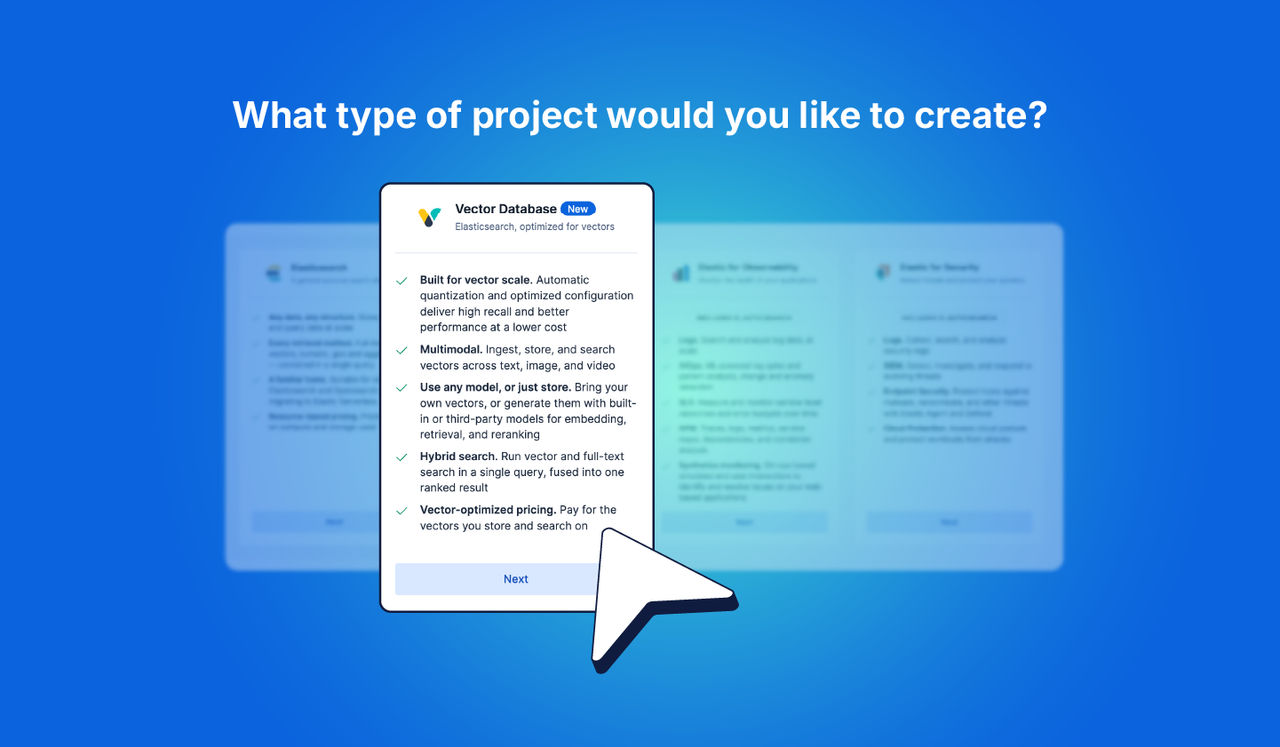
Elasticsearch Vector Database: Ship in minutes, scale affordably to hundreds of billions