Vertex AI integration with Elasticsearch open inference API brings reranking to your RAG applications
Google Cloud customers can use Vertex AI embeddings and reranking models with Elasticsearch and take advantage of Vertex AI’s fully-managed, unified AI development platform for building generative AI apps.
You can build semantic search and semantic reranking with Google Vertex AI and Elasticsearch open inference API!
Following our close collaboration with the Google Vertex AI team, we're excited to announce that the Elasticsearch vector database now natively integrates with Google Vertex AI, enabling developers to store embeddings generated by any text embedding model available in Google Vertex AI Text Embeddings API. Elasticsearch also integrates natively with Google Vertex AI’s reranking capabilities via the Elastic open inference API. Developers can use both capabilities in combination, or on their own, for building powerful semantic search and RAG applications.
Google Vertex AI is a managed development platform for AI applications. You can access a variety of models including text embedding and reranking models. In this blog post, we’ll use `text-embedding-004` to generate embeddings for English text. To improve the quality of our search results we’ll use the `semantic-ranker-512@latest` model.
In this blog, we will:
Generate embeddings using
text-embedding-004Use Elastic’s new
semantic_textfield to chunk and store embeddings in ElasticsearchBuild a semantic reranking example with
semantic-ranker-512@latestUse Elastic’s retrievers to build two stage retrieval with BM25 and semantic reranking
Getting Started with generating Embeddings
To get started, you’ll need a Google Account with access to the Google Vertex AI platform. Then you need to select an existing or create a new Google Cloud project in the Google Cloud console. Save your project id somewhere as we need it later.
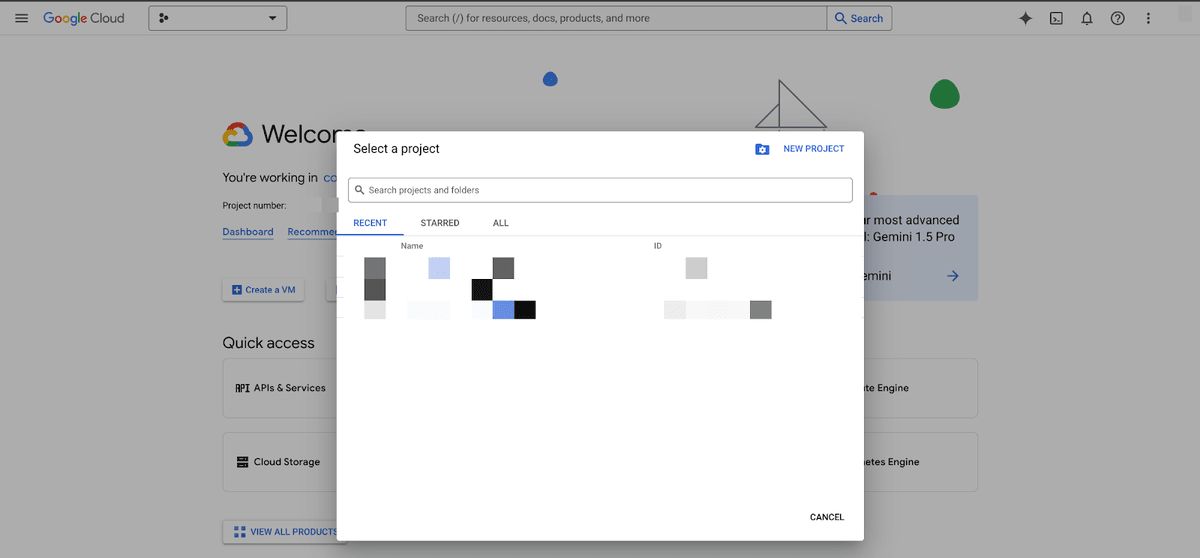
Afterwards you need to enable the Vertex AI API:
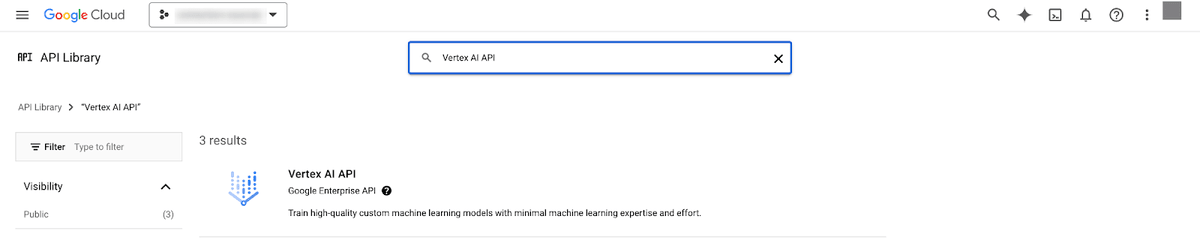
Then you need to create a service account under IAM & Admin > Service Accounts:
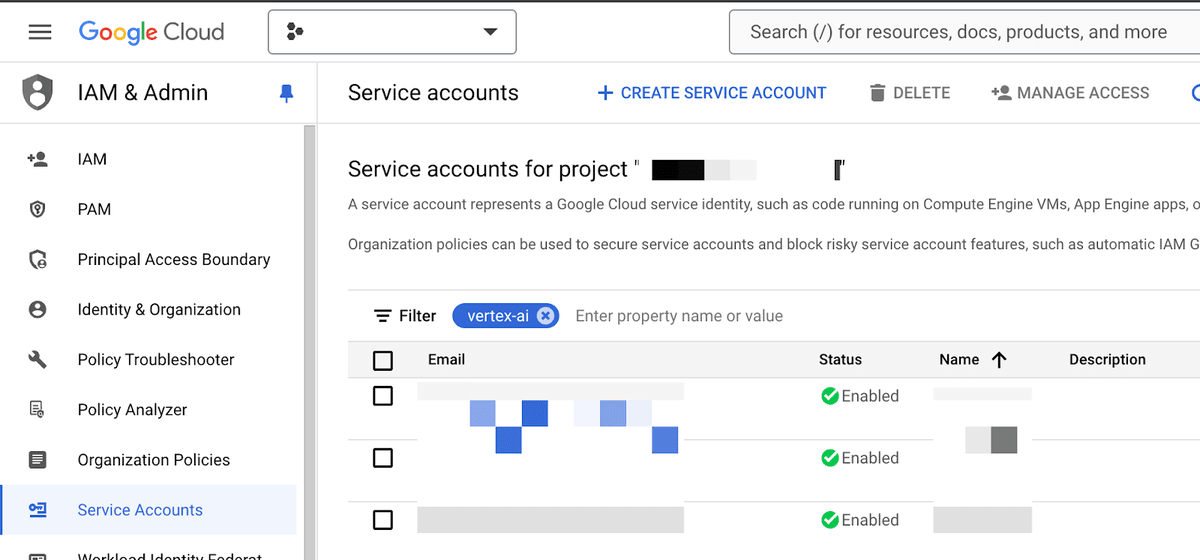
You need to make sure that your service account has the correct role and permissions to be able to generate embeddings with Google Vertex AI. Assign the Vertex AI User (roles aiplatform.user) containing the permission aiplatform.endpoints.predict.
When creating a key for your service account make sure to select json. Download the service account JSON and save it for later.
Now, open Kibana’s Dev Console. You can also perform the following steps using an HTTP GUI client like postman or any other tool like curl.
You’ll create an inference endpoint using the Create inference API by providing your service account JSON, the location, the model you want to use and your project id:
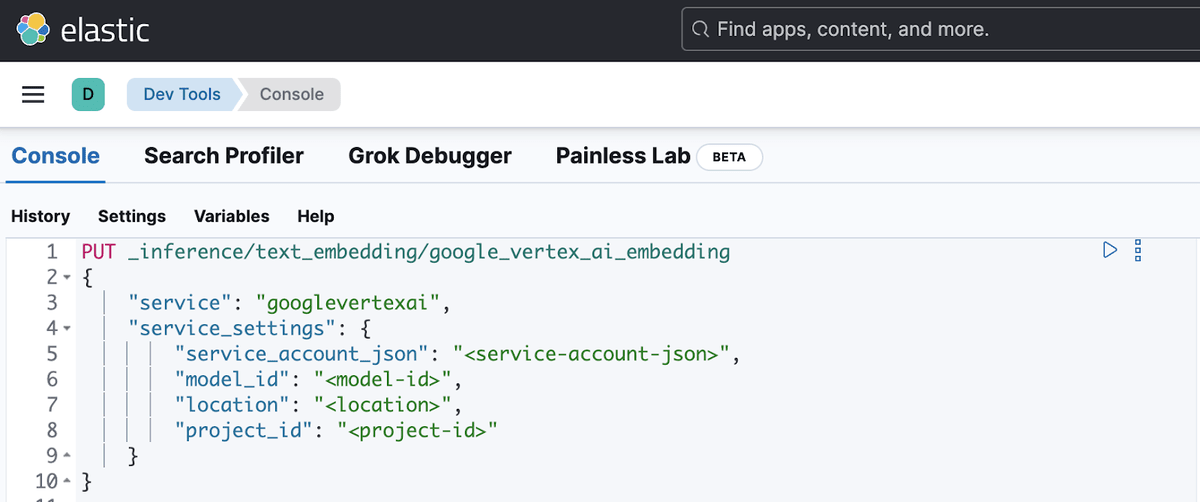
PUT _inference/text_embedding/google_vertex_ai_embedding
{
    "service": "googlevertexai",
    "service_settings": {
        "service_account_json": "<service-account-json>",
        "model_id": "<model-id>",
        "location": "<location>",
        "project_id": "<project-id>"
    }
}
You will receive a response from Elasticsearch with the created endpoint:
{
  "inference_id": "google_vertex_ai_embedding",
  "task_type": "text_embedding",
  "service": "googlevertexai",
  "service_settings": {
    "location": "<location>",
    "project_id": "<project-id>",
    "model_id": "<model-id>",
    "dimensions": 768,
    "similarity": "dot_product",
    "rate_limit": {
      "requests_per_minute": 30000
    }
  },
  "task_settings": {}
}
Under the hood Elasticsearch will connect to Google Vertex AI with your credentials to get the number of dimensions used for generating your embeddings. It’ll also set the similarity measure used during retrieval to a reasonable default (in this case dot_product).
You can test your endpoint by calling the perform inference API:
POST _inference/text_embedding/google_vertex_ai_embedding
{
  "input": "This text will be embedded"
}
The API will return a response with the generated embeddings for your input:
{
  "text_embedding": [
    {
      "embedding": [
        -0.014122169,
        0.044469967,
        0.02421774,
        -0.003546892,
        ...
       ]
    }
   ]
}
Using semantic_text with Google Vertex AI Embeddings
Now that we’ve an inference endpoint setup with Google Vertex AI Embeddings we can use the new semantic_text field type inside Elasticsearch for performing semantic search out of the box without the need of setting up additional application code explicitly calling the inference API to generate embeddings during ingestion and during query time.
Note that the combination of inference API and semantic_text performs automatic chunking (breaking larger text into smaller chunks) if the text to generate embeddings for is too large! We are very excited to see how developers use this feature.
To continue our example, we’ll create an index, which references our inference endpoint google_vertex_ai_embedding for generating embeddings when indexing a document and during search at query time:
PUT my-index
{
  "mappings": {
    "properties": {
      "my_field": {
        "type": "semantic_text",
        "inference_id": "google_vertex_ai_embedding"
      }
    }
  }
}
We can now index documents and the semantic_text field type will take care of generating dense embeddings using our inference endpoint, which calls the Google Vertex AI API under the hood. For demonstration purposes we’ll just index one document:
PUT my-index/_doc/doc1
{
  "my_field": "These are not the droids you're looking for. He's free to go around"
}
You can now issue a semantic search request using the following request:
GET my-index/_search

{
  "query": {
    "semantic": {
      "field": "my_field",
      "query": "robots you're searching for"
    }
  }
}
You should get back the document we’ve indexed previously:
{
  "took": 818,
  "timed_out": false,
  "_shards": {
    "total": 1,
    "successful": 1,
    "skipped": 0,
    "failed": 0
  },
  "hits": {
    "total": {
      "value": 1,
      "relation": "eq"
    },
    "max_score": 0.7608695,
    "hits": [
      {
        "_index": "my-index",
        "_id": "doc1",
        "_score": 0.7608695,
        "_source": {
          "my_field": {
            "text": "These are not the droids you're looking for. He's free to go around",
            "inference": {
              "inference_id": "google_vertex_ai_embedding",
              "model_settings": {
                "task_type": "text_embedding",
                "dimensions": 768,
                "similarity": "dot_product",
                "element_type": "float"
              },
              "chunks": [
                {
                  "text": "These are not the droids you're looking for. He's free to go around",
                  "embeddings": [
                    -0.0022440397,
                    -0.028731884,
                    ...
		     ]
                }
              ]
           }
      }
   ]
}
Getting started with Semantic Reranking
We’ve already created an account and a project, which we’ll reuse to set up reranking.
Why use rerankers? Rerankers improve the relevance of results from earlier-stage retrieval mechanisms. Semantic rerankers use machine learning models to reorder search results based on their semantic similarity to a query.
Back to our implementation, you need to enable the Discovery Engine API to be able to rerank documents:
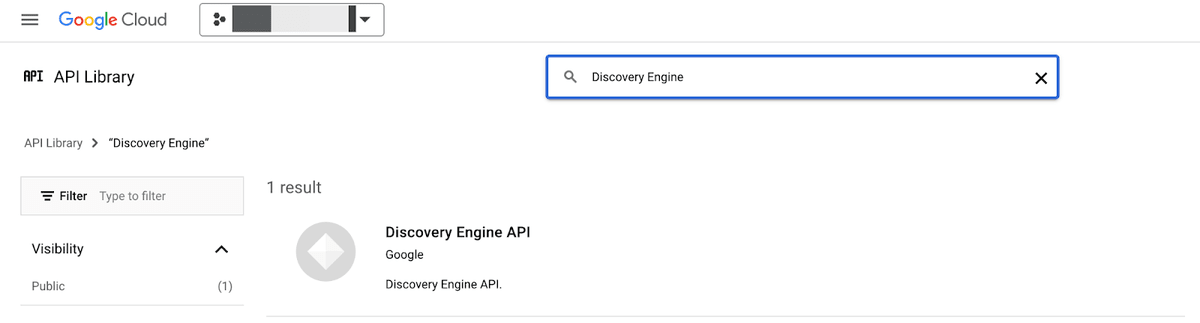
You can reuse the service account we’ve created before or create a new one. Assign the role Discovery Engine Viewer (roles/discoveryengine.viewer) containing the permission discoveryengine.rankingConfigs.rank to the service account you’ll use.
For the following steps you can use the Kibana Dev Console again or any http client of your liking.
First, we’ll create an inference endpoint to be able to rerank documents:
PUT _inference/rerank/google_vertex_ai_rerank
{
    "service": "googlevertexai",
    "service_settings": {
        "service_account_json": "<service-account-json>",
        "project_id": "<project-id>"
    }
}
Again you’ll receive a response indicating that the inference endpoint was created successfully:
{
  "inference_id": "google_vertex_ai_rerank",
  "task_type": "rerank",
  "service": "googlevertexai",
  "service_settings": {
    "project_id": "<project-id>",
    "rate_limit": {
      "requests_per_minute": 300
    }
  },
  "task_settings": {}
}
Let’s send a set of documents to our newly created endpoint to make sure that reranking works. We’ll use the example of Google Vertex AI’s reranking docs:
POST _inference/rerank/google_vertex_ai_rerank
{
  "query": "Why is the sky blue?",
  "input": [
   "A canvas stretched across the day,\nWhere sunlight learns to dance and play.\nBlue, a hue of scattered light,\nA gentle whisper, soft and bright.",
   "The sky appears blue due to a phenomenon called Rayleigh scattering. Sunlight is comprised of all the colors of the rainbow. Blue light has shorter wavelengths than other colors, and is thus scattered more easily."
  ]
}
You’ll receive a response, which should rank the scientific explanation higher:
{
  "rerank": [
    {
      "index": 0,
      "relevance_score": 0.82,
      "text": "The sky appears blue due to a phenomenon called Rayleigh scattering. Sunlight is comprised of all the colors of the rainbow. Blue light has shorter wavelengths than other colors, and is thus scattered more easily."
    },
    {
      "index": 1,
      "relevance_score": 0.43,
      "text": """A canvas stretched across the day,
Where sunlight learns to dance and play.
Blue, a hue of scattered light,
A gentle whisper, soft and bright."""
    }
  ]
}
Using retrievers with Google Vertex AI Semantic Reranking
In 8.14 we introduced another exciting feature called retrievers, which provides an intuitive API to define multi-stage retrieval pipelines within a single _search API call. This removes the burden on your application to issue multiple search requests to Elasticsearch and to combine the results accordingly afterwards. In our example we define a simple multi-stage retrieval pipeline, which uses the common BM25 algorithm to retrieve a set of relevant documents to the term “sky”. Afterwards this set of documents will be passed to our inference endpoint google_vertex_ai_rerank to refine the order of our result set even further to give us the scientific explanation of why the sky is blue.
We're creating a small collection of documents using the Bulk API that include poems about mountains, the sky, the ocean, along with one scientific explanation of why the sky is blue:
PUT _bulk
{"index": {"_index": "another-index", "_id": "1"} }
{"text": "A canvas stretched across the day,\nWhere sunlight learns to dance and play.\nBlue, a hue of scattered light,\nA gentle whisper, soft and bright."}
{"index": {"_index": "another-index", "_id": "2"} }
{"text": "The sky appears blue due to a phenomenon called Rayleigh scattering. Sunlight is comprised of all the colors of the rainbow. Blue light has shorter wavelengths than other colors, and is thus scattered more easily."}
{"index": {"_index": "another-index", "_id": "3"} }
{"text": "The sky wraps around the earth so wide, A tender touch where dreams reside. Golden streaks at dawn’s first light, The sky awakens, pure and bright."}
{"index": {"_index": "another-index", "_id": "4"} }
{"text": "The sky dims as the day unwinds, A lullaby of soft winds kind. Purple hues in twilight's grace, The night arrives, a tender embrace."}
{"index": {"_index": "another-index", "_id": "5"} }
{"text": "The sky at night, a velvet sea, With stars that shine so endlessly. A canvas dark, yet full of light, Guiding travelers through the night."}
{"index": {"_index": "another-index", "_id": "6"} }
{"text": "The ocean hums a gentle tune, Beneath the light of the silver moon. Waves that cradle dreams so deep, In their rhythm, we find sleep."}
{"index": {"_index": "another-index", "_id": "7"} }
{"text": "The tide retreats with a whispered sigh, Leaving shells as memories pass by. A dance of water, soft and slow, In and out, a constant flow."}
{"index": {"_index": "another-index", "_id": "8"} }
{"text": "The ocean’s arms are vast and wide, A place where endless wonders hide. Blue as far as the eye can see, A world of calm and mystery."}
{"index": {"_index": "another-index", "_id": "9"} }
{"text": "The ocean speaks in murmurs low, Secrets only the dolphins know. A world below the surface bright, Where colors blend in liquid light."}
{"index": {"_index": "another-index", "_id": "10"} }
{"text": "The ocean sings a song so clear, A melody that draws us near. Waves that rise and gently fall, In their call, we hear it all."}
{"index": {"_index": "another-index", "_id": "11"} }
{"text": "The mountains stand with ancient pride, Their secrets in the rocks they hide. A silent strength, so bold and high, Reaching peaks that touch the eye."}
{"index": {"_index": "another-index", "_id": "12"} }
{"text": "A mountain trail that winds and weaves, Through forests thick with whispering leaves. Each step a journey, each climb a test, Until you find the summit's rest."}
{"index": {"_index": "another-index", "_id": "13"} }
{"text": "The mountains echo with the sound, Of winds that dance and streams that bound. A fortress carved by time’s own hand, Where nature’s might and beauty stand."}
POST another-index/_search
{
"retriever": { // Retriever query
"text_similarity_reranker": { // Outermost retriever will perform reranking
"retriever": {
"standard": { // First-stage retriever is a standard Elasticsearch query
"query": {
"match": { // Standard BM25 matching
"text": "sky"
}
}
}
},
"field": "text", // Document field to send to reranker
"rank_window_size": 10, // Reranking will work on top K hits
"inference_id": "google_vertex_ai_rerank", // Inference endpoint
"inference_text": "Why is the sky blue?",
"min_score": 0.6 // Minimum relevance score
}
}
}Conclusion
Harness the power of semantic_text and retrievers together with Google Vertex AI’s dense embedding and reranking capabilities using just a few simple API calls abstracting away the complicated parts of semantic search and reranking. All of these features are already available in our serverless offering, so try it out now!
Visit the Google Vertex AI page on Search Labs, or try other sample notebooks on Search Labs GitHub.