Elastic Inference Service
Elastic Inference Service (EIS) enables you to leverage AI-powered search as a service without deploying a model in your environment. With EIS, you don't need to manage the infrastructure and resources required for machine learning inference by adding, configuring, and scaling machine learning nodes. Instead, you can use machine learning models for ingest, search, and chat independently of your Elasticsearch infrastructure.
Your Elastic deployment or project comes with Elastic Managed LLMs by default. These can be used in Agent Builder, the AI Assistant, Attack Discovery, Automatic Import and Search Playground. For the list of available models, refer to Supported models.
You can use ELSER to perform semantic search as a service (ELSER on EIS).
You can use the
jina-embeddings-v3multilingual dense vector embedding model to perform semantic search through the Elastic Inference Service.
Kibana provides interfaces for managing EIS models and endpoints.
Go to the Elastic inference page by using the navigation menu or the global search field.
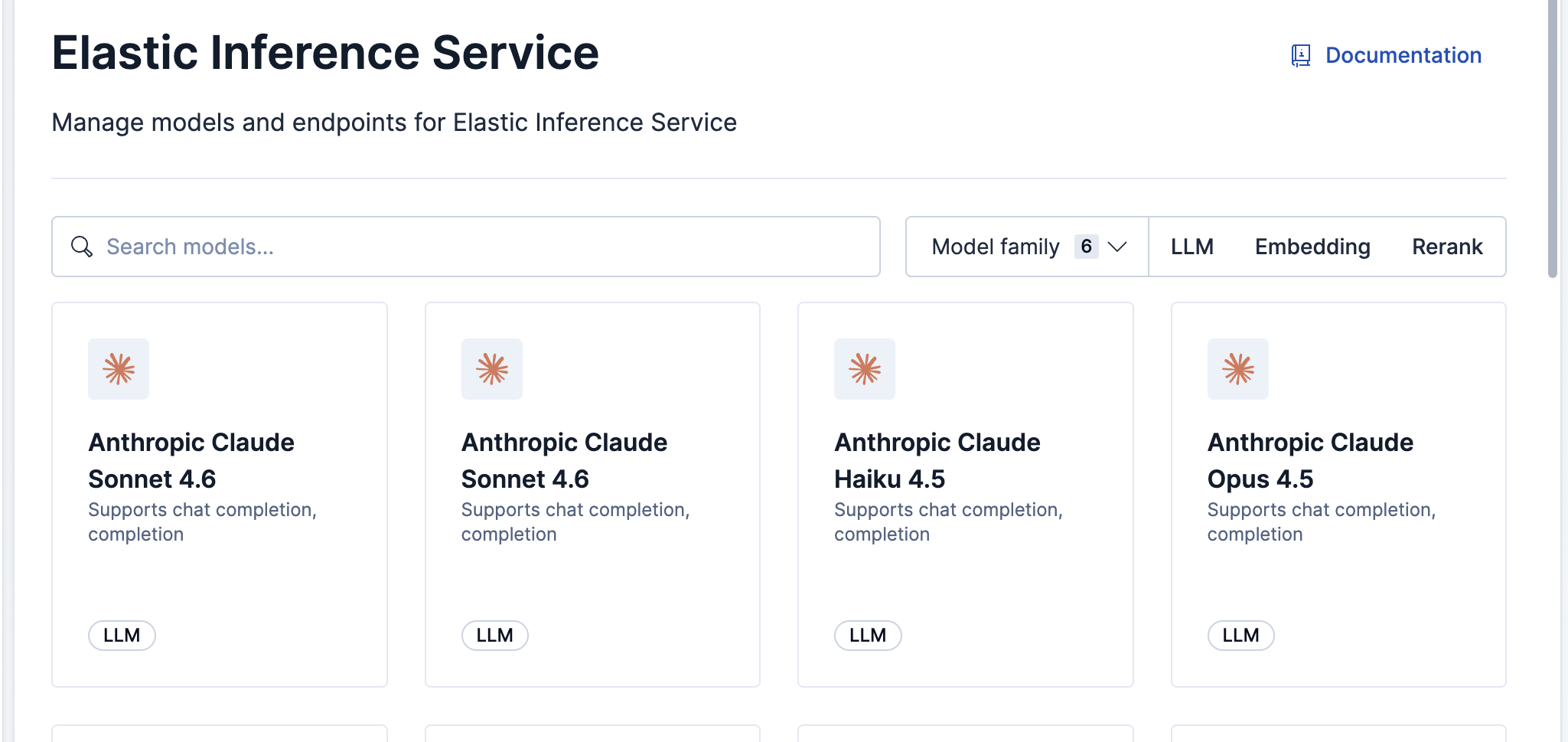
To access Elastic inference, you need the Inference Endpoints: all and Advanced Settings: read Kibana privileges.
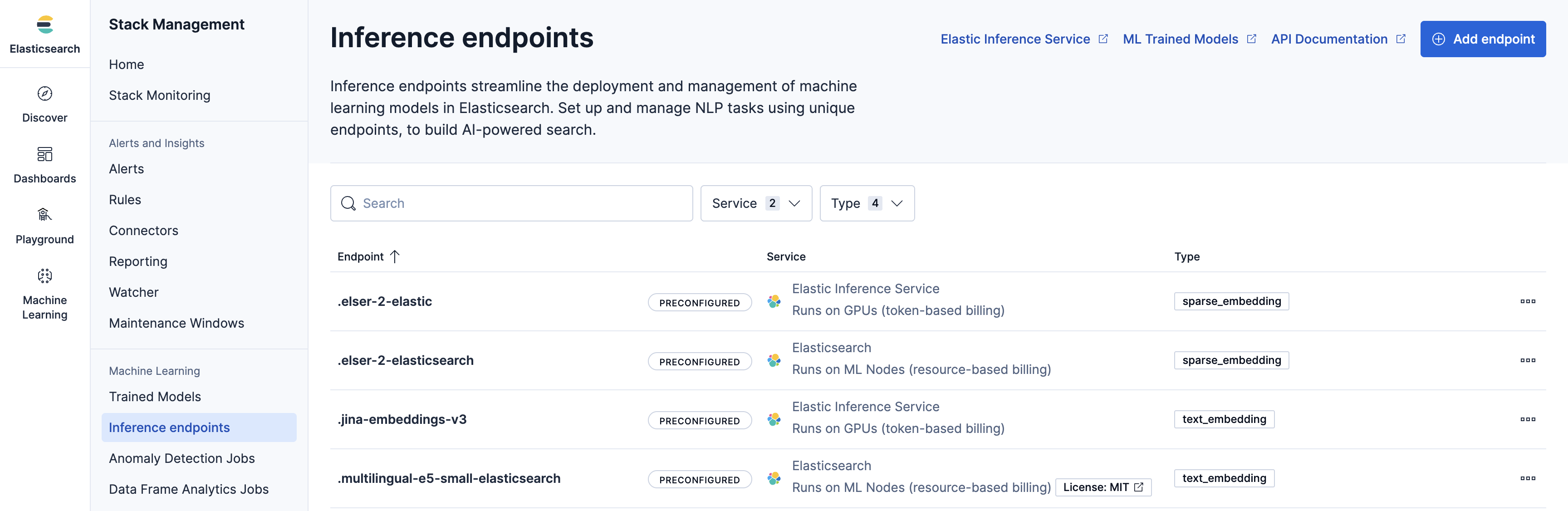
Available actions include:
- Add endpoints
- View endpoint details
- Copy the inference endpoint ID
- Delete endpoints
Your deployment includes default inference endpoints which are preconfigured and ready to use. In most cases, you should use these default endpoints. However, you can choose to create custom EIS endpoints if you need to instantiate a specific model version or configuration that is not covered by the defaults.
- Go to the Elastic inference page by using the navigation menu or the global search field.
- Select the model you want the new endpoint to use.
- Click Add endpoint.
- Enter a unique Model ID. For a complete list of valid Model IDs and their corresponding task types, refer to the Supported models.
- Select Save.
- Go to the Inference endpoints page by using the navigation menu or the global search field.
- In the Service dropdown, select Elastic Inference Service.
- In the Settings section, enter the specific Model ID. For a complete list of valid Model IDs and their corresponding task types, refer to the Elastic Inference Service supported models.
- (Optional) Under More options, set the Maximum Input Tokens. This limits the number of tokens processed per request. If left blank, the model's default limit is used.
- Expand Additional settings and select the Task type that corresponds to your model.
- Select Save.
Alternatively, you can use inference APIs, as described in the following section.
The following sections describe how to get started with specific models available through Elastic Inference Service, including creating inference endpoints and using them for search and ingest.
You can use the jina-embeddings-v5-text-small model through Elastic Inference Service. Running the model on EIS means that you use the model on GPUs, without the need of managing infrastructure and model resources.
Create an inference endpoint that references the jina-embeddings-v5-text-small model in the model_id field.
				PUT _inference/text_embedding/eis-jina-embeddings-v5-text-small
					{
  "service": "elastic",
  "service_settings": {
    "model_id": "jina-embeddings-v5-text-small"
  }
}
The created inference endpoint uses the model for inference operations on the Elastic Inference Service. You can reference the inference_id of the endpoint in index mappings for the semantic_text field type, text_embedding inference tasks, or search queries.
You can use the jina-embeddings-v3 model through Elastic Inference Service. Running the model on EIS means that you use the model on GPUs, without the need of managing infrastructure and model resources.
Create an inference endpoint that references the jina-embeddings-v3 model in the model_id field.
				PUT _inference/text_embedding/eis-jina-embeddings-v3
					{
  "service": "elastic",
  "service_settings": {
    "model_id": "jina-embeddings-v3"
  }
}
The created inference endpoint uses the model for inference operations on the Elastic Inference Service. You can reference the inference_id of the endpoint in index mappings for the semantic_text field type, text_embedding inference tasks, or search queries.
ELSER on EIS enables you to use the ELSER model on GPUs, without having to manage your own ML nodes. We expect better performance for ingest throughput than ML nodes and equivalent performance for search latency. We will continue to benchmark, remove limitations and address concerns.
You can now use semantic_text with the new ELSER endpoint on EIS. To learn how to use the .elser-2-elastic inference endpoint, refer to Using ELSER on EIS.
Semantic Search with semantic_text has a detailed tutorial on using the semantic_text field and using the ELSER endpoint on EIS instead of the default endpoint. This is a great way to get started and try the new endpoint.