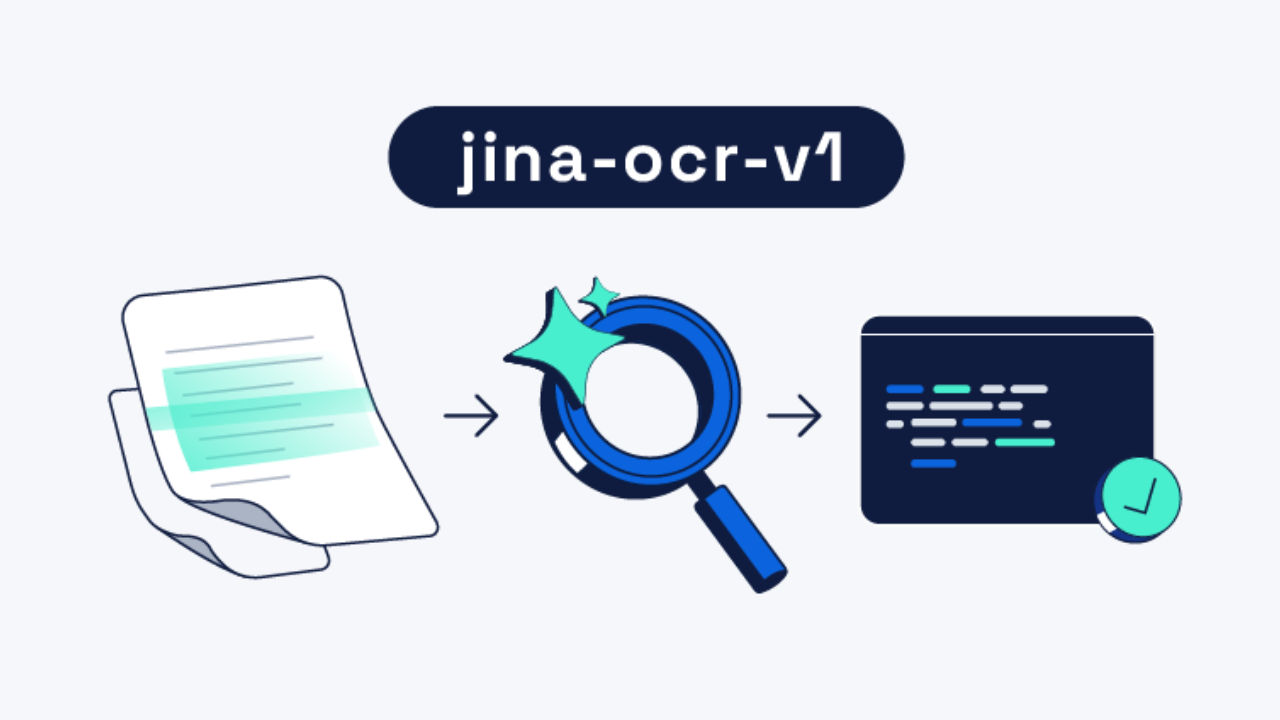
Reading the fine print: OCR and Markdown extraction, native in Elasticsearch
Document extraction turns a PDF, an image or a web page into clean Markdown in one inference call, and it keeps tables as HTML and formulas as LaTeX so you can index the result for semantic search or pass it to an agent.
Get hands-on with Elasticsearch: Dive into our sample notebooks in the Elasticsearch Labs repo, start a free cloud trial, or try Elastic on your local machine now.
Elasticsearch can now turn PDFs, scanned pages, images, and web pages into clean Markdown, with one inference call. The new document_extraction task type in Elastic Inference Service (EIS) provides access to Jina Reader capabilities through a preconfigured .jina-reader inference endpoint. You can send a URL or a Base64 file and get Markdown back. At the core of the document_extraction is the recently released jina-ocr-v1, which is currently the highest rated optical character recognition (OCR) model on the olmOCR-bench under 600 million active parameters. Scans, tables, and formulas in more than 100 languages come back readable. Tables return as HTML, and formulas come back as LaTeX. The document_extraction handles format conversion and multipage documents, up to 35 pages per request. On EIS, billing and authentication are managed for you, as is scaling. Store the resulting Markdown to a semantic_text field, for embedding, or to a semantic field, if you’re incorporating other modalities, such as images from the documents. The extracted content can be indexed into Elasticsearch and embedded for semantic and hybrid search or context engineering for agents, as well as AI indices. It can then be used in AI search and retrieval augmented generation (RAG) applications. document_extraction is in technical preview in Elasticsearch 9.6 and is available for all Enterprise subscriptions as part of EIS.
Using document_extraction through EIS consumes Elastic Consumption Units (ECUs). document_extraction is available for Elastic Cloud Hosted and Elastic Serverless deployments, as well as Elastic Self-Managed deployments with Cloud Connect. Pricing is $0.075 per 1 million tokens. OCR and other specialized extraction modes may increase token consumption rates (for example, 40x for OCR).
The difference between document_extraction and directly calling jina-ocr-v1on EIS
In September 2026, we launched jina-ocr-v1 as a managed model on EIS. document_extraction provides similar capabilities, along with support for inputs like URLs, PDFs, documents, and images via a single endpoint. There are differences, however, and you may wish to choose one or the other, depending on your use case. Using jina-ocr-v1 directly is suitable when you require reading text from images or scans with low latency. document_extraction provides a wider set of capabilities for managing different formats and document sizes when powerful OCR capabilities aren’t needed.
Create a document extraction inference endpoint
Every Elasticsearch deployment with access to EIS includes a preconfigured .jina-reader endpoint, so you can start right away, as shown in the following examples.
If you use the same settings frequently, you can define your own endpoint with these settings preconfigured. For example, the code below creates a Jina Reader endpoint that always uses the pdf+ setting, so you don’t have to specify changes from the preset for each request:
PUT _inference/document_extraction/my-reader
{
  "service": "elastic",
  "service_settings": {
    "model_id": "jina-reader"
  },
  "task_settings": {
    "parameters": {
      "preset": "pdf+"
    }
  }
}
Convert a web page to Markdown
The simplest case is turning a web page into clean Markdown. When you pass the endpoint a URL, it fetches and renders the page, stripping the navigation and boilerplate, and then returns the content.
POST _inference/document_extraction/.jina-reader
{
  "input": [
    {
      "content": {
        "type": "html",
        "format": "url",
        "value": "https://example.com/"
      }
    }
  ]
}
Pass a URL instead of uploading the file
You don’t have to download a document first. Each content type takes a type and a format, and for most of them, you can pass a URL to a public website or file instead of the document itself:
Content type |
| Supported | Notes |
|---|---|---|---|
Web page |
|
| Fetches and renders the page |
|
| Up to 35 pages per request | |
Image |
|
| Scanned pages, photos, screenshots |
Passing a URL keeps the request small and the documents out of Elasticsearch until you index the extracted content.
Choose between text extraction and OCR
document_extraction has several extraction pipelines. Fast text extraction works on HTML pages and on the text layers embedded in PDFs. For higher quality results, you can have the document fully rendered and processed by jina-ocr-v1. Additional options control the process. (For a list, see the Elastic documentation.) The main choice is between text extraction and jina-ocr-v1, and text extraction is the default:
POST _inference/document_extraction/.jina-reader
{
  "input": [
    {
      "content": {
        "type": "html",
        "format": "url",
        "value": "https://elastic.co/"
      }
    }
  ]
}
To use jina-ocr-v1, set a preset in the parameters object of the optional task_settings field, as described in Change how documents are extracted:
POST _inference/document_extraction/.jina-reader
{
  "input": [
    {
      "content": {
        "type": "html",
        "format": "url",
        "value": "https://elastic.co/"
      }
    }
  ],
  "task_settings": {
    "parameters": {
      "preset": "ocr"
    }
  }
}
Extract text from an image
Extracting text from an image is straightforward with the new document_extraction task type:
POST _inference/document_extraction/.jina-reader
{
  "input": [
    {
      "content": {
        "type": "image",
        "format": "base64",
        "value": "data:image/png;base64,<base64-encoded image>"
      }
    }
  ]
}
Example image:
Extracted Markdown:
Good King Wenceslas looked out,
On the Feast of Stephen,
When the snow lay round about,
Deep and crisp and even;
Brightly shone the moon that night,
Though the frost was cruel,
When a poor man came in sight,
Gathering winter fuel.
Convert PDFs to Markdown
Convert a single-page PDF to Markdown
Most PDFs are born digital. They come from word processors or other office software and contain an embedded text layer, so the content can be extracted directly without OCR. This is the easiest way to process a PDF with document_extraction in EIS.
POST _inference/document_extraction/.jina-reader
{
  "input": [
    {
      "content": {
        "type": "pdf",
        "format": "url",
        "value": "https://pdfobject.com/pdf/sample.pdf"
      }
    }
  ]
}
Convert a multipage scanned PDF with OCR
Scanned documents and PDFs with complex layouts, like the jina-ocr-v1 paper below, need a more powerful pipeline. Here, we use the pdf+ preset, which combines layout detection with jina-ocr-v1 and the page parameter to extract only the first three pages. OCR and layout pipelines bill per page. If you don’t set page, document_extraction extracts the first 35 pages, which is the most it handles in a single request.
POST _inference/document_extraction/.jina-reader
{
  "input": [
    {
      "content": {
        "type": "pdf",
        "format": "url",
        "value": "https://export.arxiv.org/pdf/2609.03181"
      }
    }
  ],
  "task_settings": {
    "parameters": {
      "preset": "pdf+",
      "page": "1-3"
    }
  }
}
Get started with document extraction in Elasticsearch 9.6
Ready to get started? Document_extraction is available in technical preview as part of Elasticsearch 9.6, now available on Elastic Cloud.
How helpful was this content?
Related Content
4 modalities, 100+ languages, 1 vector space: Jina Embeddings v5 in Microsoft Foundry
Too much of a good thing: Why 20 candidates beat 200 when reranking search results
56 scanned pages to a cited answer in 5 minutes: RAG pipeline for the documents search cannot read