Elastic Cloud on Azure gets a speed boost: Compute-optimized instances on Azure Cobalt ARM
New CPU-optimized hardware profiles on Elastic Cloud for Azure, built on the Cobalt ARM, give compute-bound workloads more throughput per dollar.


 Share on Twitter
Share on Twitter

 Share on LinkedIn
Share on LinkedIn

 Share on Facebook
Share on Facebook

 Share by Email
Share by Email

 Print this page
Print
Starting today, Elastic Cloud on Azure adds compute-optimized (ARM) hardware profiles backed by Microsoft's Cobalt ARM processors. In our testing, we are seeing CPU Optimized ARM (Dpldsv6) provides up to 44% better price-performance compared to Fsv2 instances, and because the Cobalt was designed from the ground up by Microsoft for Azure workloads, they tend to hit that improvement consistently across Elasticsearch's most CPU-intensive operations: indexing, aggregations, and all types of search (keyword, vector, semantic, hybrid).
What's new?
The new hardware profile is available in Elastic Cloud Console and iIt uses the Dpldsv6 VM series which is Microsoft's Cobalt-based ARM instances with NVMe direct-attach storage.
For Elasticsearch, the local NVMe SSD disk is worth calling out separately. Local NVMe storage delivers improved random read performance versus remote-attached premium storage.
Which workloads benefit most?
Not every Elasticsearch deployment is bottlenecked on CPU. The CPU Optimized (ARM) profile offers the greatest gains for compute-bound workloads, but customers running storage-heavy or memory-intensive workloads may also see improvements from the updated I/O and memory characteristics of the underlying instances. But if you see any of the following, the compute-optimized ARM profile is worth testing:
You consistently see high CPU utilization during peak query or indexing windows
You're running dense vector search (kNN) or hybrid search with heavy reranking
You run frequent aggregations across large date ranges
How to get started
New deployment via the Azure Portal:
Log in to the Azure Portal, search for "Elasticsearch," and select the Marketplace offering that fits your use case (e.g., Search, Observability, or Security). Once the deployment is created, you can click on “Go to Resource” and choose Advanced Settings “Manage changes in Elastic Cloud”. This will take you to the Elastic Cloud Console where you can edit the Hardware Profile and select the new ‘CPU Optimized (ARM) profile.
Via the Elastic Cloud Console:
Log in to Elastic Cloud and create a deployment or migrate an existing one to the new hardware profile. During the configuration process, under hardware profiles, the ‘Storage Optimized’ hardware profile is the default. Select the new "CPU-optimized(ARM)" profile, which uses the Dpldsv6 VM series to utilize this new hardware profile.
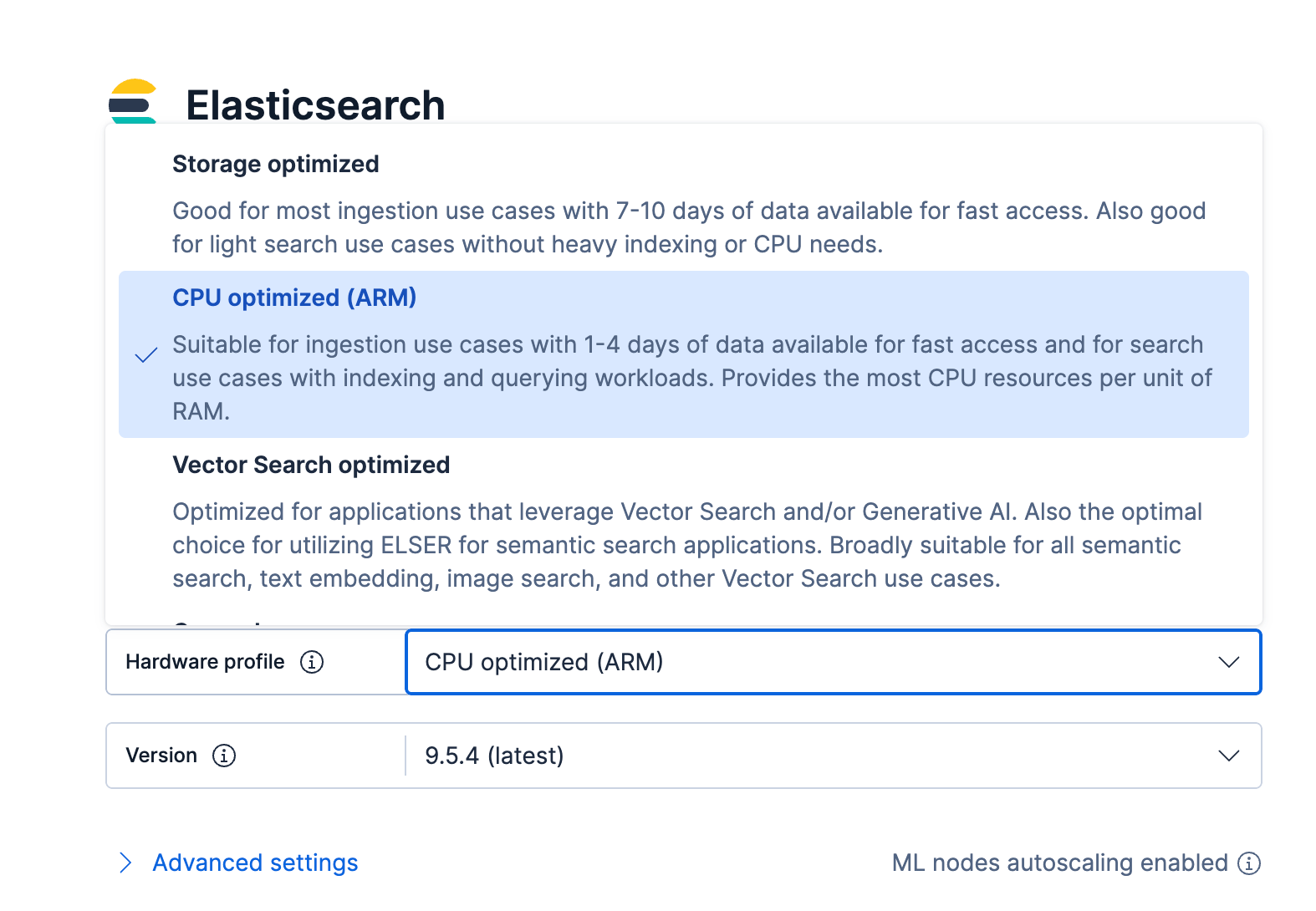
If you don't have an account yet, you can spin one up on a free 14-day trial — no credit card needed.
Migrating an existing deployment:
Migrating an existing deployment to ARM hardware profiles is simple.
From the Elastic Cloud console, click on an existing deployment that has been created.
On the deployment overview page next to your current hardware profile, select Edit.
Select the CPU Optimized (ARM) hardware profile.
Preview the changes for the new hardware profile.
Click Update, then confirm the changes to migrate to the new hardware profile.
That’s it! Visit our documentation for more details.
The migration is performed one node at a time to keep the deployment available, so the total duration generally increases in line with deployment size. In practice, deployments with more nodes, more data, or heavier shard activity will take longer to complete than smaller deployments.
For a detailed walkthrough of the hardware profile migration flow, see our hardware profile migration guide.
Availability
The Cobalt ARM compute-optimized hardware profile is available for Elastic Cloud Hosted deployments in the following Azure regions:
New South Wales (australiaeast)
Netherlands (westeurope)
Washington (westus2)
Iowa (centralus)
Toronto (canadacentral)
Texas (southcentralus)
Paris (francecentral)
Additional regions will follow over the coming months as capacity comes online. Check the Azure configuration reference for the current region list.
The release and timing of any features or functionality described in this post remain at Elastic's sole discretion. Any features or functionality not currently available may not be delivered on time or at all.
Share
- Share on Twitter
Share on Twitter
- Share on LinkedIn
Share on LinkedIn
- Share on Facebook
Share on Facebook
- Share by Email
Share by Email
- Print this page
Print