Case Study - Uncommon code in common
The following case study is derived from kibana#178668.
Moving server-specific utlities and libraries out of common and into the server directory reduced the size of the cases client plugin bundle by 12.5%.
- The
casesplugin bundle was one of the largest in the initial page load of Kibana. - The
commondirectory contained libraries that were only relevant to server code. - The contents of
commonare copied to both theserverandclientbundles. - Therefore, the
casesclient bundle included server-only libraries that were not used there.
This case study outlines one way to identify the source of a large plugin bundle: using the --profile flag to generate a Webpack stats file and visualize the contents of the bundle.
When loading Kibana, I saw the cases plugin bundle in the client was one of the largest. I ran the build script with the --profile flag to generate a webpack stats file:
node scripts/build_kibana_platform_plugins.js --dist --profile-stats-only --profile-focus=console
Then, I loaded target/public/bundles/stats.json in the Webpack Bundle Analyzer:
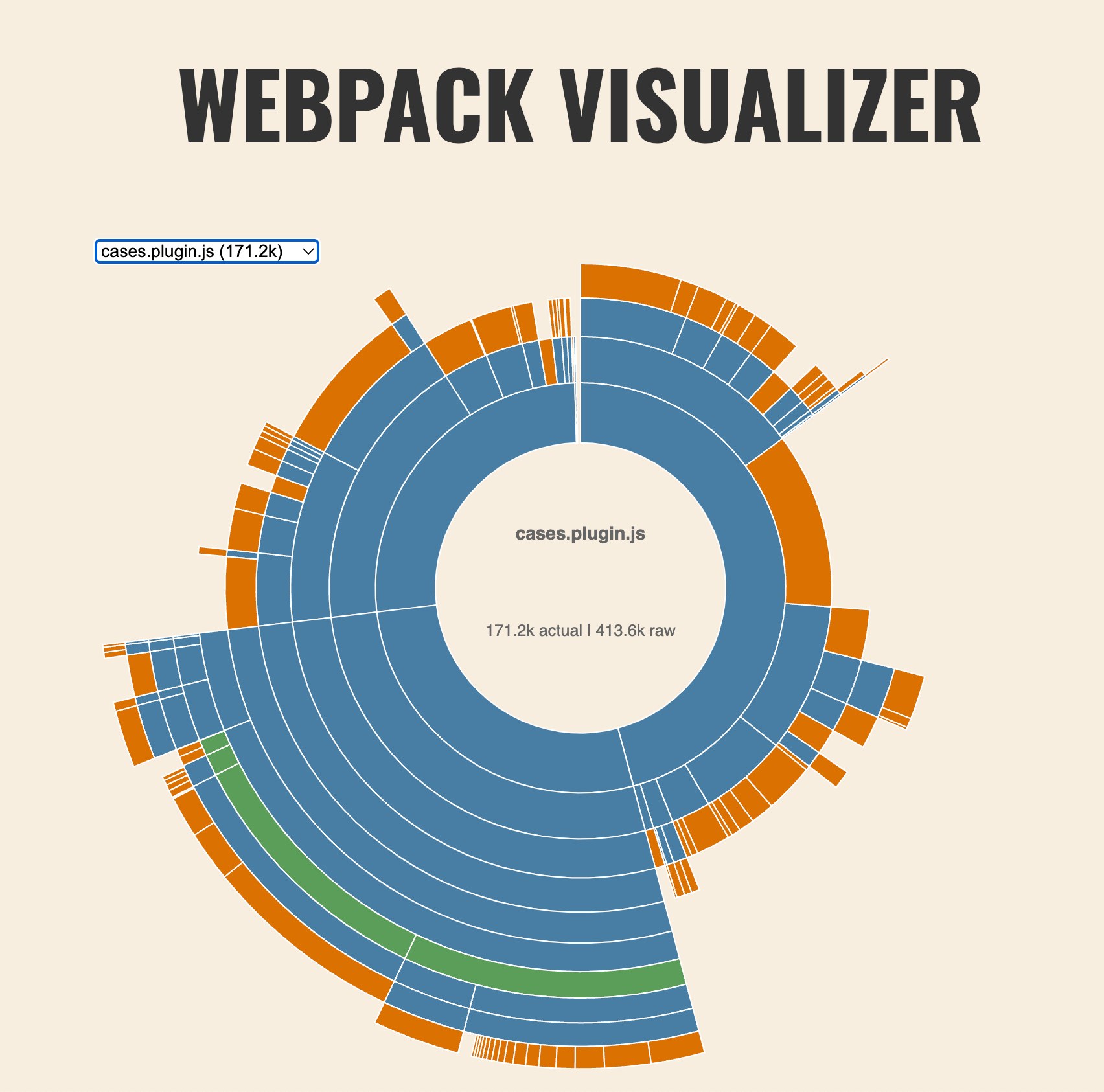
Looking at the dependencies, I noticed that the cases plugin bundle included @hapi/boom and @hapi/hoek.
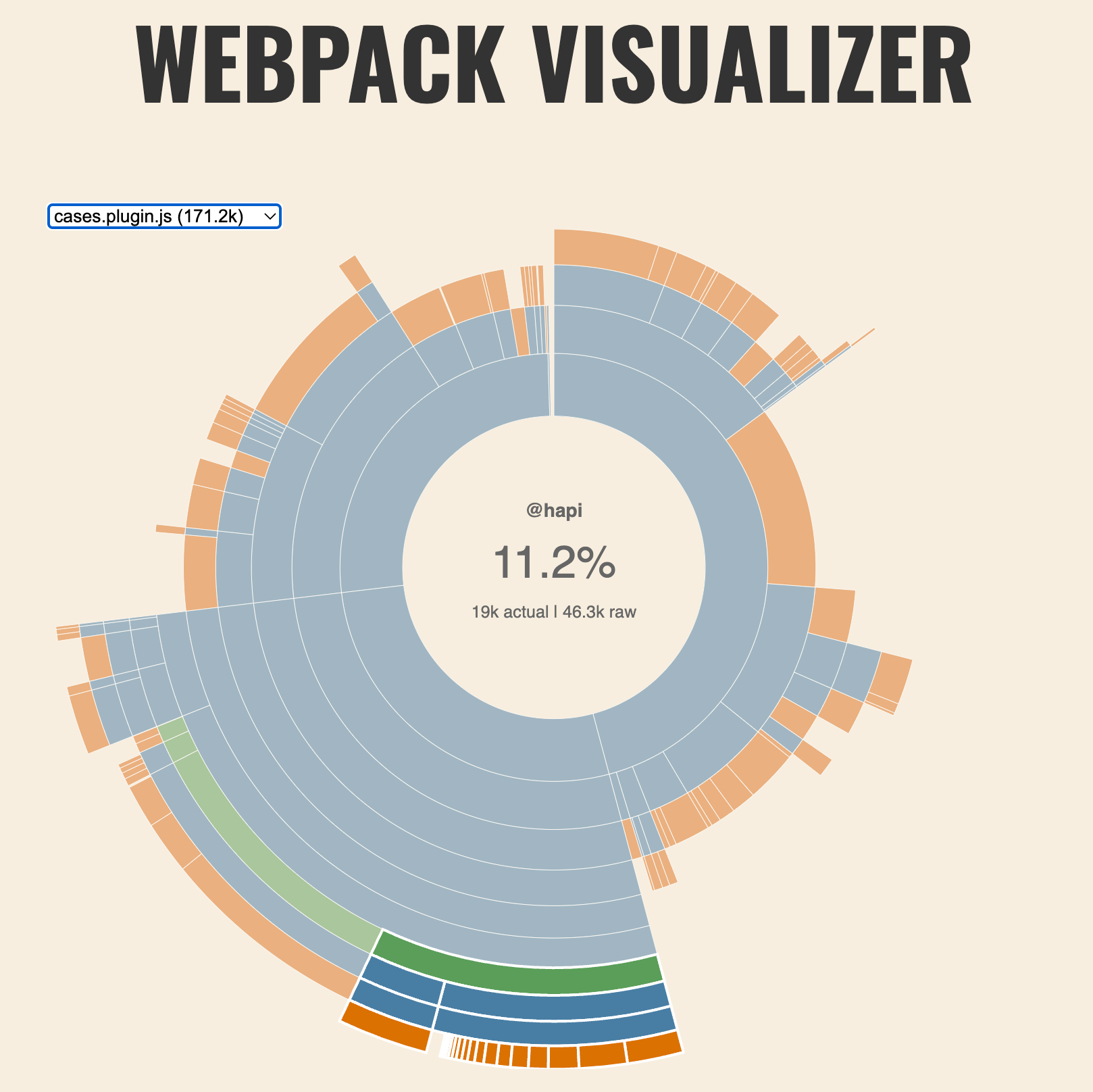
The @hapi/boom package provides utilities for creating "HTTP-friendly error objects"-- e.g. "Error 500: Internal Server Error"-- and @hapi/hoek is a dependency of @hapi/boom. So the quesion became:
Why is a utility for delivering HTTP error messages included in the client bundle?
The common directory contained a set of validators that utilized @hapi/boom. The validators export obscured the fact that the code was only relevant to the server.
A Kibana plugin copies any code in the common directory to both the server and client bundles. Since the common directory contained code which was only relevant to the server bundle, using libraries that were only relevant to server code, the cases client bundle included server-only libraries that were not used, (nor useful).
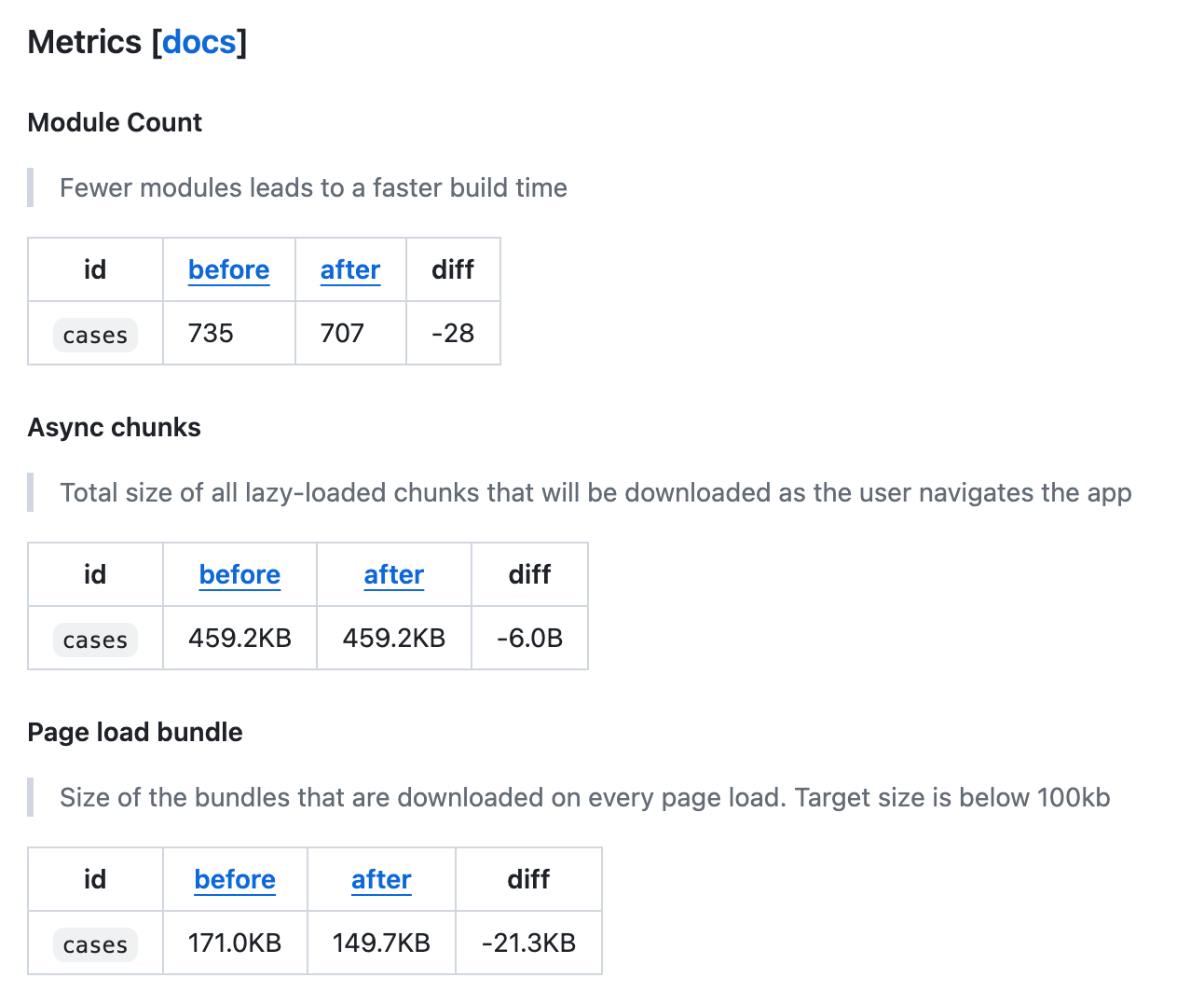
Moving the validators to the server portion of the plugin reduced the size of the cases client bundle by 21.3KB, or 12.5%.
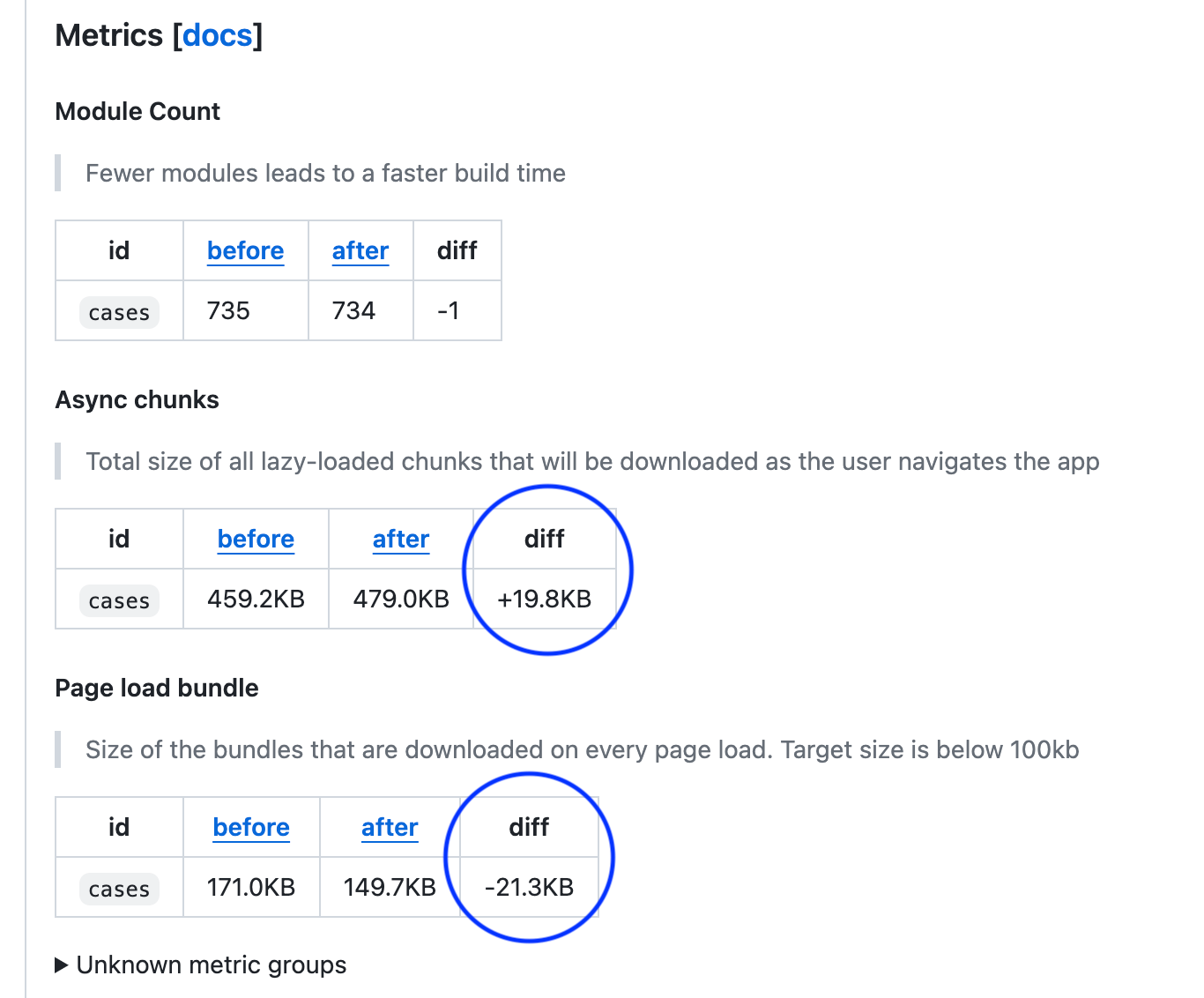
This was a PR that had a clear sign I had missed an export. I had removed the validators from the common directory, but I had missed one export. The CI build caught this by flagging the increase in async chunks. Had I only examined the page bundle size, I would have left the server code to be loaded not in the bundle, but on demand, (which brings with it its own set of issues).
- It's important to examine the contents of the
commondirectory to ensure that the code is truly common. - The
--profileflag can be used to generate a Webpack stats file and audit the contents of a bundle. - Visualizations, including the Webpack Visualizer, are now generated when using the
--profileflag.