Case Study - Top level imports
The following case study is derived from kibana#179311.
Moving a single numerical constant to its own file reduced the async page load by 74%. Eliminating downstream effects, other top-level exports, and converting pages to async further reduced the async chunks.
- The
AnomalyExplorerChartServicewas importing a constant from a React component file,SwimlaneContainer.- This meant that the React component, as well as all of its related code, was being bundled into the async chunk.
- Moving that constant to its own file reduced affected async chunks by significant amounts.
Unfortunately, the fix had a number of downstream effects that needed to be investigated and resolved, as well:
- Another top-level import was found originating in the application React component for all of ML.
- Other components that imported this utility function, in turn, imported the entire ML application.
- This caused a
2.0MBbloat in each async chunk that used the utility function.
- The
MlPagecomponent-- the component used to render the entire application-- imported a collection of routes to determine which page to load.- This meant that even though only one page would be loaded at a time (dependending which route was loaded), all pages were being bundled into async chunks.
- By eliminating the top-level exports and altering each page to be async, we were able to reduce the async chunk size significantly.
From the network tab of Chrome dev tools, I could see that the ml plugin was loading a significant amount of code on page load. The async chunks were large, and the ml plugin was one of the largest contributors to the async load:
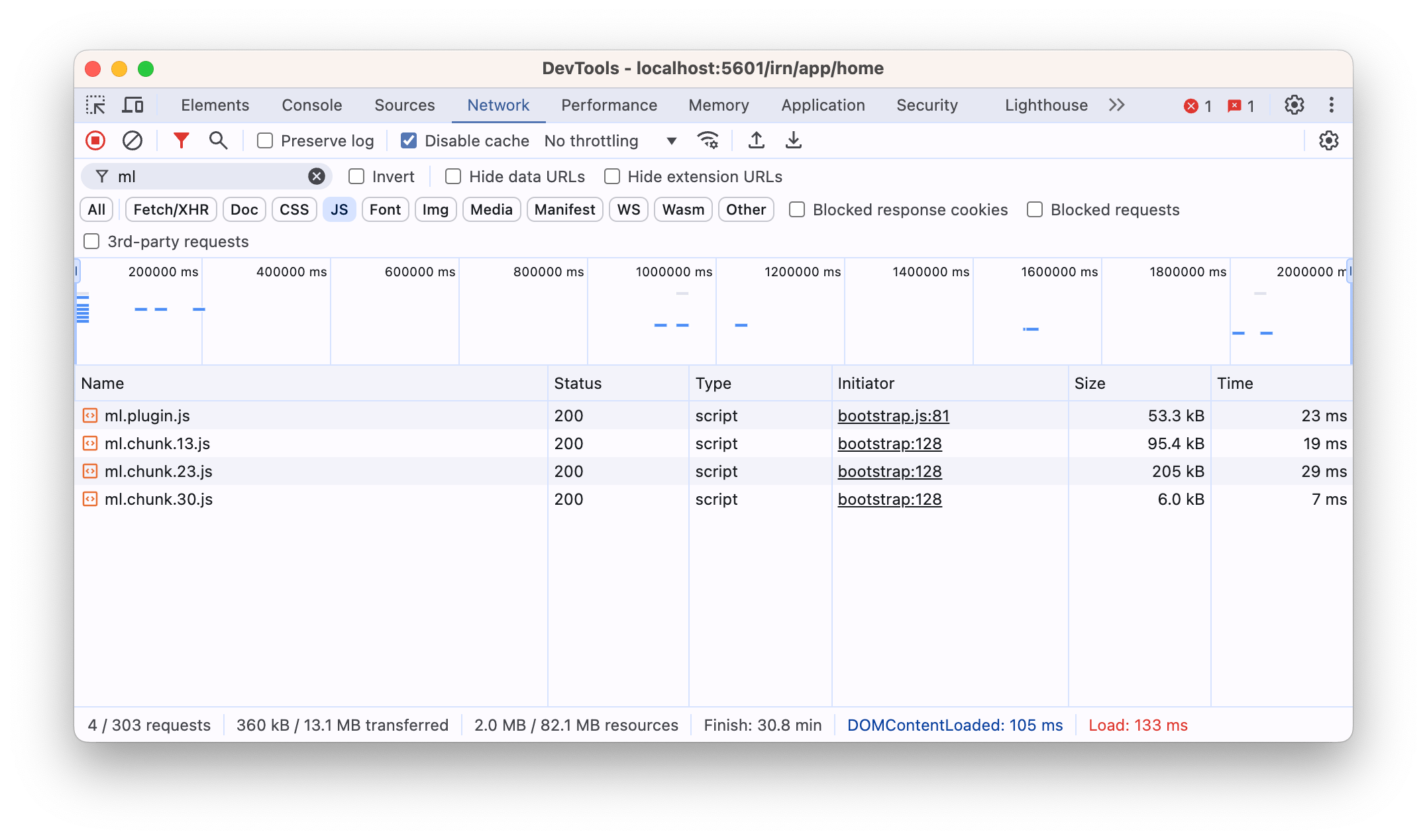
Of the most interest was ml.chunk.23.js, which was clocking in at 205k. This was the largest async chunk, and it was being loaded on every page load.
By running the build script with the --profile flag, I was able to generate a Webpack-compatible stats file and use popular visualization tools to visualize the contents of the bundle:
node scripts/build_kibana_platform_plugins.js --profile --profile-focus=ml
First, I loaded target/public/bundles/stats.json into the Webpack Bundle Analyzer:
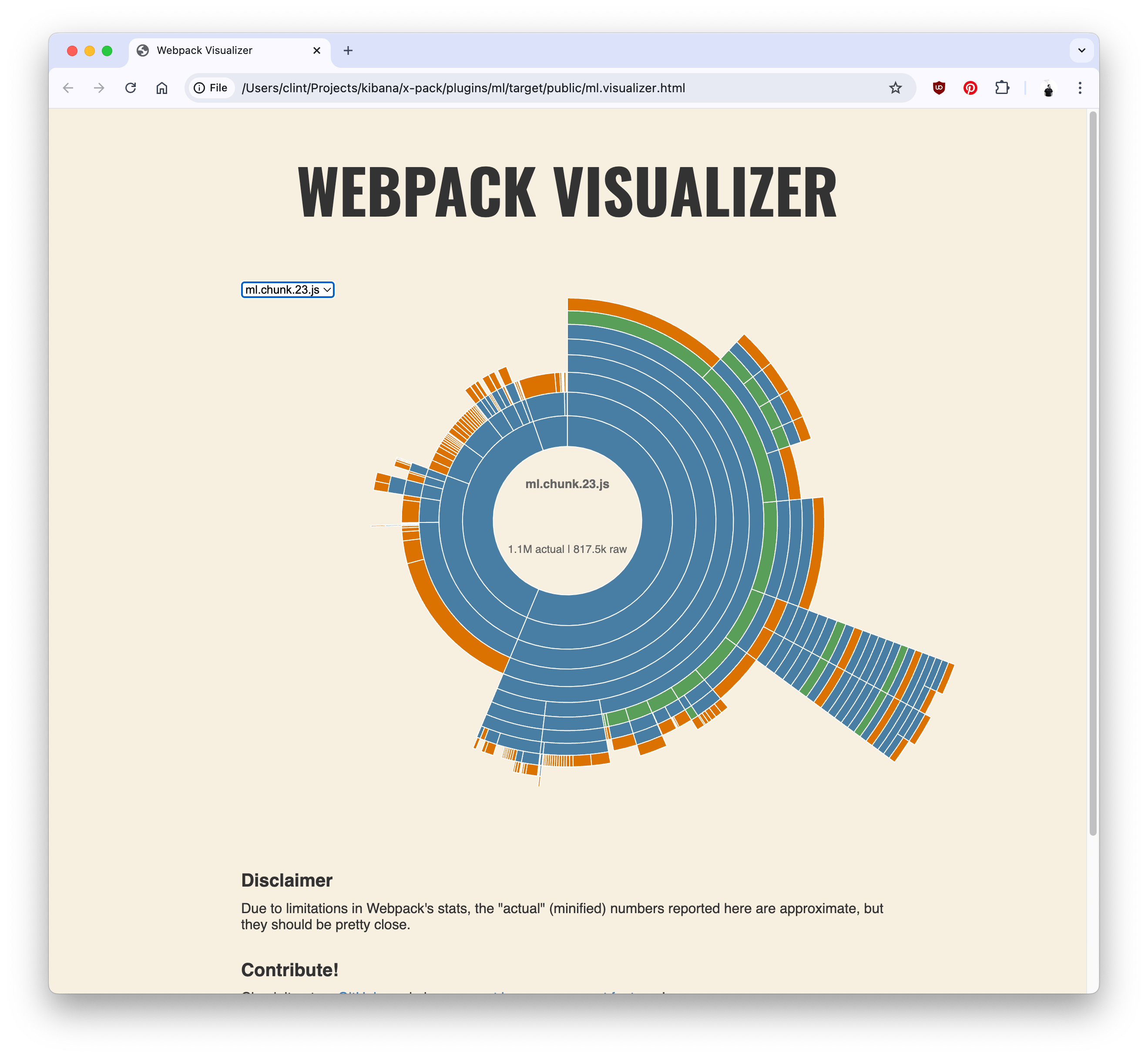
From there, we can see there's a great deal of node_modules being loaded, (the portions in green). While this visualization is useful in determining the size of a chunk relative to others, another visualization tool, Statoscope, is better at showing what as well as why things are included in a chunk:
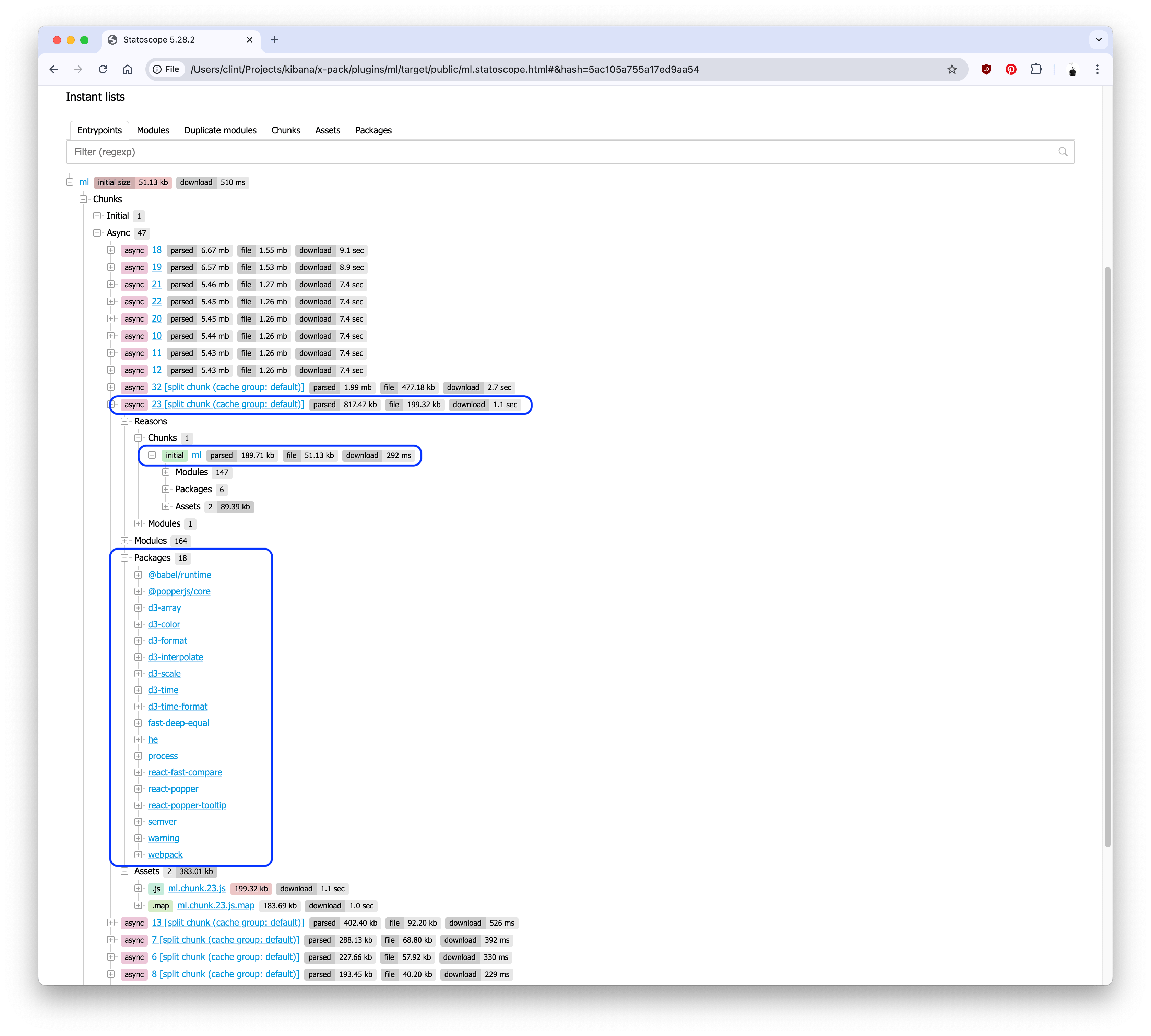
Knowing what and why the module is large, now we need to find why it's being loaded.
From there, commenting out
Unfortunately there isn't a tool to find specifically why a chunk is being loaded, much less which line of code is responsible. So in these cases, where we don't know why and it's not immediately obvious, we have to brute force it: commenting out code. Removing large amounts of code from the plugin and seeing if the async chunk size changes is a good way to determine which import is causing the bloat.
Through that process, I found commenting out the register_helper call reduced the size considerably. Going further, commenting out the registerEmbeddables export led to the same savings.
As I moved further and further down, that led me to discover that a number of embeddable containers were importing several constants contained in the swimlane_annotation_container. This file, in turn, imported a large amount of JS... JS that was not relevant to starting the ML plugin.
Moving these constants to their own file resulted in the reduction of the async chunk. This was a simple fix, but the downstream effects were not so simple.
At first, the reason was difficult to identify, but several chunks were bloated by several megabytes... and by the same amount. This led me to believe that another top-level export was responsible for the bloat.
The Webpack Bundle Analyzer is great for visualizing these kinds of duplications:
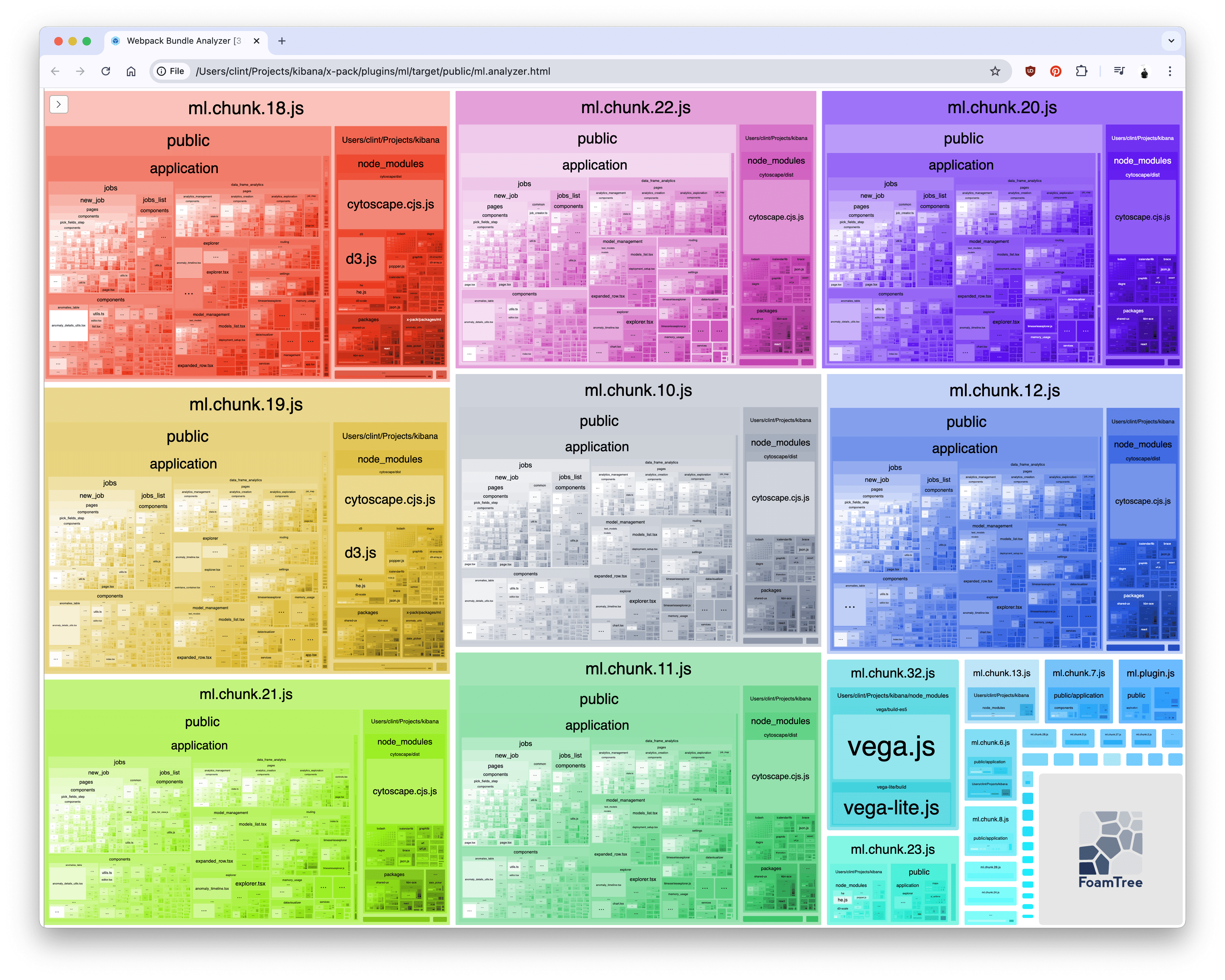
We can see from the analysis that each chunk contains public/application/jobs, components, data_frame_analytics, and others. They also pull in cytoscape and d3. Cross referencing with the statoscope visualization, we can explore the reasons:
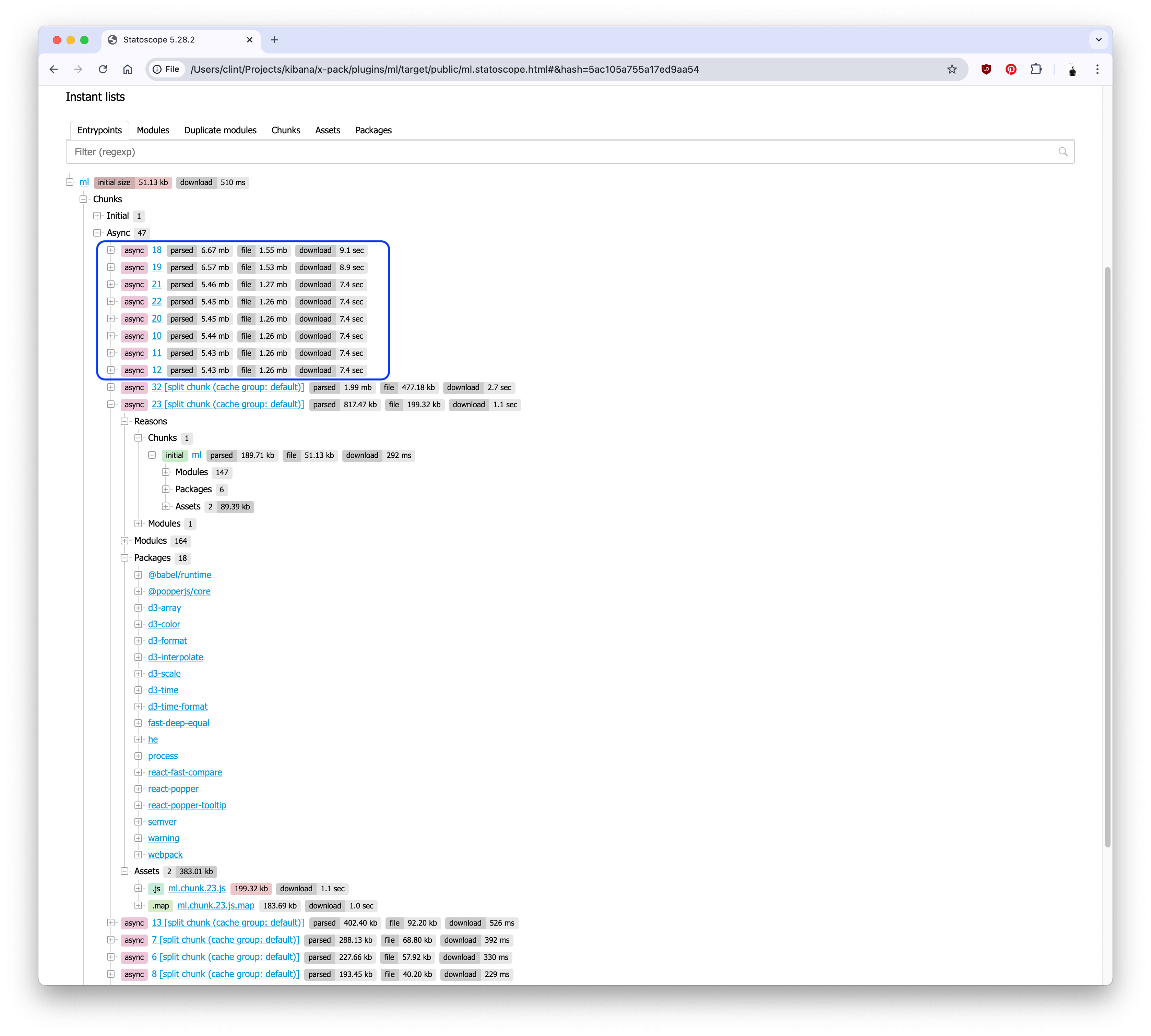
Back to commenting out code! After a bit of trial and error, I discovered the export responsible: the getMlGlobalServices function in ml/public/application/app.tsx.
The getMlGlobalServices function was being imported by several components, which in turn imported the entire ml plugin. By moving the getMlGlobalServices function to its own file, we were able to remove that excess, unused code from the chunks and reduce reduce them by a significant amount.
The application interface was being rendered by a single page component, MlPage. This component, in turn was importing all routes from ml/public/application/routing/routes... which exported all route factories from the top-level export... and each was loading its page implementation syncronously.
As a result, each page was being loaded into the async chunks, even though only one page would be loaded at a time.
By converting each page to an async import, we were able to load each page async at the time its route is accessed. In addition, some of the pages were co-located with their route factory, so I moved them to their own files for a dynamic import. Finally, some state managers were being statically imported regardless of route, so those were relocated, as well.
- Registration of some
startservices were conditional, and contain their own async calls. I removed those from the register helper, (which itself was a brute-force offload of code from the plugin, but still loaded every time), and loaded them async if the conditions apply. - I moved flyouts, modals, expanding rows, and other conditionally-rendered components to
React.lazyasync modules, (usingdynamicfrom@kbn/shared-ux-utility). - A lot of
export * from ...exports were obscuring what code was actually being consumed. For example,public/shared.tswas exporting everything from a lot ofcommonfiles.- By refactoring these exports to accurately reflect what is being consumed outside the
mlplugin, we are able to track their consumption, (and also reduce the size of that bundle).
- By refactoring these exports to accurately reflect what is being consumed outside the
- Exporting
*from anindexfile means that all exports are loaded when the file is imported. We should avoid this as much as possible, opting instead to directly import components from their source files. - We should avoid importing global variables from a large file, opting for a small
constantsfile instead. - Care should be taken to ensure async
dynamiccalls are placed properly, (e.g. at the very top of the conditional import). - Conditional calls to services in
startshould be loaded async, (e.g. if a dependency plugin is enabled, a configuration is set, etc.).