Case Study - Async too early
The following case study is derived from kibana#179175.
Before: 1.2MB total assets and 217k code.
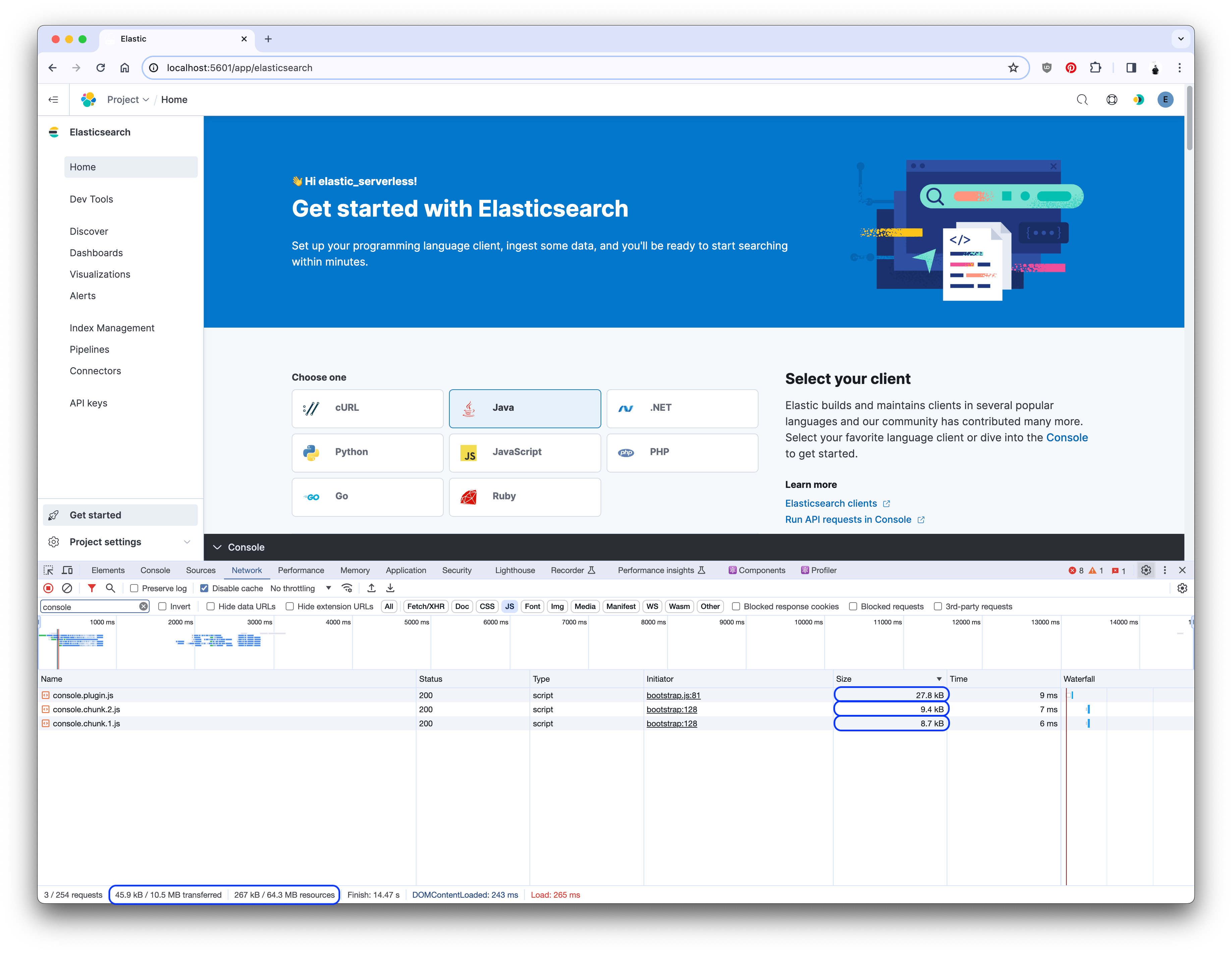
After: 267k total assets and 45.9k code.
Savings: 78% and 79%.
- The
consoleplugin provides an embedded console for interacting with Elasticsearch. - The
searchplugin was utilizing the embedded console at the bottom of the page. - Large async chunks were being fetched on each page load. One of the largest was the embedded console.
- Parts of the embedded console were asynchronously imported, but not all of it.
- By moving the async load higher in the component tree, I was able to significantly improve page load.
I noticed that the Serverless Search project home page was loading a significant amount of code on page load. While the plugin bundle itself was small, the asyncronous chunks-- which should only be loaded when the code is required, either by conditional need or if the user interacts with the page-- were large and being loaded all the time. The largest of these async chunks were coming from the console plugin.
By filtering the network tab in Chrome for console, I was able to see the chunks the Search home page was loading:

The embedded console consisted of two parts, each being loaded asynchronously in React: the black bottom bar that expands upward to reveal the console, and the console itself:
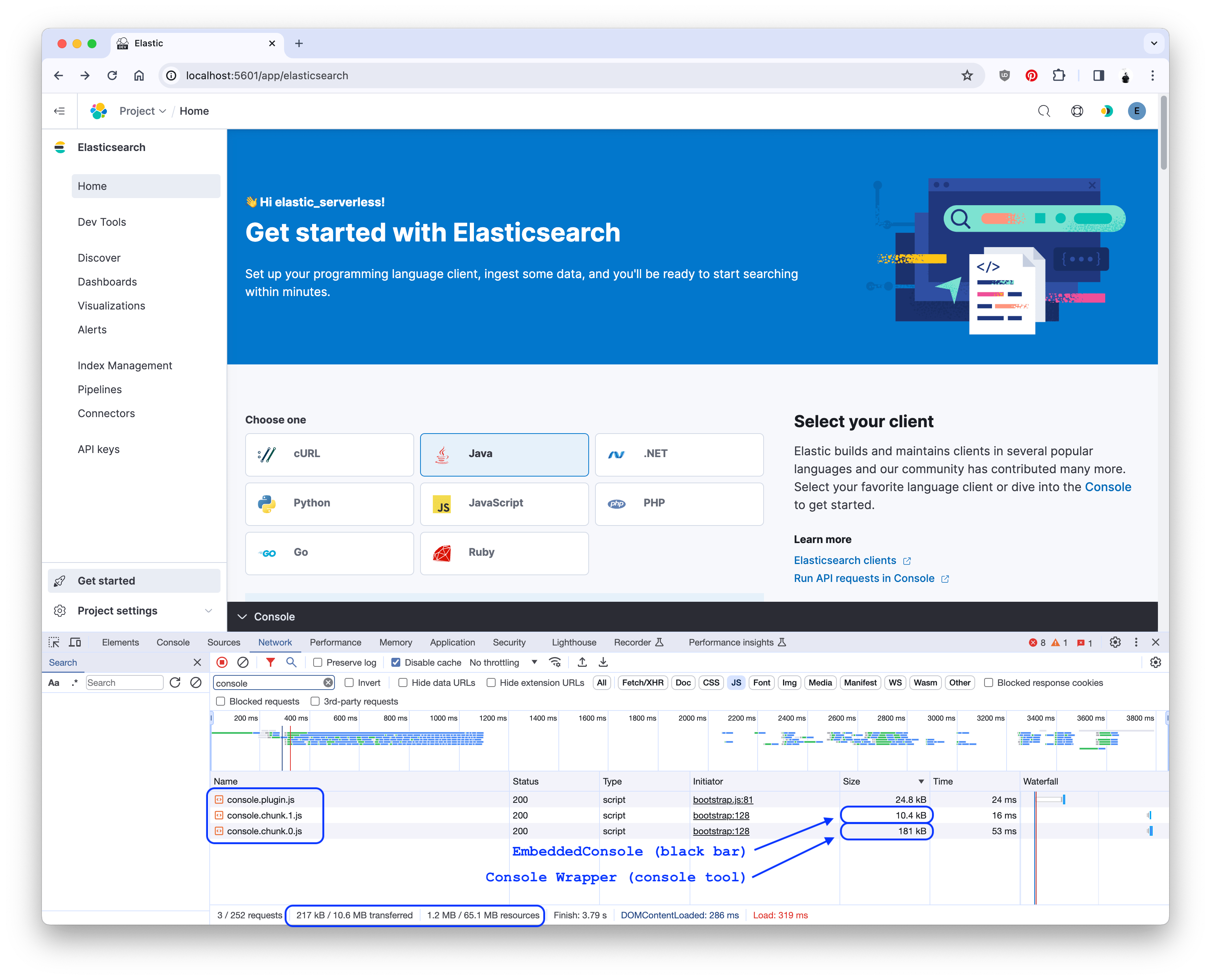
The console portion was quite large-- 181k-- and, given the conditional nature of showing that console, this was a sure sign that a great deal of code was being loaded too early.
The ConsoleWrapper component contained the various context providers. It was imported by the EmbeddableConsole component.
While the index.tsx file was set up to load the EmbeddableConsole asyncronously, setting up the EmbeddableConsole in the console plugin required a pure import and conditional, immediate render. The enterpriseSearch plugin also rendered it conditionally, and immediately. This brought the ConsoleWrapper code-- and all of its dependencies-- into the plugin bundle.
The primary fix for this problem was to add a dynamic import for the ConsoleWrapper component in the EmbeddableConsole component:
diff --git a/embeddable_console.tsx b/embeddable_console.tsx
index 6a2ab55..386c29 111111
--- a/src/plugins/console/public/application/containers/embeddable/embeddable_console.tsx
+++ b/src/plugins/console/public/application/containers/embeddable/embeddable_console.tsx
- import { ConsoleWrapper } from './console_wrapper';
@@  @@
+ const ConsoleWrapper = dynamic(async () => ({
+   default: (await import('./console_wrapper')).ConsoleWrapper,
+ }));
@@  @@
- {isConsoleOpen ? (
-   <div className="embeddableConsole__content" data-test-subj="consoleEmbeddedBody">
-     <EuiWindowEvent event="keydown" handler={onKeyDown} />
-     <ConsoleWrapper core={core} usageCollection={usageCollection} />
-   </div>
- ) : null}
+ {isConsoleOpen ? <ConsoleWrapper {...{ core, usageCollection, onKeyDown }} /> : null}
This allowed the ConsoleWrapper (and its dependencies) to be loaded only when the console was opened:
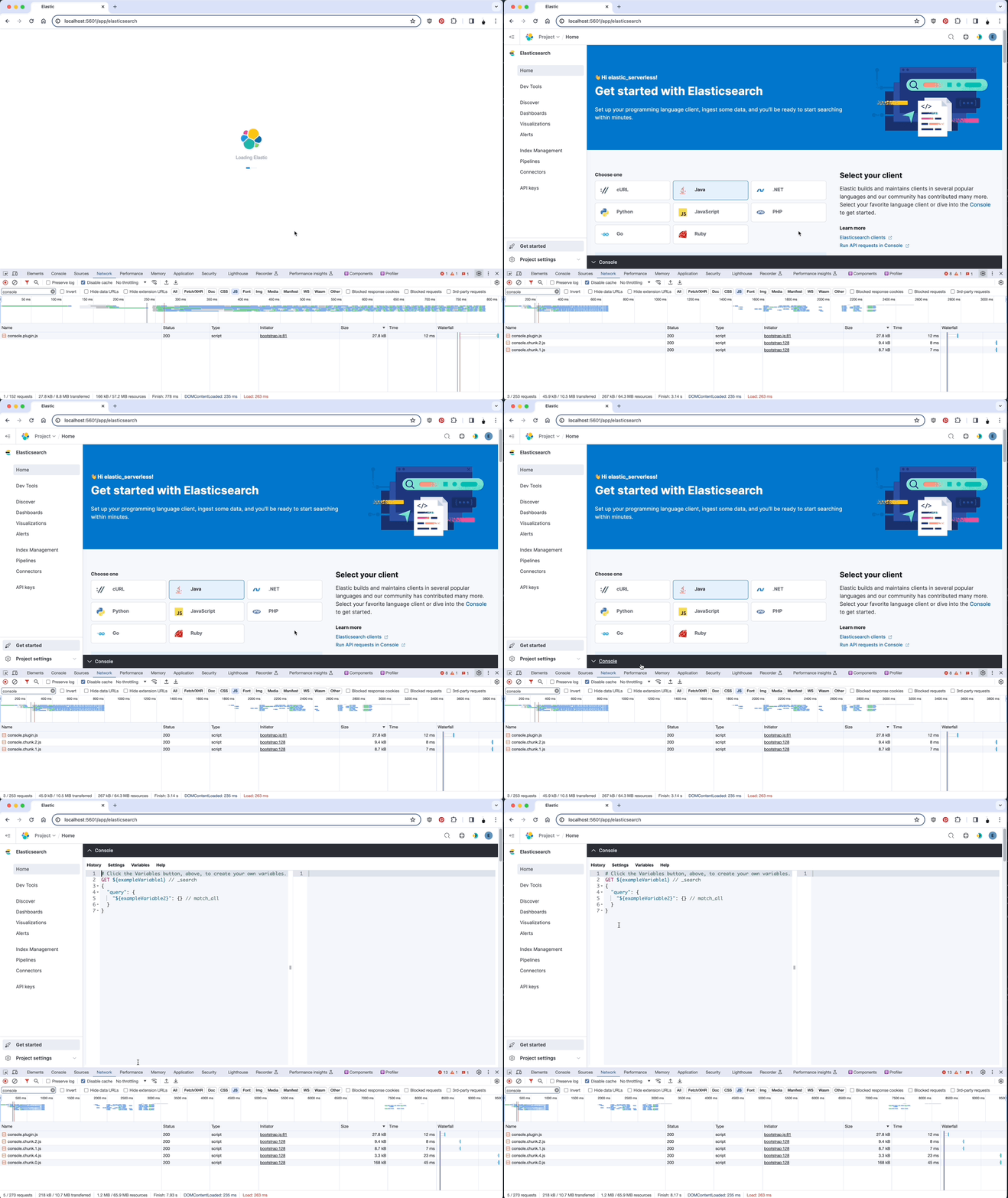
You can see effects of this change in the network tab as someone navigates:
This PR also introduces the dynamic method from the @kbn/shared-us-utility package. This method wrapper around React.lazy and React.Suspense that allows for more control over the loading of components.
- Asyncronous imports are a powerful tool for reducing the size of the plugin bundle, but if an async import is initiated immediately, the benefit is lost.
- By moving the async import higher in the component tree, I was able to significantly reduce the size of the plugin bundle and improve page load.
- The
EmbeddedConsolecomponent is a great example, as the large components should only be rendered if the panel is opened.