Test Elastic's leading-edge, out-of-the-box capabilities. Dive into our sample notebooks in the Elasticsearch Labs repo, start a free cloud trial, or try Elastic on your local machine now.
If you’re running Elasticsearch on-premises or in a private cloud, you’ve likely faced a familiar standoff when trying to modernize your search experience: You want to implement semantic search. You know that state-of-the-art dense vector models, like jina-embeddings-v3, are the standard for relevance. But when you look at the infrastructure requirements to run these models at scale, the project stalls.
The problem usually isn't the software: Elasticsearch has supported vector search for years. The problem is the hardware.
The MLOps bottleneck
The process of running model inference to generate the embeddings required for semantic search is computationally expensive. If you’re self-managing your cluster, this presents a difficult set of trade-offs regarding operational complexity and resource flexibility:
- Burn CPU cycles: You run the models on your existing CPU-bound nodes. This works for small datasets and small models, but as ingestion rates climb, your indexing throughput plummets and your search nodes end up choking on vector generation instead of serving queries.
- Provision GPUs: You ask your infrastructure team for GPU-accelerated nodes. In many organizations, this triggers a procurement nightmare. GPUs are expensive and scarce, and they introduce a new layer of machine learning operations (MLOps) complexity: driver compatibility, container orchestration, and scaling logic that your team might not have time to manage.
This creates a gap where self-managed deployments remain stuck on keyword search (BM25) simply because the infrastructure barrier to AI is too high.
Introducing a hybrid architecture for inference
We built the Elastic Inference Service (EIS) and made it available via Cloud Connect to solve this specific hardware constraints problem. It allows self-managed clusters (running on Elastic Cloud on Kubernetes [ECK], Elastic Cloud Enterprise [ECE], or stand-alone) hosted on-premises or in private cloud environments to delegate compute-intensive model inference to Elastic Cloud. It doesn’t require a lift-and-shift migration of your cluster architecture. While the specific text fields you need to vectorize are transmitted to the cloud for processing, you don’t need to permanently relocate your terabytes of business data or re-architect your storage. It allows you to use a hybrid topology: Your data nodes, master nodes, and index storage remain in your private environment, but the heavy lifting of generating embeddings is outsourced to Elastic’s managed GPU fleets.
How it works: Data stays, intelligence travels
It’s important to understand the distinction between storage and inference. When you use EIS via Cloud Connect:
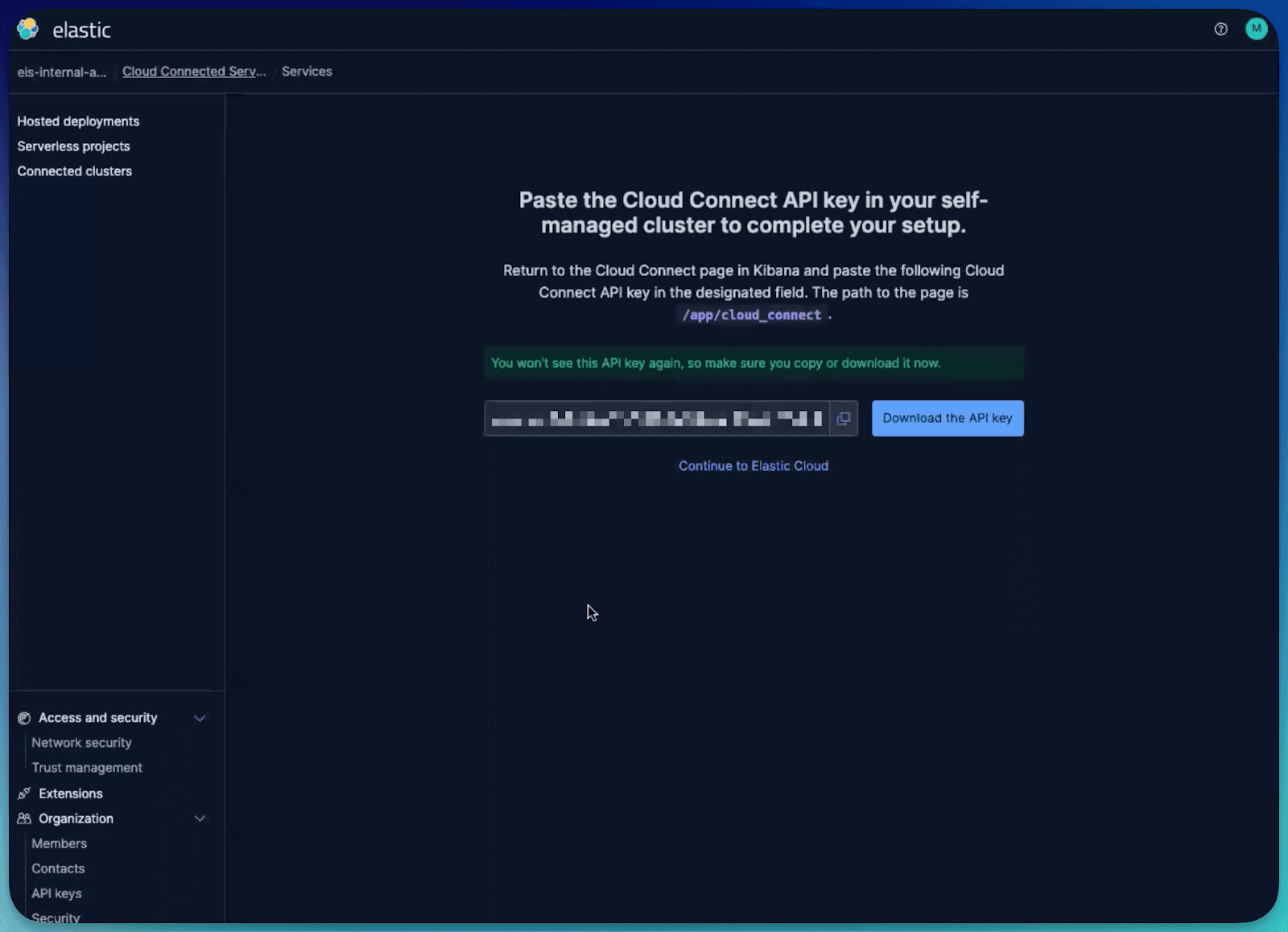
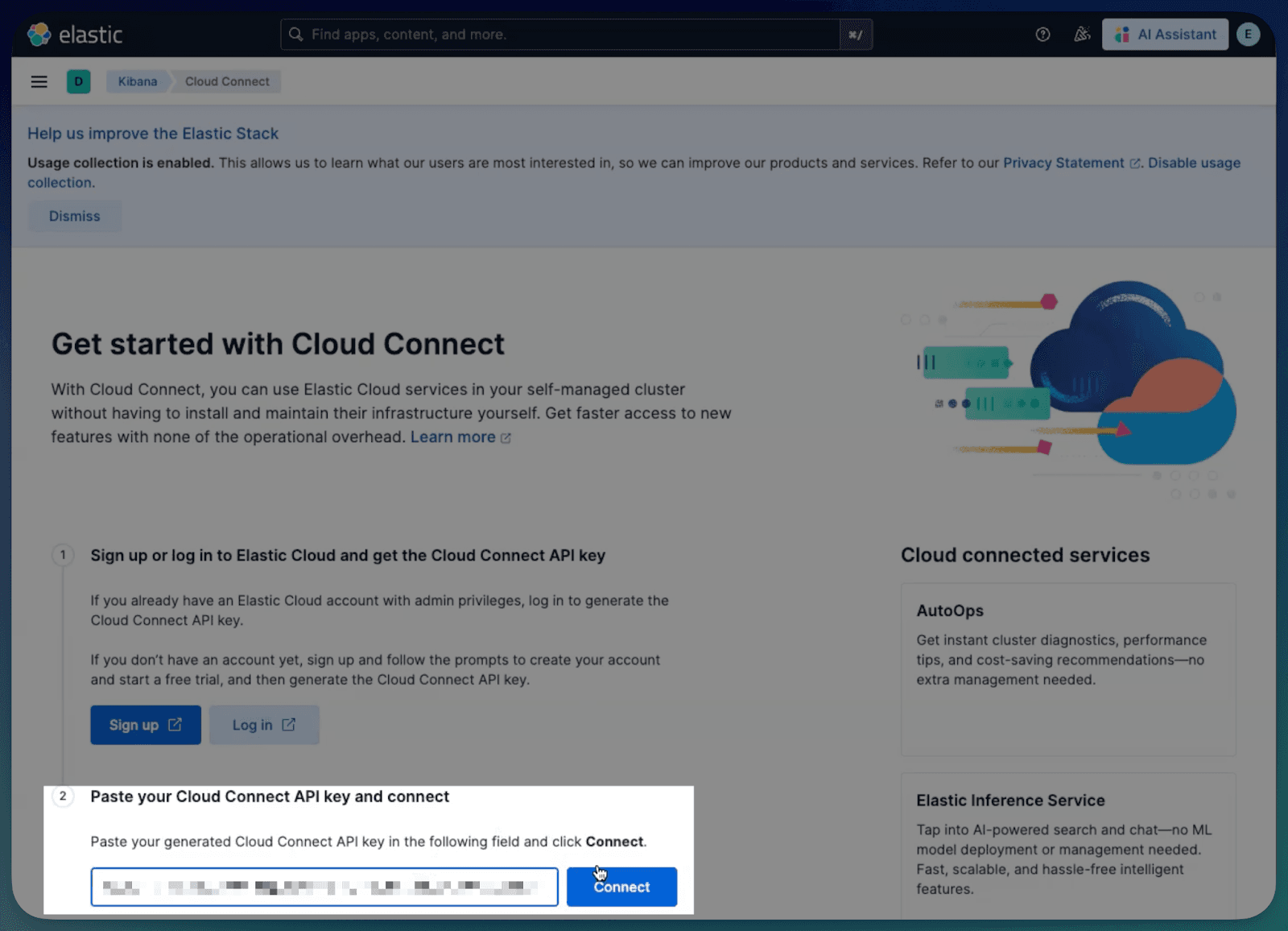
- The handshake: You generate an API key in Elastic Cloud and paste it into your self-managed Kibana instance. This establishes a secure, authenticated bridge.
- The pipeline: When you index a document using the
semantic_textfield (or manually configure an inference processor), your local cluster automatically sends only the specific text content to the EIS endpoint, encrypted in transit. - The inference: The text is processed in memory on Elastic’s managed GPUs. The resulting vector embedding is returned immediately to your local cluster.
- The storage: The vector is indexed and stored on your local disks alongside the original source document.
The raw text payload is ephemeral: It’s processed for inference and discarded. It’s never indexed or permanently stored in the cloud. You get the relevance of a GPU-powered cluster without changing your data residency posture.
Scaling semantic search without hardware provisioning
Let’s look at a practical scenario. You’re a site reliability engineer (SRE) managing a cluster for a large ecommerce platform. The search team wants to deploy Jina to fix “zero results” queries, but your on-premises nodes are CPU-bound and you have no GPU infrastructure available.
Here’s how you can use EIS via Cloud Connect to solve this in minutes, not months.
Step 1: The handshake
First, we establish the bridge between your self-managed cluster and Elastic Cloud:
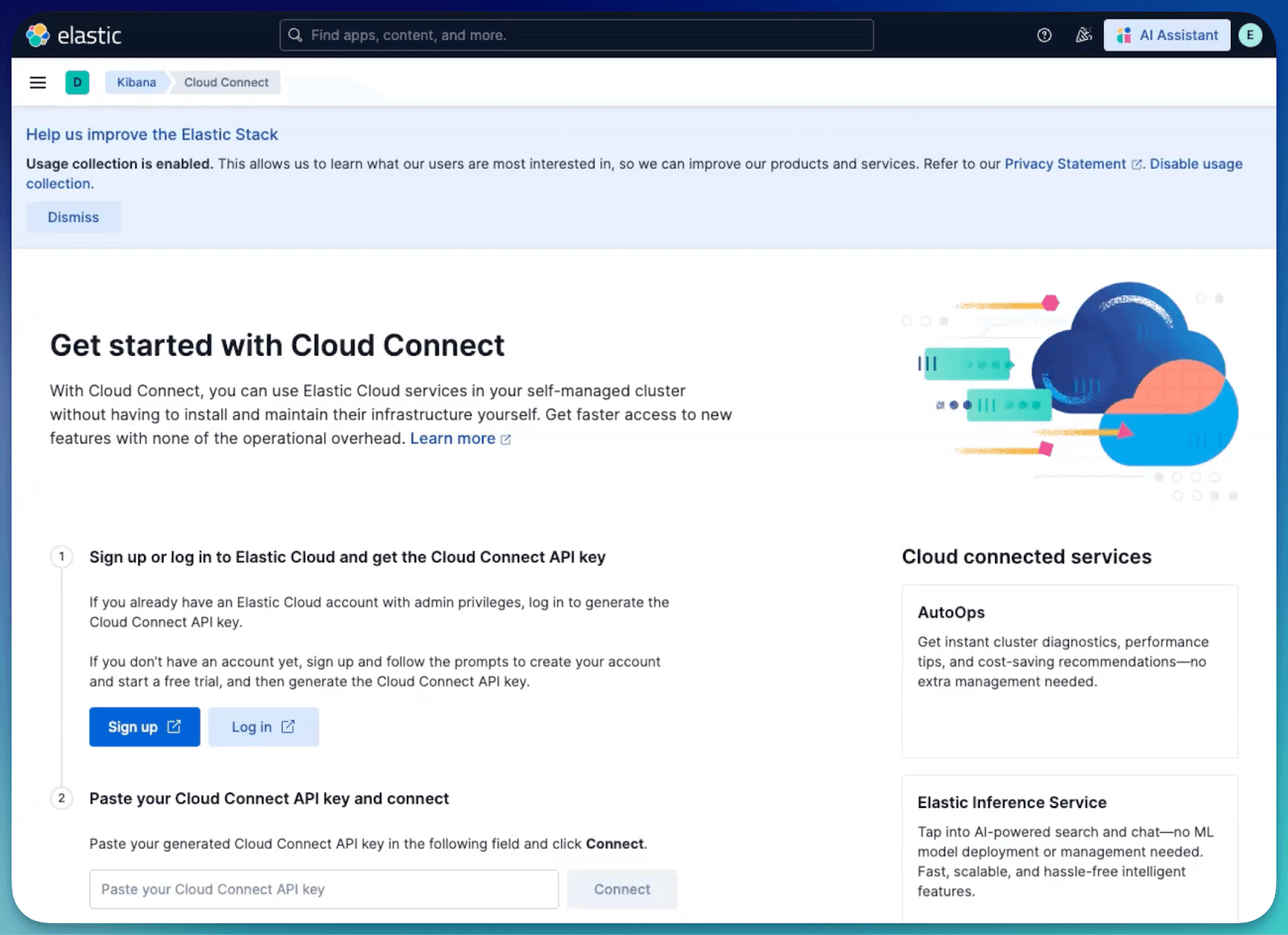
- Navigate to Stack Management in your local Kibana.
- Under the Cloud Connect section, click Connect to Elastic Cloud.
- Authenticate with your Elastic Cloud credentials, and authorize the connection.
- Result: Your local cluster is now cloud connected, acting as a satellite that can consume Software as a Service (SaaS) services.
Step 2: Enable the service
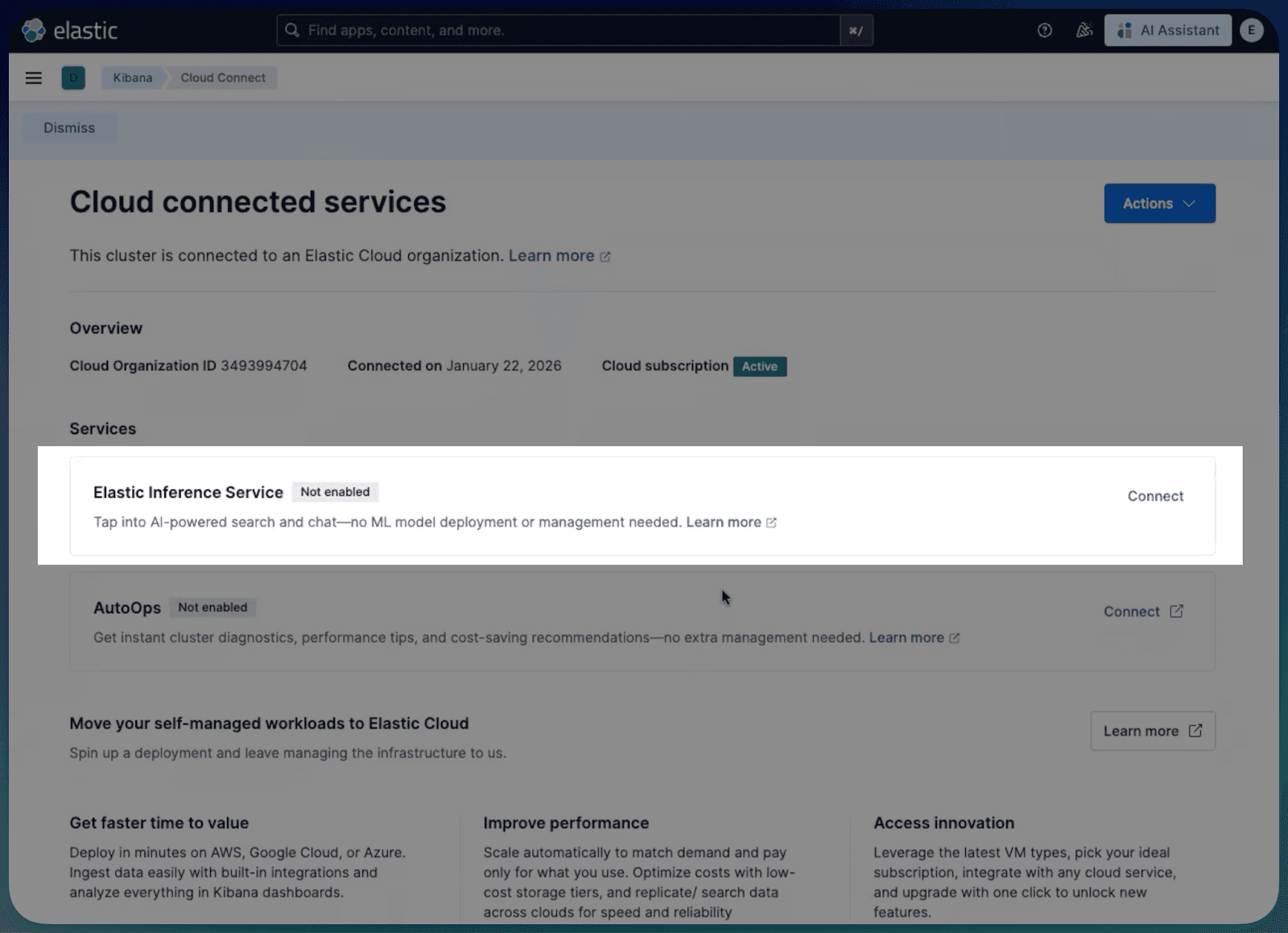
- On the Cloud connected services page, locate Elastic Inference Service.
- Click Enable and wait for the status to switch to Enabled.

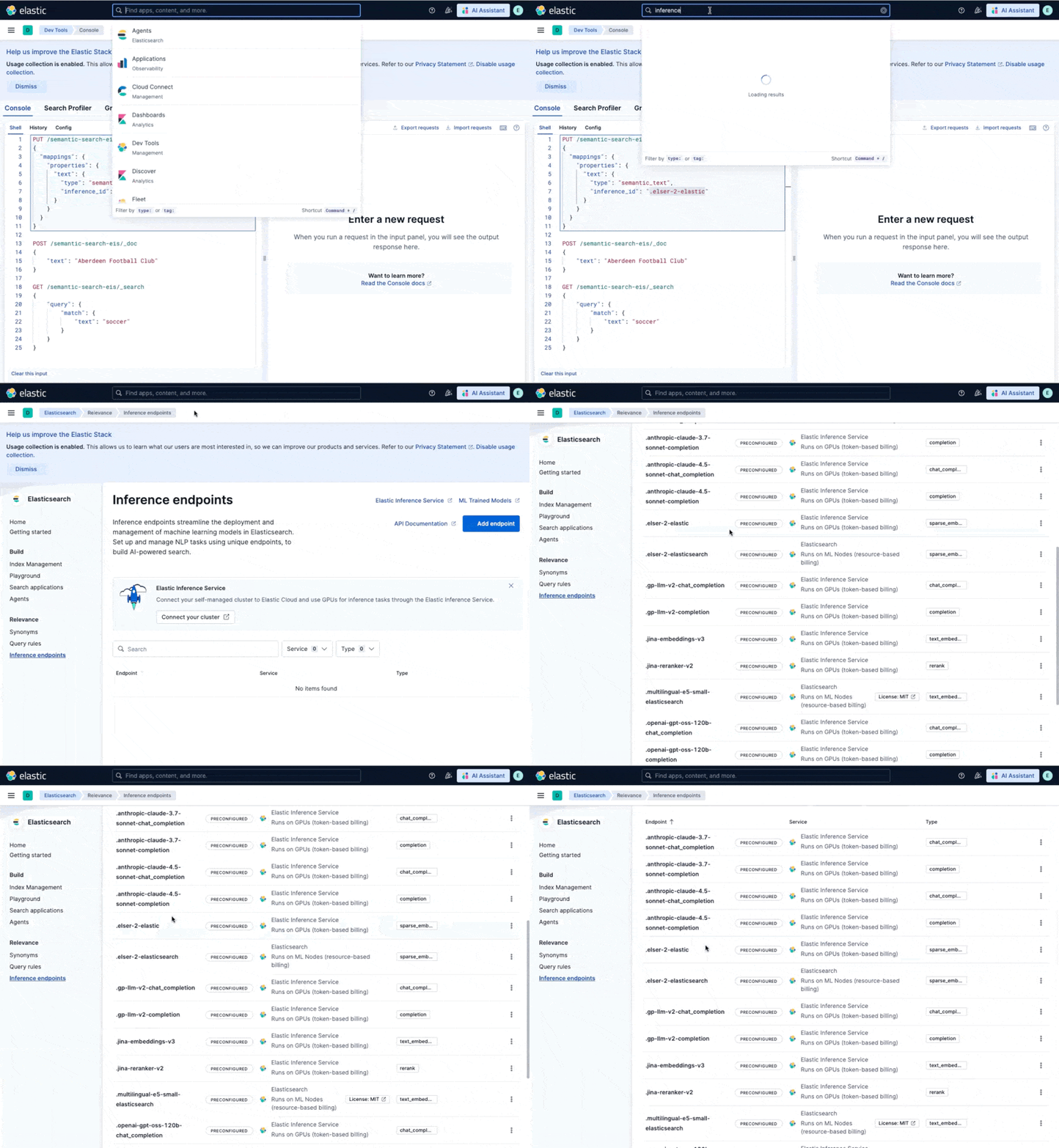
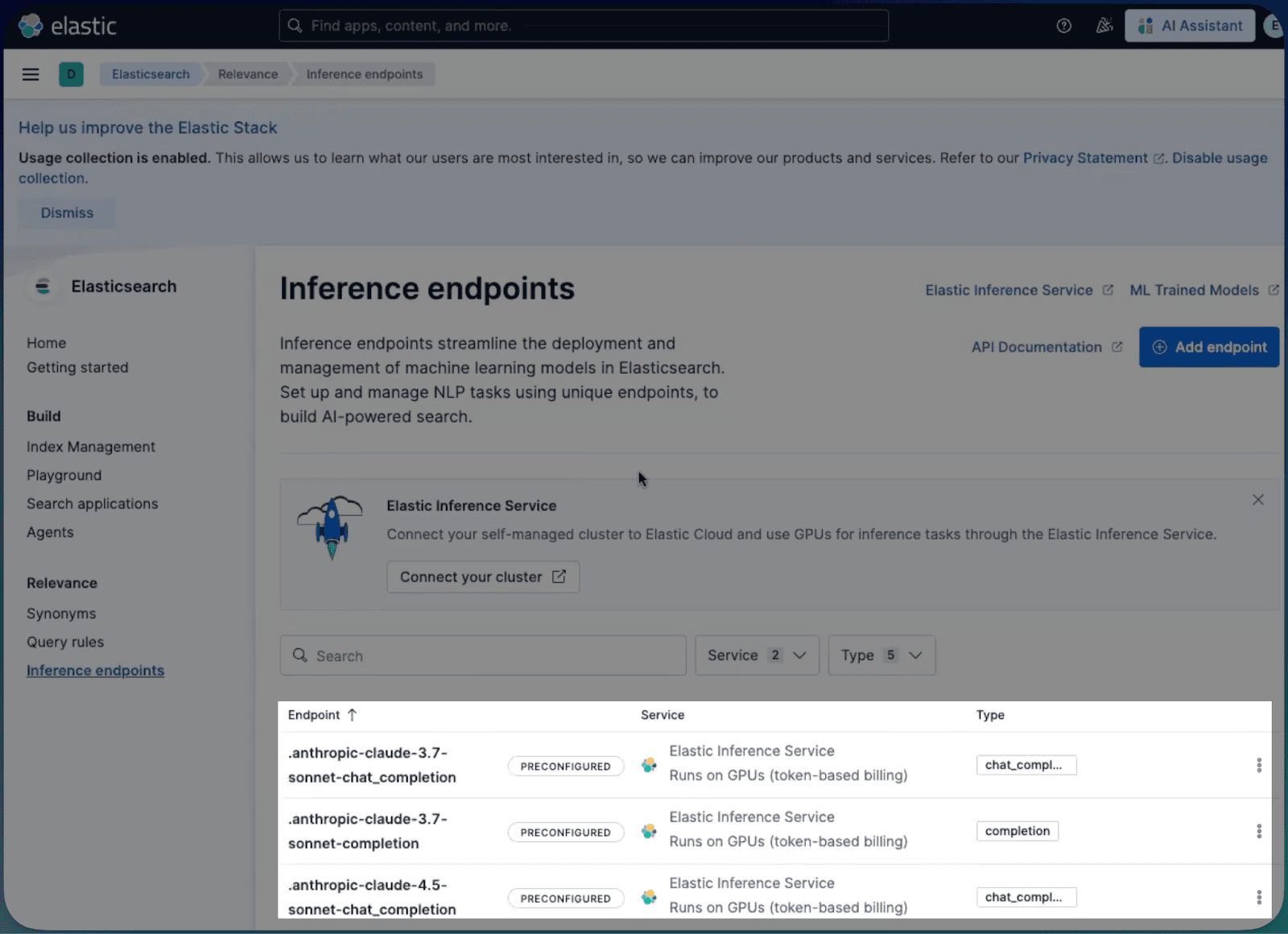
Which makes all these inference endpoints immediately available locally:
Step 3: Configure the pipeline
Now that the service is available, you configure an ingest pipeline. Instead of managing a local Jina container, you simply point to the cloud-hosted model. Open the console, and try the Jina embeddings model locally:
The match query will return the semantically correct result for “Aberdeen Football Club” where an exact match for “soccer would not”:
Step 4: Hybrid ingestion
When you index a document through this pipeline, the flow is streamlined:
- Your local node accepts the document.
- The text field is securely transmitted to the EIS endpoint.
- Elastic Cloud generates the dense vector embedding on a managed GPU using Jina v3.
- The vector is returned and indexed locally on your self-managed disk.
Oh and one more thing: LLMs via Cloud Connect too!
While vector search solves the retrieval part of retrieval-augmented generation (RAG), Cloud Connect also solves the generation side. Typically, giving your self-managed teams access to high-quality large language models (LLMs), like Anthropic’s Claude, involves a separate procurement cycle, managing vendor API keys, and handling secure egress.
EIS via Cloud Connect removes that friction entirely.
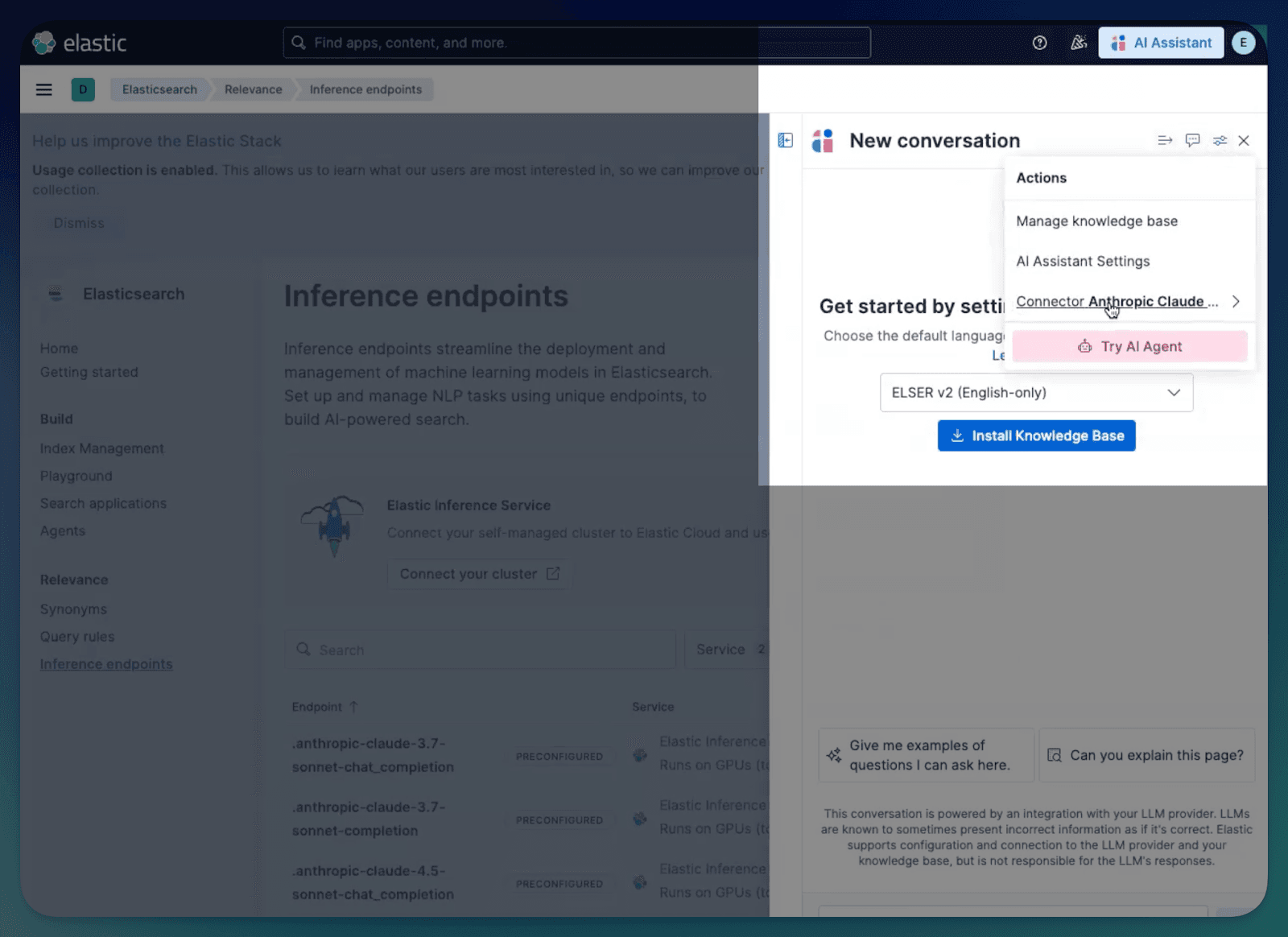
- Preconfigured access: The moment you enable the service, you get access to a preconfigured Anthropic connector (one for Claude 3.7 and one for Claude 4.5). You don’t need to bring your own API key or sign a separate contract with the model provider.
- Zero setup: It just works. Because the secure bridge is already established, you can immediately select these models in the Search Playground to test RAG against your local data.
- Integrated workflows: This also powers our internal AI tools. Your team can instantly start using the Elastic AI Assistant for observability insights or Attack Discovery for security threat analysis, all powered by cloud-hosted LLMs, grounded in your on-premises data.
The shortcut to AI
EIS via Cloud Connect removes the operational friction of managing GPU drivers, specialized hardware, and complex performance monitoring stacks. By offloading these requirements to Elastic Cloud, you can build RAG applications and semantic search interfaces today, regardless of whether your cluster is running on-premises or in a private cloud VPC.
The hybrid approach solves the resource utilization problem typical of self-managed AI. You no longer have to over-provision expensive hardware that sits idle during quiet periods, nor do you have to worry about performance bottlenecks when traffic bursts. You simply establish the secure connection via Cloud Connect and consume high-performance inference as a managed API, keeping your data residency intact while your search capabilities scale instantly.
EIS via Cloud Connect is available immediately for Elastic Enterprise self-managed customers on Elastic Stack 9.3.
관련 콘텐츠

2026년 7월 9일
Why Elasticsearch is becoming a columnar database
Elasticsearch is becoming a first-class columnar database. Columnar Mode ships in 9.5, storing data once alongside the existing modes and cutting storage footprints while speeding up analytical queries.

2026년 7월 7일
Your compliance posture just got an upgrade: Elasticsearch now supports FIPS 140-3
Elastic 9.4 brings FIPS 140-3 support for Elasticsearch and Kibana to GA. Here's what changes for federal, defense and regulated deployments, and how to migrate from 140-2.

2026년 7월 2일
A simdvec deep-dive: How Elasticsearch uses neural-net and video-codec CPU instructions for vector search
Four ways Elasticsearch's vector search engine reuses neural-network, video-codec and cryptography CPU instructions for up to 6x speedups; with the math, the failed attempts and the benchmarks.

2026년 6월 29일
Bringing it together: How we rebuilt Elasticsearch as a columnar metrics engine; 6.6x less storage, 160x faster queries
Elasticsearch metrics in version 9.4 run on a fully columnar engine: 6.6x less storage, 160x faster queries, native PromQL and OTel support.

2026년 6월 11일
How Elasticsearch cut metrics storage by 41% by dropping sequence numbers after replication
Find out how Elasticsearch trims sequence numbers at merge time to cut TSDS storage by 41%, what you give up, and why it's safe for metrics workloads.