Agent Builder is available now GA. Get started with an Elastic Cloud Trial, and check out the documentation for Agent Builder here.
Enterprise documents are hard. PDFs with multi-column tables, scanned pages, mixed layouts, and embedded charts break naive text extraction. Standard processing pipelines miss structured data that lives inside those documents, which means your agents are reasoning over incomplete context. Most agent frameworks use basic OCR tools to handle PDFs, which get the job done for text-only documents, but they fall short for more complex scenarios.
To solve this, you need a system that accurately extracts structured data from those documents and automatically indexes it so an agent can use it. The combination of Elastic Agent Builder and the LlamaParse Extract API covers data processing and reasoning. LlamaParse Extract handles the document complexity: It applies a schema-defined extraction model against the raw PDF and returns structured JSON. Elastic Agent Builder handles orchestration: Using Elastic Workflows, it calls the LlamaParse Extract API, indexes the result into Elasticsearch, and gives an agent the ability to reason over that data using Elasticsearch Query Language (ES|QL) or semantic queries.
This article walks through the full implementation, from schema definition to a working agent. The complete code is available in the companion notebook.
When should you use LlamaParse Extract instead of LlamaParse?
Use LlamaParse Extract when you need specific typed fields returned as JSON. Use LlamaParse when you need full document content for a RAG pipeline.
LlamaCloud offers two document processing tools. LlamaParse converts documents into large language model–ready (LLM-ready) formats, like Markdown, preserving the full document layout. It's designed for retrieval augmented generation (RAG) pipelines where you want to feed entire document content into a vector store or LLM context window. LlamaParse Extract, on the other hand, takes a developer-defined schema and returns only the specific fields you asked for as validated JSON. It can also extract data from charts, figures, and visual elements inside the document, something standard text parsing misses entirely.
| LlamaParse | LlamaParse Extract | |
|---|---|---|
| Output format | Markdown (full document) | Structured JSON (schema-defined fields) |
| Best for | RAG pipelines, LLM context windows | Search indexes, databases, typed fields |
| Handles charts/figures | No | Yes |
| Input | PDF + developer-defined schema |
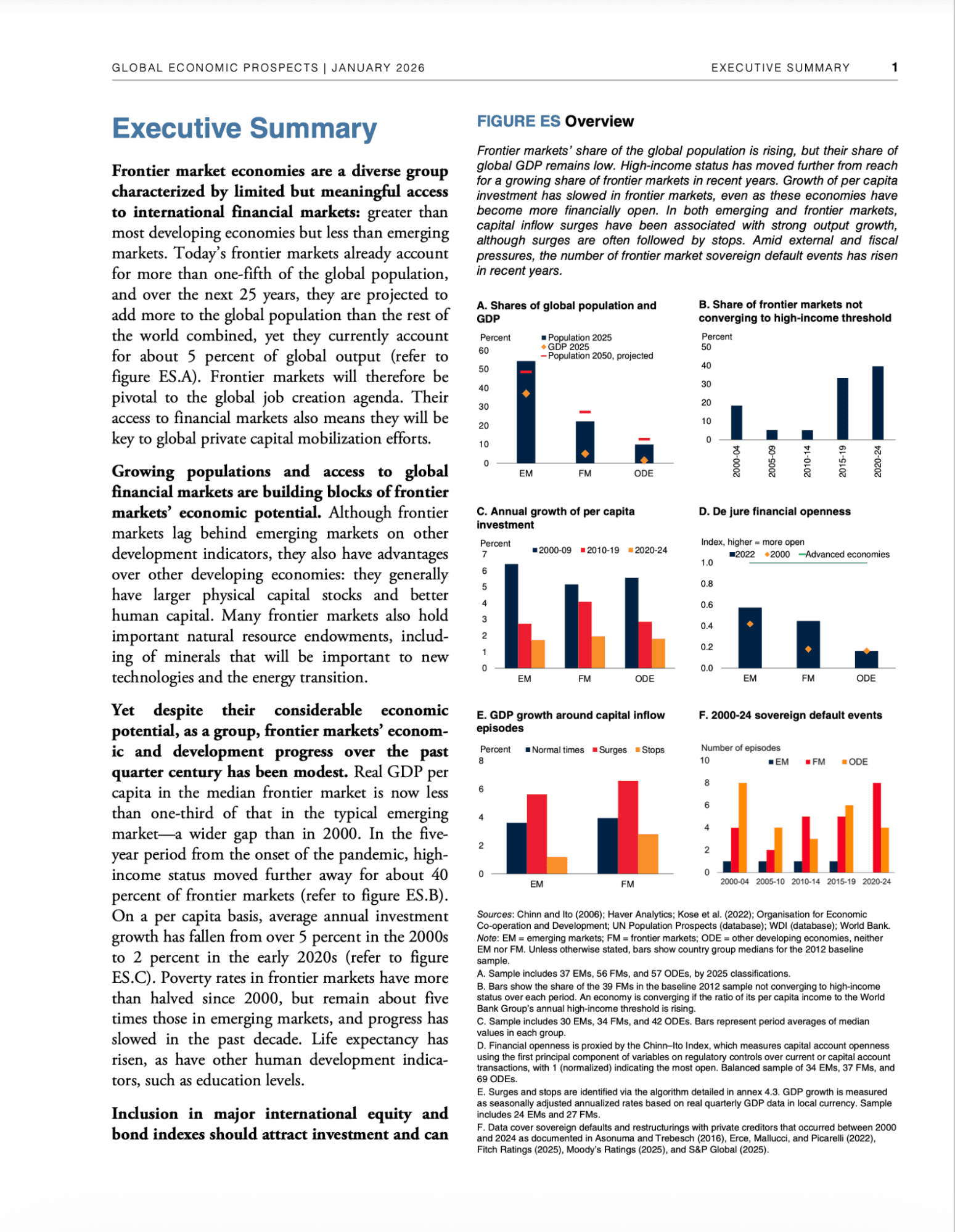
or this use case, Extract is the better fit. We need specific numeric values (GDP share percentages, investment growth rates) and narrative summaries indexed as typed Elasticsearch fields. The schema tells the extraction model exactly what to look for, including values embedded in bar charts that only exist as visual elements in the PDF. If your use case is feeding full document content into a RAG pipeline, LlamaParse is the right tool. If you need structured records for a search index or database, especially when data lives in charts or tables, use Extract.
What does the LlamaParse Extract and Elastic Agent Builder pipeline do?
The pipeline works as follows: A user sends a question, along with a PDF URL. The agent invokes a workflow tool that uploads the PDF to LlamaParse, runs schema-driven extraction via the LlamaParse Extract API, and indexes the structured result into Elasticsearch.
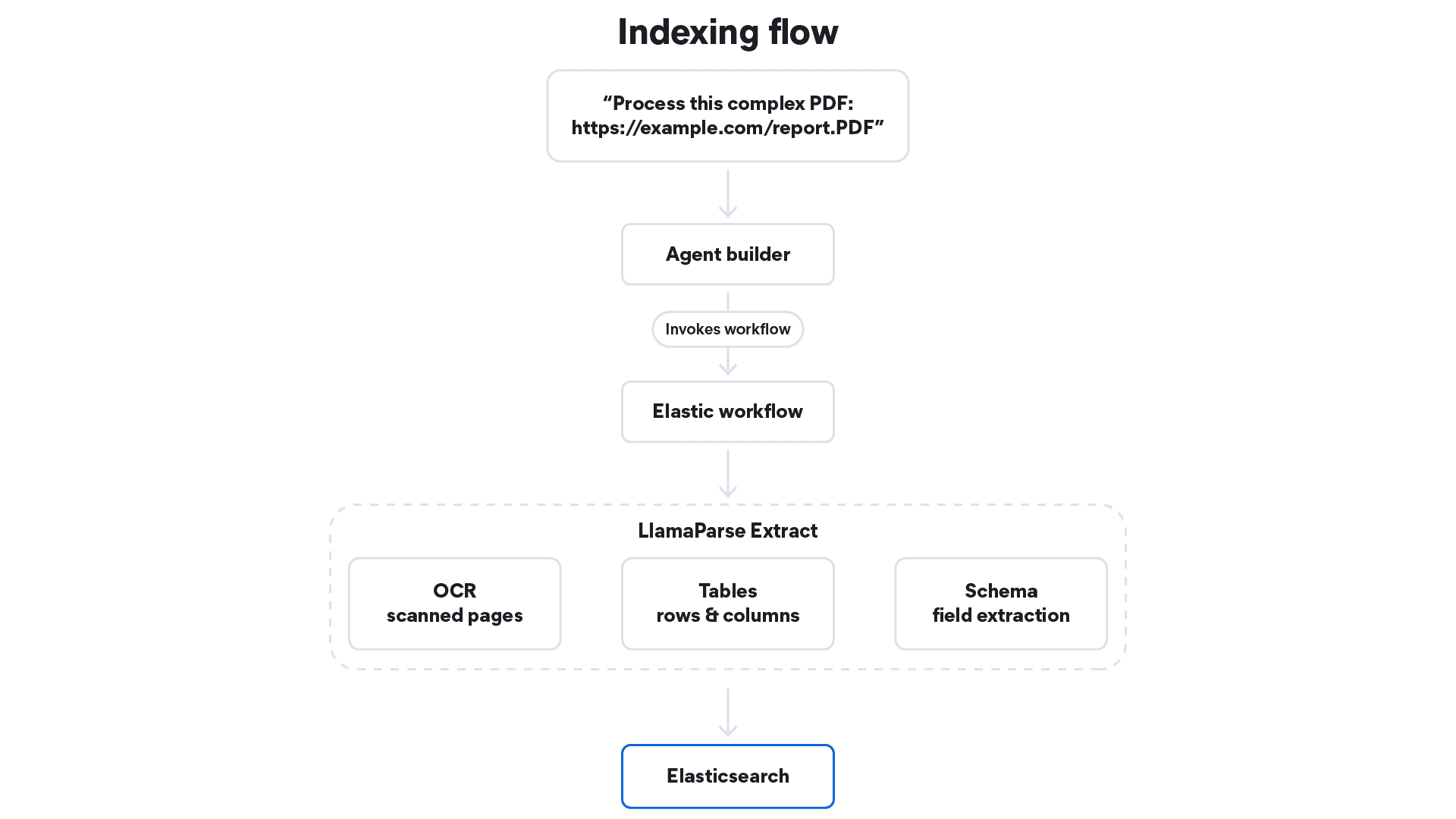
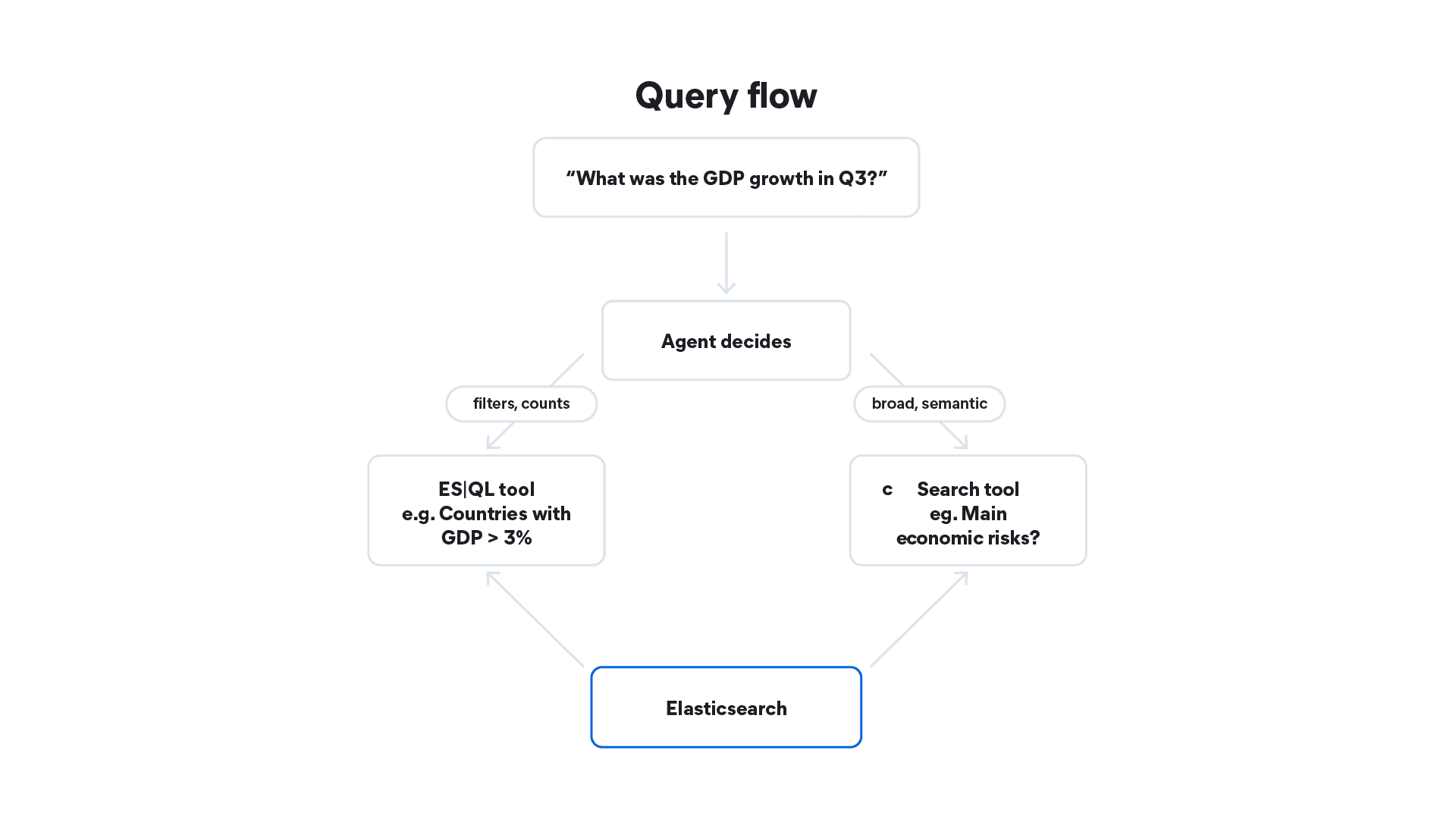
The agent then queries that index with ES|QL to answer the question.
To demonstrate this, we use the World Bank Global Economic Prospects (January 2026) report as the source document. The agent will be able to answer questions about frontier markets, economic indicators, and policy recommendations directly from the PDF.
How to build an Elastic Workflows tool for LlamaParse Extract
The workflow tool runs inside Elastic Agent Builder as a YAML-defined automation. When triggered, it executes six steps. For a general walkthrough of connecting Agent Builder with Workflows, that post covers the setup in detail. Here we focus on the LlamaParse Extract–specific integration.
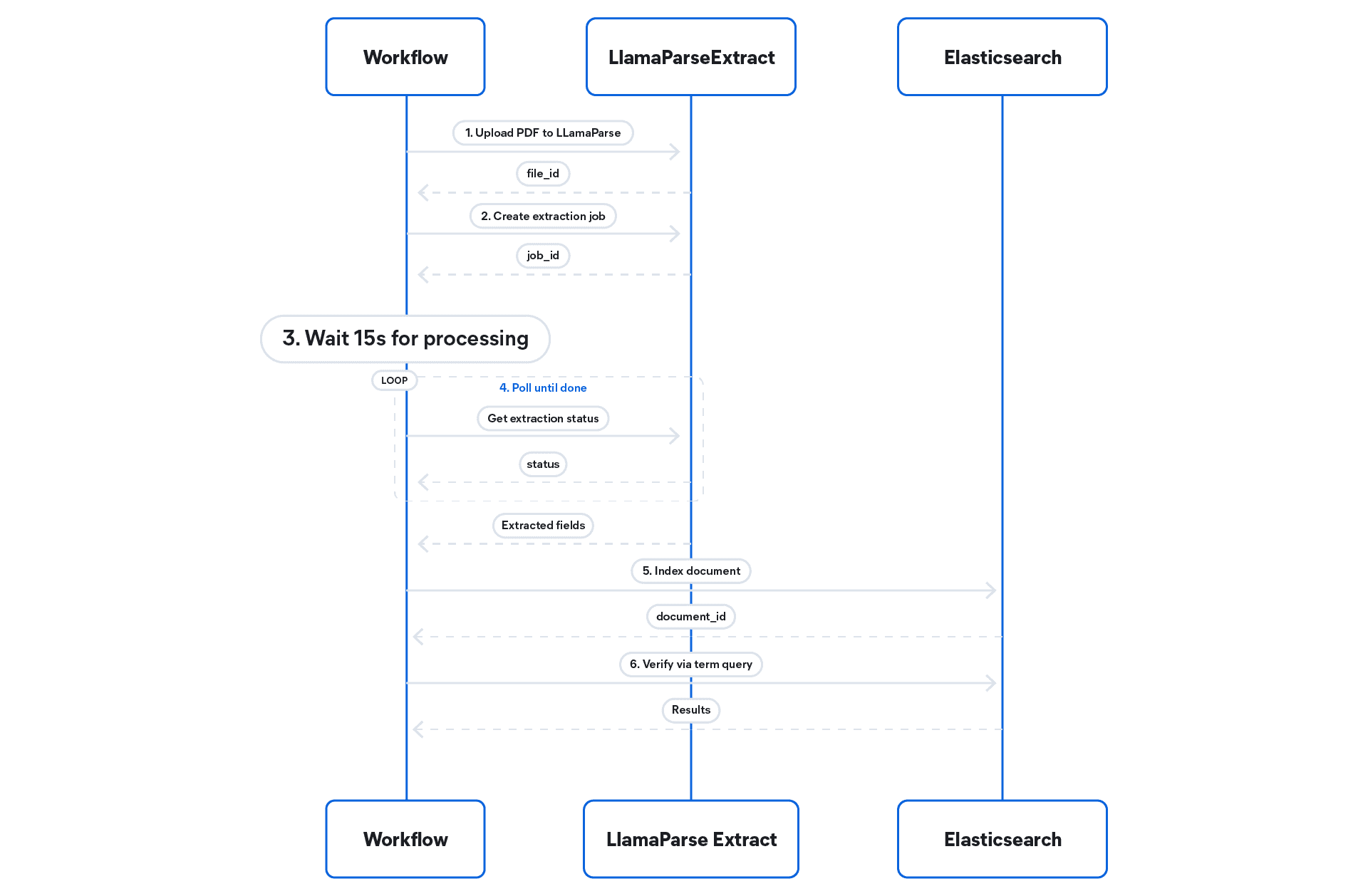
- Upload PDF: Uploads the PDF from the provided URL to LlamaCloud. The workflow accepts a
pdf_urlas input; your LlamaCloud API key, project ID, and configuration ID are configured as constants. - Create extraction job: Starts the Extract v2 job against the uploaded file using the saved configuration.
- Wait: Pauses 15 seconds to give time to LlamaParse Extract to process the document.
- Poll until done: Polls the extraction status every 10 seconds in a
whileloop until the status isCOMPLETED, up to 19 iterations (~3 minutes cap). - Index: Writes all extracted fields from the PDF as a single Elasticsearch document.
- Verify: Runs a search to confirm the document was indexed successfully using the
document_idalong a query term.
Prerequisites
- Elasticsearch 9.3+ with Workflows enabled
- LlamaParse Cloud account with an API key
- Python 3.1x
Implementing LlamaParse Extract with Elastic Agent Builder: step by step
The code below shows the key steps of the implementation. For the complete version with all details, refer to the companion notebook.
Configure the environment
Define the extraction schema
LlamaParse Extract is schema-driven. You define a Pydantic model that describes the fields you want to extract, and LlamaParse Extract uses it to guide extraction from the raw PDF. This is what makes it reliable for complex documents. Instead of hoping the LLM finds the right values, you tell it exactly what to look for.
As mentioned above, the agent needs to handle two question types:
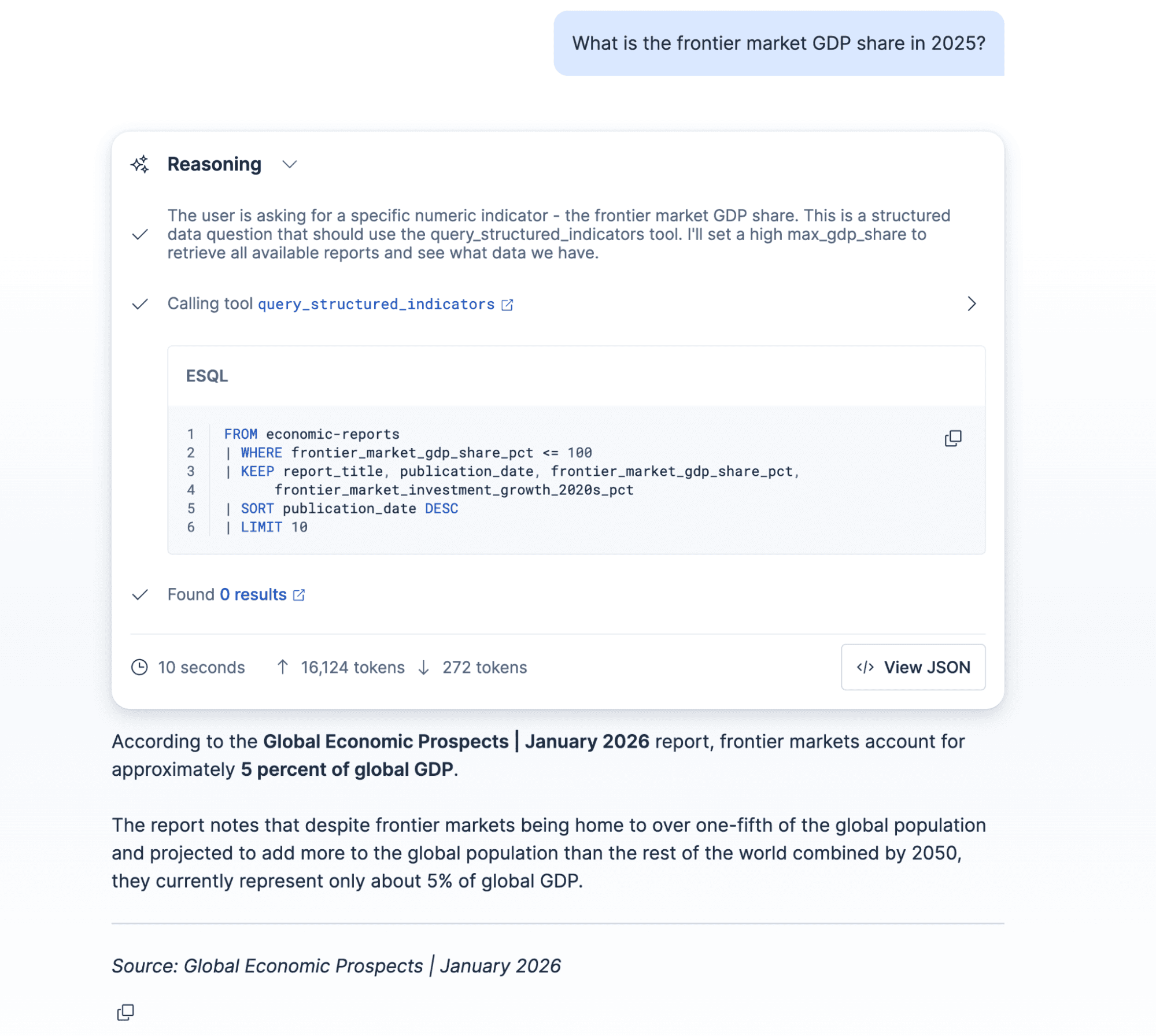
- Structured: "What is the frontier market GDP share in 2025?" This one requires numeric fields the agent can filter with ES|QL.
- Exploratory: "What are the main risks for frontier markets?" Requires narrative text fields the agent can search semantically.
The schema captures only what's needed to support both. The description values aren’t documentation, they’re instructions to the extraction model, so being specific here directly improves extraction quality. Two of the fields (frontier_market_gdp_share_pct and frontier_market_investment_growth_2020s_pct) are extracted directly from bar charts in the report (Figures A and C), which standard text extraction tools would miss.
Create the Extract configuration
LlamaExtract v2 replaced extraction agents with saved configurations, a reusable parameter set that pairs your schema with the extraction tier. Fetch your project ID first, and then POST to create the configuration. Save both printed IDs, since you'll need them in the workflow YAML.
Create the Elasticsearch index
Create the index with mappings that mirror the extraction schema. Numeric fields, like frontier_market_gdp_share_pct, use float for structured ES|QL filtering. The publication_date field uses date to enable date range queries. Narrative fields, like executive_summary and key_vulnerabilities, use text for full-text search. Identifiers like report_title use keyword. The full mapping definition is available in the notebook.
Build the Agent Builder workflow tool
Copy the YAML below and paste it in the Elastic UI at Elasticsearch > Workflows > Create a new Workflow. The Elastic Workflows documentation covers the full YAML schema and available step types.
The workflow uses the LlamaCloud REST API: the Files API (/api/v1/files/upload_from_url) to upload the PDF from a public URL; and the Extract v2 API (/api/v2/extract) to create the job and poll for the result (/api/v2/extract/{id}).
Update the consts section with your own llamaCloudApiKey, projectId, and configurationId.
Connecting with Agent Builder
After saving the workflow, create two tools and one agent using the Agent Builder Kibana API or the UI.
The workflow ID is available on the URL:
Testing the workflow through Agent Builder
With the Economic Report Analyst agent configured, open the Agent Builder chat and send a message like this (substituting your actual IDs):
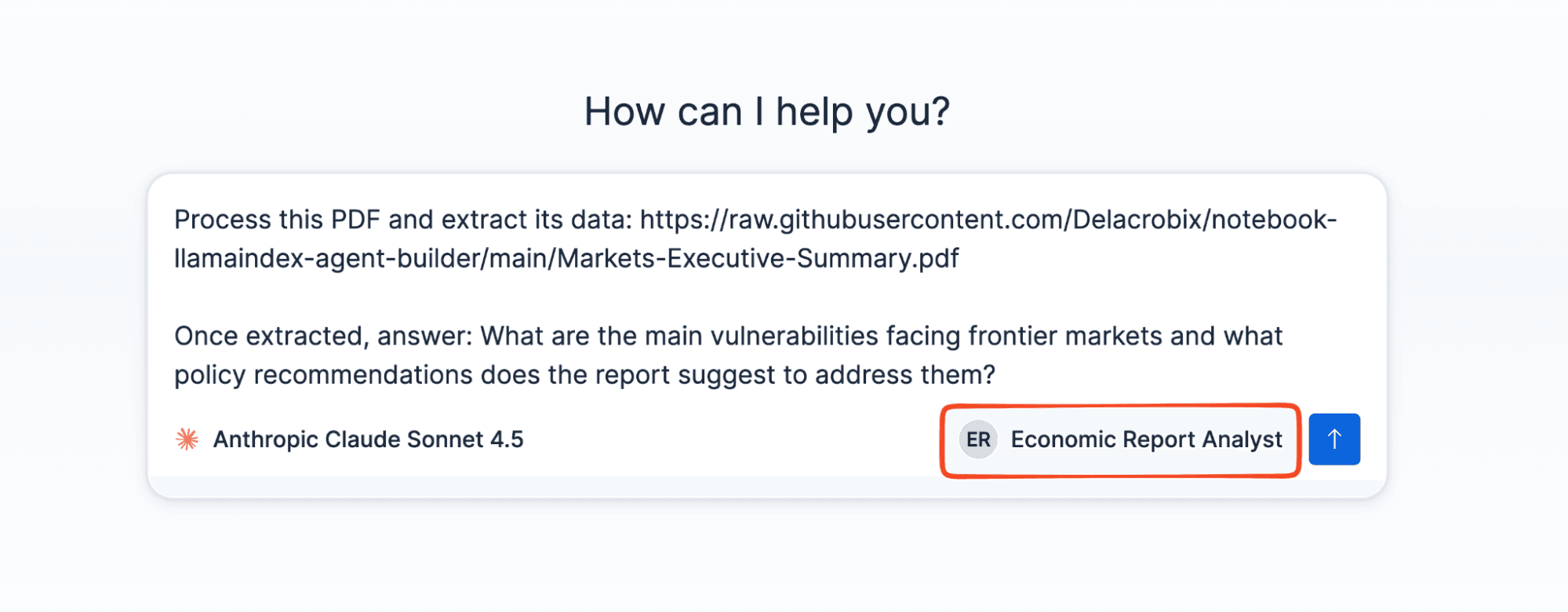
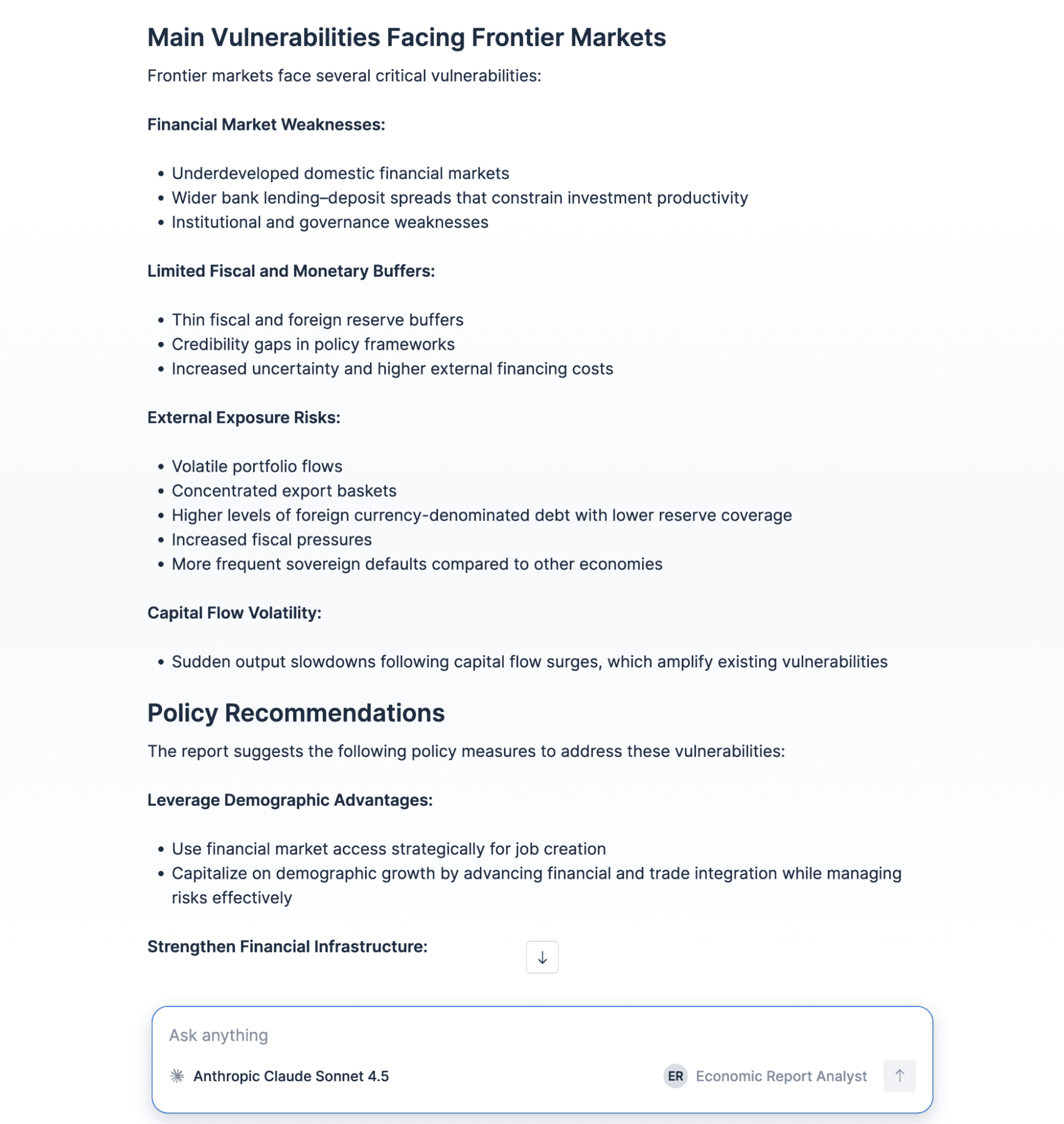
The agent calls run_llamaextract_workflow first, waits for the workflow to complete, and then uses search_economic_reports to retrieve and summarize the extracted data.
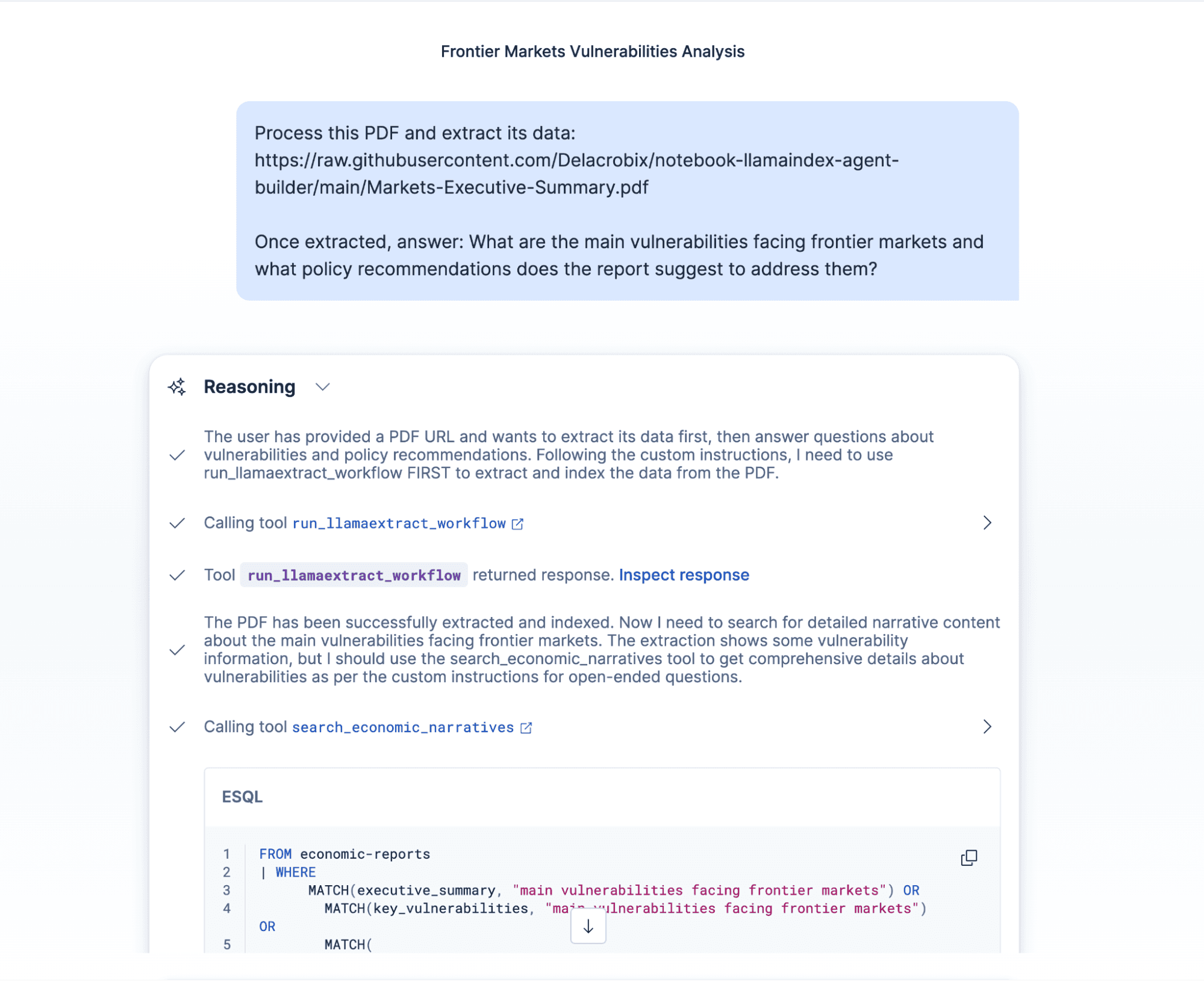
Result
Let’s see what happens if we ask a question related to the information contained in the graphics in the PDF:
Conclusion: from raw PDF to agent-ready data
LlamaParse Extract solves the document understanding problem, extracting structured, schema-driven data from PDFs with charts and tables. Elastic Agent Builder solves the orchestration problem, chaining extraction, indexing, and querying into workflow and ES|QL tools an agent can invoke on demand. Together, they bridge the gap between raw enterprise documents and agent-ready data.
This pattern extends beyond economic reports. Any enterprise document with a predictable structure (contracts, specs, financial filings) can be modeled with a Pydantic schema and fed through the same pipeline.
Next steps
Contenido relacionado
23 de julio de 2026
On-prem in under 5 minutes: Jina embedding models now available for on-prem deployment
All 28 Jina AI models, including rerankers, as ready-to-deploy Docker containers, with zero telemetry and no license server. Drop-in compatible with OpenAI, Cohere, Voyage AI and Elastic Inference Service APIs.
20 de julio de 2026
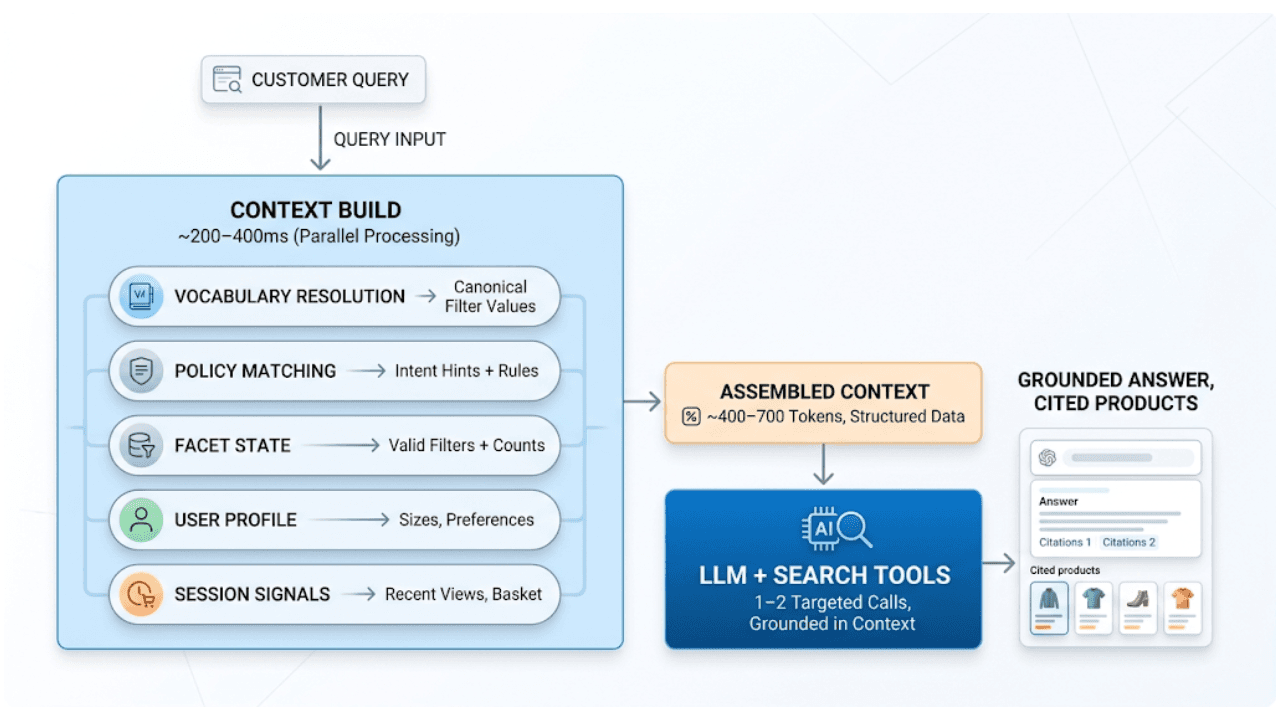
AI shopping agents: Why context comes before the query
AI shopping agents that guess at your vocabulary make expensive mistakes. Pre-computed catalog context stops the guessing before the first tool call.

21 de julio de 2026
4 NVIDIA AI tasks, 1 Elasticsearch API: Embeddings, chat, completion, and rerank
Set up NVIDIA hosted models in Elasticsearch with one API key and a model ID. No custom integration code needed.

1 de julio de 2026
One command. Natural language. Your Elasticsearch data, straight to the terminal.
Query your Elasticsearch data from the terminal in plain English. The official Elastic GitHub Copilot CLI plugin generates and runs ES|QL queries against your cluster. No Kibana, no manual syntax.
30 de junio de 2026
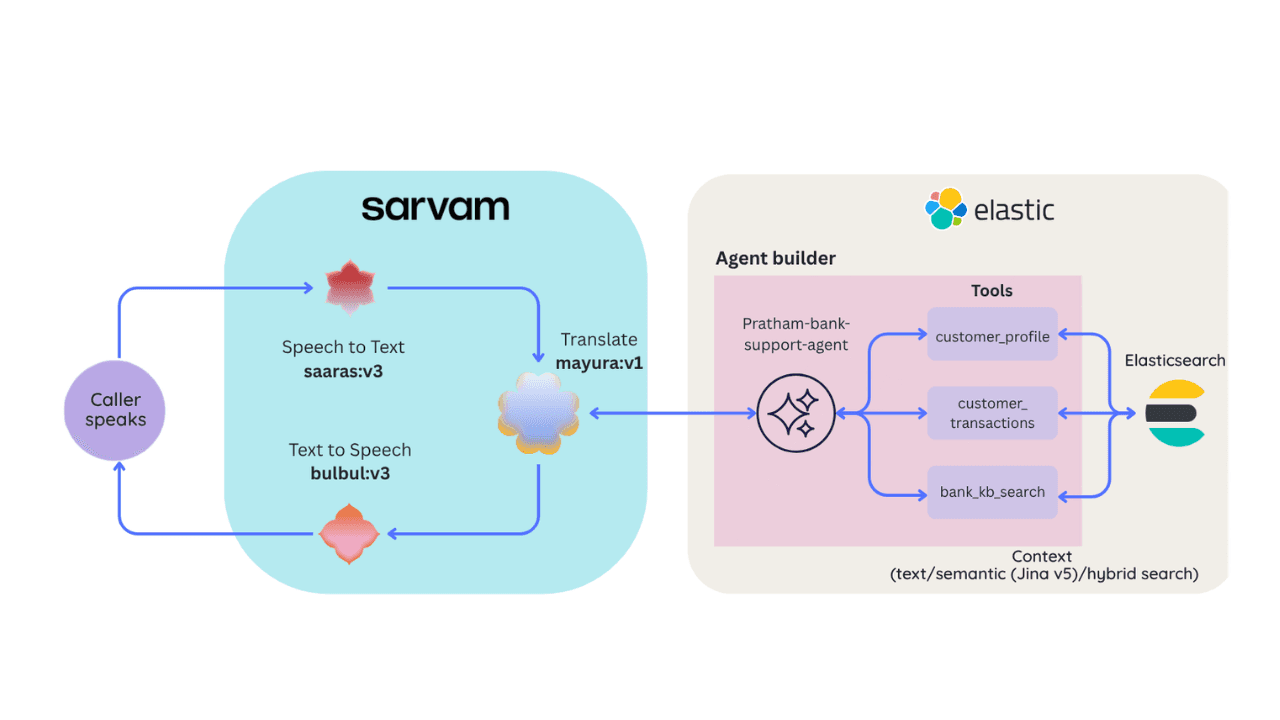
Building a multilingual voice agent with Elastic Agent Builder & Sarvam AI
A working demo combining Sarvam AI speech with Elastic Agent Builder: identity verification, per-customer ES|QL queries, and mid-call language switching across 22 Indian languages without multilingual indices.