Agent Builder is available now GA. Get started with an Elastic Cloud Trial, and check out the documentation for Agent Builder here.
Building AI applications that go beyond a single question-and-answer cycle is one of the most exciting and demanding engineering challenges today. Agents must plan, reason, use tools, and maintain context across multiple steps. Getting that context right, including what information to retrieve, when to retrieve it, and how to present it to the model, is the practice often called context engineering. A well-designed context pipeline is what separates an agent that gives vague, hallucinated answers from one that is grounded, accurate, and genuinely useful.
OGX is an open source server-side agentic loop that standardizes the building blocks of agentic AI: inference, safety, tool use, memory, and retrieval. Originally known as Llama Stack, the project was rebranded as OGX in April 2026 to reflect its evolution into a multi-provider, multi-SDK server that speaks the native API of every major frontier lab (OpenAI, Anthropic, and Google). One of its key abstraction layers is Vector IO, a provider interface for vector databases that lets you swap back ends without changing application code. As of early 2026, Elasticsearch is a supported remote Vector IO provider in OGX, bringing its rich search capabilities (dense vector search, BM25 full-text search, hybrid search, and metadata filtering) to any OGX application.
In this article, you’ll learn how to:
- Configure Elasticsearch as the vector store for an OGX server.
- Ingest a public dataset of PDF files from the European Parliament.
- Build a retrieval augmented generation–powered (RAG-powered) Python agent that uses Elasticsearch for context retrieval.
- Run hybrid search queries that combine semantic and keyword signals.
The complete Python application is developed step by step throughout the article so you can follow along and run it yourself.
Elasticsearch
You need a running Elasticsearch instance. You can activate a free trial on Elastic Cloud or install it locally using the start-local script:
This installs Elasticsearch and Kibana on your machine and generates an API key stored in a .env file inside the elastic-start-local folder. You’ll use these values in the next section. For more information about start-local, you can visit https://github.com/elastic/start-local.
Setting up OGX with Elasticsearch
Clone the example repository and install dependencies into a virtual environment.
Installation
You can install the OGX project example from the following repository: https://github.com/elastic/ogx-elasticsearch-example.
You can clone the repository and install the dependencies, creating a virtual env as follows:
Now we need to configure the .env file, copying the structure from the .env.example file.
We can just copy that file as .env:
We need to configure the settings in .env, adding the missing information (for example, ELASTICSEARCH_API_KEY, OPENAI_API_KEY):
This project example uses GPT-5 mini from OpenAI as the large language model (LLM) and all-MiniLM-L6-v2 as the embedding model.
You can change these models if you want.
Configure the OGX server
The OGX server is an application that can be used to coordinate the works of an agentic application. The architecture of the server is reported in Figure 1.
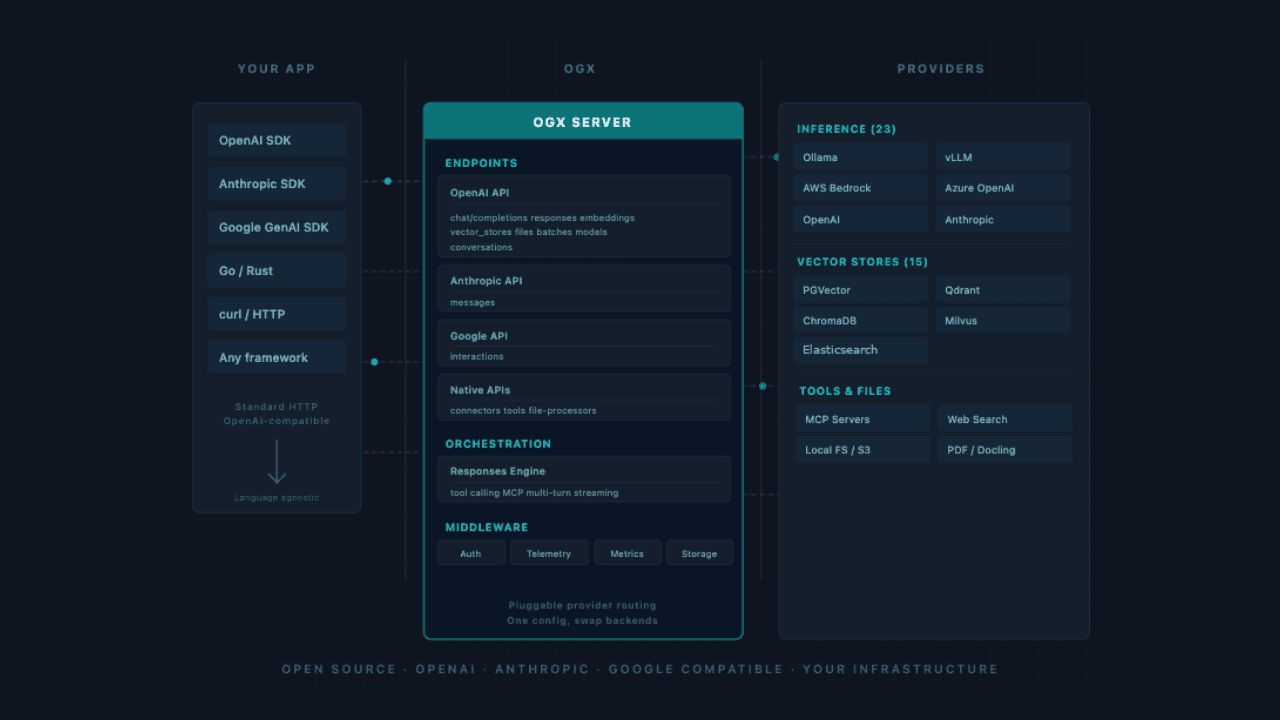
Figure 1: Architecture of OGX server.
The OGX server exposes an HTTP API that can be used from any application. At the moment, OGX also offers client libraries in Python and Typescript. The OGX server can communicate with inference services, vector stores, tools, and files.
OGX uses a config.yaml configuration file to declare which providers to use for each API. This file contains the following configuration:
The OGX server uses a pluggable system where you can determine which APIs are exposed. In our example, we’re using inference, vector_io, files, file_processors, responses, and tool_runtime.
| API | Provider used | Purpose |
|---|---|---|
| `inference` | sentence-transformers (inline), OpenAI (remote) | Embeddings and LLM completions |
| `vector_io` | Elasticsearch (remote) | Vector storage and retrieval |
| `files` | localfs (inline) | Document upload and storage |
| `file_processors` | auto (inline) | Chunking and processing uploaded files |
| `responses` | builtin (inline) | Chat history and session persistence |
| `tool_runtime` | file-search (inline) | Agent tool execution |
There are many options, allowing you to customize the behavior of the OGX server in great detail. For instance, we customized the prompt for the answer to report not only the document-id of the source but also the chunk-id. This option improves the source evidence by making it possible to analyze the chunk sentences stored in Elasticsearch.
To run the OGX server, we can use the following command to be executed from the root of the project:
Building the RAG pipeline with Elasticsearch and OGX
To start the RAG application, you have to execute the following command:
The first time, the script will read the data/*.pdf files, create the chunks from the content, create the embedding, and store it in Elasticsearch. This is automatically provided by the OGX server.
When the upload of the files finishes, you’ll have a basic chat system, as follows:
You can ask any question related to the European Union (EU) documents stored in the data folder.
For instance, you can ask:
And the RAG will respond something like this:
Please notice that each response has a <|document-id:chunk:id|> at the end. These IDs are important since they’re the sources used to generate the answers. This is one of the positive outcomes of a RAG architecture, the mitigation of hallucinations with the evidence of sources.
Python agent implementation with OGX file_search
The OGX framework offers an agent class that can be used to build agentic applications in a few lines of code.
In our example, OGX_URL, EMBEDDING_MODEL, and INFERENCE_MODEL are environment variables stored in the .env file.
The vector_store_id is the ID of the vector database. We used Elasticsearch as a vector database with the following code to ingest the PDF files stored in the data folder. These files are related to EU regulation documents:
- AI_Act.pdf, the AI Act regulation EU 2024/1689 (144 pages).
- DMA.pdf, the Digital Markets Act regulation EU 2022/1925 (66 pages).
- DSA.pdf, the Digital Services Act regulation EU 2022/2065 (102 pages).
- GDPR.pdf, the General Data Protection Regulation EU 2016/679 (88 pages).
- NIS2.pdf, the Network and Information Security Directive 2 regulation EU (73 pages).
We stored these files using the Files feature of the client.
The files are created using the client.files.create() function and then added to the vector database using the client.vector_stored.files.create() function.
These functions implement all the logic for uploading documents, creating chunks, generating embeddings, and storing them in the vector database. All these steps are implemented in the OGX server.
Once we created the vector_store, uploaded the file, and created the agent class instance, we can create a new session and use the agent.create_turn() function to interact with the LLM.
The previous code implements a very basic chat interface where the user can ask any questions related to the PDF uploaded. To end the conversation, the user can just write “exit”.
When we create a new session, the OGX server manages the history of the chat conversation using a dedicated memory for the session_id.
Hybrid search with Elasticsearch: combining BM25 and vector search
OGX's memory API uses dense vector search by default, which is excellent for semantic similarity. For some use cases (exact law reference, document numbers), you may want to combine vector search with BM25 full-text search, a technique Elasticsearch calls hybrid search.
The example below extends the RAG agent by adding a direct Elasticsearch hybrid search step. Instead of relying solely on OGX's built-in memory retrieval, we query Elasticsearch directly using the Retriever API with reciprocal rank fusion (RRF) to blend semantic and keyword signals and then pass the results back as additional context to the agent.
We can create a custom tool to implement the hybrid search and pass to the agent object.
After defining the custom function tool, it can be provided to the agent. The agent will then trigger the tool automatically during the interaction whenever the context is deemed appropriate.
It’s important to specify a clear description in the instructions parameter.
Why does hybrid search outperform vector-only retrieval for legal documents?
Hybrid search outperforms pure vector search on exact-match queries, such as regulation references like 'EU 2016/679', because BM25 scores the literal match while the vector component captures semantic intent.
In this example, rrf stands for reciprocal rank fusion, a well-established algorithm for merging ranked lists from multiple retrievers. It doesn’t require calibrating score scales between BM25 and vector search, making it robust out of the box.
The key advantage over pure vector search is precision on exact names and keywords. A query like “GDPR regulation EU 2016/679's requirements for personal data” will score highly on BM25 for the literal match “GDPR regulation EU 2016/679”, while the vector component captures the semantic intent of “requirements for personal data”. RRF fuses both signals into a single ranked list.
For production setups, we recommend using the Ranking Evaluation API in Elasticsearch. This capability allows you to measure search effectiveness and fine-tune critical parameters, including rank_constant and rank_window_size, to optimize your results.
Conclusion: context engineering with Elasticsearch and OGX
Elasticsearch's integration into OGX as a remote Vector IO provider gives developers a production-grade vector database with hybrid search, rich metadata filtering, and the scalability Elasticsearch is known for, all accessible through a clean, swappable API abstraction. In this article, you configured the provider, ingested a dataset of PDF files about EU regulation documents, and built a Python agent that retrieves relevant context from Elasticsearch before generating grounded answers.
Context engineering, that is, knowing what to store, how to chunk it, and how to retrieve the right passages at query time, is often more impactful than fine-tuning the model itself. With Elasticsearch backing your vector bank, you can iterate quickly: Adjust chunking strategies, experiment with hybrid search, add metadata filters, and monitor retrieval quality in Kibana, without changing a line of agent code.
Resources
OGX Vector IO provider documentation: ogx-ai.github.io/docs/providers/vector_io/remote_elasticsearch
OGX on GitHub: github.com/ogx-ai/ogx
Elasticsearch hybrid search: https://www.elastic.co/search-labs/blog/hybrid-search-elasticsearch
Elastic start-local: github.com/elastic/start-local
Zugehörige Inhalte
20. Juli 2026
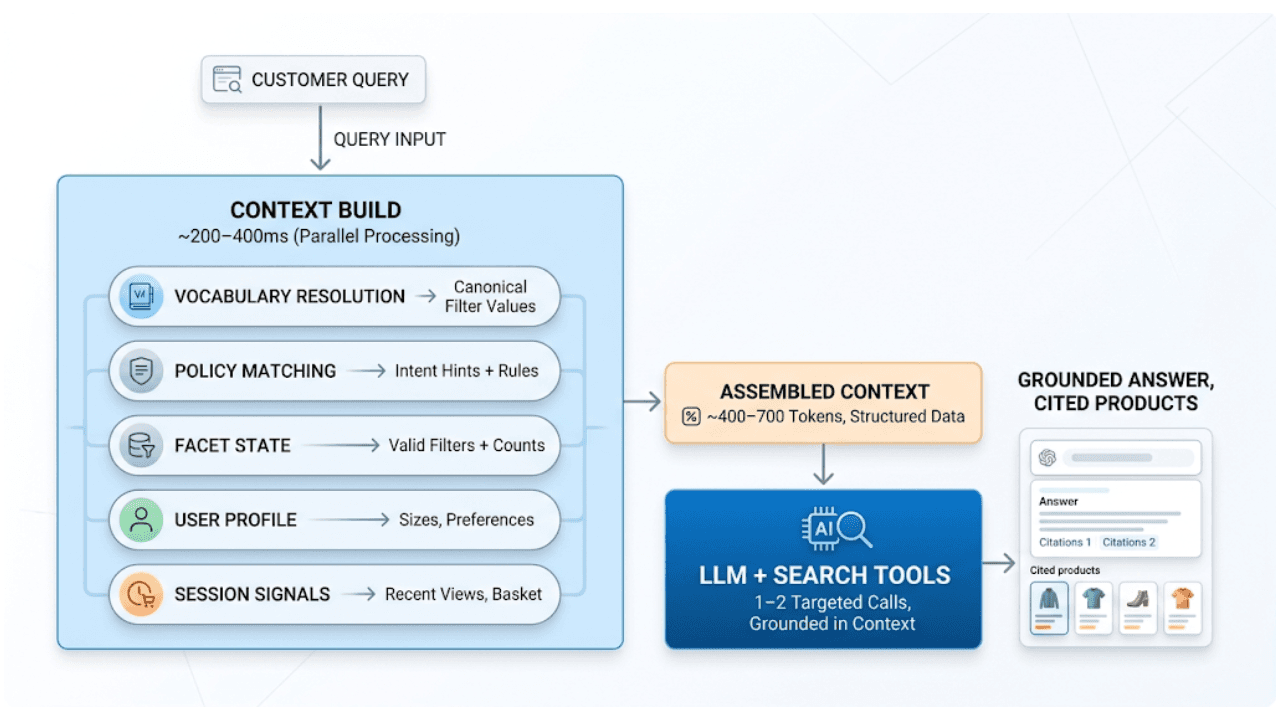
AI shopping agents: Why context comes before the query
AI shopping agents that guess at your vocabulary make expensive mistakes. Pre-computed catalog context stops the guessing before the first tool call.
16. Juli 2026
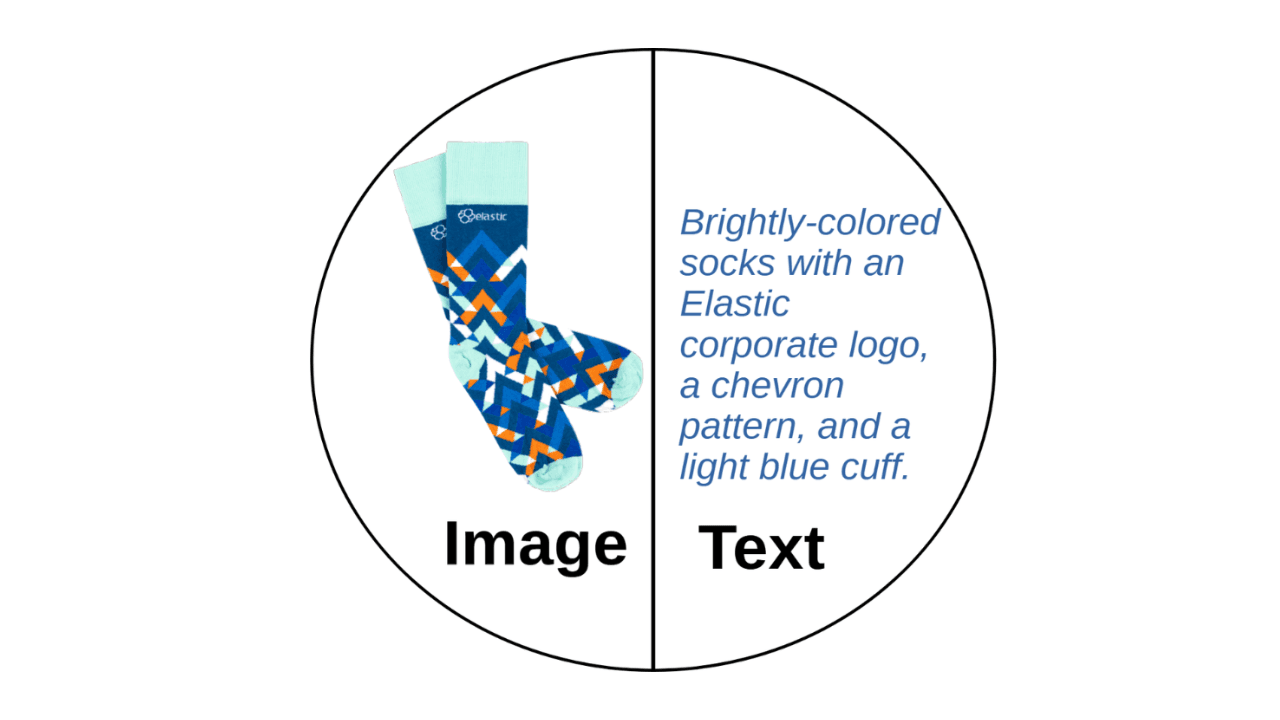
A picture is worth 1.5x the words: What we learned benchmarking product search embeddings
We benchmarked two embedding models on 5,000 real products and found that combining image and text beats either alone by up to 50%. Here's the data and the model that won.

13. Juli 2026
The disk that never woke up: what actually decided our Qdrant vector search benchmark rematch
On the same hardware, Elasticsearch and Qdrant land in the same range at 56 QPS. The io_uring disk scorer and memory claims turned out to be the two things that mattered least.
10. Juli 2026
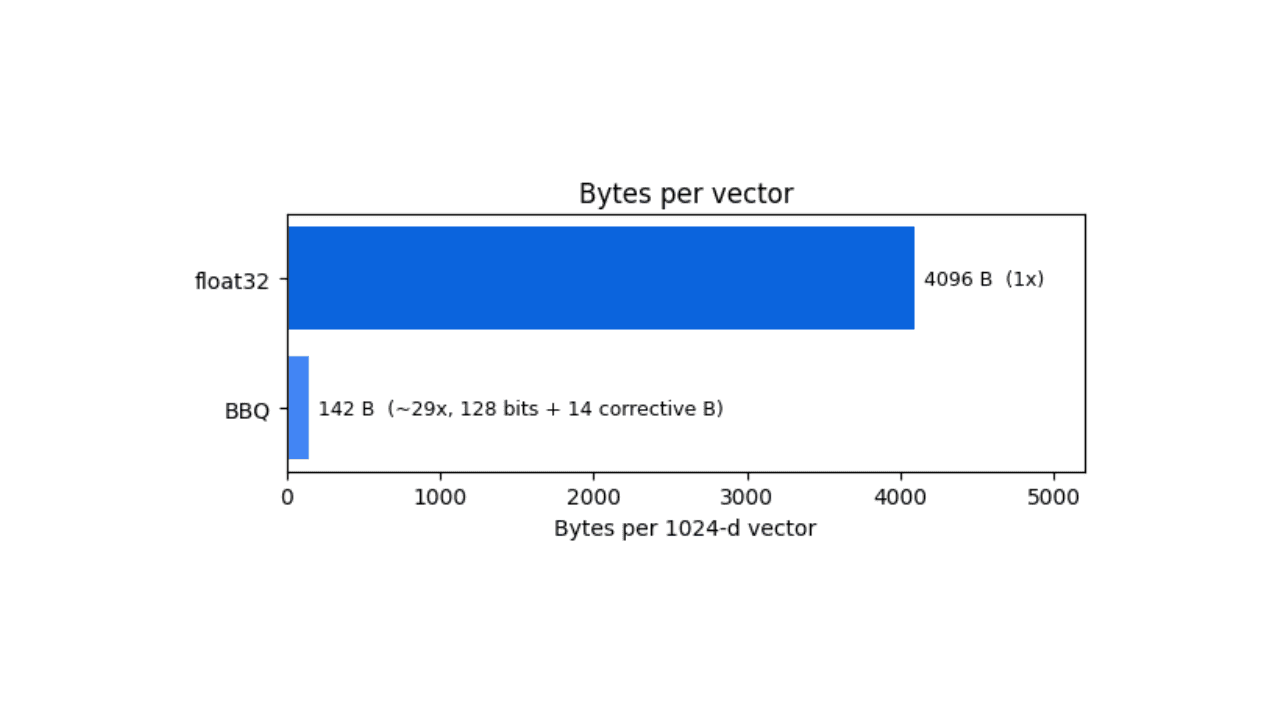
How BBQ shrinks Jina v5 embeddings by 29x without losing recall in Elasticsearch
A hands-on test comparing BBQ and float32 vector indices in Elasticsearch, measuring memory, disk and recall@10 across five languages.
7. Juli 2026
Short queries, formal documents: how HyDE improved semantic search precision by 50% in Elasticsearch
HyDE boosts semantic search precision and recall by 50% on short queries. Here's how to implement it in Elasticsearch with the Inference API and semantic_text.