Elasticsearch has native integrations to industry leading Gen AI tools and providers. Check out our webinars on going Beyond RAG Basics, or building prod-ready apps Elastic Vector Database.
To build the best search solutions for your use case, start a free cloud trial or try Elastic on your local machine now.
Elasticsearch's inference API now connects directly to NVIDIA-hosted models. You get text embedding, completion, chat completion, and reranking, plus access to NVIDIA's catalog of NVIDIA Inference Microservices–optimized (NIM-optimized) retrieval and generative models, without writing any custom integration code.
In practice, that's vector search and retrieval augmented generation (RAG) applications built on NVIDIA-hosted embeddings. It's also multi-turn conversations through the chat completion API and reranking with NVIDIA's cross-encoder models to push relevance past keyword matching. All four task types run natively through the inference API, with support for both streaming and non-streaming responses. How do I get an NVIDIA API key?
NVIDIA offers a broad catalog of models designed for a wide range of use cases, all of which can be explored on the NVIDIA Build model catalog. Throughout this article, we provide specific examples of high-performance models optimized for each inference task type. After identifying the model that best aligns with your application requirements, choose the deployment approach that fits your infrastructure and operational needs. This could mean running it on-premises for greater control or using a serverless option for faster experimentation and simplified scaling.
To get started quickly, you’ll first need access to NVIDIA’s model catalog and APIs. Create an account or log in at https://www.build.nvidia.com/ to explore available models, evaluate their capabilities, and compare which ones best fit your use case before proceeding toward full-scale deployment. This site provides a web-based interface for testing models, which is useful during evaluation and experimentation. For production-level requirements, you can use NVIDIA NIM to deploy endpoints on your own infrastructure.
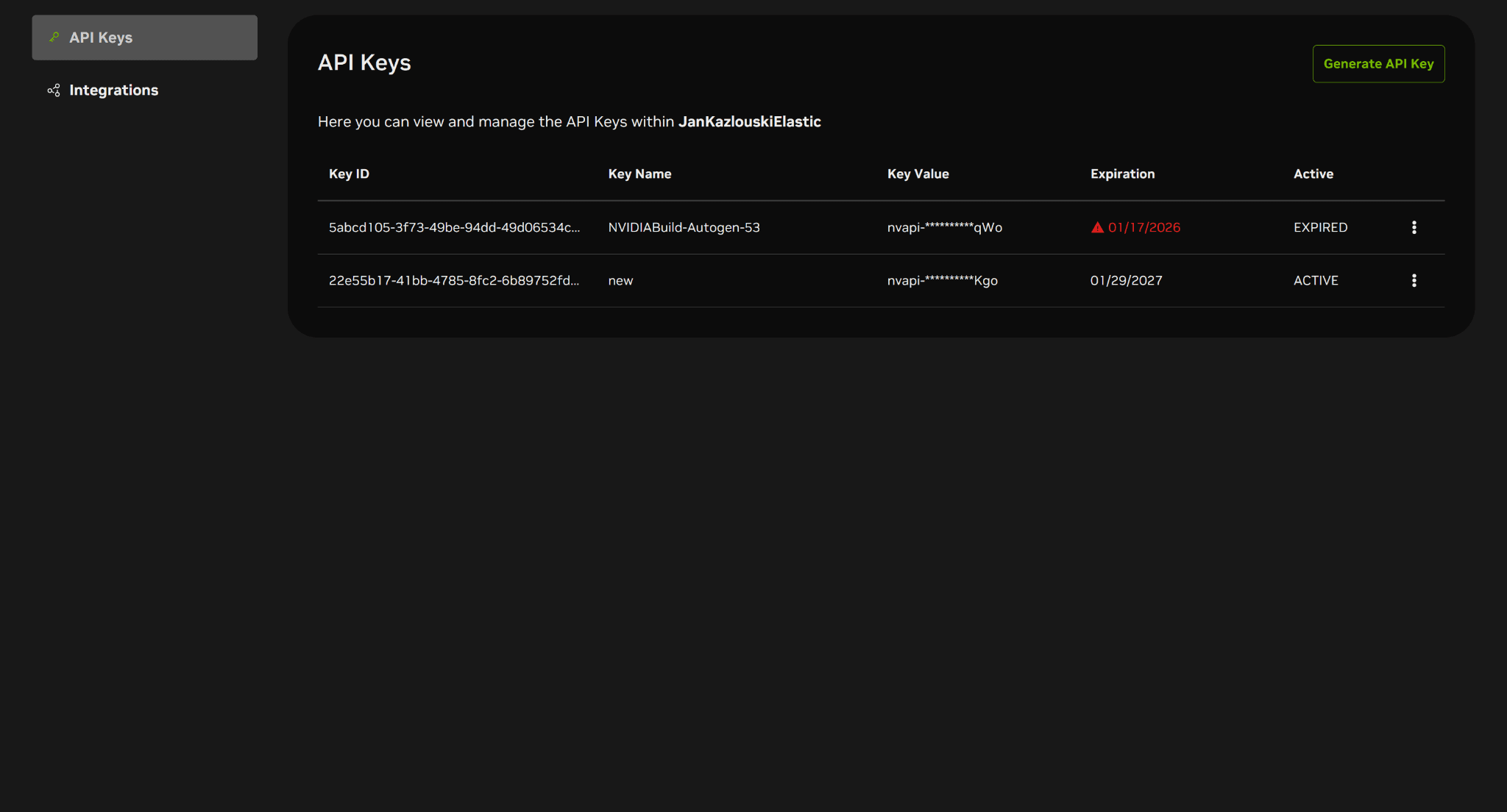
To access NVIDIA models, you need to generate an API key. This key will serve as the authorization mechanism when making calls to NVIDIA's endpoints. You can create, access, and manage your API keys at API keys. To create a new key, click the Generate API Key link in the top right, and then specify a name and expiration period for the key. After generating the API key, select the appropriate model for your task and set up the corresponding Elasticsearch inference endpoint.
Setting up Elasticsearch inference endpoints
Once you have set up your NVIDIA account and obtained the necessary API keys, you can create an Elasticsearch inference endpoint.
Endpoint setup can be done directly in Kibana using the console, which allows you to input the required steps into Elasticsearch even without using an API. The following sections provide examples and details on how to create and use endpoints for text embeddings, completion, chat completion, and reranking.For more examples and detailed information, please consult the Elasticsearch API reference documentation.
Creating and using a text embeddings inference endpoint
To create a text embedding inference endpoint, you first select an appropriate model that can perform embedding operations. NVIDIA lists its models in the NVIDIA Build model catalog. You can select the Text-to-Embedding or Retrieval Augmented Generation use case on the left to filter the appropriate models. You can also find NVIDIA’s text embedding models in the NVIDIA documentation. NVIDIA’s retrieval APIs include text embedding and reranking models. When choosing a model, make sure it explicitly supports text embedding inference. Text embedding models typically include an API description, such as "Creates an embedding vector from the input text."
A good example of an embedding model is the nvidia/llama-nemotron-embed-1b-v2 model. You can access the deployment page for this model, which allows you to deploy this model on-premises.
Once you have selected a suitable model, open its API reference page, where you’ll find the parameters required to create an Elasticsearch inference endpoint.
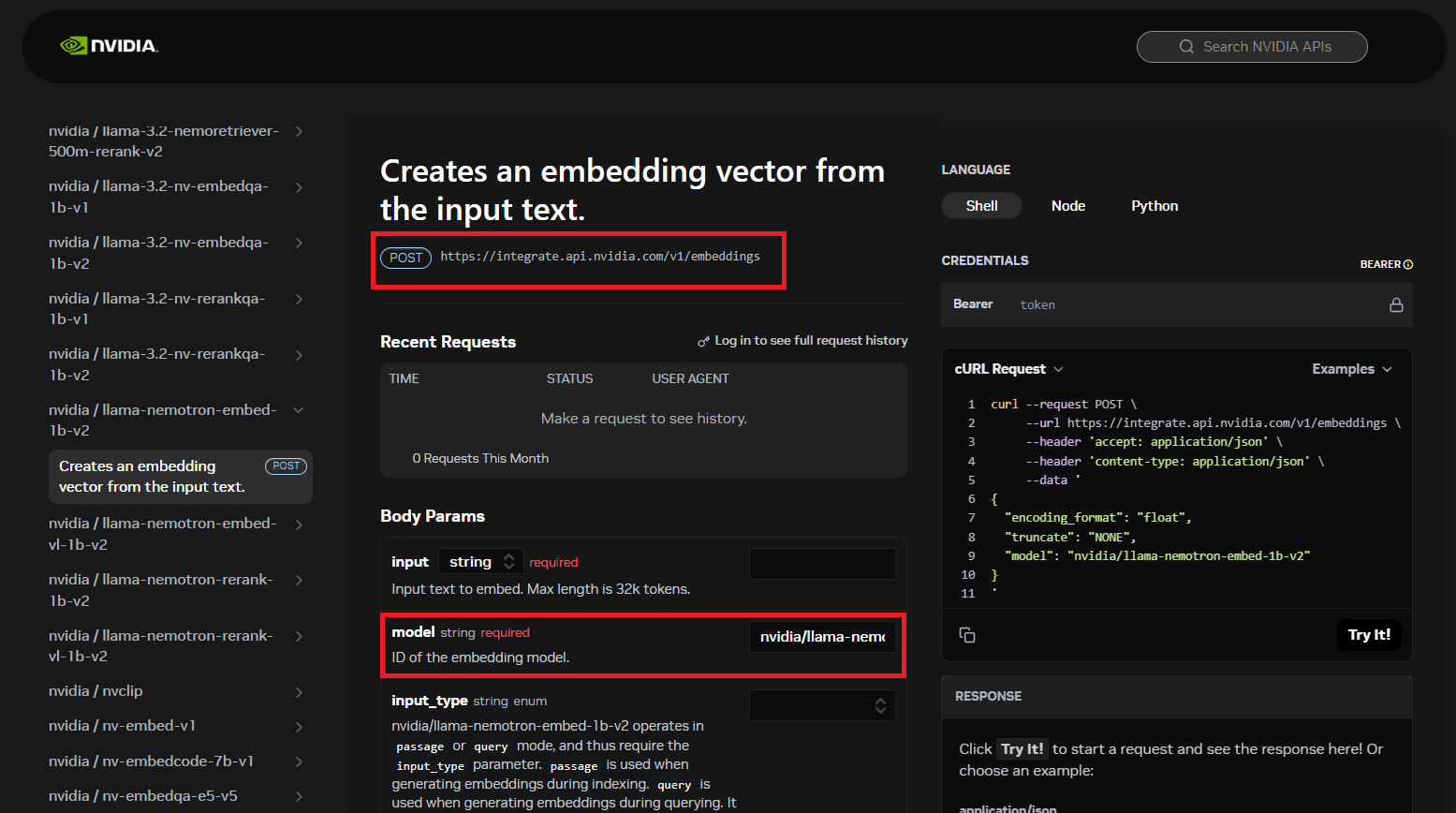
Two parameters are relevant:
model_id(required): Specifies the NVIDIA model to be used for embedding inference. This parameter is namedmodelon the NVIDIA side.url(optional): The endpoint URL used to send requests to the NVIDIA model (either deployed on-premises or in a serverless environment). It must be accessible from your Elasticsearch instance.
For most text embedding models, the URL is static and NVIDIA differentiates models solely via the model parameter. If the url parameter isn’t provided during endpoint creation, the default text embedding task specific value https://integrate.api.nvidia.com/v1/embeddings will be used.
To generate text embeddings, set up an endpoint configured with the required NVIDIA model values in the service settings map:
Upon sending this request, you should receive a successful 200 OK response. This response confirms that the endpoint is functioning correctly and the settings are specified accurately, and it will detail your newly created Elasticsearch endpoint for the text embedding task type.
You can now use the newly created endpoint to generate embeddings. The request for this operation will be similar to the example shown below:
The text embeddings will be returned, accompanied by a successful HTTP 200 OK status.
This integration allows users to use the NVIDIA models directly within Elasticsearch, making advanced search and RAG applications easier to build. These production-ready models offer a reliable and robust foundation for enterprise-scale deployments.
Creating and using a completion inference endpoint
To create a completion inference endpoint, you first select an appropriate model.
NVIDIA lists its models in the NVIDIA Build model catalog. You can search for the model there, but you can also find NVIDIA’s completion models in the left-hand navigation of this large language model (LLM) API documentation.Each entry in the list links to a general description of the model. From there, you can navigate to a nested link that opens the API reference specific to the selected model. A good example of a completion model is the nvidia/nemotron-3-super-120b-a12b model. You can access the deployment page for this model, which allows you to deploy this model on-premises.
Once you have selected a suitable model, open its API reference page, where you’ll find the parameters required to successfully create an Elasticsearch inference endpoint.
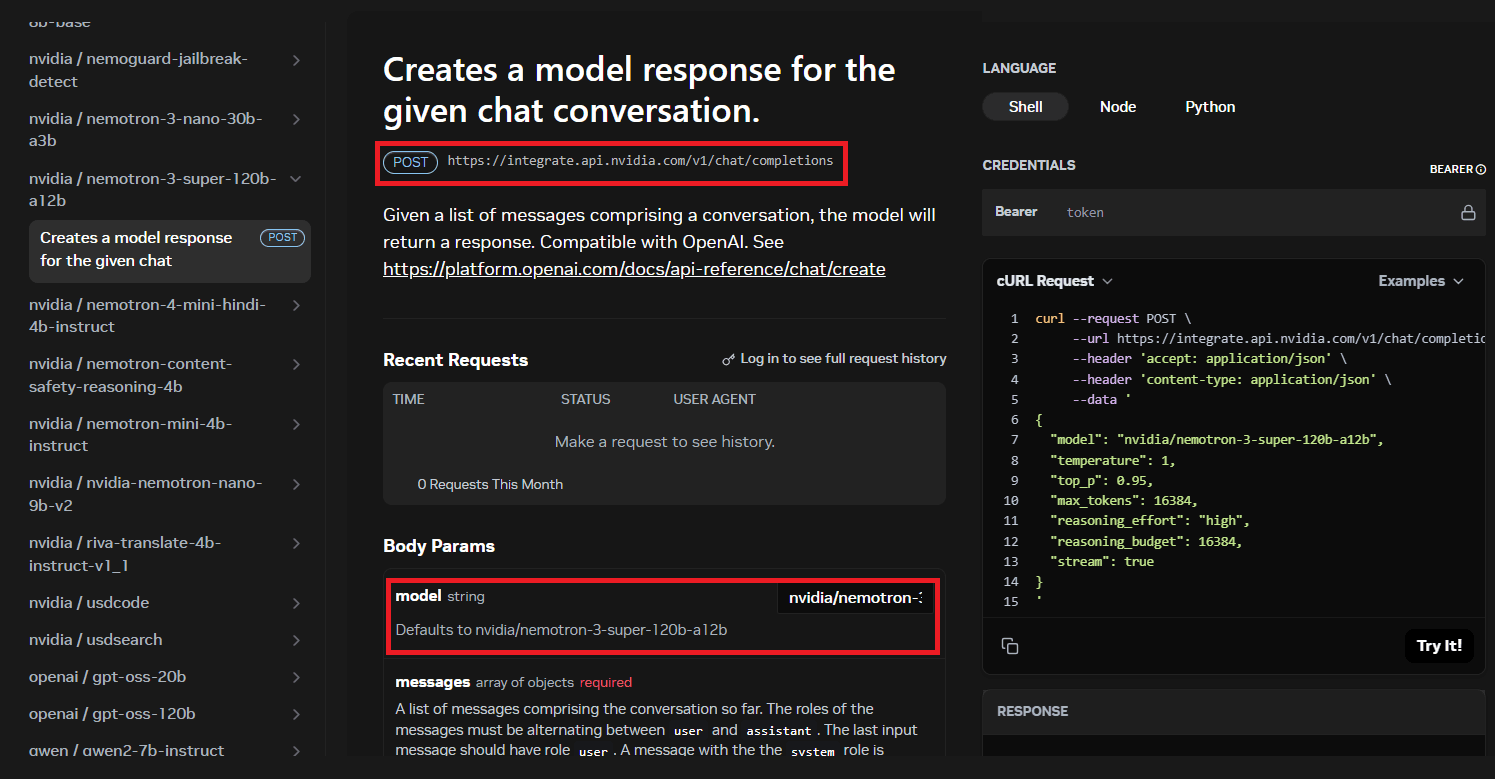
Two parameters are relevant:
model_id(required): Specifies the NVIDIA model to be used for completion inference. This parameter is namedmodelon the NVIDIA side.url(optional): The endpoint URL used to send requests to the NVIDIA model (either deployed on-premises or in a serverless environment). It must be accessible from your Elasticsearch instance.
For most completion models, the URL is static, and NVIDIA differentiates between models using only the model parameter. If the url parameter isn’t specified during endpoint creation, the default value of https://integrate.api.nvidia.com/v1/chat/completions will be used.
To use a generative model for the Elasticsearch inference completion task, you configure an endpoint that supports completion operations. The service settings map must include the required configuration for the selected NVIDIA model.
Upon success, you’ll receive a 200 OK response. This response provides the details of your new Elasticsearch endpoint, which is configured for completion tasks.
The created endpoint allows you to generate both streaming and non-streaming completions. These refer to how the endpoint delivers its output. Non-streaming completions wait until the entire response is generated before sending it back in a single block, resulting in a single, slower response time. In contrast, streaming completions send the generated text back in small, continuous chunks as they’re produced, which allows you to start reading the response immediately. This continuous delivery creates the perception of faster interaction and is essential for real-time conversational interfaces.
Generating non-streaming completions
To generate non-streaming completions, you call the newly created endpoint with a request similar to the following:
You'll receive a successful 200 OK response, with the completion result:
Generating streaming completions
To use the streaming functionality for the completion task type, you need to send the identical request used for non-streaming completions, but with _stream included in the URL path:
This command will initiate a continuous flow of events, delivering a sequence of outputs similar to the example provided below:
This capability empowers users to easily integrate NVIDIA generative models directly into their Elastic applications, supporting both single-response and engaging streaming experiences for dynamic content generation.
Creating and using a chat completion inference endpoint
To enable more dynamic and flexible interactions than those supported by the standard completion inference endpoint, you configure a chat completion inference endpoint, specifically designed to handle chat-based completion tasks.
To identify the parameters required to construct the service settings map, refer to the completion inference endpoint section of this blog post. The same configuration principles apply to the chat completion inference endpoint.
The service settings map must include the required configuration settings for the selected NVIDIA model.
Upon success, you’ll receive a 200 OK response, which includes the details of your new Elasticsearch endpoint specifically for the chat completion task type.
You can now use the new endpoint to stream generated completions. Your request should resemble the following example:
The chat completion results will be delivered to you as a continuous stream of events, formatted as follows:
The chat completion capability, distinct from the simpler completion API, allows users to build stateful, multi-turn conversational AI applications directly within the Elastic Stack, using the full flexibility of NVIDIA models for dynamic user interactions following Elasticsearch inference chat completion API.
Creating and using a rerank inference endpoint
Reranking is the process of reordering the results from an initial search query to improve their relevance to your intent. Reranking is a second-stage relevance step that reorders the results returned by an initial retriever. In many cases, it uses a different model than the retriever itself, typically a cross-encoder model, which evaluates the query and each candidate document together to produce a more accurate relevance score. The output is a list of results ranked based on their relevancy, thereby drastically improving the quality and contextual accuracy of the search results.
To create a rerank inference endpoint, you first select an appropriate model that can perform reranking operations. NVIDIA lists its models in the NVIDIA Build model catalog. You can use the reranking label to select the appropriate models. You can also find NVIDIA’s reranking models in the left-hand navigation of this retrieval APIs documentation. NVIDIA includes reranking and text embedding models in the Retrieval APIs section in its API documentation. When selecting a model, ensure that it explicitly supports rerank inference requests. Rerank models typically include an API description, such as “Ranks passages by their relation to a query.” This wording indicates that the model supports the rerank task type.
A good example of a reranking model is the nvidia/llama-nemotron-rerank-vl-1b-v2. You can access the deployment page for this model, which allows you to deploy this model on-premises.
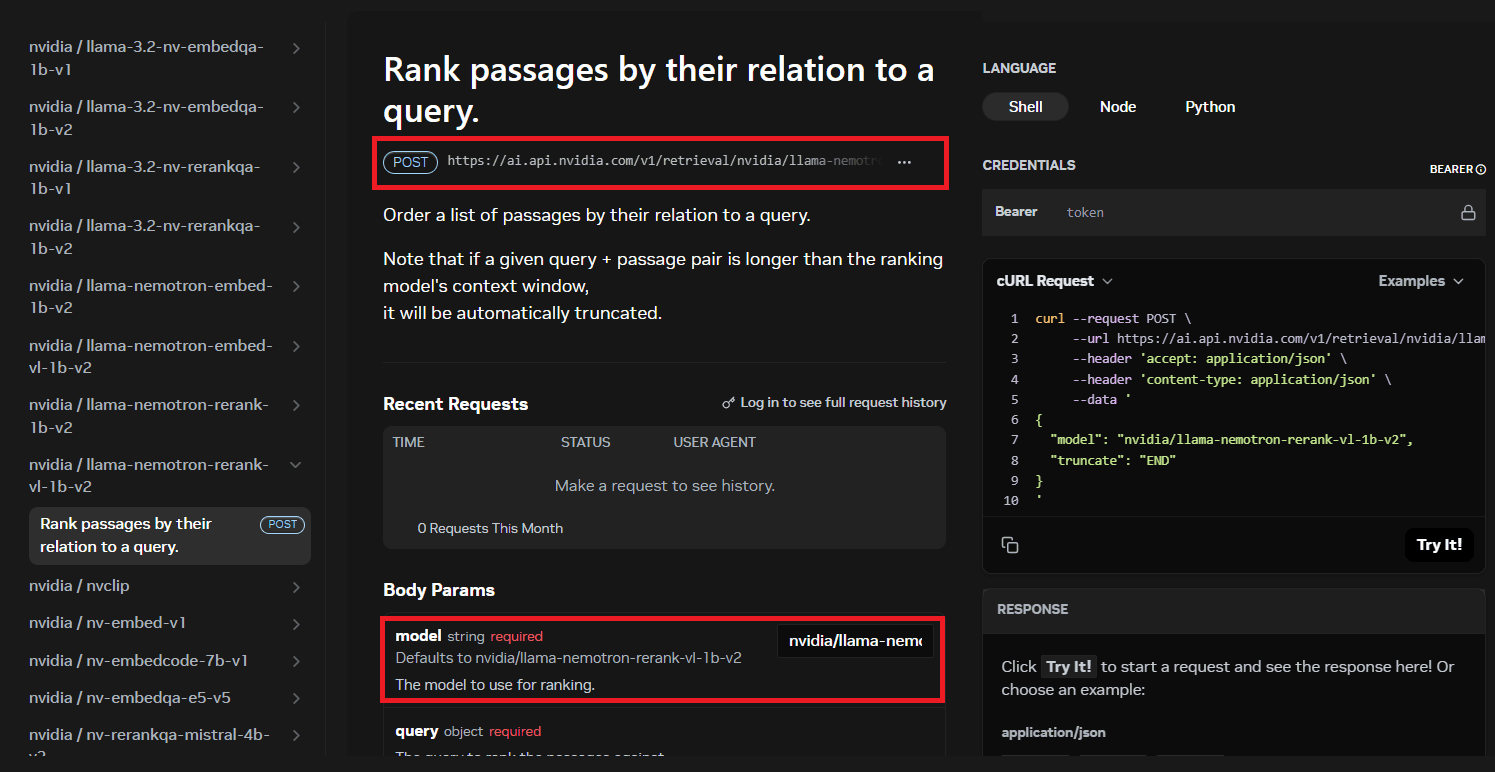
Once you have selected a suitable model, open its API reference page, where you’ll find the parameters required to create an Elasticsearch inference endpoint. Two parameters are relevant:
model_id(required): Specifies the NVIDIA model to be used for rerank inference.url(optional): The endpoint URL used by the inference endpoint to send requests to the NVIDIA service.
For most models, the URL is static and NVIDIA differentiates between models using only the model parameter. If the url parameter isn’t specified during endpoint creation, the default value
https://ai.api.nvidia.com/v1/retrieval/nvidia/reranking will be used. The nvidia/llama-nemotron-rerank-vl-1b-v2 model requires a custom URL to be specified, and it will be used in the example below.
To perform reranking tasks, you configure an inference endpoint that executes reranking operations. The service settings map must include the required configuration for the selected NVIDIA model.
The successful creation of your new Elasticsearch endpoint for the rerank task type will be confirmed by a 200 OK response, which will also provide the specific details of the endpoint.
You can then start using the new endpoint to perform a ranking operation with a request like the one shown below:
A successful HTTP 200 OK status will be returned, and the ranked entries will be included in the response. Since models are not deterministic, the results you receive may vary and may be ordered differently across calls, as the same outcome isn’t guaranteed each time.
Integrating the rerank capability with Elasticsearch and NVIDIA elevates search applications to deliver the most accurate, contextually relevant results. By using the NVIDIA reranking models within the search infrastructure of Elasticsearch, the system moves beyond simple keyword matching. This capability prioritizes the most relevant documents after the initial search, drastically improving the user experience and the utility of the data.
NVIDIA and Elasticsearch: What's next
The integration of Elasticsearch's inference API with NVIDIA marks a considerable step forward for users. By providing a standardized, simpler path to access NVIDIA's high-performance, optimized models, this integration significantly expands Elastic's capabilities. Users can now work with these models for key AI tasks, including generating text embeddings for vector search, generating and streaming content with completion models, building stateful conversational AI applications with chat completion, and drastically improving search result accuracy through reranking. This simplification streamlines the development of sophisticated AI-powered applications, from advanced RAG systems to dynamic conversational interfaces, making powerful AI more accessible for Elastic users.
Ready to get started?
- Explore the Elasticsearch API reference documentation to dive deeper into setup.
- Browse the NVIDIA model catalog to see all available models.
- Check out the NVIDIA API Documentation hub for integration guides and API references.
- Start your journey by creating an NVIDIA account and API key to begin integrating the models today.
Frequently asked questions
How do I connect Elasticsearch to NVIDIA hosted models?
Create an NVIDIA API key at build.nvidia.com, and then create an Elasticsearch inference endpoint using the nvidia service with your API key and a model_id. Elasticsearch's inference API supports four NVIDIA task types: text embedding, completion, chat completion, and reranking.
What's the default endpoint URL for NVIDIA text embedding models in Elasticsearch?
If no url is specified when creating the endpoint, Elasticsearch defaults to https://integrate.api.nvidia.com/v1/embeddings for text embedding tasks. Completion and chat completion tasks default to https://integrate.api.nvidia.com/v1/chat/completions instead.
Can I use NVIDIA NIM models deployed on my own infrastructure with Elasticsearch?
Yes. NVIDIA NIM supports on-premises deployment, and Elasticsearch's inference endpoint accepts a custom url parameter pointing to your self-hosted NIM endpoint instead of NVIDIA's serverless API.
How do I stream chat completion responses from NVIDIA models in Elasticsearch?
Append _stream to the chat completion endpoint's URL path (POST _inference/chat_completion/{id}/_stream). Elasticsearch returns results as a continuous event stream instead of a single blocking response, ending with a [DONE] event.
What's the difference between the completion and rerank task types in Elasticsearch's NVIDIA integration?
Completion and chat completion generate new text from a prompt. Reranking takes an existing list of documents and a query and then reorders them by relevance score using a cross-encoder model; it doesn't generate text, it rescores what you already retrieved.
How do NVIDIA's reranking models improve Elasticsearch search results?
NVIDIA's reranking models evaluate the query and each candidate document together, producing a relevance score used to reorder results beyond keyword matching. Elasticsearch's rerank endpoint returns each document's index and relevance score, so the highest-scoring passages surface first.
Do I need a paid NVIDIA account to use hosted models with Elasticsearch?
You need an NVIDIA account and an API key generated at build.nvidia.com; NVIDIA's build platform offers both free evaluation access and paid production tiers, depending on usage. Elasticsearch itself doesn't add separate licensing for the NVIDIA service beyond your existing NVIDIA account terms.
Zugehörige Inhalte

13. Juli 2026
The disk that never woke up: what actually decided our Qdrant vector search benchmark rematch
On the same hardware, Elasticsearch and Qdrant land in the same range at 56 QPS. The io_uring disk scorer and memory claims turned out to be the two things that mattered least.
10. Juli 2026
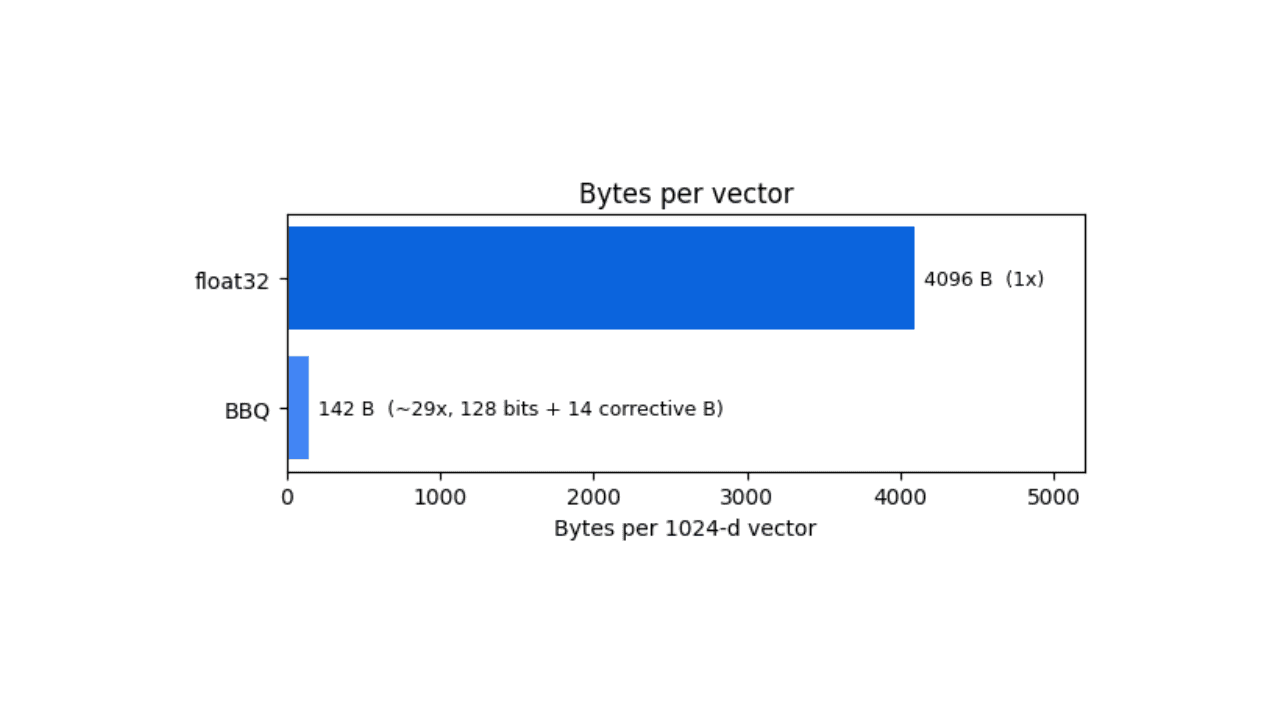
How BBQ shrinks Jina v5 embeddings by 29x without losing recall in Elasticsearch
A hands-on test comparing BBQ and float32 vector indices in Elasticsearch, measuring memory, disk and recall@10 across five languages.
7. Juli 2026
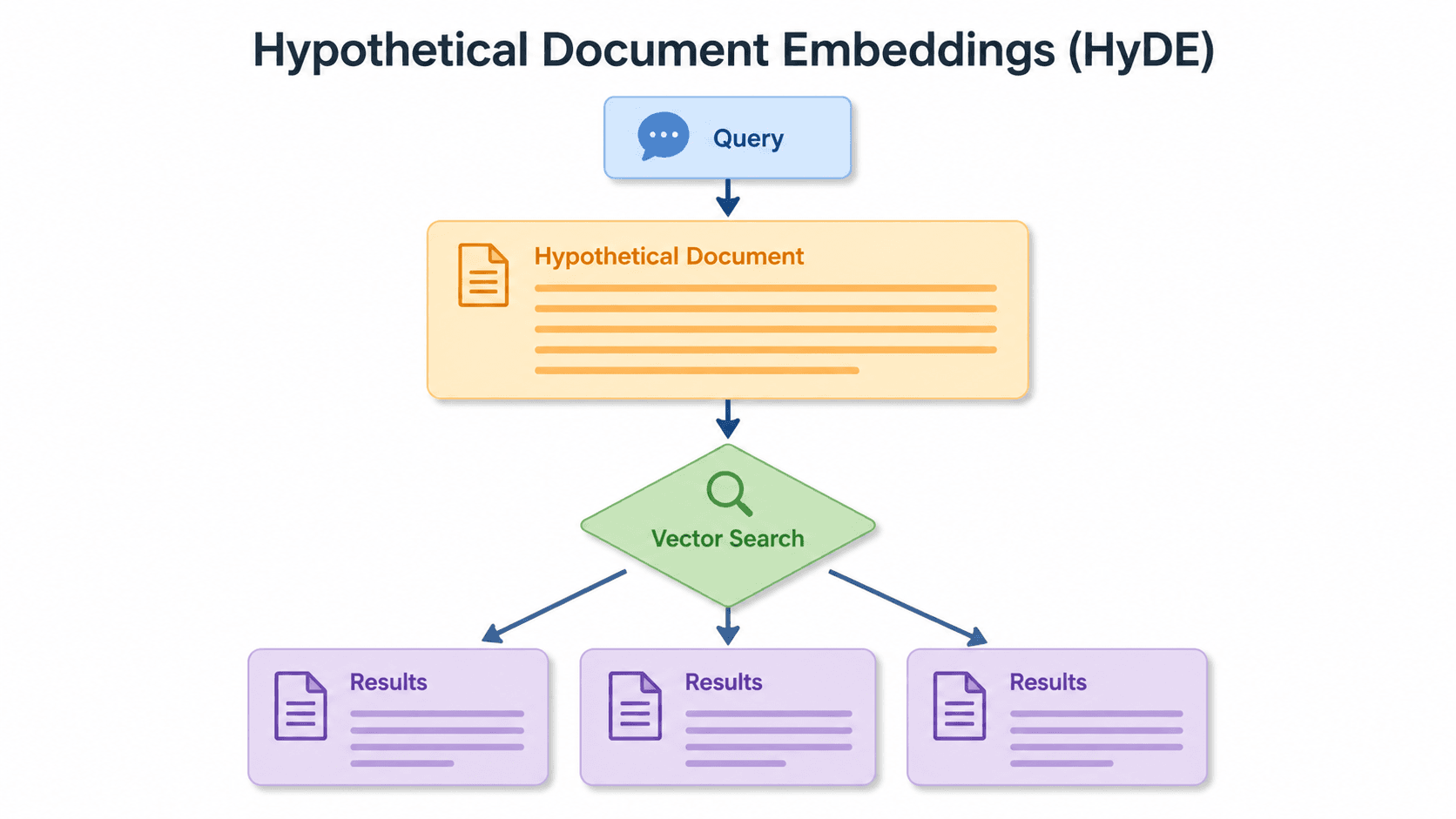
Short queries, formal documents: how HyDE improved semantic search precision by 50% in Elasticsearch
HyDE boosts semantic search precision and recall by 50% on short queries. Here's how to implement it in Elasticsearch with the Inference API and semantic_text.

2. Juli 2026
A simdvec deep-dive: How Elasticsearch uses neural-net and video-codec CPU instructions for vector search
Four ways Elasticsearch's vector search engine reuses neural-network, video-codec and cryptography CPU instructions for up to 6x speedups; with the math, the failed attempts and the benchmarks.

1. Juli 2026
One command. Natural language. Your Elasticsearch data, straight to the terminal.
Query your Elasticsearch data from the terminal in plain English. The official Elastic GitHub Copilot CLI plugin generates and runs ES|QL queries against your cluster. No Kibana, no manual syntax.