Using subagents and Elastic Agent Builder to bring business context into code planning
Learn about subagents, how to ensure they have the right information, and how to create a specialized subagent that connects Claude Code to your Elasticsearch data.
Agent Builder is available now GA. Get started with an Elastic Cloud Trial, and check out the documentation for Agent Builder here.
Subagents in Claude Code let you offload specialized tasks to separate context windows, keeping your main conversation focused. In this article, you'll learn what subagents are, when to use them, and how to build a retrieval subagent using Elastic Agent Builder that connects your development workflow to business data in Elasticsearch.
What are subagents?
Subagents are specialized assistants that can be called to execute a specific task, using their own context window. They complete a task and give the results to the main agent, preventing it from saving information that isn’t relevant for the rest of the conversation in the context window.
Their four core principles are:
Context preservation: Each subagent uses its own context window.
Specialized expertise: Each subagent is designed for a specific task.
Reusability: You can reuse a subagent in different sessions and projects.
Flexible access: You can limit the subagent access to specific tools.
Each subagent can have access to Claude Code tools to work with the terminal, such as glob, read, write, grep, or bash, or to access the internet, like search, fetch, or call external tools with Model Context Protocol (MCP) servers.
A subagent uses the following schema:
---
name: your-sub-agent-name
description: Description of when this subagent should be invoked
tools: tool1, tool2, tool3  # Optional - inherits all tools if omitted
model: sonnet  # Optional - specify model alias or 'inherit'
permissionMode: default  # Optional - permission mode for the subagent
skills: skill1, skill2  # Optional - skills to auto-load
---

Your subagent's system prompt goes here. This can be multiple paragraphs
and should clearly define the subagent's role, capabilities, and approach
to solve problems.

Include specific instructions, best practices, and any constraints
the subagent should follow.
You can call subagents implicitly by talking about the task they run, and Claude will call them automatically. For example, you can say, "I want to plan my new functionality."
You can also call them explicitly by directly asking Claude Code to use a subagent and telling it, "Use the planning subagent to plan my new functionality."
Another important feature is that subagents are stateful, so once you give one a task, it will generate an ID. This way, when you use it again, you can start from scratch or provide the ID to give it context from its previous tasks.
You can read the full documentation here.
When are subagents used?
Subagents are useful when you need to delegate tasks that require specialized context but you don't want to clutter the main chat window. Considering our example of coding, the most common subtasks include:
Subtask type | Description | Typical tools |
|---|---|---|
Exploration / research | Searching and analyzing code without modifying it. | Read, grep, glob |
Planning | Running deep analysis to create implementation plans. | Read, grep, glob, bash |
Code review | Reviewing quality, safety, and best practices. | Read, grep, glob, bash |
Code modification | Writing and editing code. | Read, edit, write, grep, glob |
Testing / debugging | Running tests and analyzing issues. | Bash, read, grep, edit |
Retrieval | Getting information from external sources (APIs, databases). | MCP tools, bash |
Claude Code includes three built-in agents that showcase these use cases:
Explore: Quick agents for read-only search in the codebase. It's great for answering questions like, "Where are the client's errors handled?"
Plan: Research agent that activates in plan mode to analyze the codebase before proposing changes.
General-purpose: The most capable agent for complex tasks that require multiple steps and can include modifications.
Context management: Ensuring subagents have the right information
One of the most important decisions when designing subagents is how to handle context. There are three key considerations:
1. Which context the subagent should get
The prompt you give to the subagent must contain all of the necessary information to complete the task since the subagent doesn’t have access to the main chat. You need to be specific:
Do NOT say, "Review the code."
SAY, "Review the changes to src/auth/index.ts, focusing on JWT token validation."
Providing the exact file name makes a difference between using the read tool against the file directly and making a wide search using grep and thus wasting time and tokens.
Also consider what not to include. Irrelevant context can distract the subagent or bias results. It’s tempting to ask for multiple things in one pass, but focused tasks yield better results:
Do NOT say, “Review src/auth/index.ts. Here is also the database schema and our API docs for reference, fix bugs and suggest improvements about the architecture decisions.”
SAY, “Fix the token refresh bug in src/auth/index.ts that's throwing AUTH_TOKEN_EXPIRED unexpectedly.”
2. What tools to provide
Limit the tools to what’s strictly necessary. This improves security, keeps the subagent focused, and reduces unnecessary tool calls and execution costs.
# For just an analysis agent
tools: Read, Grep, Glob

# For an agent that needs to modify the code
tools: Read, Edit, Write, Grep, Glob
If you don't specify a tools field, the subagent inherits all tools from the main agent, including MCP tools.
You can learn all Claude Code tools here.
3. How to keep context between calls
Subagents can be resumed using their agentId:
# First call
> Use the code-analyzer agent to review the authentication module
[Agent completes the analysis and returns agentId: "abc123"]

# Continue with previous context
> Resume agent abc123 and now analyze the authorization module
[Agent continues with the context from the previous chat]
You can ask Claude for the agent ID or find it in ~/.claude/projects/{project}/{sessionId}/subagents/
This is especially useful for long research tasks or multistep workflows.
Another way to keep context consistent is to ask the agent to write a Markdown checklist with what it's doing and its current progress. Then you can execute /clear without losing the initial instruction. In that request, you can define the task granularity or details to retain that make sense for your use case.
# Task: Review authentication module

## Progress
- [x] Analyzed src/auth/index.ts
- [x] Found JWT validation issue
- [ ] Review authorization module
- [ ] Check rate limiting

## Findings
- Token refresh has race condition in line 42
After you clear the conversation, the next agent can pick it up from here. This is very useful when you want an agent to run a script over a list and watch the output record by record.
Orchestration patterns
It’s important to see subagents as a context optimization mechanism. The way in which you coordinate them determines the efficiency of the whole system. There are different orchestration patterns.
Sequential (chaining)
Here, a subagent completes a task, and its results feed the next one in a sequence of tasks, similar to traditional Linux piping.
Call example:
> First use the planning agent to design the feature,
> then use the coding agent to implement it,
> finally use the reviewer agent to check the code
Parallel
In this pattern, multiple subagents run independent tasks simultaneously. The main Claude Code agent invokes them since subagents cannot spawn other subagents.
This approach reduces the execution time for tasks like code review since it allows you to work with the same code from different angles without impacting the running time.
Hub-and-spoke (delegation)
In this approach, the main agent acts as an orchestrator, delegates tasks to specialized agents, and then consolidates the results.
This is the pattern we’ll implement in our example: The main Claude Code agent will delegate the gathering of business information to a retrieval agent built with Elastic Agent Builder, while the explore agent will look into local files and the planning agent builds a plan.
Why use an agent instead of a single query?
Before building our retrieval subagent, it's worth understanding when an agent adds value versus when a simple Elasticsearch Query Language (ES|QL) query suffices.
If you need a single aggregation, like "What's our most visited page?" just run the query directly. The agent adds value when your question requires:
Multiple queries that build on each other: The answer from query 1 informs query 2.
Cross-index reasoning: Correlating data from different sources.
Ambiguity resolution: The agent interprets and follows leads.
Synthesis: Combining quantitative data with qualitative knowledge.
Our example will demonstrate all of these capabilities.
Agent Builder as subagent
Generating code using AI is very quick, but the problem is having a good planning phase to set the boundaries for our coding agent. To help with that, Claude created a subagent that specializes in planning to perform deep analysis and create a to-do list for the main agent to execute.
With this flow, you can plan based on what Claude Code can see both in local files and on the internet. However, there's still knowledge available in Elasticsearch that you cannot access via standard tools.
To access our internal knowledge during the planning phase, we'll create a Claude Code subagent by making a retrieval agent using Agent Builder.
You can configure the agent using the UI or an API. In this example, we'll use the latter.
Prerequisites
Claude Code 2.0.76+
Elasticsearch 9.2
Elasticsearch API key
The scenario: Technical debt sprint planning
You're a tech lead. You have two weeks and two developers. Your TECH_DEBT.md lists 12 items. You can tackle maybe three or four. Which ones should you prioritize?
The complexity is that you need to optimize across multiple dimensions simultaneously:
User impact: How many users hit this issue?
Business impact: Does it affect paying customers? Enterprise tier?
Severity: Errors? Performance? Just ugly code?
Effort: Quick win or rabbit hole?
Dependencies: Does fixing A unlock fixing B?
Strategic alignment: Does it align with Q1 priorities?
A single query like, "What's the most important tech debt item?" fails because this requires:
Reading
TECH_DEBT.mdto understand what the 12 items even are.For EACH item, querying
error_logsto get error frequency.Cross-referencing with
customer_datato see tier breakdown.Checking
support_ticketsto see complaint volume.Reading
engineering_standardsin the knowledge base to see whether any items violate core principles.Reading
Q1_roadmapto check strategic alignment.Synthesizing all of this into a prioritized recommendation.
This is where a retrieval agent can be helpful in orchestrating multiple queries across different indices and synthesizing the results.
Steps
Preparing the test dataset
We'll create four indices: a knowledge base with internal documentation, error logs, support tickets, and customer data.
You can create the indices, index the data, and create the agent using one of the following:
Kibana Dev Tools: Using the Elasticsearch requests provided below.
Jupyter Notebook: Using the complete notebook written for this article.
Create the indices
Open Kibana Dev Tools, and run the following requests to create each index with its mapping and bulk data. Here's an example of the knowledge index structure and data to be indexed:
PUT customer_data
{
  "mappings": {
    "properties": {
      "user_id": { "type": "keyword" },
      "customer_tier": { "type": "keyword" },
      "company_name": { "type": "text" },
      "mrr": { "type": "float" },
      "joined_at": { "type": "date" }
    }
  }
}

POST customer_data/_bulk
{"index":{}}
{"user_id":"enterprise_user_01","customer_tier":"enterprise","company_name":"Acme Corp","mrr":2500.00,"joined_at":"2023-01-15"}
{"index":{}}
{"user_id":"enterprise_user_02","customer_tier":"enterprise","company_name":"GlobalTech Inc","mrr":4200.00,"joined_at":"2022-08-20"}
{"index":{}}
{"user_id":"enterprise_user_05","customer_tier":"enterprise","company_name":"DataFlow Systems","mrr":3100.00,"joined_at":"2023-06-01"}
{"index":{}}
{"user_id":"user_001","customer_tier":"free","company_name":"","mrr":0,"joined_at":"2024-03-15"}
{"index":{}}
{"user_id":"user_002","customer_tier":"free","company_name":"","mrr":0,"joined_at":"2024-05-20"}
{"index":{}}
{"user_id":"user_045","customer_tier":"pro","company_name":"SmallBiz LLC","mrr":49.00,"joined_at":"2024-01-10"}
{"index":{}}
{"user_id":"user_089","customer_tier":"pro","company_name":"StartupXYZ","mrr":49.00,"joined_at":"2024-02-28"}
Full requests for all indices:
Knowledge index: knowledge.txt
Error logs index: error_logs.txt
Support tickets index: support_tickets.txt
Customer data index: customer_data.txt
The raw JSON files with the dataset are also available:
Local project files
Create the following Markdown (MD) files in your project. These files look like this:
# Tech Debt Items

## AUTH-001: Token refresh race condition
- **Module**: src/auth/refresh.ts
- **Symptom**: Users randomly logged out
- **Estimate**: 3 days

## EXPORT-002: CSV export timeout on large datasets
- **Module**: src/export/csv.ts
- **Symptom**: Timeout after 30s for >10k rows
- **Estimate**: 2 days

...
Full files:
TECH_DEBT.md: Tech debt items list.
REQUIREMENTS.md: FlowDesk Q1 2025 requirements.
This ties directly to the tech debt items and gives the agent clear priorities to work with when cross-referencing with the Elasticsearch data.
Create an agent with Agent Builder
We'll now create an agent capable of running analytics queries with ES|QL to provide us with app usage information while also capable of searching to provide us info from Knowledge Base (KB) in unstructured text format.
We're using the built-in tools since they cover search and analytics on any index. Agent Builder also supports custom tools for more specialized operations, like scoping an index or adding ES|QL dynamic parameters, but that's beyond our scope here.
You can create the agent using the curl request in create_agent.txt.
curl -X POST "https://${KIBANA_URL}/api/agent_builder/agents" \
  -H "Authorization: ApiKey ${API_KEY}" \
  -H "kbn-xsrf: true" \
  -H "Content-Type: application/json" \
  -d '{
    "id": "tech-debt-advisor",
    "name": "Tech Debt Prioritization Agent",
    "description": "I help prioritize technical debt by analyzing error logs, support tickets, customer impact, and aligning with engineering standards and roadmap priorities.",
    "avatar_color": "#BFDBFF",
    "avatar_symbol": "TD",
    "configuration": {
      "instructions": "This agent helps prioritize technical debt items. Use the following indices:\n\n- knowledge: Engineering standards, policies, and roadmap priorities\n- error_logs: Production error frequency by module\n- support_tickets: Customer complaints and their urgency\n- customer_data: Customer tier information (enterprise, pro, free)\n\nWhen analyzing tech debt:\n1. Check error frequency in error_logs\n2. Cross-reference affected users with customer_data to understand tier impact\n3. Count support tickets and note urgency markers\n4. Check knowledge base for relevant policies and Q1 priorities\n5. Synthesize findings into prioritized recommendations",
      "tools": [
        {
          "tool_ids": [
            "platform.core.search",
            "platform.core.list_indices",
            "platform.core.get_index_mapping",
            "platform.core.get_document_by_id",
            "platform.core.execute_esql",
            "platform.core.generate_esql"
          ]
        }
      ]
    }
  }'
You’ll get this response if everything went OK:
{
  "id": "tech-debt-advisor",
  "type": "chat",
  "name": "Tech Debt Prioritization Agent",
  "description": "I help prioritize technical debt by analyzing error logs, support tickets, customer impact, and aligning with engineering standards and roadmap priorities.",
  ...
}
The agent will be available in Kibana, so you can now chat with it if you want:
Configure the agent as Claude Code tool
The agent we just created will expose an MCP server. Let's add the MCP server to Claude Code using the already-generated API key:
claude mcp add --transport http agentbuilder https://${KIBANA_URL}/api/agent_builder/mcp --header "Authorization: ApiKey ${API_KEY}"We can check the connection status using claude mcp get agentbuilder.
Create a subagent that uses the tool
Now that we have the Agent Builder available as a set of MCP tools, we can create a subagent in Claude Code that will use all or some of those tools, in combination with Claude Code ones.
Claude Code recommends using its agent creator tool for this step:
1. Type /agents in Claude Code.
2. Choose Create new agent.
3. Select Project scope so that it's only available for this project. (This is the recommended setting to avoid agent overflow.)
4. Select Generate with Claude (recommended).
5. Type in the description: "Agent that analyzes technical debt by querying Elasticsearch for error logs, support tickets, customer data, and engineering knowledge base. Use this agent when you need to prioritize tech debt items based on business impact."
6. In “Select tools,” choose Advanced options and select the tools we defined on the agent creation.
Individual Tools:
☒ platform.core.search (agentbuilder)
☒ platform.core.list_indices (agentbuilder)
☒ platform.core.get_index_mapping (agentbuilder)
☒ platform.core.get_document_by_id (agentbuilder)
☒ platform.core.execute_esql (agentbuilder)
☒ platform.core.generate_esq (agentbuilder)
7. Select [ Continue ].
Now choose the model. For planning tasks, the recommendation is to use Opus due to its significant reasoning capacity. So let's select that and continue.
Finally, choose the background color for our subagent text and confirm.
Claude automatically names our subagent based on the description (for example, tech-debt-analyzer).
Testing the agent
Once the agent has been created, we can test it with a complex prioritization question that requires multistep reasoning:
> Based on TECH_DEBT.md, which items should we prioritize for our 2-week sprint?
> Use the tech-debt-analyzer agent to check error frequency, customer impact,
> support ticket volume, and alignment with engineering standards.
Watch how the agent orchestrates multiple queries:
And will give you a comprehensive analysis of the local files combined with Elasticsearch data:
This demonstrates why a single query fails and an agent succeeds: It orchestrates five or more queries across different indices, correlates the data, and synthesizes a recommendation that contradicts the naive "fix highest error count" approach.
By typing /context, we can see how much context each of the MCP tool's definitions uses and our subagent's prompt. Keep an eye on this overhead when creating subagents.
Start planning
We can now start planning using local files, the internet, and our Elasticsearch knowledge as information sources.
Ask something like:
"Based on our requirements defined in REQUIREMENTS.md, use the planning agent
to create a detailed implementation plan, prioritizing tasks according to
business impact. Use the tech-debt-analyzer agent to query about internal
company knowledge and make analytical queries about error patterns and
customer impact."
Note that Claude decides to run the Elasticsearch data analysis and the local documentation reading in parallel, following the hub-and-spoke orchestration pattern.
After the analysis, you should get a plan that prioritizes based on actual business data rather than on assumptions. This context will make your AI coding experience much more reliable, as you can feed this plan directly to the agent and execute step by step:
The more details you provide and the more focused the instructions are, the better the quality of the plan will be. If you have an existing codebase, it will suggest the code changes.
Conclusion
Subagents are a great tool to offload specific tasks where we only need the final result for the main chat (without going through how we got there), keeping the chat flow focused.
By choosing the right orchestration pattern (sequential, parallel, or hub-and-spoke) and handling the context properly, we can build efficient and maintainable agent systems.
Elastic Agent Builder and its MCP feature allow us to access our data using a retrieval subagent to facilitate planning and coding by combining local (files, source code), external (internet), and internal (Elasticsearch) sources. The key insight is that agents add value not for simple queries but when you need multistep reasoning that builds on previous results and synthesizes information from multiple sources.
Resources
How helpful was this content?
Related Content

How we’re building a context engine to cut agent token use by 71%

Ask Elastic Agent Builder why it's slow: Natural-language trace analysis

Agentic workflows in Elasticsearch: pause an AI agent for human approval, resume 72 hours later
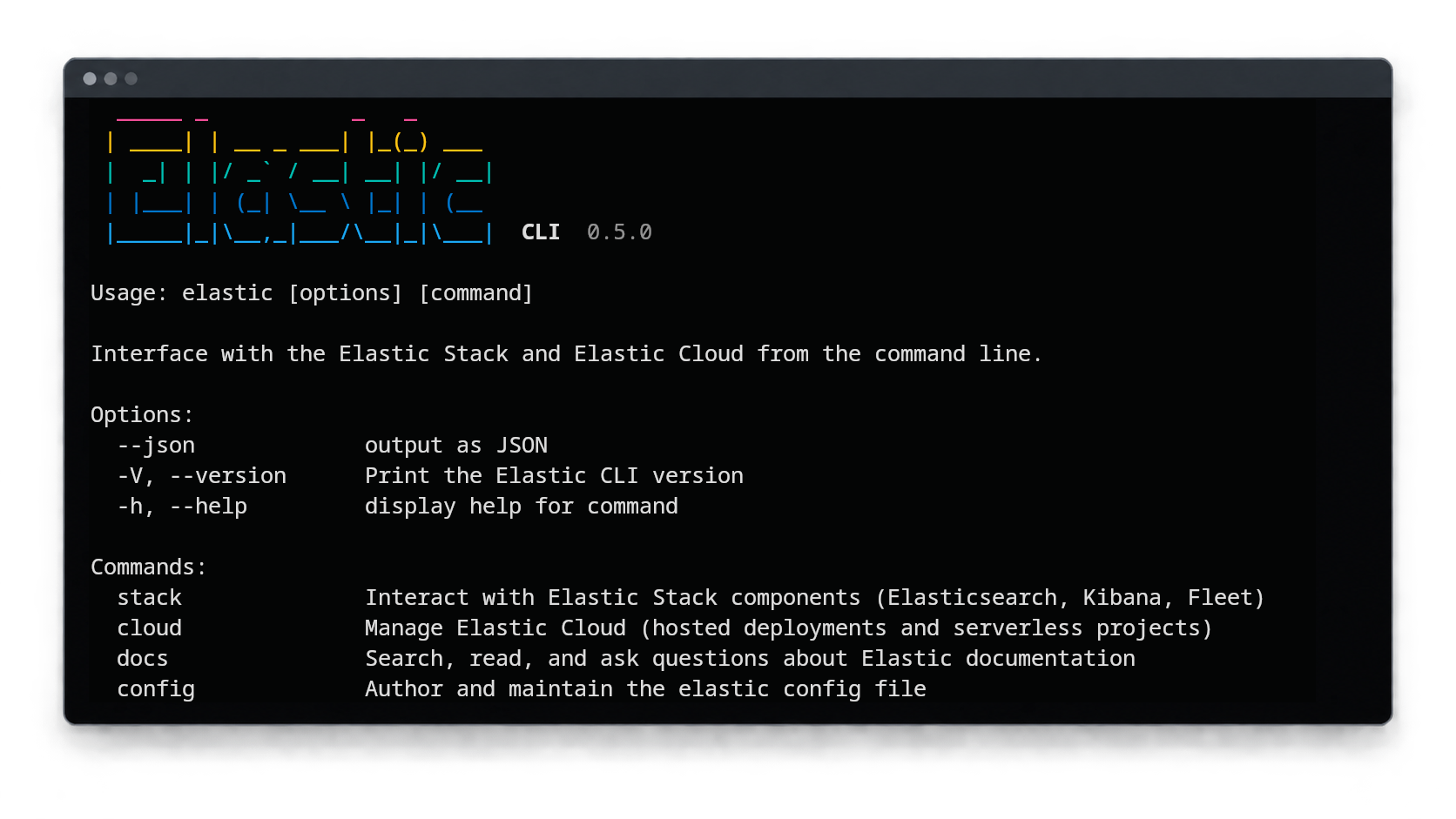
You and your AI agent shouldn't be using curl: Introducing the Elastic CLI and Agent Skills
