ES|QL queries for debugging LLM latency, cost and GPU saturation
Learn how to investigate LLM latency, token cost and GPU saturation using ES|QL against OpenTelemetry traces and get a root cause, not just a symptom.
Bring your AI apps under the same lens as everything else. Explore LLM observability and instrument your apps with OpenTelemetry on Elastic. Start a free cloud trial to test it out yourself.
Dashboards tell you something is wrong; ES|QL tells you why. Three queries against OpenTelemetry trace data in Elasticsearch identified a 2.4x cost regression after a model swap, one prompt template producing 23x more output tokens than another, and a GPU pinned above 90% in 42 of 43 time windows - all from the same cluster where EDOT was already shipping traces and DCGM was already shipping GPU metrics. This article shows how to reproduce those three investigations against your own LLM workloads.
In this article, you will learn how to answer three real debugging questions about your LLM workloads using ES|QL queries against data collected with Elastic Distribution of OpenTelemetry (EDOT) and an OpenTelemetry Collector.
Prerequisites
- Elasticsearch 9.x+
- Python 3.9+
- Ollama v0.5.12+ installed locally
All the queries and setup steps in this article are available in the companion notebook.
The observability gap in AI workloads
Most teams that run LLM-based applications have already taken the first step: instrumenting their apps to capture traces, token counts, and latency. Tools like EDOT, OpenLIT, and Langtrace make this straightforward. The data is flowing.
The natural next step is knowing how to query that data when something goes wrong.
Pre-built dashboards answer pre-defined questions: "What's my p95 latency?" or "How many tokens did I use today?" These are useful for monitoring, but debugging is different. Debugging means you have a symptom ("latency spiked last Tuesday") and you need to explore the data until you find the cause. That exploration requires a query language, not a dashboard.
This is where ES|QL comes in. ES|QL is Elasticsearch's pipe-based query language that lets you aggregate, filter, and join across traces and metrics in a single query. Applied to LLM telemetry, it lets you do things like:
- Compare p95 latency across model versions in one query
- Group by a custom prompt identifier to find the template burning through tokens
- Join LLM trace data with GPU metrics to see if infrastructure is the bottleneck
In other articles we covered how to capture LLM telemetry (with EDOT, OpenLIT, or Langtrace). This article explains how to investigate that telemetry when something goes wrong.
The stack: how LLM telemetry gets into Elastic
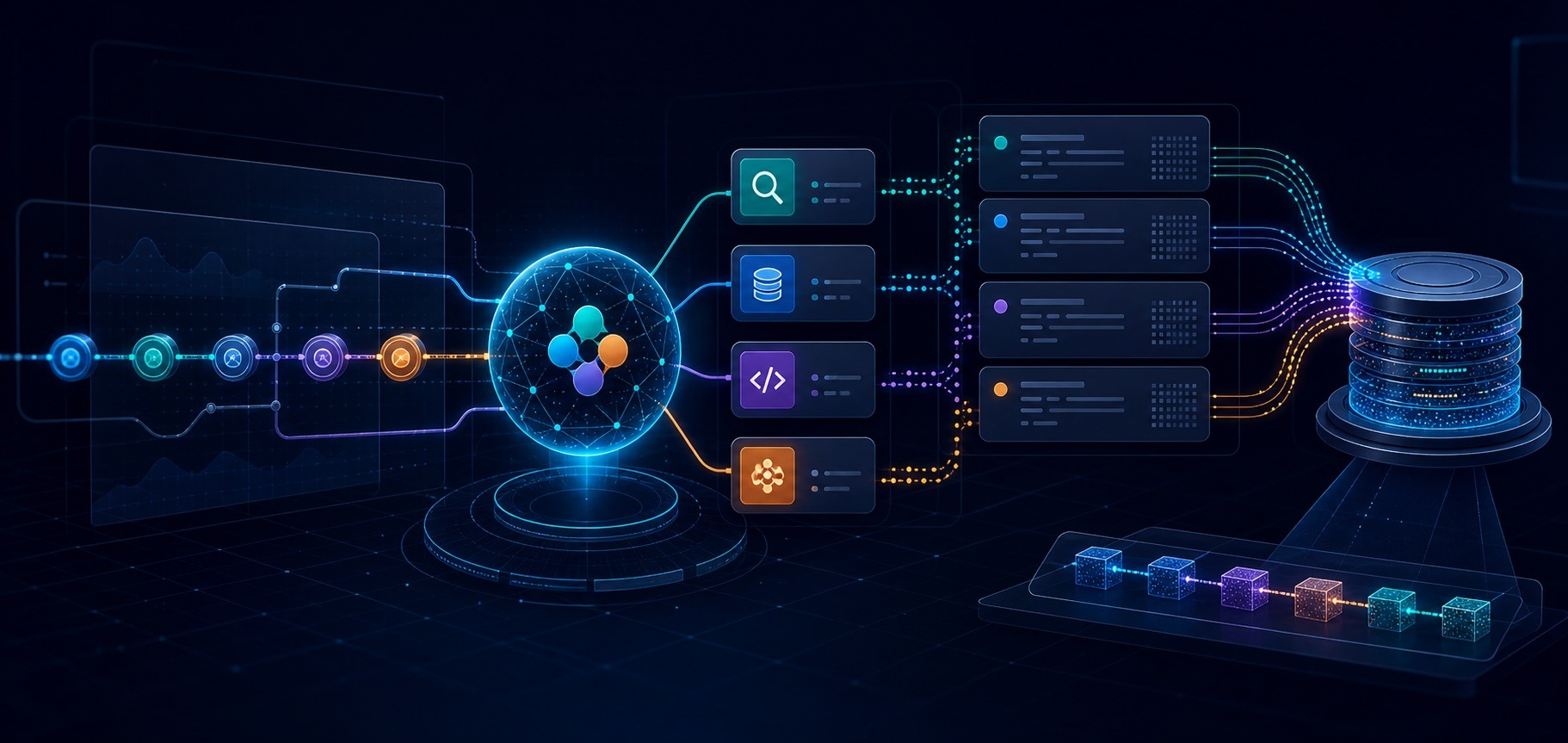
Before we can debug, we need to understand what data is available and where it lives. Here is the architecture:
The stack has two data paths:
LLM traces (application layer): Your Python application calls Ollama (or any OpenAI-compatible endpoint) through the OpenAI client. EDOT Python instruments these calls automatically, producing spans that follow the OpenTelemetry GenAI semantic conventions. When shipped through the Elastic Managed OTLP Endpoint, these spans land in the traces-generic.otel-default data stream in Elasticsearch.
GPU metrics (infrastructure layer): On hosts running GPU inference, NVIDIA's DCGM Exporter exposes GPU metrics as a Prometheus endpoint. An OpenTelemetry Collector scrapes these metrics and ships them to Elasticsearch, where they land in metrics-* data streams.
What EDOT captures automatically
EDOT Python includes elastic-opentelemetry-instrumentation-openai, which instruments every call to the OpenAI client library. Since Ollama exposes an OpenAI-compatible API at http://localhost:11434/v1/, EDOT instruments Ollama calls without any code changes.
Each LLM call produces a span with these attributes (following OTel GenAI semantic conventions):
| Attribute | What it captures | Example |
|---|---|---|
gen_ai.operation.name | Operation type | chat |
gen_ai.request.model | Model you requested | gemma4:e4b |
gen_ai.response.model | Model that actually responded | gemma4:e4b |
gen_ai.usage.input_tokens | Prompt token count | 142 |
gen_ai.usage.output_tokens | Completion token count | 89 |
gen_ai.response.id | Unique completion ID | chatcmpl-abc123 |
Once instrumented, each call shows up as a span in Kibana with all these attributes attached:
EDOT also emits two metrics: gen_ai.client.token.usage (histogram of token counts) and gen_ai.client.operation.duration (histogram of request latency in seconds).
The setup is minimal. Point the OpenAI client at Ollama and run with EDOT's auto-instrumentation:
from openai import OpenAI

client = OpenAI(
    base_url="http://localhost:11434/v1/",
    api_key="ollama",  # required by the client but unused by Ollama
)
How to add a custom prompt template ID to OTel spans
The OTel GenAI semantic conventions cover model tracking and token usage, but they don't include a prompt template identifier. If you're running multiple prompt templates (system prompts, few-shot variations, etc.), you need to know which one is causing problems.
The convention gen_ai.prompt.id does not exist in the current OTel specification. To fill this gap, you can add a custom span attribute:
from opentelemetry import trace

tracer = trace.get_tracer(__name__)

with tracer.start_as_current_span("prompt-execution") as span:
    span.set_attribute("prompt.template.id", "summarize-v2")
    response = client.chat.completions.create(
        model="gemma4:e4b",
        messages=[{"role": "user", "content": prompt}]
    )
This prompt.template.id attribute flows through to Elasticsearch as part of the span, and you can use it in ES|QL queries just like any built-in attribute.
GPU metrics: from DCGM to Elastic
For teams running self-hosted models on NVIDIA hardware, GPU metrics are critical context. NVIDIA's DCGM (Data Center GPU Manager) Exporter exposes metrics like GPU utilization, memory usage, temperature, and power draw as a Prometheus endpoint on port 9400.
An OpenTelemetry Collector with the Prometheus receiver scrapes these metrics and forwards them to Elastic. The resource processor tags every metric with data_stream.dataset = nvidia_gpu, which routes the data into the metrics-nvidia_gpu.otel-default data stream so it lines up with Elastic's NVIDIA GPU OpenTelemetry integration:
receivers:
  prometheus:
    config:
      scrape_configs:
        - job_name: nvidia_gpu
          scrape_interval: 10s
          static_configs:
            - targets: ["localhost:9400"]

processors:
  resource/nvidia_gpu:
    attributes:
      - key: data_stream.dataset
        value: nvidia_gpu
        action: upsert
      - key: data_stream.namespace
        value: default
        action: upsert

exporters:
  otlp:
    endpoint: "${OTEL_EXPORTER_OTLP_ENDPOINT}"

service:
  pipelines:
    metrics:
      receivers: [prometheus]
      processors: [resource/nvidia_gpu]
      exporters: [otlp]
Elastic provides a first-class NVIDIA GPU OpenTelemetry integration that includes Fleet-level dashboards, six alert rules (for conditions like thermal throttling), and an SLO template for GPU thermal health.
The key GPU metrics for LLM debugging are:
| Metric | What it tells you |
|---|---|
DCGM_FI_DEV_GPU_UTIL | How busy the GPU compute units are (%) |
DCGM_FI_DEV_FB_USED | How much GPU memory (VRAM) is consumed |
DCGM_FI_DEV_GPU_TEMP | Whether thermal throttling might be affecting performance |
DCGM_FI_DEV_POWER_USAGE | Power draw, which can indicate sustained high load |
Note: DCGM requires NVIDIA data center GPUs (A100, H100, L40S). For consumer GPUs, NVML-based tools like the nvmlreceiver provide similar metrics. Cloud-hosted LLM providers (OpenAI, Bedrock, Azure OpenAI) don't expose GPU metrics at all since the hardware is abstracted.
Question 1: Did my new model version degrade latency or cost?
The scenario: You've been running gemma4:e2b in production and just deployed gemma4:e4b for better quality. A few days later, latency alerts fire and your token bill jumps. Was the model switch the cause?
What OpenTelemetry GenAI conventions capture automatically
The distinction between gen_ai.request.model (what you asked for) and gen_ai.response.model (what actually responded) is important. When using Ollama, both typically match the model:tag you specified. But with cloud providers that use model aliases (like gpt-4o resolving to a specific pinned version), the response model might differ from the request.
For model version comparison, gen_ai.response.model is the reliable field since it reflects what actually ran.
The ES|QL query
FROM traces-generic.otel-default
| WHERE attributes.gen_ai.operation.name == "chat"
  AND @timestamp >= NOW() - 7 days
| EVAL is_failure = CASE(attributes.event.outcome == "failure", 1, 0)
| STATS
    request_count = COUNT(*),
    avg_input_tokens = AVG(attributes.gen_ai.usage.input_tokens),
    avg_output_tokens = AVG(attributes.gen_ai.usage.output_tokens),
    p95_duration_us = PERCENTILE(transaction.duration.us, 95),
    error_count = SUM(is_failure)
  BY attributes.gen_ai.response.model
| SORT p95_duration_us DESC
This query gives you a side-by-side comparison: how each model version performs on latency, token usage, and error rate. Running it against 120 chat spans collected from both Gemma 4 variants returns:
Two things stand out. First, the prompts are identical (99 input tokens on both sides), so the latency gap is not driven by prompt size. Second, gemma4:e4b actually emits fewer output tokens on average yet takes more than twice as long at the 95th percentile. That tells us the regression is the model itself, not its workload.
Adding cost with LOOKUP JOIN
The OTel GenAI specification does not include cost attributes. Token counts are available, but translating them to cost requires knowing each model's pricing. This is where ES|QL's LOOKUP JOIN becomes useful.
First, create a lookup index with model pricing:
PUT /model_pricing
{
  "settings": {
    "index": {
      "mode": "lookup"
    }
  },
  "mappings": {
    "properties": {
      "attributes.gen_ai.response.model": { "type": "keyword" },
      "cost_per_1k_input_tokens": { "type": "float" },
      "cost_per_1k_output_tokens": { "type": "float" }
    }
  }
}
Populate it with your model pricing data, then extend the query:
FROM traces-generic.otel-default
| WHERE attributes.gen_ai.operation.name == "chat"
  AND @timestamp >= NOW() - 7 days
| STATS
    request_count = COUNT(*),
    total_input_tokens = SUM(attributes.gen_ai.usage.input_tokens),
    total_output_tokens = SUM(attributes.gen_ai.usage.output_tokens),
    p95_duration_us = PERCENTILE(span.duration.us, 95)
  BY attributes.gen_ai.response.model
| LOOKUP JOIN model_pricing ON attributes.gen_ai.response.model
| EVAL estimated_cost =
    (total_input_tokens / 1000.0) * cost_per_1k_input_tokens +
    (total_output_tokens / 1000.0) * cost_per_1k_output_tokens
| SORT estimated_cost DESC
Now you have latency and cost per model version in a single result set. The LOOKUP JOIN enriches your trace data at query time without duplicating pricing information into every span.
With illustrative pricing of $0.10 / $0.30 per 1K tokens for gemma4:e2b and $0.25 / $0.75 for gemma4:e4b, the same 60 requests per model produce:
The gemma4:e4b workload costs ~2.4x more for the same job, even though it generated slightly fewer output tokens. Latency and cost regressions, in one query result.
When to use model version comparison queries
This pattern is useful whenever you're evaluating model changes: A/B tests between model versions, gradual rollouts, or multi-model routing strategies where different requests go to different models based on complexity.
Question 2: Which prompt template is driving token blow-ups?
The scenario: Your token usage spiked 40% this week, but you haven't changed models. You have three prompt templates in rotation (summarization, extraction, classification) and you need to know which one is responsible.
Why prompt.template.id is a custom OTel attribute worth adding
The OTel GenAI semantic conventions track what model processed a request, how many tokens it used, and how long it took. But they don't track which prompt template was used, because prompt management is application-specific.
This is a gap that matters for debugging. If all your prompts funnel through the same gen_ai.operation.name == "chat" operation, you can't distinguish a well-behaved summarization prompt from a runaway extraction prompt without a custom identifier.
Adding prompt.template.id as a custom span attribute (as shown in the stack section) solves this. It's a pattern worth adopting early since the cost of not having it only becomes apparent when something breaks.
The ES|QL query
FROM traces-generic.otel-default
| WHERE attributes.gen_ai.operation.name == "chat"
  AND @timestamp >= NOW() - 7 days
| EVAL is_failure = CASE(attributes.event.outcome == "failure", 1.0, 0.0)
| STATS
    request_count = COUNT(*),
    avg_output_tokens = AVG(attributes.gen_ai.usage.output_tokens),
    max_output_tokens = MAX(attributes.gen_ai.usage.output_tokens),
    error_rate = AVG(is_failure) * 100
  BY attributes.prompt.template.id
| SORT avg_output_tokens DESC
Running it against our 120 spans returns a clear winner:
extraction-v3 produces ~5x more tokens per request than summarize-v2 and ~23x more than classify-v1. The max_output_tokens column matters too: a few extreme responses can drag the average up, so seeing both makes it clear that extraction-v3 is structurally chatty rather than skewed by a single outlier.
Extending this pattern to other debugging dimensions
The prompt.template.id pattern extends to any debugging dimension you want to slice by (customer tier, use case, deployment region). It can be added as a custom span attribute and grouped in ES|QL. The GenAI conventions give you the model and token layer. Custom attributes give you the business context layer.
Question 3: Does LLM latency correlate with GPU saturation?
The scenario: Inference latency increased gradually over the past week, but your application code and model haven't changed. You suspect the infrastructure.
This question is unique to self-hosted models. When you use a cloud LLM provider (OpenAI, Bedrock, Azure OpenAI), GPU resources are fully abstracted. You can see latency spikes, but you can't check if the provider's GPUs were saturated. With self-hosted models on NVIDIA hardware, you have access to both sides of the equation.
What GPU metrics tell you
GPU metrics from DCGM Exporter provide a window into the inference engine:
- High
DCGM_FI_DEV_GPU_UTIL(above 90%) means the GPU compute units are saturated. New inference requests queue up, increasing latency. - High
DCGM_FI_DEV_FB_USEDapproaching the total framebuffer means GPU memory pressure. Model layers might need to be swapped, or the GPU can't batch as many requests. - Elevated
**Elevated**DCGM_FI_DEV_GPU_TEMP` can trigger thermal throttling once it crosses the GPU's throttle point, where the GPU reduces clock speeds to manage heat, directly impacting inference throughput.
Correlating traces with GPU metrics
The challenge is that LLM traces and GPU metrics live in different indices with different schemas. LLM spans are in traces-generic.otel-default with timestamps at the request level. GPU metrics are in metrics-* with timestamps at the scrape interval (typically every 10-15 seconds).
ES|QL's LOOKUP JOIN lets you bring these together. The approach: create a lookup index, aggregate GPU metrics into per-minute buckets, index those buckets, then join trace data against them.
First, create the lookup index that will hold the aggregated GPU metrics:
PUT /gpu_metrics_by_minute
{
  "settings": {
    "index": {
      "mode": "lookup"
    }
  },
  "mappings": {
    "properties": {
      "time_bucket": { "type": "date" },
      "gpu_utilization": { "type": "float" },
      "gpu_memory_used": { "type": "float" },
      "gpu_temperature": { "type": "float" }
    }
  }
}
Then, aggregate the raw DCGM metrics into per-minute buckets:
FROM metrics-*
| WHERE metrics.DCGM_FI_DEV_GPU_UTIL IS NOT NULL
  AND @timestamp >= NOW() - 7 days
| EVAL time_bucket = DATE_TRUNC(1 minute, @timestamp)
| STATS
    gpu_utilization = AVG(metrics.DCGM_FI_DEV_GPU_UTIL),
    gpu_memory_used = AVG(metrics.DCGM_FI_DEV_FB_USED),
    gpu_temperature = AVG(metrics.DCGM_FI_DEV_GPU_TEMP)
  BY time_bucket
Index the aggregated results into gpu_metrics_by_minute using the Elasticsearch bulk API. In a production environment where GPU metrics are ingested continuously, an Elasticsearch transform can keep the lookup index up to date automatically.
FROM traces-generic.otel-default
| WHERE attributes.gen_ai.operation.name == "chat"
  AND @timestamp >= NOW() - 7 days
| EVAL time_bucket = DATE_TRUNC(1 minute, @timestamp)
| STATS
    avg_duration_us = AVG(transaction.duration.us),
    request_count = COUNT(*)
  BY time_bucket
| LOOKUP JOIN gpu_metrics_by_minute ON time_bucket
| WHERE gpu_utilization IS NOT NULL
| EVAL latency_vs_gpu = CASE(
    gpu_utilization > 90 AND avg_duration_us > 5000000, "saturated + slow",
    gpu_utilization > 90 AND avg_duration_us <= 5000000, "saturated but ok",
    gpu_utilization <= 90 AND avg_duration_us > 5000000, "slow without gpu cause",
    "normal"
  )
| SORT time_bucket DESC
Note: Since GPU metrics are scraped every 10 seconds and LLM spans have per-request timestamps, both sides need a common granularity for the join. The lookup index aggregates raw metrics into per-minute averages, and DATE_TRUNC(1 minute, @timestamp) on the trace side aligns spans to the same buckets.
How to interpret the latency_vs_gpu classification
The latency_vs_gpu column categorizes each time window:
- "saturated + slow": GPU is the bottleneck. You need to scale GPU capacity, reduce batch size, or use a smaller model.
- "saturated but ok": GPU is busy but latency is acceptable. You're near the limit but not over it yet.
- "slow without gpu cause": Something else is causing the latency (network, preprocessing, queue depth). GPU is not the issue.
- "normal": Everything is fine.
Joining our 120 chat spans against the per-minute GPU buckets returns 43 windows with both LLM activity and GPU coverage:
latency_vs_gpu | Minutes | GPU utilization range | Avg request duration |
|---|---|---|---|
saturated + slow | 42 | 90.8% - 98.2% | 5.98s - 70.5s |
saturated but ok | 1 | 93.9% | 4.77s |
Across the entire test window, the GPU was sustained above 90% utilization while average request latency stayed above 5 seconds in every minute except one. That's exactly the "saturated + slow" pattern: the GPU is the bottleneck, not the prompt, not the model loader, not the network. The single "saturated but ok" minute (avg 4.77s) shows where the threshold lives: GPU is still pegged, but a lighter mix of requests in that minute kept latency below the 5s cutoff.
From questions to investigations
The three queries above are starting points. ES|QL's pipe-based syntax makes them composable, so you can combine patterns as your investigation deepens.
For example, you could combine questions 1 and 2: "Show me which prompt templates had the worst token efficiency on the new model version":
FROM traces-generic.otel-default
| WHERE attributes.gen_ai.operation.name == "chat"
  AND @timestamp >= NOW() - 7 days
| STATS
    avg_output_tokens = AVG(attributes.gen_ai.usage.output_tokens),
    request_count = COUNT(*)
  BY attributes.gen_ai.response.model, attributes.prompt.template.id
| SORT avg_output_tokens DESC
Splitting the data by both dimensions surfaces a behavior that neither query showed on its own. The classify-v1 prompt asks for a one-word label, and gemma4:e4b respects that with ~20 tokens per response. gemma4:e2b, on the same prompt, produces ~121 tokens (six times more) because it tends to add an explanation alongside the label. That's the kind of regression you would never spot in an average; you only see it when you slice by both model and prompt together.
Moving from debugging to alerting
Once you've identified a pattern through ad-hoc ES|QL queries, you can turn it into a detection rule. Elastic's alerting supports ES|QL-based rules, so the same query that helped you find the problem can become the alert that catches it next time:
- Token usage per prompt template exceeding a threshold
- Model version latency regression beyond a percentage
- GPU utilization sustained above 90% while inference latency degrades
Kibana's built-in LLM observability
For teams that want pre-built views alongside their ES|QL queries, Elastic provides LLM Observability dashboards out of the box (GA as of Elastic Observability 9.0). These include curated dashboards for OpenAI, Amazon Bedrock, Azure AI, and Google Vertex AI, showing token usage, latency distributions, and cost breakdowns.
For GPU infrastructure, the NVIDIA GPU OpenTelemetry integration adds Fleet-level dashboards with GPU utilization, memory, temperature, and power metrics, plus six pre-configured alert rules for critical GPU conditions.
These dashboards complement the ES|QL approach. Use dashboards for ongoing monitoring and health checks. Use ES|QL when you need to dig deeper into a specific problem.
Conclusion
What we covered:
- The gap: Capturing LLM telemetry is solved. Debugging it is not. ES|QL bridges that gap with ad-hoc queries.
- Three debugging patterns: Model version comparison (STATS + LOOKUP JOIN), prompt template isolation (custom attributes + GROUP BY), and GPU correlation (LOOKUP JOIN across trace and metric indices).
- The value of LOOKUP JOIN: Enriching trace data with external context (pricing, GPU metrics) at query time, without modifying your instrumentation.
- Custom attributes: Extending OTel GenAI conventions with domain-specific fields like
prompt.template.idto enable debugging dimensions the spec does not cover yet.
The approach works with any OpenAI-compatible LLM endpoint (Ollama, vLLM, TGI) instrumented through EDOT, and the ES|QL queries run in any Elastic cluster with the appropriate data streams.
Next steps
- Try the companion notebook for a hands-on walkthrough of the instrumentation setup and queries
- Explore Elastic's LLM Observability dashboards for pre-built monitoring views
- Read about ES|QL LOOKUP JOIN for more enrichment patterns
- Check the OpenTelemetry GenAI semantic conventions for the latest attribute definitions
- Learn about ML and AI Ops observability with OpenTelemetry and Elastic
How helpful was this content?
Related Content
Your AI agent needs an alibi: Observability and audit trails for Agent Builder in Elastic
Elastic now alerts at 80% OpenAI rate limit usage, before your app gets throttled
Stop finding out about your Claude bill on invoice day: Anthropic API monitoring is now in Elastic