ML and AI Ops Observability with OpenTelemetry and Elastic
Learn how to instrument ML and AI pipelines with OpenTelemetry and Elastic to correlate traces, logs, and metrics from notebooks to production inference services.
Elastic ML automatically detects unusual behaviour. Explore AIOps on Elastic, dive into anomaly detection docs, or start a free cloud trial
While isolated execution logs might work for local experiments, they are no longer enough for the new era of complex, production-ready Machine Learning (ML) pipelines and Artificial Intelligence (AI) agents. Modern ML and AI systems present three unique challenges:
- Distributed components: A single request might hit an API gateway, retrieve data from a feature store, evaluate a predictive model in a Python inference service, query a vector database, and call an external LLM.
- Non-determinism: AI agents make autonomous decisions and tool calls. If an agent fails, you need a full trace to understand its reasoning loop and what external tools it tried to invoke.
- Context dependence: You don't just care that an error happened; you need to know what model version was running, what hyperparameters were used, what the input data looked like, what was the commit that made that change. Many of these attributes are custom to your app, and you need an Observability environment that has the flexibility of creating new parameters on the fly and use them to find and fix issues.
On top of that, with the increased use of AI agents to generate code and make autonomous decisions, Observability becomes key to understanding what is working and what is not. It creates a critical feedback loop to quickly fix problems. More than ever, ML and AI applications need to adopt the best practices of mature software engineering systems to succeed.
This guide shows how to use OpenTelemetry and Elastic to correlate traces, logs, and metrics to track runs, compare model behavior, and trace requests across Python and Go services with one shared context.
Problem context: why AI systems are harder to debug
Traditional services already have distributed failure modes, but ML and AI systems add more moving parts:
- notebook experiments and ad hoc jobs
- batch training and evaluation pipelines
- online inference services
- external API calls, including LLM providers
- changing model versions and hyperparameters
When one prediction path gets slower or starts failing, plain isolated logs do not answer enough questions. You need to correlate:
- what ran (run ID, model version, parameters)
- where time was spent (pipeline stage latencies)
- what was the result (model stats, predictions, API calls, compare with other runs)
- what changed (code, data, dependencies)
In a future blog post, we'll show you how to set up automatic RCA and remediations with Elastic Workflows and our AI integrations. But as a first step, ML and AI pipelines need a robust Observability framework, which is very easy to set up with OpenTelemetry and Elastic.
Solution overview
OpenTelemetry gives you a standard way to emit traces, metrics, and logs. Elastic provides full OpenTelemetry ingestion, giving you a single place to store and query that telemetry. Kibana's UI is fully integrated with OpenTelemetry, allowing you to explore your services, service dependencies, service latencies, spans, and metrics out-of-the-box.
You can start with two deployment options:
- Cloud: send OpenTelemetry data directly to Elastic Cloud Managed OTLP Endpoint (mOTLP docs), without the overhead of managing collectors
- Local: run Elastic and the EDOT Collector with start-local, the EDOT Collector will be automatically listening for OTLP data in
localhost:4317
Both options let you keep your application code unchanged for the initial implementation.
Step 1: zero-code baseline for Python services
Start by just installing the Elastic Distribution of OpenTelemetry Python (EDOT Python) package and using the opentelemetry-instrument wrapper to run your script. By simply running your script with this wrapper—without modifying your application code—your Python services begin emitting standard telemetry right away. This includes any logs exported via logging, alongside metrics and traces for auto-instrumented libraries. This data can be routed directly to Elastic's managed OTLP endpoint or a local EDOT collector.
pip install elastic-opentelemetry
edot-bootstrap --action=install
Export the OpenTelemetry environment variables, then run opentelemetry-instrument on your script to enable auto-instrumentation.
export OTEL_EXPORTER_OTLP_ENDPOINT="https://<motlp-endpoint>" # No need when using start-local with EDOT
export OTEL_EXPORTER_OTLP_HEADERS="Authorization=ApiKey <key>" # No need when using start-local with EDOT
export OTEL_RESOURCE_ATTRIBUTES="deployment.environment=prod,service.version=1.0.0" # Set the environment and version for your app
export OTEL_PYTHON_LOGGING_AUTO_INSTRUMENTATION_ENABLED=true
export ELASTIC_OTEL_SYSTEM_METRICS_ENABLED=true
export OTEL_METRIC_EXPORT_INTERVAL=5000 # Choose the interval for your application metrics

opentelemetry-instrument --service_name=<pipeline-name> python3 <your_python_script>.py # Set your chosen name for your service
With this baseline, you can quickly get:
- Centralized logs with trace context. Any logs exported via
loggingwill be searchable in Elastic and Kibana, with the ability to perform full-text search on your logs - Set alerting on log errors
- Process and system metrics. System and process metrics from the execution will be automatically exported to Elastic. You can visualize them, and analyse memory usage (leaks, OOM errors), CPU utilization (Bottlenecks / Spikes), thread counts, disk I/O bottlenecks or network I/O saturation.
- Set alerting on metrics
- Spans for auto instrumented libraries
- Service latency baselines and error trends
- Set manual or Anomaly detection alerting on error rates, latencies or throughput
- Correlate logs, metrics, and traces in a single shared context to quickly find the root cause of issues, using OpenTelemetry for instrumentation and Elastic for analysis.
Once ingested, Kibana immediately populates out-of-the-box dashboards. You can explore full-text searchable logs, monitor system and process metrics, investigate auto-instrumented trace waterfalls, map out your ML dependencies with service maps, and easily set up alerts for latency spikes, memory or CPU usage or log errors.
For LLM-specific observability, OpenTelemetry provides official Semantic Conventions for Generative AI to standardize how you track token usage, model names, and prompts. These semantic conventions are still in development and not stable yet. Some instrumentations for the most used libraries in this space are being developed as part of the OpenTelemetry Python Contrib repository. Alternatively you can implement these conventions manually in your custom spans. LLM related OpenTelemetry logs, metrics and traces sent to Elastic will be in context and automatically correlated with the rest of your application or stack of applications.
Step 2: add ML-specific context with custom spans and log fields
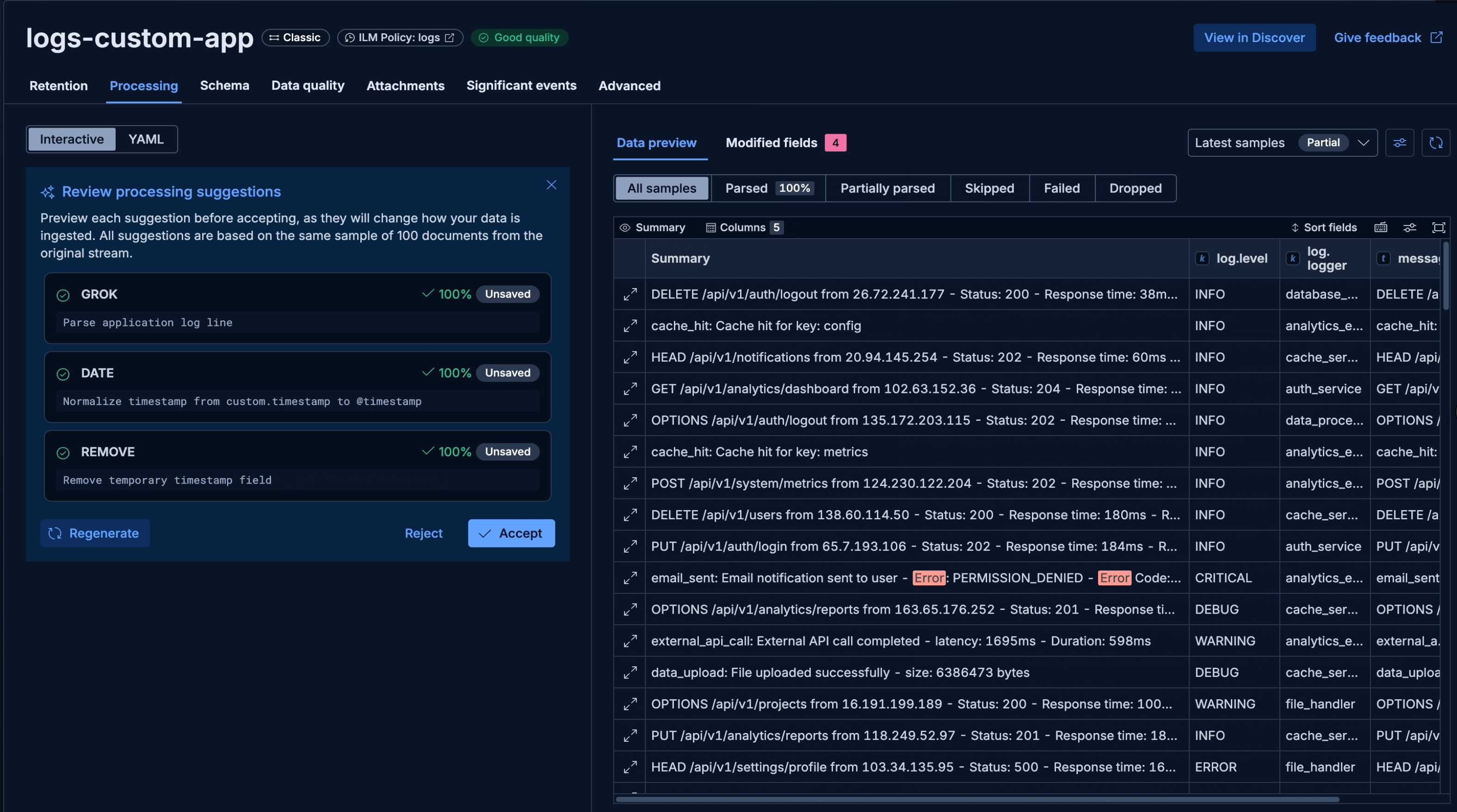
Auto-instrumentation is a starting point. For ML and AI Ops, add explicit spans around business stages and attach run metadata. Elastic's schema flexibility and dynamic mappings make it a perfect fit for custom attributes or metrics that are exclusive to your pipelines or specific experiments. There is no need to know what the data will look like before writing it. You have the flexibility of creating new parameters on the fly, Elastic maps them automatically, and you can track them instantly.
Add custom fields and metric-like values as structured log fields so you can chart and alert on them later:
logger.info("training metrics", extra={
    "ml.run_id": run_id,
    "ml.training_accuracy": train_accuracy,
    "ml.validation_accuracy": val_accuracy,
    "ml.drift_detected": drift_detected,
})
Because Elastic handles dynamic mapping, any custom metrics or attributes you log, like model ids, training accuracy or drift detection, are instantly indexed and available to search in Discover or visualize via Dashboards.
This makes dashboards and rules practical:
- alert when
ml.validation_accuracy < 0.8 - alert when
ml.drift_detected == true - compare stage latency by
ml.model_version
You can use these custom attributes to build targeted visualizations, and trigger alerts when ML-specific metrics like validation accuracy drop below a critical threshold.
Adding custom spans allows you to break down the specific stages of your ML pipelines, such as data loading and model training, wrapping them in their own measurable execution blocks, and analyze average latency or error rates for specific pipeline stages.
from opentelemetry import trace

tracer = trace.get_tracer("ml.pipeline")

with tracer.start_as_current_span("load_data") as span:
    span.set_attribute("ml.run_id", run_id)
    span.set_attribute("ml.dataset", dataset_source)
    load_data()

with tracer.start_as_current_span("train_model") as span:
    span.set_attribute("ml.model_version", model_version)
    span.set_attribute("ml.learning_rate", learning_rate)
    train_model()
Custom spans will be reflected in the APM UI alongside your traces. So you can explore their latency, impact in total execution, stack traces, error rates.
Step 3: trace across Python and Go in production
Real inference paths often cross service boundaries. For example:
In a production environment, a user request might pass through a Go-based API before hitting your Python ML inference service. OpenTelemetry ensures tracing context is preserved seamlessly across these boundaries.
In our example, we have a simple Go HTTP service that acts as the entry point and demonstrates OpenTelemetry instrumentation in Go. This REST API service stores and retrieves ML predictions by querying Elasticsearch based on data IDs from the source dataset. All of its endpoints are natively instrumented with OTel spans.
The full request lifecycle looks like this:
- The Go API receives the client request.
- It searches Elasticsearch for an existing prediction or calls the Python model service to run inference.
- The Python service loads features, runs the model, and returns predictions.
When both services use OpenTelemetry, trace context is propagated automatically through headers. In Elastic, you can inspect one end-to-end trace and locate latency or errors by service and span.
The resulting distributed trace in Elastic pieces the entire journey together. You can see the exact breakdown of time spent in the Go API versus the Python model, and correlate logs from both services in a single unified view.
Validation checklist
After instrumentation, validate with a short runbook:
- Confirm logs, metrics, and traces arrive for each service.
- Verify your custom attributes (e.g.
run_id,model_version,llm_ground_truth_score) are present in traces and logs. - Compare p95 latency per stage (
load_data,train_model,predict). - Trigger a controlled failure and confirm error traces include stack context.
- Test one rule for errors, one rule for latency spikes, and one rule for model-quality fields. Set up a connector and attach it to the rule to reach you in Slack, email, or trigger an auto-remediation workflow.
Conclusion and next steps
OpenTelemetry gives ML and AI teams a unified telemetry layer, while Elastic makes that data instantly queryable and actionable across your entire lifecycle—from notebook experiments to production inference. By starting with zero-code instrumentation and incrementally adding ML-specific attributes and cross-language tracing, your team can easily adopt the Observability best practices of mature software engineering systems and succeed in the new era of complex AI operations.
Try this setup in Elastic Cloud, and use mOTLP for a managed ingest path. If you want a local sandbox first, start with Elastic start-local + EDOT Collector.
How helpful was this content?
Related Content

Kubernetes node pressure: Catching the memory drop 7 minutes before the first pod eviction
Elastic ML predicts when your disk will fill up: How to make it alert you