Agent Builder is available now GA. Get started with an Elastic Cloud Trial, and check out the documentation for Agent Builder here.
Any MCP-compatible agent (Google ADK, Claude Desktop, LangChain) can query your Elasticsearch data without writing custom integrations. Agent Builder ships a hosted MCP server out of the box. In this tutorial, we wire up a real-time voice assistant using Google ADK and Gemini LiveAPI that searches a recipe knowledge base via semantic search. The connection to Elasticsearch is about 30 lines of Python.
Prerequisites
- Elasticsearch 9 or higher
- Google AI API key (You can use the free trial)
- Python 3.10 or higher
How this Elasticsearch voice assistant works
Imagine a busy kitchen during dinner service. The chef can't touch screens with messy hands but needs quick answers about the restaurant data: "Does the risotto have shellfish?" or "What's our top-selling dish tonight?" We'll build a voice assistant that answers these questions by talking directly to Elasticsearch through Agent Builder.
The architecture is straightforward:
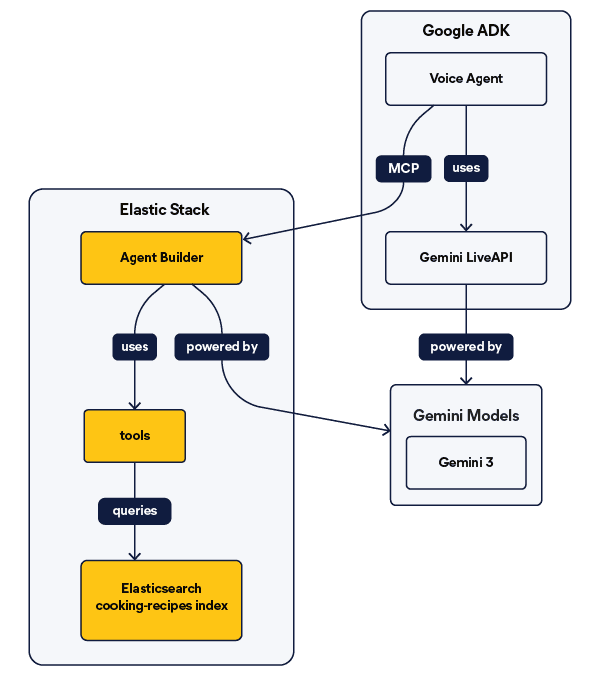
The voice agent (built with Google ADK) listens to your speech and delegates queries to Agent Builder via MCP. Agent Builder then searches your Elasticsearch data and returns answers that the voice agent speaks back to you.
The Elastic related codebase used in this article can be found in the dedicated repository for this article here.
Set up your Elasticsearch index for semantic search
The knowledge base uses one Elasticsearch index with recipe data, including ingredients, allergens and preparation steps, enabling semantic search queries like “dishes without dairy.”
The data model
We’ll use one index with proprietary recipe information, including ingredients, allergens, and preparation steps. This enables semantic search queries, like “dishes without dairy” or “how do I make the house vinaigrette?”
Sample data
The dataset looks like this and can be found in the dataset.json in the GitHub repository.
Create indices, inference endpoint, and load data
To create the indices and ingest the data into Elasticsearch, you can run the notebook prepared for this article, which can be found here. Creating an API key with relevant permissions has become mandatory in Elasticsearch Serverless environments.
For semantic search capabilities, we’ll use jina-embeddings-v5-text-small, a high-quality retrieval model.
Now we need to create the index mappings, including the fields that contain the relevant data from the dataset. I’d like to highlight the semantic_field, which will be used for semantic search using the jina-embeddings inference endpoint created before. This field will contain the content of all fields that use the copy_to property.
Finally, let's ingest the data using the bulk API.
Create Elasticsearch search tools with Agent Builder
We'll create the tools programmatically using the Agent Builder API. This approach gives us control over tool configuration and makes setup reproducible.
Enable Agent Builder
For Elasticsearch clusters (non-serverless): Agent Builder must be enabled before you can create tools. Follow the Agent Builder setup guide to enable it for your deployment.
For serverless deployments: Agent Builder is enabled by default, no setup needed.
Note: Your Elasticsearch API key must include feature_agentBuilder.read specific privileges to access Agent Builder. See the API key application privileges documentation for the full configuration.
Create the recipe search tool
As mentioned before, we'll create the Agent Builder tools using the API as shown in the following code:
We're creating a single semantic search tool that queries the cooking-recipes index. This tool handles natural language questions about recipes, ingredients, allergens, dietary restrictions, and cooking procedures. The semantic tag enables the tool to perform semantic search.
Be mindful of the description field content, as it will guide the agent to choose the tool in the right moment.
Set Gemini as the default model on Agent Builder
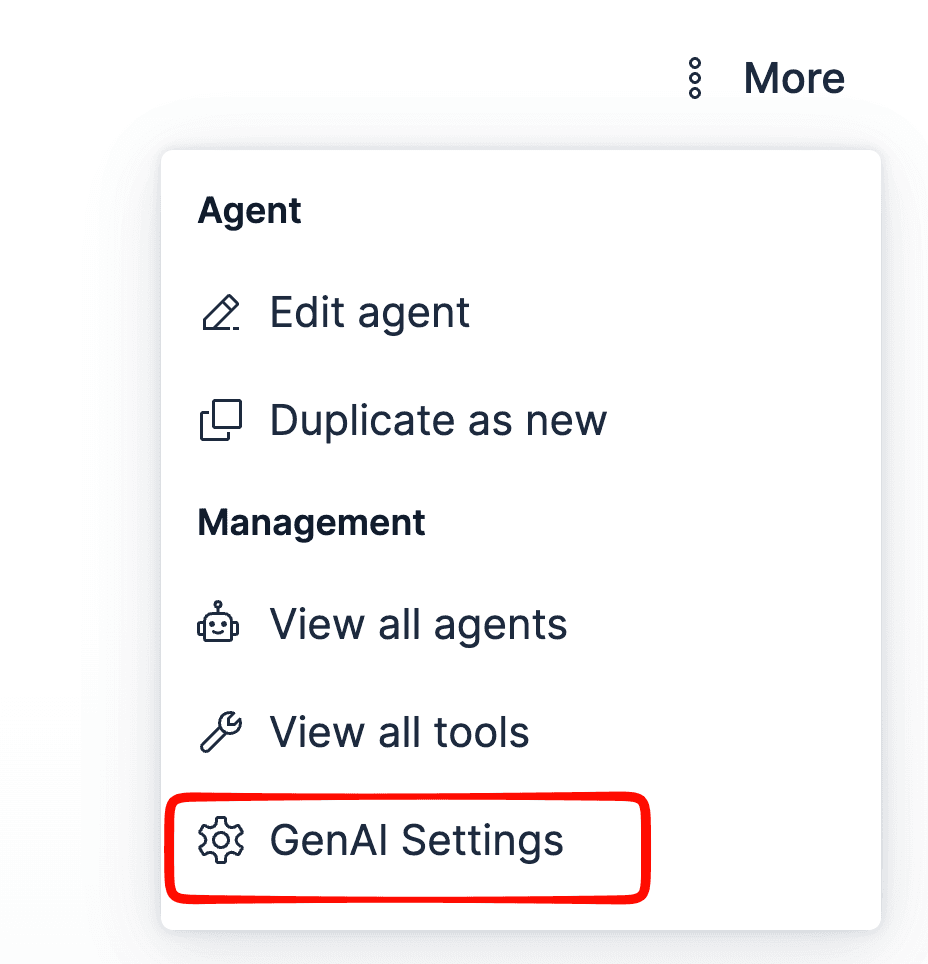
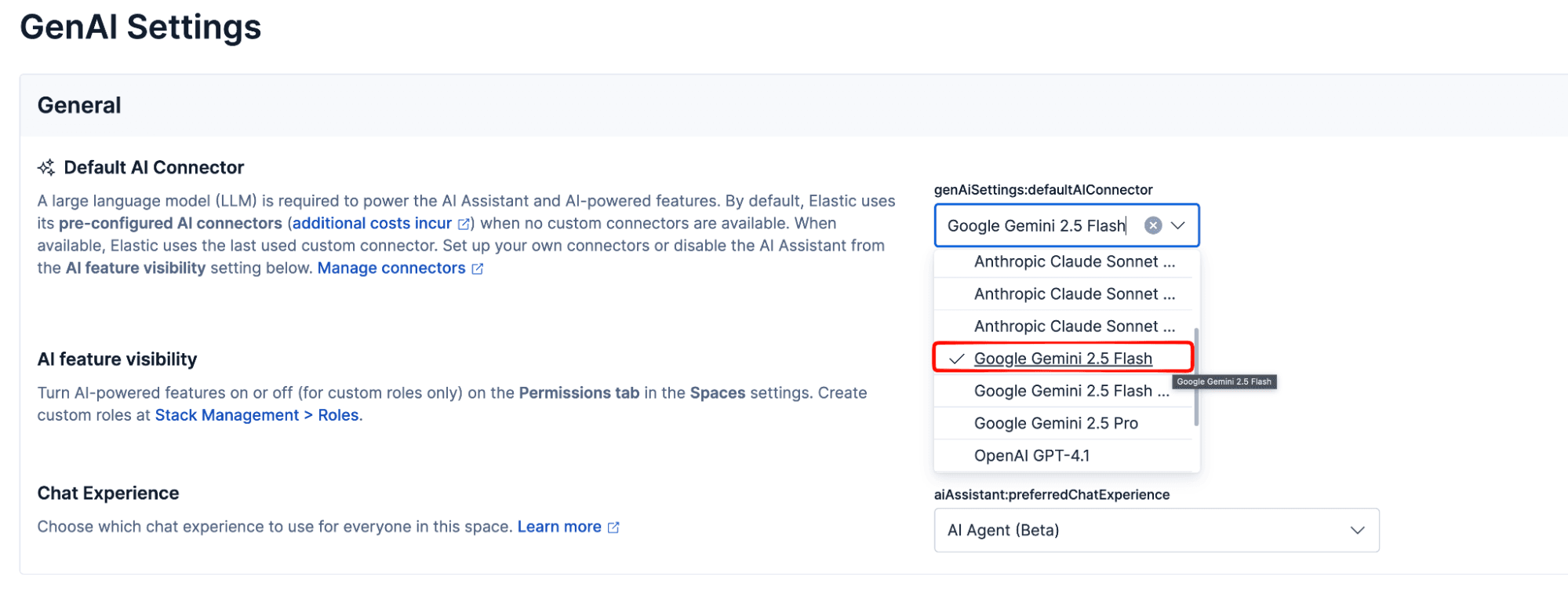
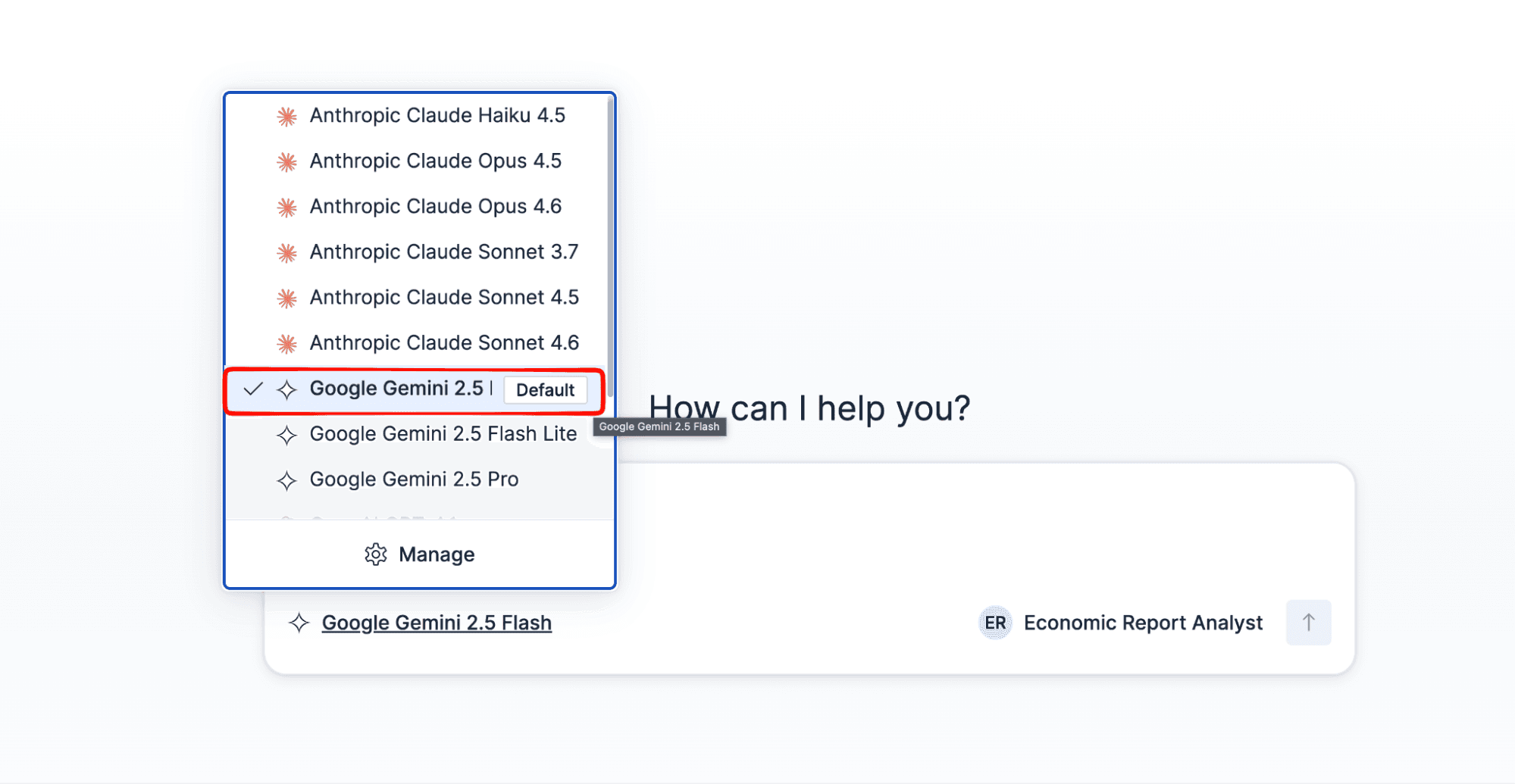
By default, Agent Builder uses Anthropic Claude Sonnet as its AI connector. Since we're using Gemini in this tutorial, open the Agent Builder menu, click GenAI Settings, and select Google Gemini 2.5 Flash as the Default AI Connector. Then, in the chat interface, make sure the same model is selected from the model dropdown.
Monitor token usage
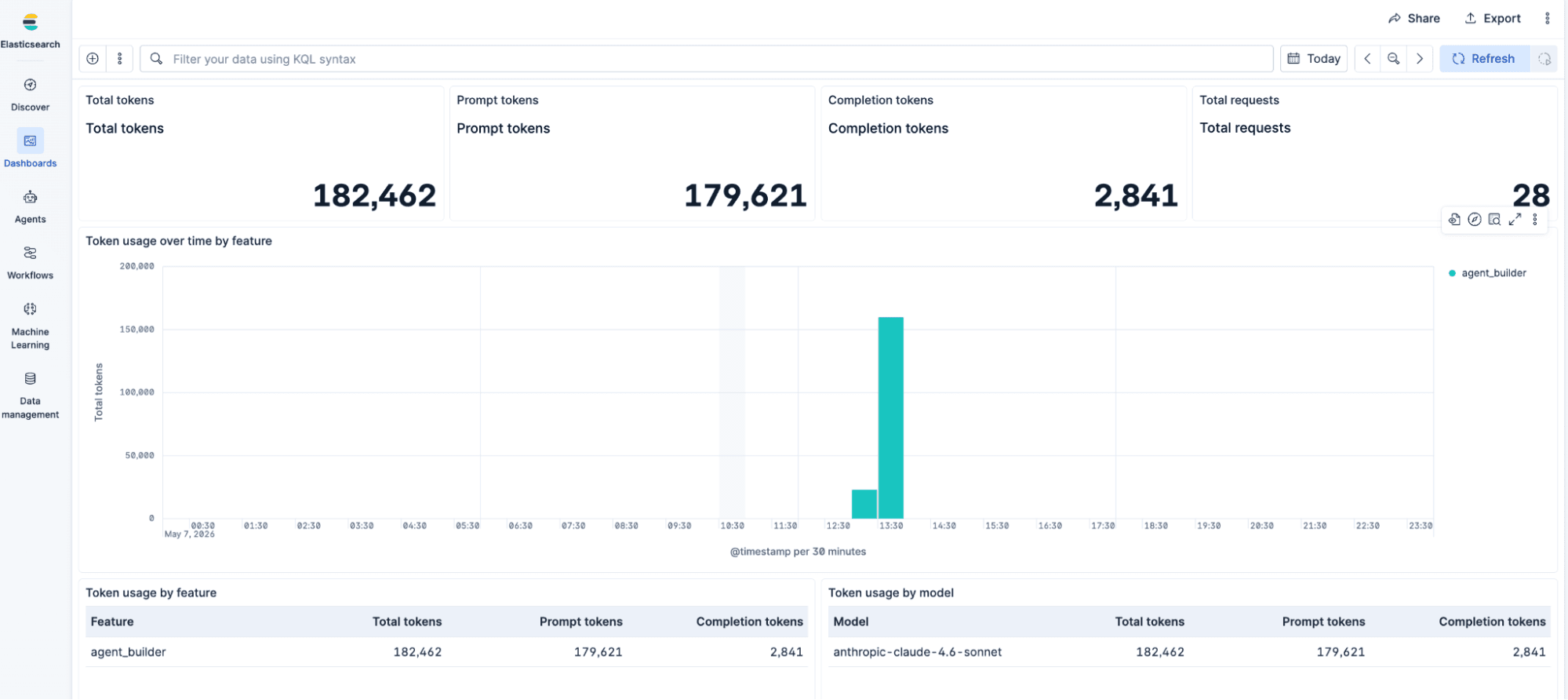
Agent Builder integrates with a Kibana dashboard that tracks prompt tokens, completion tokens, and total requests, broken down by feature and model. This gives you a clear picture of consumption across conversations. See the usage monitoring documentation to set it up.
Connect Google ADK to Elasticsearch via Agent Builder MCP
Google ADK connects to Agent Builder via MCP using three components: an Agent, a McpToolset, and StdioConnectionParams. The full connection requires about 30 lines of Python.
To configure your environment to use the ADK Streaming to enable voice and video communication, follow this tutorial.
Once the app setup is finished, you can replace the content of the agent.py file with the following snippet:
It uses three key ADK components:
Agent: Defines the voice assistant, including its model, instructions, and available tools.McpToolset: Acts as an MCP client, allowing the agent to connect to any MCP server and use its tools.StdioConnectionParams: Establishes the connection to the Agent Builder MCP endpoint by launching a local process (mcp-remote) that bridges the communication.
This is all the code needed to connect an ADK agent to the Agent Builder. This out-of-the-box solution has implemented the Live API and a UI where we can interact with the agent. With that, let’s now see the key elements where the connection is established with the Agent Builder.
Model selection
We use gemini-2.5-flash-native-audio-latest, a Gemini model optimized for real-time voice conversations via the Live API. It supports native audio input and output, enabling the assistant to listen and speak without intermediate text-to-speech conversion.
Note: At the time of writing, the documented model ID is gemini-2.5-flash-native-audio-preview-12-2025. We use the latest alias in this tutorial so the code keeps working as Google promotes newer versions. If you need to pin to a specific release, you can query the models API to list all available model IDs.
McpToolset interface
McpToolset is an ADK interface that works as an MCP client, connecting the agent to any MCP server (in this case, the Agent Builder MCP endpoint). To learn more about the Agent Builder MCP configuration for MCP clients, you can take a look at the related documentation. Here, we use the tool_filter parameter to indicate to the agent which specific tool will be used. Tool filters are useful to improve the agent’s response speed when using tools.
Running the application
- Make sure your
.envfile is configured. - Install dependencies:
pip install google-adk google-genai python-dotenv pyaudio. - Run with the web interface:
adk web --port 8000.
Note: The Live API can take up to ~30 seconds to respond the first time, and the ADK web view doesn’t display an in-progress indicator while it processes.
Alternatively, you can test the agent in text mode directly from the terminal using adk run.
Once you run the web interface option, you’ll see this:
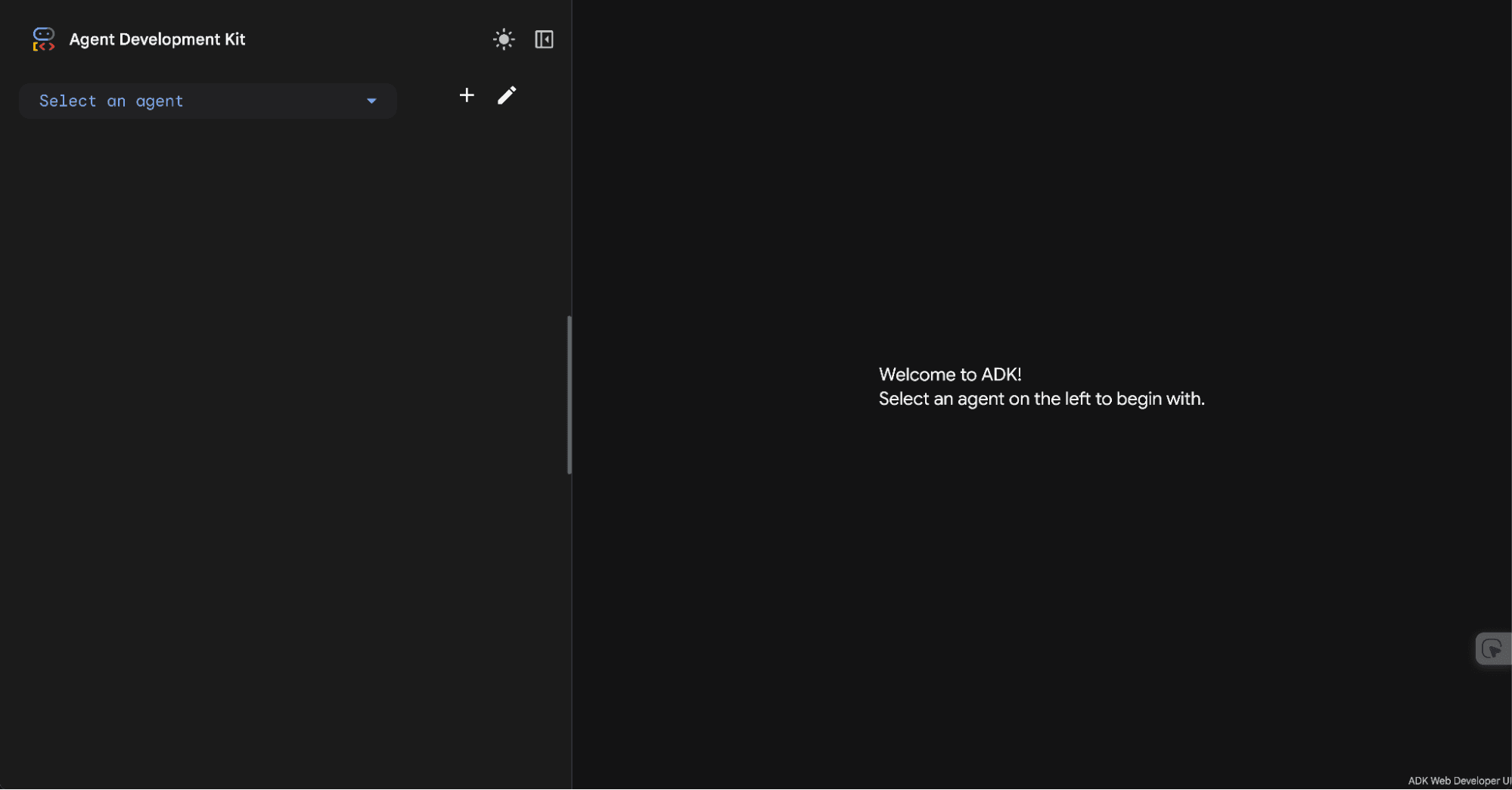
In the left menu, you can select the created agent:
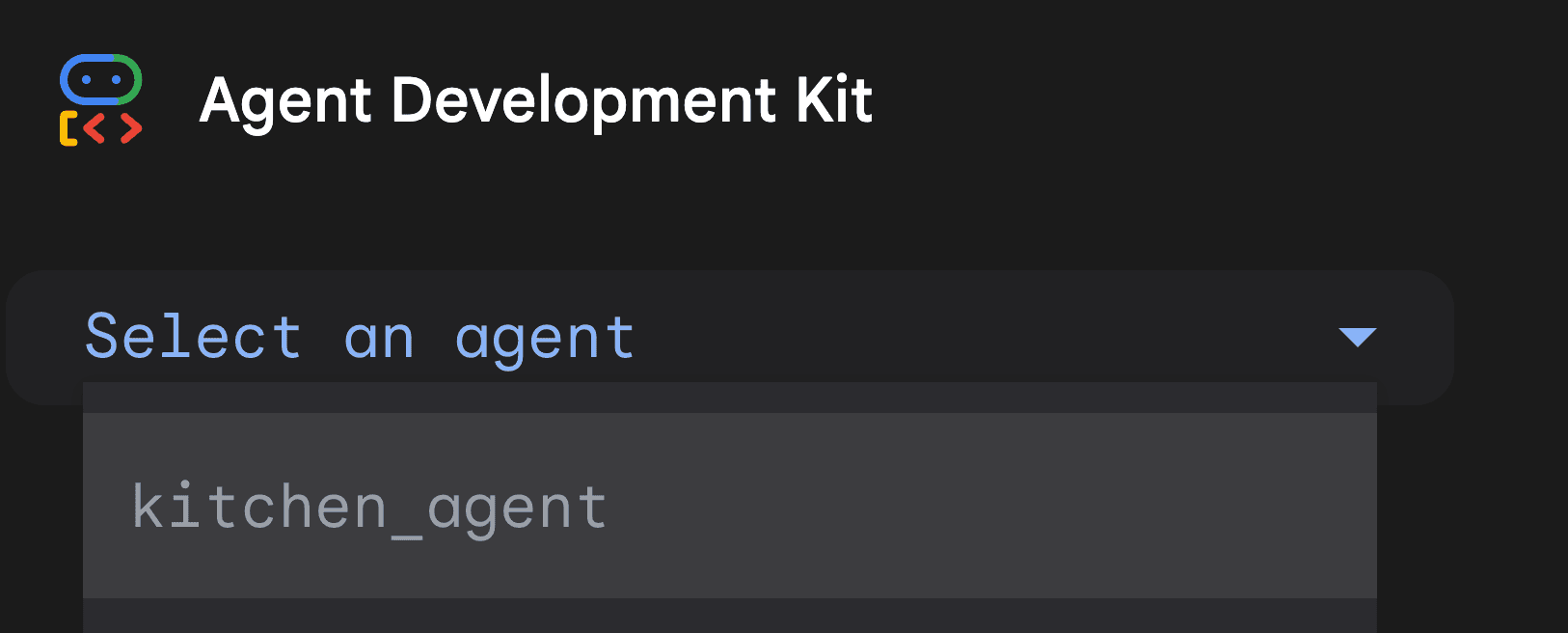
Once selected, you can start chatting with it.
What the Elasticsearch voice assistant can answer
Here are the types of questions your voice assistant can handle:
Recipe queries (semantic search)
| You say | Response |
|---|---|
| Does the seafood risotto have shellfish? | Seafood Risotto includes shellfish and shrimp. |
| How do I make the house vinaigrette? | To make the house vinaigrette, whisk mustard, red wine vinegar, honey, and minced garlic. Slowly stream in olive oil while whisking. Season with salt and pepper. |
| What can I make for a vegan guest? | You could make a Vegan Buddha Bowl or Fruit Sorbet. The House Vinaigrette is also vegan. |
| Any nut-free desserts? | Here are some nut-free dessert options: Chocolate Lava Cake, Fruit Sorbet, and Panna Cotta. |
Video demonstration
Events view
The web interface allows you to debug the operations executed by the agent. In the left menu, you can find the Events view, where the event calls are available.
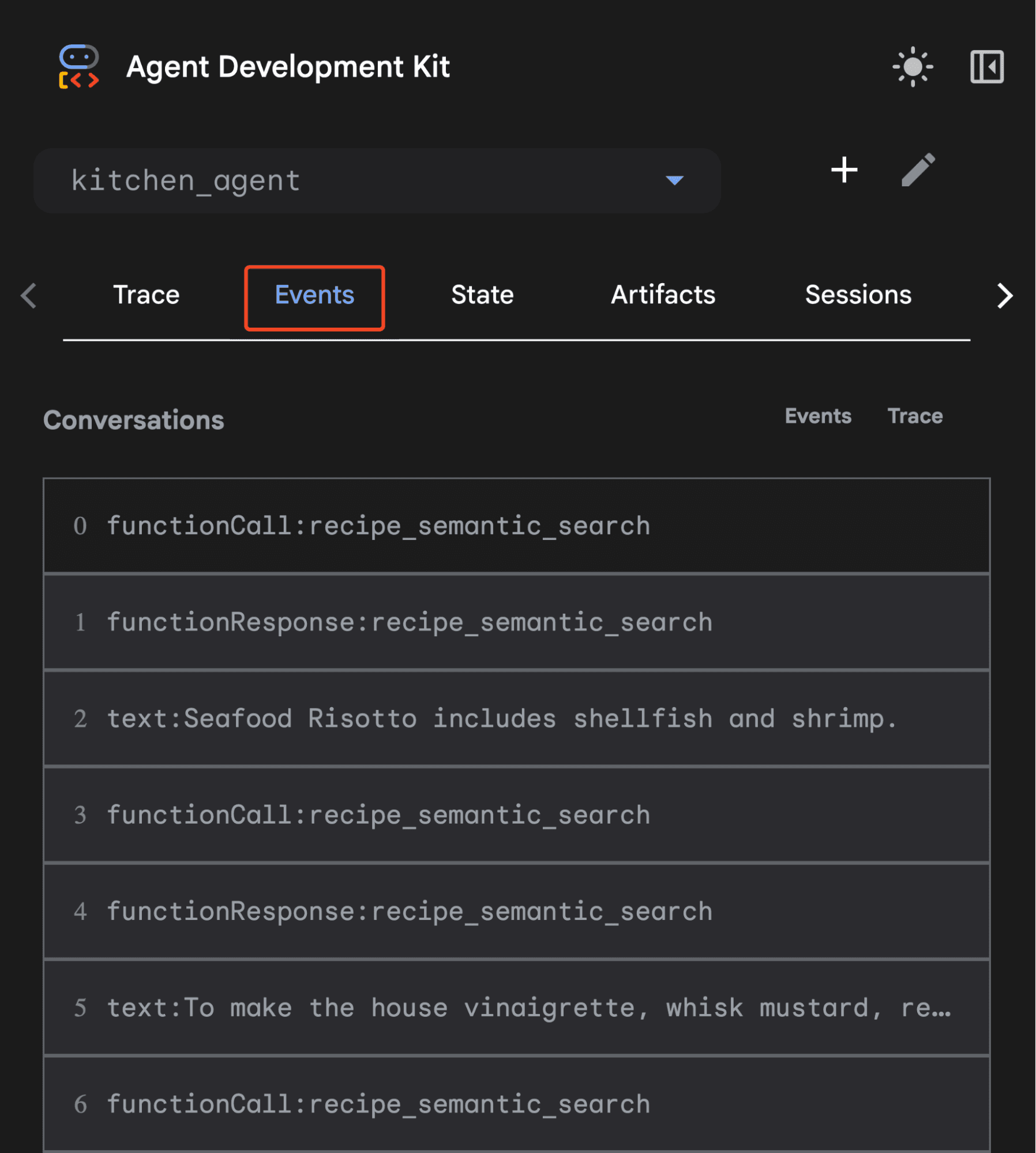
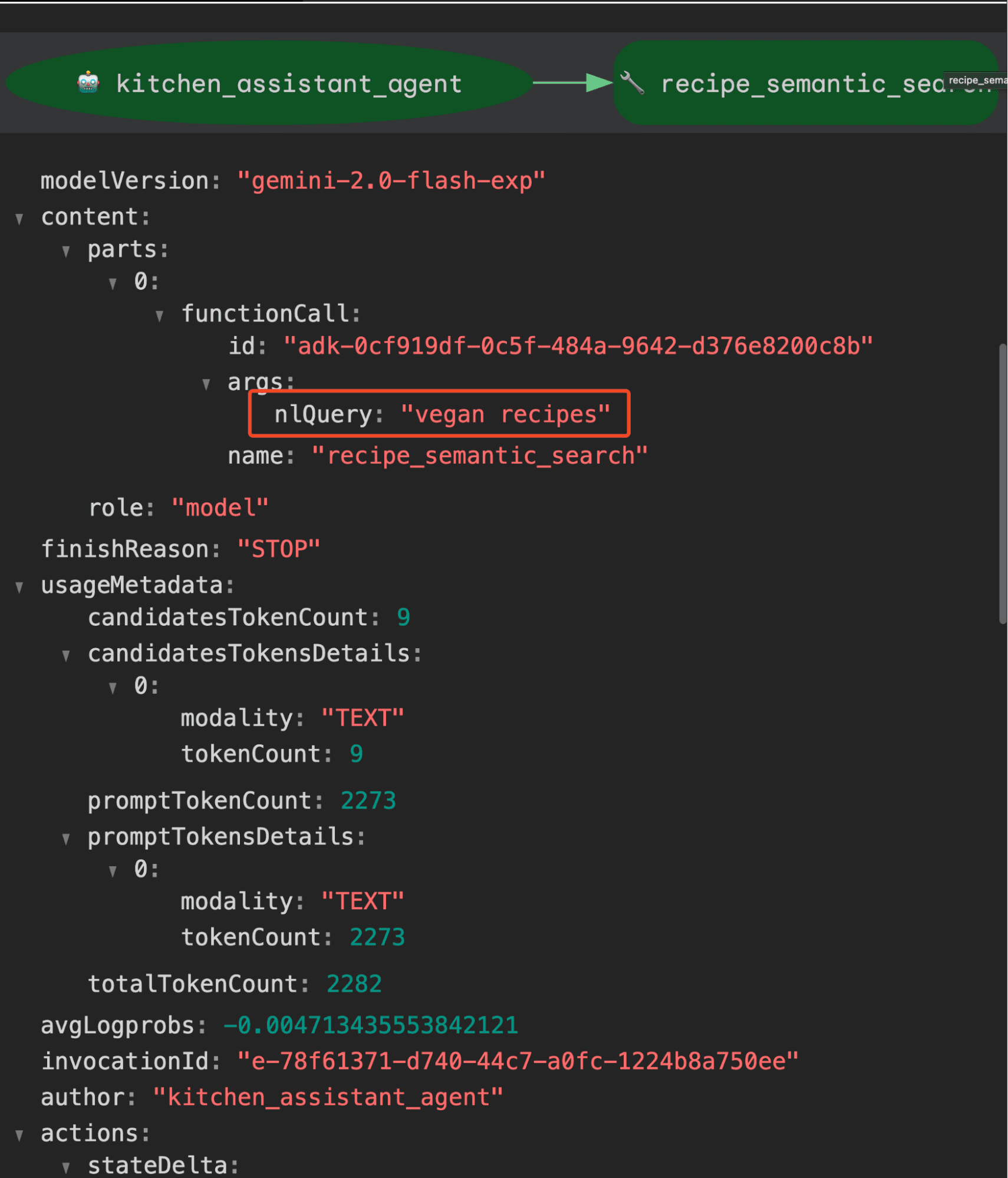
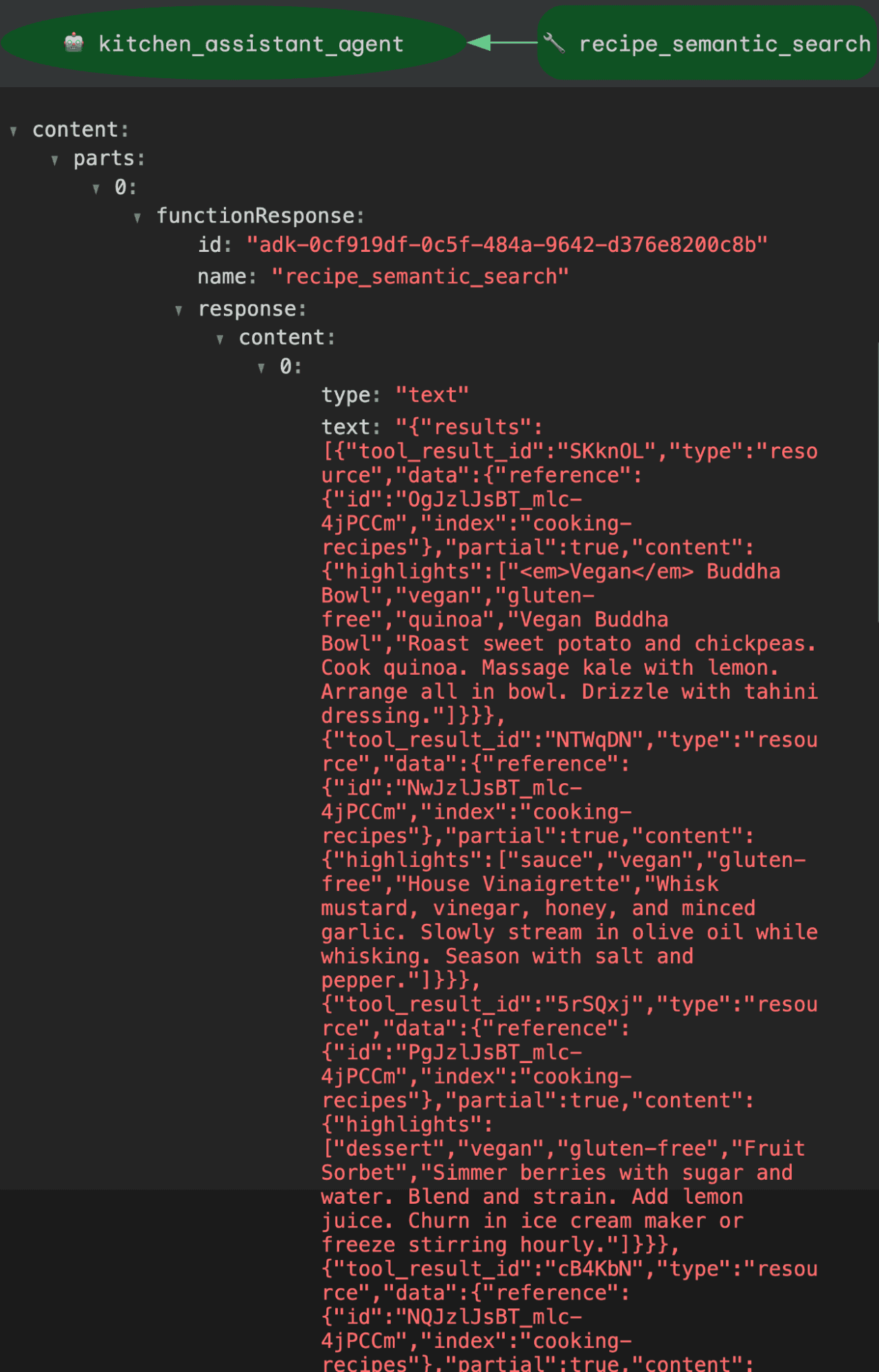
In the function calls, you can find the executed query in Elasticsearch, and in the function response, the hits retrieved by the semantic search.
Query sent to Elasticsearch:
Hits response:
Video demonstration using webcam
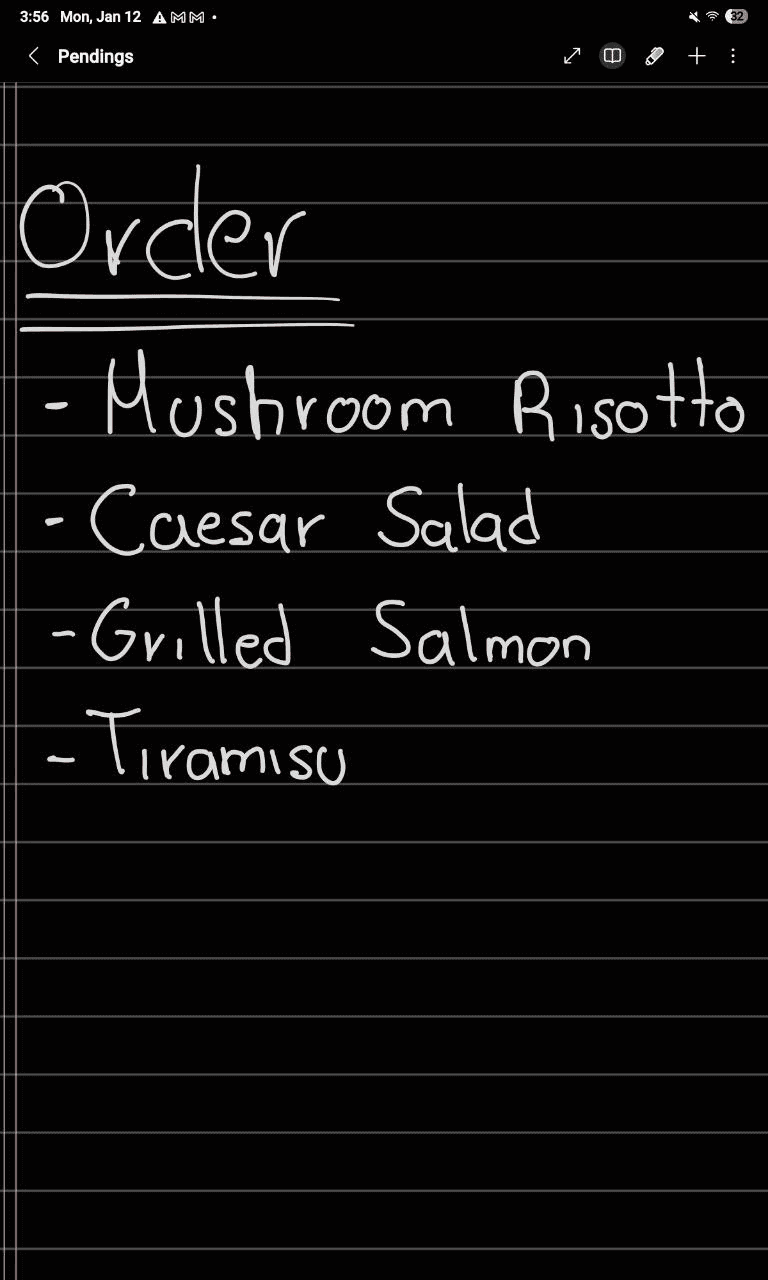
As mentioned, we’re able to use the webcam to chat with Gemini models. To show this feature working, we’ll ask whether there are any dishes containing gluten in the following order written by hand.
Video
As you can see, the responses were fast. Now let’s see what was sent to Elasticsearch by the model.
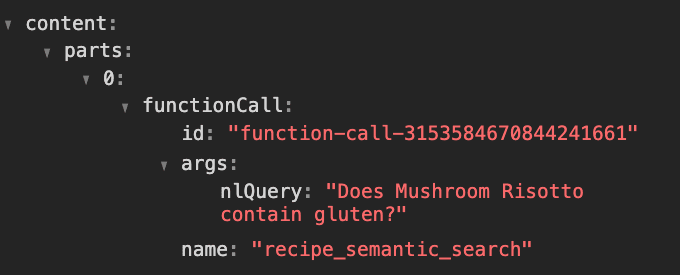
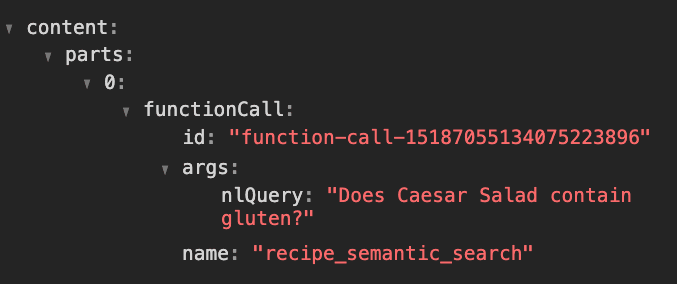
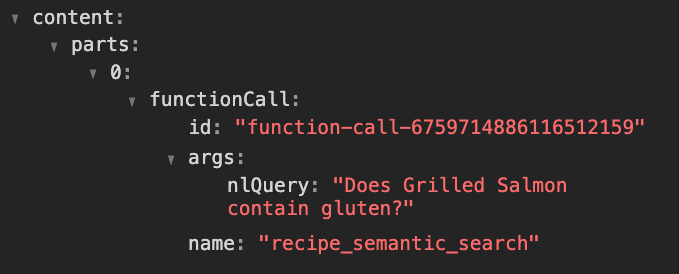
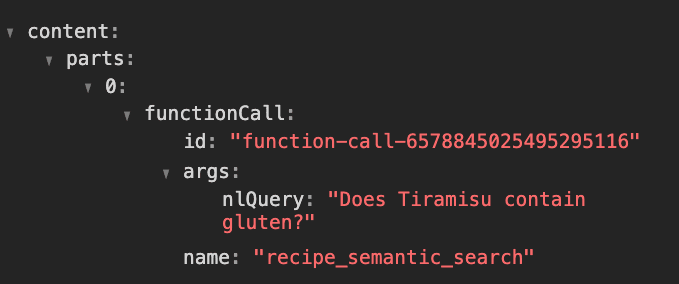
In this case, the model triggered four semantic search requests to Elasticsearch, one for each dish in the order. An interesting point is that the model made the requests in the same order as in the list, which means it was able to identify how the order is organized. This opens the door to many useful use cases, but that will be a story for a future article.
Conclusion
We built a voice interface to Elasticsearch using three technologies working together:
| Component | Role |
|---|---|
| Elastic Agent Builder | Semantic search layer with hosted MCP server |
| Google ADK with LiveAPI | Bidirectional real-time voice streaming |
| MCP | Standard protocol connecting ADK to Agent Builder |
The key insight is that Agent Builder already includes a hosted MCP server out of the box. This means any MCP-compatible agent (Google ADK, Claude Desktop, or LangChain) can talk to your Elasticsearch data without writing custom integrations.
What we covered
- Setting up Elasticsearch indices for semantic search and analytics.
- Configuring Agent Builder with multiple data sources.
- Connecting ADK to Agent Builder via MCP server.
The kitchen assistant pattern applies to any hands-busy scenario: warehouse workers checking inventory, nurses accessing patient records, or technicians querying maintenance manuals. The combination of voice and video input, plus Elasticsearch's search capabilities, opens up use cases where traditional interfaces fall short.
関連記事

2026年7月1日
One command. Natural language. Your Elasticsearch data, straight to the terminal.
Query your Elasticsearch data from the terminal in plain English. The official Elastic GitHub Copilot CLI plugin generates and runs ES|QL queries against your cluster. No Kibana, no manual syntax.
2026年6月30日
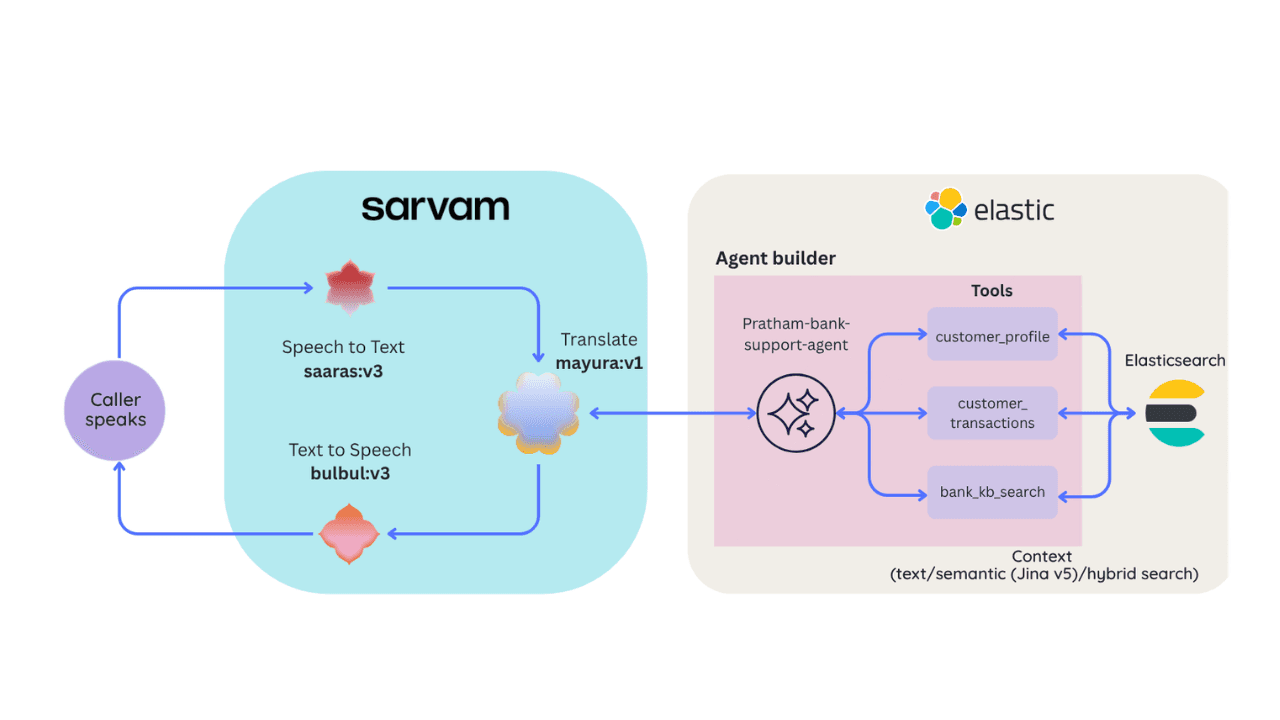
Building a multilingual voice agent with Elastic Agent Builder & Sarvam AI
A working demo combining Sarvam AI speech with Elastic Agent Builder: identity verification, per-customer ES|QL queries, and mid-call language switching across 22 Indian languages without multilingual indices.
2026年6月22日
Your data analyst doesn't need SQL: wiring Elastic Agent Builder to AWS AgentCore for natural-language Elasticsearch queries
Wire plain-English questions to your Elasticsearch data using Elastic Agent Builder MCP, AWS Bedrock AgentCore and the Strands SDK. Python code included.
2026年7月6日
Who grades the grader? LLM-as-a-Judge inside Elasticsearch Workflows
Find out if your RAG agent is ready to ship. Score it on correctness, faithfulness and retrieval quality using only Elasticsearch Workflows and two Claude models.
2026年6月17日
Extract chart data standard OCR misses: Elastic Agent Builder and LlamaParse in one pipeline
Build an end-to-end pipeline that extracts structured data (including values from charts) out of complex PDFs and into Elasticsearch, ready for agent queries with ES|QL.