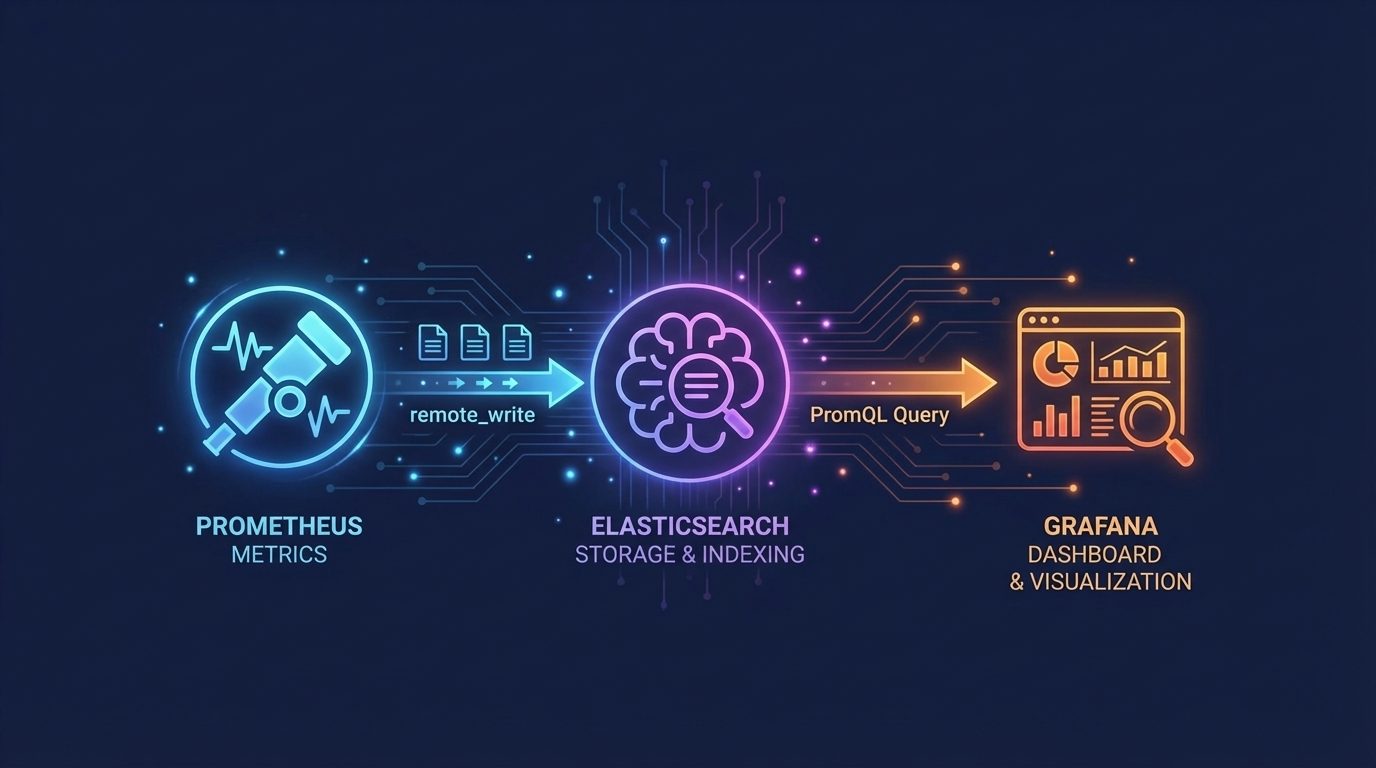
Developer's Guide to Easy Ops: Demystifying OpenTelemetry's Magic
A Go-based Developer's 101 Guide to Easy Ops with OpenTelemetry and Elastic Observability.
Bring hosts, cloud services, networks, and databases into one view, and connect resource pressure to the services running on top. Take a tour, start a free cloud trial, or try Elastic on your local machine now.
The Introduction: From Code to Dash, Demystified
Observability for developers has lately been distilled into implementing auto-instrumentation, allowing you to instantly connect your code with the larger observability world. This way of utilizing an upstream SDK is certainly the simplest and most production-ready, and works efficiently with the Elastic Cloud Managed OTLP Endpoint.
But what if you could not only add powerful tracing to your Go service but also truly understand how the magic works, rather than just copy-pasting configuration files or a line of code? In the same way that you build your knowledge of software development systems, observability, modernized by OpenTelemetry (OTel) standardization, is a rich, broad system that is valuable to understand. Here is an in-depth technical breakdown of every piece of simple OTel instrumentation using the Elastic Distributions of OpenTelemetry (EDOT) and Golang, from the ground up.
Telemetry is the automated collection, transmission and analysis of data from your application, which can apply to any observable distributed system. This data can range from regular health check calls with your application to real-time information about user interactions, requests, and transactions. Using the example application repository here, we’ll build a strong observability foundation to start observing our applications with confidence.
Understanding the OpenTelemetry Flow
Below, you will see the basic flow of your data when implementing observability with OTel in your system. Before we dive in, let’s explain some of the key terms within OTel. Let’s go over these base key players that we need to implement observability solutions with OTel:
-
Span: This is a single, timed unit of a distributed trace that can represent a specific operation, such as a database query or an HTTP handler.
-
Trace: This is a detailed record of a single request’s journey through your system, AKA a hierarchy of your spans.
-
Tracer: This is the handle for generating spans. You will typically have one per instrumentation library, for example myapp/http.
-
Tracer Provider: This is the cornerstone of the SDK. This creates Tracer instances, and you can configure it on application start up.
-
Context Propagation: The mechanism for passing trace context between operations and services, maintaining the relationship between parent and child spans.
-
Exporter: This is the part that is responsible for sending your telemetry data to a vendor backend, and you can decide if you are sending it to the OTel Collector, EDOT Collector or an OTLP Endpoint.
Installing the Magic, Instrumentation Style
OpenTelemetry provides instrumentation libraries that handle much of the tracing complexity for you. These libraries wrap common frameworks and libraries (like net/http/otelhttp) and automatically capture telemetry without requiring you to manually create spans for every operation.
However, before you're able to send any telemetry, OTel needs to know who (which service) is sending that data.
A resource represents the specific entity, in this case "simple-go-service", that is producing your telemetry data. Its identity is recorded as resource attributes, and resource attributes can include pod names, service names or instances, deployment environments; Basically anything important to identifying your resource. This resource is your service's identity card that gets attached to every span and metric that it emits with its attributes. Once your trace arrives, these attributes can answer "what version was running?" or "which service is this from?"
func initOTel(ctx context.Context, endpoint string) (func(context.Context) error, error) {
res, err := resource.New(ctx,
		resource.WithAttributes(
			semconv.ServiceName("simple-go-service"),
			semconv.ServiceVersion("1.0.0"),
		),
	)
	if err != nil {
		return nil, err
	}
In the code above, resource.New() constructs the "identity card" of our Go service. The attributes that will be attached to it will use semantic conventions(semconv), standardized names for common metadata fields. These semantic conventions make sure that every single OTel-compatible observability backend knows their meaning.
Now that we've bootstrapped our application with the initOtel function, we can continue to configure everything else!
Let’s begin instrumenting this application by building all the app components that we will need to implement modern observability tools. Below is our instrumentation using otelhttp, which will handle span creation after calling the specified API routes.
http.Handle("/hello", otelhttp.NewHandler(http.HandlerFunc(handleHello), "hello"))
http.Handle("/api/data", otelhttp.NewHandler(http.HandlerFunc(handleData), "data"))
http.HandleFunc("/health", handleHealth)

// Example of a tracer within our handleHello() function
tracer = tp.Tracer("simple-go-service")

ctx, span := tracer.Start(ctx, "process-hello")
defer span.End()
The key insight here is that otelhttp.NewHandler handles all the span lifecycle management for HTTP requests. You don't need to manually call tracer.Start()or span.End() for basic HTTP tracing since the library does this for you.
On application start up, the SDK will use the tracer provider set up below in order to create Tracer instances. These instances help create and manage the spans contained within traces.
traceExporter, err := otlptracegrpc.New(ctx,
        otlptracegrpc.WithEndpoint(endpoint),
        otlptracegrpc.WithInsecure(),
    )

    tp := sdktrace.NewTracerProvider(
        sdktrace.WithBatcher(traceExporter),
        sdktrace.WithResource(res),
    )
    otel.SetTracerProvider(tp)
    tracer = tp.Tracer("simple-go-service")
Within our initOTel function, we will set up one of our most important signals: logs. First, we initialize the logExporter that will send logs to our OTel Collector using gRPC protocol. Then the LoggerProvider will create the base of the logExporter that batches log entries together before sending those batches to your exporter, attaching metadata about the services along the way. Lastly, the LoggerProvider also creates a standard Go structured logger (slog) that automatically includes trace context (such as span IDs) and batches your log with other logs. These are sent to your observability backend through the exporter along with your metrics and traces.
logExporter, err := otlploggrpc.New(ctx,
		otlploggrpc.WithEndpoint(endpoint),
		otlploggrpc.WithInsecure(),
	)
	if err != nil {
		return nil, err
	}

	lp := sdklog.NewLoggerProvider(
		sdklog.WithProcessor(sdklog.NewBatchProcessor(logExporter)),
		sdklog.WithResource(res),
	)
	logger = slog.New(otelslog.NewHandler("simple-go-service", otelslog.WithLoggerProvider(lp)))
Below you can see how you can view your logs through Kibana in the APM UI. These logs are also color - coordinated; Coded warnings are in yellow, errors are in red, and regular logs are in green.
Metrics are set up in the next part of our code. Metrics are telemetry signals that track the quantitative data from your application, such as response times and request counts. The metric exporter is initialized to send metric data to our EDOT Collector then to our observability backend, Elastic Observability in this case, using gRPC. The meter provider in the next portion periodically collects and exports our metrics data and measurements, the same as the tracer provider creates tracers. The only difference between the two providers is that the meter provider works on a timer while the trace provider exports spans as they complete.
metricExporter, err := otlpmetricgrpc.New(ctx,
		otlpmetricgrpc.WithEndpoint(endpoint),
		otlpmetricgrpc.WithInsecure(),
	)
	if err != nil {
		return nil, err
	}

	mp := metric.NewMeterProvider(
		metric.WithReader(metric.NewPeriodicReader(metricExporter)),
		metric.WithResource(res),
	)
	otel.SetMeterProvider(mp)

	meter := mp.Meter("simple-go-service")
	requestCounter, _ = meter.Int64Counter("http.requests")
	requestDuration, _ = meter.Float64Histogram("http.duration")
In order to finish initializing OpenTelemetry, we set up our propagators for context propagation. The set text map propagator automatically injects the trace ID and the span ID of your service making an outbound HTTP request to another service, following the W3C Trace Context standard. In short, this maintains the parent-child relationship between spans.
otel.SetTextMapPropagator(propagation.TraceContext{})

	return func(ctx context.Context) error {
		tp.Shutdown(ctx)
		mp.Shutdown(ctx)
		lp.Shutdown(ctx)
		return nil
	}, nil
Now that you know how these pieces work together, try to run the repository linked here, using the readme as your guide.
Sidenote: Adding Custom Spans
For getting an application emitting traces, this instrumentation works great! If you visit localhost:8080/hello after starting the docker containers, the otelhttp middleware automatically creates spans for each HTTP request. However, basic instrumentation only shows essential application telemetry, such as response duration, URL paths, and status codes. You won’t know what happens between the request coming in and request completion. The moment OpenTelemetry truly gains power is when you add custom spans. Unlike auto-instrumentation where spans are created as well as closed automatically, custom spans require you to explicitly start and stop them.
Custom spans can track your application’s logic, such as specific business events or marking expensive operations, using a detailed hierarchy within each trace. In the application for this article, there are several custom spans that were created to track important operations:
-
background-work: This traces asynchronous processing that happens with the main request. -
computation:This measures computations and then captures those results, and the computation type.
Custom spans add granular visibility into your application's behavior. For example, in performComputation:
ctx, span := tracer.Start(ctx, "computation")
defer span.End()

result := rand.Float64()
span.SetAttributes(
	attribute.String("comp.type", compType),
	attribute.Float64("comp.result", result),
	)

	logger.InfoContext(ctx, "Computation completed", "type", compType, "result", result)

if result < 0.3 {
span.AddEvent("Low confidence result")
	logger.WarnContext(ctx, "Low confidence computation", "result", result)
}
}
The attributes set above become searchable and filterable in our Elastic Observability backend, allowing for attribute filtering by attribute.result and attribute.compType. If you query your data with “show me all computations where results are less than 0.3,” then you will notice the span event span.AddEvent(“Low confidence result”) tacked on with a timestamped marker. This appears on your trace timeline as well, adding even more visibility to any unusual events. Below is a small example of the filtering that Kibana can accomplish from custom spans.
The Data Pipeline: From Code to IRL
Now that you can export your custom spans and data to OTLP which sends it to the EDOT Collector and then to an observability backend, the best hub for your telemetry data will be the [OpenTelemetry Collector](https://opentelemetry.io/docs/collector/. It is a simple, standalone process that is able to receive, process and export all of your telemetry data. Within this project, we use the Elastic Distributions of OpenTelemetry (EDOT) Collector, an optimized Collector for usage within your Elastic Stack. Since this is a self-managed Elastic instance, this article and connected repository utilize the EDOT Collector through elasticapm, but for Elastic Cloud or Serverless projects, you can use the Elastic Managed OpenTelemetry Protocol (OTLP) Endpoint. As noted in the quickstart documentation here, the Elastic Cloud Managed OTLP Endpoint endpoint helps get your data quickly and efficiently into your Elastic Stack through OTLP, without schema translation! This means that your telemetry hits Elastic instantly and your telemetry data remains vendor-neutral.
For most developers and SREs, this Collector is an amazing tool. It allows you to decouple your code from the observability backend. Your application does not need to know its final destination, it can just send the data to the Collector. Your observability backend can change constantly without it even touching your code. The OpenTelemetry Collector also acts as a gateway for multiple streams of data, and is able to accept various formats in order to unify them for exportation. Lastly, the OpenTelemetry Collector is able to offload processing power from your application - tasks such as retries, batching and filtering can happen in the Collector, not your application.
After trying out this article’s repository, try auto-instrumenting your application with Elastic Distributions of OpenTelemetry (EDOT) so that you can utilize the APM UI to its full potential! With the latest version of Elasticsearch and Kibana start-local, you can use Docker to install and run the services and instantly start monitoring your application.
Understanding the Collector Configuration
The Collector's behavior is defined in a configuration file (otel-collector-config.yaml). Let's break down each component.
Receivers define how the Collector accepts telemetry data. Here, we're listening for both gRPC and HTTP traffic.
receivers:
  # Receives data from other Collectors in Agent mode
  otlp:
    protocols:
      grpc:
        endpoint: 0.0.0.0:4317
      http:
        endpoint: 0.0.0.0:4318
Connectors are specialized components that sit in between pipelines, and in this case, we are using the elasticapm Connector. This APM Connector exports our metrics, logs, and traces, while simultaneously acting as a receiver for the metrics/aggregated-otel-metrics pipeline (see below). Without it, your raw OTLP data lands in Elasticsearch, but the APM UI has nothing to build its views from.
connectors:
  elasticapm: {} # Elastic APM Connector
Processors transform, filter, or enrich data as it passes through the EDOT Collector. The batch processor aggregates spans before export, reducing network overhead and improving efficiency, as well as limiting batch sizes. The batch/metrics processor does this as well, but for APM metrics. Lastly, there is the Elastic APM processor. This processor ensures that your spans fields are aligned, your traces views are complete, and it overall bridges the gap between Elastic's expectations and OpenTelemetry's formatting of your traces.
processors:
  batch:
    send_batch_size: 1000
    timeout: 1s
    send_batch_max_size: 1500
  batch/metrics:
    send_batch_max_size: 0 # Explicitly set to 0 to avoid splitting metrics requests
    timeout: 1s
  elasticapm: {} # Elastic APM Processor
As mentioned previously in the article, exporters send data to your observability backend. The debug exporter logs telemetry to the console (useful for development), while the Elasticsearch exporter sends traces to your Elastic stack.
exporters:
  debug: {}
  elasticsearch/otel:
    endpoints:
      - ${ELASTIC_ENDPOINT} # Will be populated from environment variable
    user: elastic
    password: ${ELASTIC_PASSWORD}
    tls:
      ca_file: /config/certs/ca/ca.crt
    mapping:
      mode: otel
Pipelines connect receivers, processors, and exporters into a data flow. These EDOT Collector pipelines receive OTLP traces, batches them, and exports to the debug, elasticapm and elasticsearch/otel exporters. It also exports metrics to the debug and elasticsearch/otel exporters.
service:
  pipelines:
    metrics:
      receivers: [otlp]
      processors: [batch/metrics]
      exporters: [debug, elasticsearch/otel]
    logs:
      receivers: [otlp]
      processors: [batch]
      exporters: [debug, elasticapm, elasticsearch/otel]
    traces:
      receivers: [otlp]
      processors: [batch, elasticapm]
      exporters: [debug, elasticapm, elasticsearch/otel]
    metrics/aggregated-otel-metrics:
      receivers:
        - elasticapm
      processors: [] # No processors defined in the original for this pipeline
      exporters:
        - debug
        - elasticsearch/otel
Debugging Your Code with Confidence in Kibana
Elastic Observability, utilizing Kibana and Streams, has native support for the OTLP Endpoint through the EDOT Collector, which was used in this project. Below, you can see that your data is automatically connected to Streams from the beginning, requiring no extra leg work! You can add conditions or any Grok processors as your data is streaming in, and you'll be able to instantly see your data's schema and data quality.
Elastic also provides the Elastic Cloud Managed Endpoint for even easier storage, data-processing, and scaling. If you use this Managed Endpoint, it means that you can configure OpenTelemetry to send data directly to Elasticsearch, without ANY specialized Collectors. Any way you choose, once your traces are flowing, Kibana’s APM UI provides powerful visualization and analysis capabilities will be everything you need to debug your code. You are able to drill down into individual requests, identify bottlenecks, find anomalies and troubleshoot any issues that arise with confidence.
Here is one span of interest from this repository. Within Kibana, you can immediately filter by the Trace ID, finding other spans with the same Trace ID to visually see the entire trace.
Kibana Discover also allows you to switch indices instantly without losing your filters, ensuring that you can also see the logs that correspond with the same Trace ID.
In addition to the manually checking your traces, you can automatically check them within the APM UI (shown below). This is easy trace visualization using the Kibana APM UI is readily available while using the elasticapm connector. Below is a visualization of a trace comprised of spans within our project. Knowing both methods of correlating spans is beneficial to build the foundation of utilizing Kibana and the APM UI for observability.
Here is a fully built out dashboard built from the repository featured in this article. The possibilities with Elastic Observability are endless!
Congrats, You’re Not “Just” a Developer Anymore!
We’ve broken down the why and how behind OpenTelemetry’s basic components, including the TraceProvider, the span, the exporter and the Collector. Here, you’ve done more than just implement your tracing tool. You now understand the complete data flow from your code to the graphs on your dashboard.
You can now speak the language of observability with confidence, not because you memorized a configuration file, but because you now understand the data flow from your code to the graph on your dashboard. You understand how telemetry moves through your system. You aren’t “just” a developer anymore; you’re now a developer who can truly see.
Try out the code repo above! Included in the repository is a generate-traffic.sh script file. You can run this repeatedly in order to generate logs, traces, and metrics for you to play with within the APM UI. Also, check out our latest releases in our release docs page for exciting Elastic updates.
How helpful was this content?
Related Content
No log file too small: How Elastic Agent tracks files below the 1 KiB threshold
.jpg)
Collecting rootless Podman logs with Elastic Agent: the CRI parser, user-scoped paths, and the Podman socket

Skip writing alert rules: 6 ready-made ES|QL templates ship inside the NGINX OTel integration
Elastic z/OS ingest: five architectures for mainframe data