Self-Driving Observability: From Stacktraces to Profiling-Derived Metrics
Profiling-derived metrics turn raw stacktraces into time-series KPIs, unlock continuous profiling for every user and lay the foundation for an observability system that detects, investigates, and acts on its own.
Elastic speaks OpenTelemetry natively. Send traces, logs, and metrics over OTLP straight into Elasticsearch, no proprietary agents required. See how it fits together, try it for free in the cloud, or run it locally.
Continuous profiling has come a long way. With the OpenTelemetry Profiles signal entering Alpha and the OpenTelemetry eBPF profiler — donated by Elastic — now operating as a first-class OpenTelemetry Collector receiver, low-overhead, whole-system profiling on Linux is finally available to every OpenTelemetry user. No instrumentation, no recompilation, no service restarts. Just deploy the profiler and get visibility from the kernel, through native code, all the way up into HotSpot, Python, V8, .NET, Go, PHP, Perl, BEAM Erlang and Ruby runtimes.
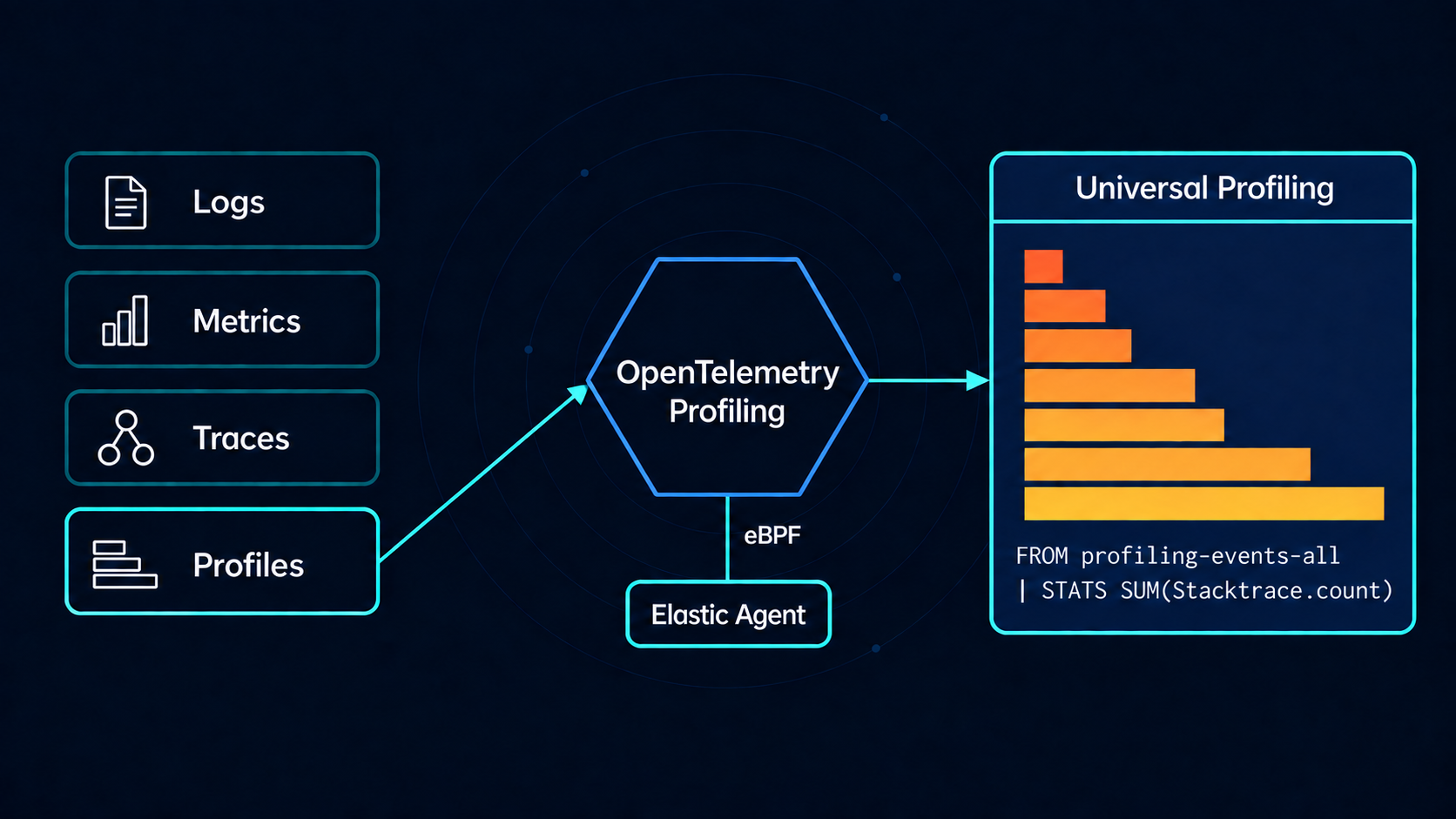
The processing pipeline is straightforward: The profiler samples every CPU core on the system at a fixed rate (19Hz by default), unwinds execution stacks, symbolizes the resulting stacktraces and ships the profiles to a backend like Elasticsearch.
And then... the user has to figure out what to do with them.
That last step is where continuous profiling has historically faced adoption challenges, as the path from "profiling is on" to "profiling is useful" is steeper than it should be.
Four barriers to adoption
-
Storage cost: Full stacktraces, even after deduplication and clever storage schemas, are expensive to store at fleet scale. That cost makes continuous profiling an opt-in feature in practice: a lot of potential users never enable it, and the ones who do, tend to enable it only on a subset of hosts.
-
Query friction: A normalized stacktrace schema is optimized for ingestion and storage but complicates ad-hoc questions. "How much CPU time does my service spend in TLS?" is a simple question that may require intricate ES|QL or custom code in order to be answered.
-
AI-hostile data: Normalized stacktrace data (typically involving multiple levels of indirection) resists straightforward algorithmic analysis. LLMs in particular struggle with it and necessitate further data transformations into representations more amenable to LLM processing.
-
UX barrier: Flamegraphs are extremely useful when you know how to read them but intimidating when you don't.
These four barriers compound: storage cost limits coverage, the UX barrier limits who benefits from coverage, query friction limits what questions users can ask and the AI-hostile data representation limits what the system can do when users don't know what questions to ask.
How profiling-derived metrics work: classify at the edge
The core idea is simple: instead of sending full stacktraces all the way to a backend and asking the user to make sense of them there, we classify and count at the edge, inside an OpenTelemetry Collector pipeline, and emit ordinary OpenTelemetry time-series counters. The profiling logic itself doesn't change; it's still the OpenTelemetry eBPF profiler running inside the OpenTelemetry Collector. All the new work happens in a stateless connector inside the Collector: the connector inspects each stacktrace produced by the profiler, classifies its frames into one or more categories and increments counters.
We've released profilingmetricsconnector as part of Elastic's opentelemetry-collector-components repository. It sits between the OpenTelemetry eBPF profiler receiver and any metrics exporter, and turns symbolized stacktraces into named, aggregated counters with attributes.
Because the profilingmetricsconnector lives inside the standard OpenTelemetry Collector pipeline, every metric it produces flows through the same processors as the rest of your telemetry. In the following example, the resourcedetectionprocessor enriches each counter with host-derived attributes.
connectors:
  profilingmetrics:
    flush_interval: 30s

receivers:
  profiling: {}

exporters:
  elasticsearch:
    endpoints:
      - # ENDPOINT
    api_key: # API_KEY
    mapping:
      mode: otel

processors:
  resourcedetection:
    detectors: ["system"]
    system:
      hostname_sources: ["os"]
      resource_attributes:
        host.name:
          enabled: true
        host.id:
          enabled: false
        host.arch:
          enabled: true
        os.description:
          enabled: true
        os.type:
          enabled: true

service:
  pipelines:
    profiles:
      receivers: [ profiling ]
      exporters: [ profilingmetrics ]
    metrics:
      receivers: [ profilingmetrics ]
      processors: [resourcedetection]
      exporters: [ elasticsearch ]
Profiling-derived CPU metrics: what gets emitted
The connector ships with a set of pre-baked counters built from useful classification rules. Each metric is a count of stacktrace samples whose leaf frame matched a particular category, with the frequency value standing in for CPU consumption.
| Metric | Classifies | Attached metadata |
|---|---|---|
kernel.count | Kernel leaf frames | syscall, category (disk/rw, ipc/rw, network/{tcp,udp,other}/rw, memory, synchronization, …) |
native.count | Native C/C++/Rust leaf frames | shared library name (libcrypto, libclrjit, libsystemd, …) |
hotspot.count, go.count, python.count, … | Runtime-specific leaf frames | runtime-specific attributes |
The kernel categorization is worth a closer look as a modern Linux kernel has more than 400 system calls. However, most of what shows up in CPU stacktraces falls into a handful of subsystems: filesystem read/write, network read/write, memory management, scheduling, synchronization. Some syscalls (e.g. read, write) are ambiguous on their own and only become specific when one examines more frames down the stack: ext4_file_read_iter points to filesystem, tcp_v4_rcv to network. The connector handles this disambiguation as part of frame iteration.
Native frames typically lack symbolic information beyond shared library names, but those names are still informative: libssl and libcrypto mean cryptographic work as part of OpenSSL or one of its variants; libz means compression; libclrjit means the .NET JIT is busy. We don't need to enumerate libraries statically as the connector dynamically generates shlib_name attribute values using the trimmed library name (e.g. libssl not libssl.so.3) for clean cardinality.
Currently, for each stacktrace, the connector computes a Self CPU count (the leaf frame matched the category) corresponding to exclusive CPU usage. A complication exists for fine-grained kernel categories like network/tcp/write where the actual leaf frame is usually a device-driver call that we can't meaningfully match. We deal with that by trying to match frames further up the stack (e.g. tcp_sendmsg is enough to correctly classify the sample).
Users can also add their own categories by specifying a frame pattern (e.g. a function or package) and the connector will generate counters for them.
Benefits of profiling-derived metrics for observability
This shift looks small from the outside — "we're emitting counters" — but it changes almost everything about how profiling fits into an observability stack.
-
Orders of magnitude less storage: A counter aggregated over a 5-second (or 30-second or one-minute) window is dramatically cheaper than the full stacktraces it distills. The pre-aggregation interval is configurable with the trade-off being time resolution rather than categorization fidelity. For most "where is my CPU being spent?" questions, 30 seconds is plenty.
-
On by default: Because the storage cost is now in line with regular metrics, profiling-derived metrics can be on for everyone, on every host, from the moment the profiler is deployed. Users get a CPU breakdown by runtime, syscall, kernel category and shared library on day one.
-
Standard dashboards: These are ordinary OpenTelemetry time-series counters and can be visualized ad-hoc using stacked bar graphs, pie charts, top-N panels or any other visualization Kibana supports out of the box. The same Lens and TSDB-backed views for application metrics work here.
-
AI and query-friendly: Standard time-series data is trivially consumable by ES|QL, ML jobs, anomaly detectors and by LLMs. "Show me the top services by
network/udp/writetime, filtered to the payments namespace, over the last six hours" is one query that is not only simple for the system to answer but also simple for an LLM to generate. -
Cross-signal correlation: Because the metrics flow through the standard OpenTelemetry Collector pipeline, they pick up the same resource attributes (e.g.
service.name,k8s.pod.name,host.name,deployment.environment) that logs, other metrics and traces already carry. -
Instant value, with a path to more detail: A user who just wants to know "what's burning my CPU?" gets a meaningful answer without ever opening a flamegraph. A user who wants to dig deeper still has the full eBPF profiler underneath, ready to hand back complete stacktraces when they're warranted.
User-programmable profiling and adaptive sampling
The longer-term direction is for the profiler to stop being something users consume and start being something they program. User-defined metrics are the first step in this direction, complemented by on-demand (full) profiling and adaptive sampling.
Profiling-derived metrics or other signals can act as a trigger for on-demand profiling where the system enables full profiling on a specific host or service to capture complete stacktraces. In that way, the full profiling processing and storage cost is paid only when it matters.
We can apply the same idea to the sampling rate. 19Hz is a sensible baseline for steady state but when the metrics signal an interesting event or an anomaly, the system can automatically ramp to 100Hz or higher to capture high-fidelity data for the time window during which it's relevant. It can then ramp down to baseline.
How profiling-derived metrics enable self-driving observability
Most observability stacks today use an open-loop model: the profiler emits data with a fixed configuration. Then a human looks at flamegraphs and dashboards, potentially correlates with logs, other metrics and traces, forms a hypothesis and triggers a deeper investigation. Every link in this chain requires a human decision. Nothing feeds back into the profiler at speed and the system cannot act on its own observations.
Profiling-derived metrics close that loop.
-
A "significant host events" metric, an anomaly on
network/udp/writeor a spike innative.count/libz: something crosses a threshold. -
The profiler adjusts in response: sampling rate increases, full profiling turns on for the affected hosts.
-
The richer data is correlated against logs, traces, and other metrics by an LLM, by a human or both. The same resource attributes that make cross-signal correlation easy for the user make it easy for the system.
-
A root cause is identified. A remediation is suggested or applied. The metric returns to baseline and the loop continues.
This is what we mean when we talk about self-driving observability. The profiler is no longer just an instrument that someone wields. It is the sensory organ of an autonomous feedback loop: a system that observes itself, decides what to look at more closely and adjusts its own configuration in response to what it sees.
What's next: inclusive CPU, off-CPU metrics, and runtime-specific profiling
Any piece of data visible in a stacktrace can be a metric source and several extensions are already on the roadmap.
-
Inclusive-CPU metrics: Today's pre-baked counters attribute CPU at the leaf frame (exclusive-CPU). Inclusive-CPU metrics will attribute the entire call chain which is useful when you care about the total cost of a function call — the function plus everything it transitively calls — not just the work done directly in its own body.
-
Runtime-specific metrics: GC time per runtime, JSON/Protobuf serialization, RPC frameworks, FFI boundaries. The kinds of questions every team eventually asks about their language runtime, answered by default.
-
Off-CPU metrics: On-CPU profiling tells you where you're spending CPU but Off-CPU profiling tells you where you're not (e.g. blocked on I/O, locks). The same classification logic applies, with the only change being the source signal.
Profiling-derived metrics are an active area of work within Elastic and the profilingmetricsconnector is the place to start if you want to play with this today. A ready-made Kibana integration ships dashboards for all the metrics described above.
If you're already using Elastic's continuous profiling, expect these metrics to show up as first-class citizens in the Elastic stack. If you're not, this is a very low-friction way in as no flamegraph expertise is required and storage cost is minimal.
The flamegraph isn't going anywhere, but for the first time, it isn't the only way profiling yields results.
How helpful was this content?
Related Content

YAML meets IConfiguration: Declarative configuration for the OpenTelemetry .NET SDK

The Great Cat Escape: A hands-on guide to OpenTelemetry, Elastic APM, and Kibana alerting
Your trace stops at the span; continuous profiling with OpenTelemetry doesn’t

One ES|QL query, 365 days of audit logs: Same search on hot data and searchable snapshots