Enable cloud security features
edit
IMPORTANT: This documentation is no longer updated. Refer to Elastic's version policy and the latest documentation.
Enable cloud security features
editTo use cloud security features in your Elastic Security project, you must have the Cloud Protection Essentials or Cloud Protection Complete options enabled for your project.
To enable these options or check their current status:
-
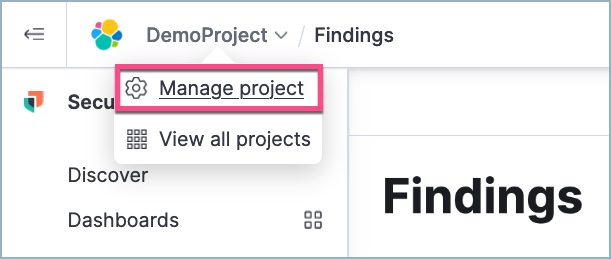
Click your project name in the upper-left corner of Kibana. Select Manage project.
-
To the right of Project features, select Edit.
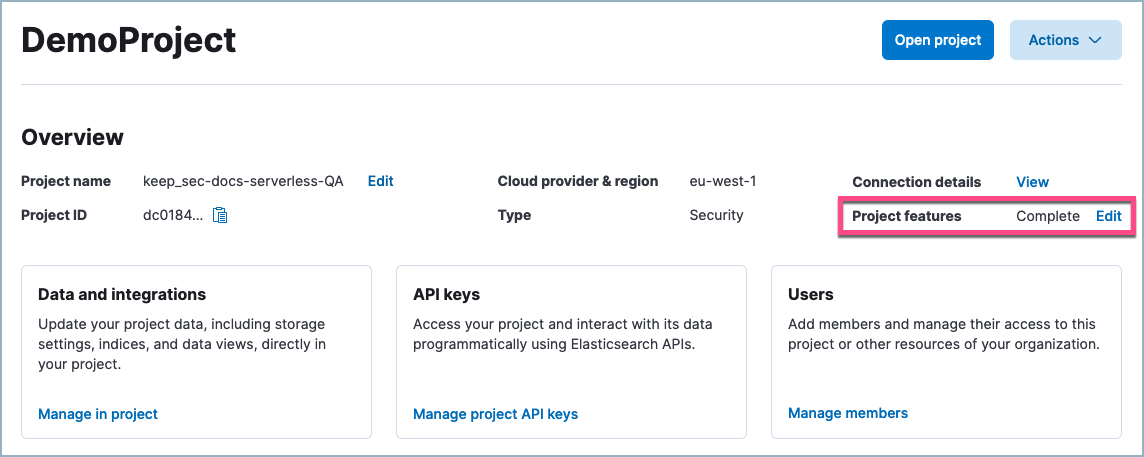
- Enable the necessary options, then click Save.
Continue with cloud security setup.