System user dataset
This functionality is in beta and is subject to change. The design and code is less mature than official GA features and is being provided as-is with no warranties. Beta features are not subject to the support SLA of official GA features.
This is the user dataset of the system module.
It is implemented for Linux only.
The user dataset reads /etc/passwd and /etc/group, which are world-readable on all standard Linux distributions. No elevated privileges are required for basic operation.
When user.detect_password_changes: true is set, the dataset also reads /etc/shadow to detect password hash changes. The shadow file is readable only by root, or by the shadow group on some distributions.
| Configuration | Minimum privilege |
|---|---|
detect_password_changes: false (default) |
None — any user can run this dataset |
detect_password_changes: true |
Root, or membership in the shadow group |
When using detect_password_changes: true, the Auditbeat data directory (beat.db) stores a local hash of the shadow file. Secure this file with the same access controls as /etc/shadow itself — readable only by root.
The dataset comes with a sample dashboard:
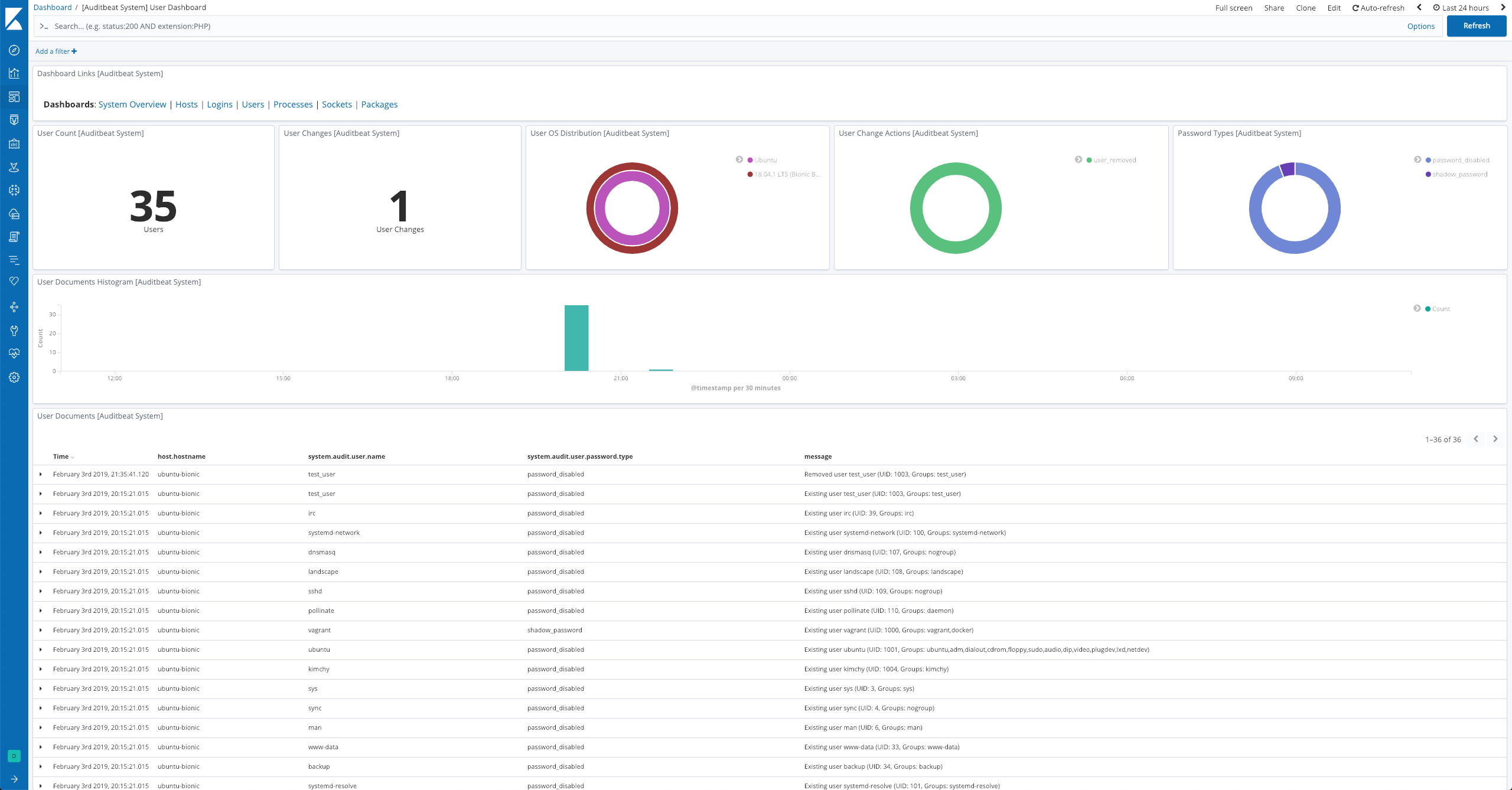
For a description of each field in the dataset, see the exported fields section.
Here is an example document generated by this dataset:
{
    "@timestamp": "2017-10-12T08:05:34.853Z",
    "event": {
        "action": "user_added",
        "dataset": "user",
        "kind": "event",
        "module": "system"
    },
    "message": "New user elastic (UID: 1001, Groups: elastic,docker)",
    "service": {
        "type": "system"
    },
    "system": {
        "audit": {
            "user": {
                "dir": "/home/elastic",
                "gid": "1001",
                "group": [
                    {
                        "gid": "1001",
                        "name": "elastic"
                    },
                    {
                        "gid": "1002",
                        "name": "docker"
                    }
                ],
                "name": "elastic",
                "shell": "/bin/bash",
                "uid": "1001"
            }
        }
    },
    "user": {
        "entity_id": "FgDfgeDptvvfdX+L",
        "id": "1001",
        "name": "elastic"
    }
}