System login dataset
This functionality is in beta and is subject to change. The design and code is less mature than official GA features and is being provided as-is with no warranties. Beta features are not subject to the support SLA of official GA features.
This is the login dataset of the system module.
The login dataset reads the binary utmp files /var/log/wtmp (successful logins) and /var/log/btmp (failed logins). On most Linux distributions, these files are owned by root and readable by the utmp group.
Minimum: Membership in the
utmpgroup is sufficient. Root is not required.Docker: No host namespace is needed. Mount the host log directory if the files are not already visible inside the container:
docker run -v /var/log:/var/log:ro ...
The login dataset is implemented for Linux only.
On Linux, the dataset reads the utmp files that keep track of logins and logouts to the system. They are usually located at /var/log/wtmp (successful logins) and /var/log/btmp (failed logins).
The file patterns used to locate the files can be configured using login.wtmp_file_pattern and login.btmp_file_pattern. By default, both the current files and any rotated files (e.g. wtmp.1, wtmp.2) are read.
utmp files are binary, but you can display their contents using the utmpdump utility.
The dataset comes with a sample dashboard:
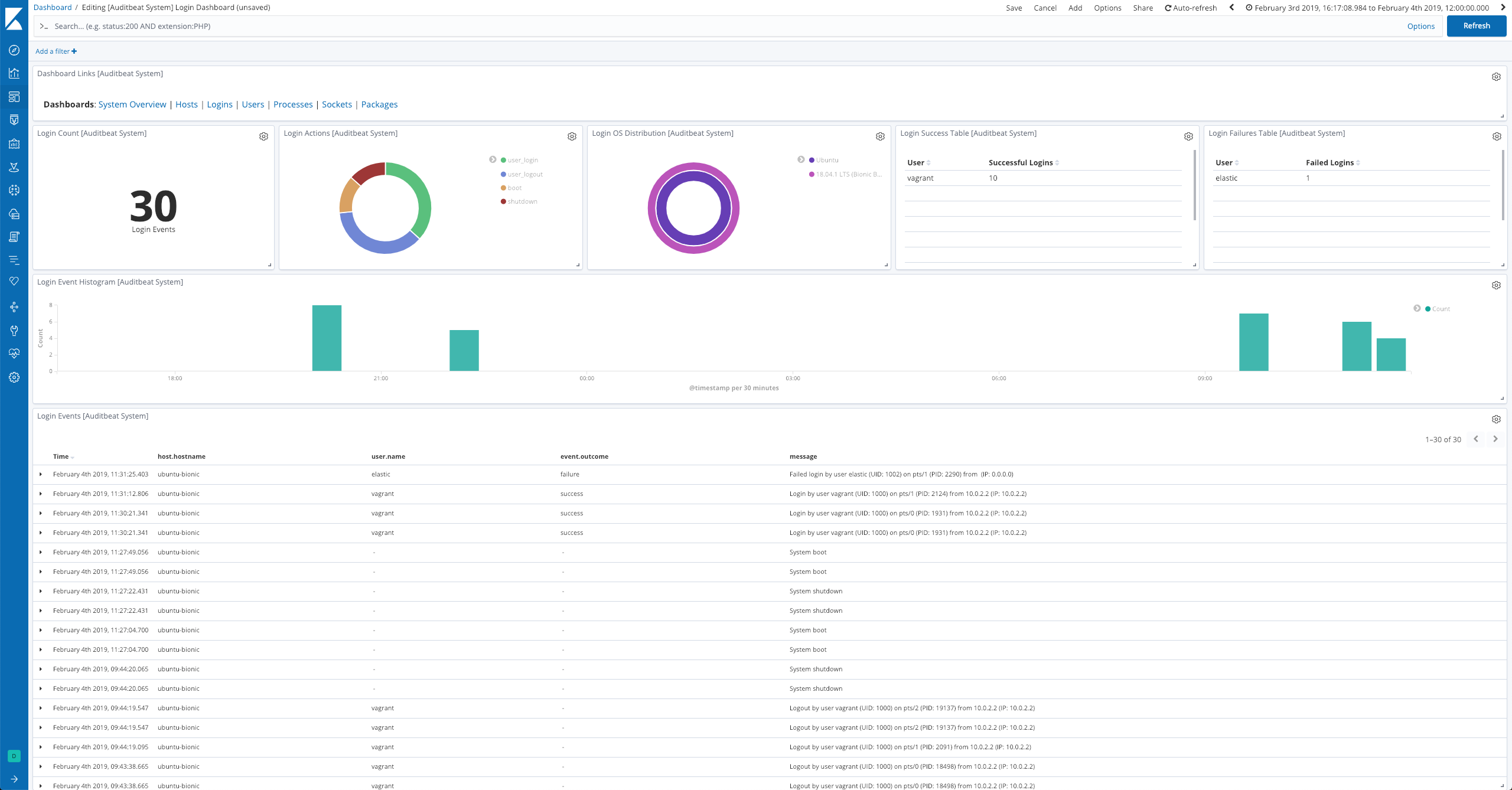
For a description of each field in the dataset, see the exported fields section.
Here is an example document generated by this dataset:
{
    "@timestamp": "2017-10-12T08:05:34.853Z",
    "event": {
        "action": "user_login",
        "category": "authentication",
        "dataset": "login",
        "kind": "event",
        "module": "system",
        "origin": "/var/log/wtmp",
        "outcome": "success",
        "type": "authentication_success"
    },
    "message": "Login by user vagrant (UID: 1000) on pts/2 (PID: 14962) from 10.0.2.2 (IP: 10.0.2.2)",
    "process": {
        "pid": 14962
    },
    "service": {
        "type": "system"
    },
    "source": {
        "ip": "10.0.2.2"
    },
    "user": {
        "id": 1000,
        "name": "vagrant",
        "terminal": "pts/2"
    }
}